



A chat survey is a conversational, chat-style questionnaire that asks one question at a time inside a messaging interface, branches based on the previous answer, and feels like a text exchange instead of a static form. It replaces multi-page web surveys with short, mobile-friendly dialogue that produces higher completion rates and richer qualitative data.
What is a chat survey?
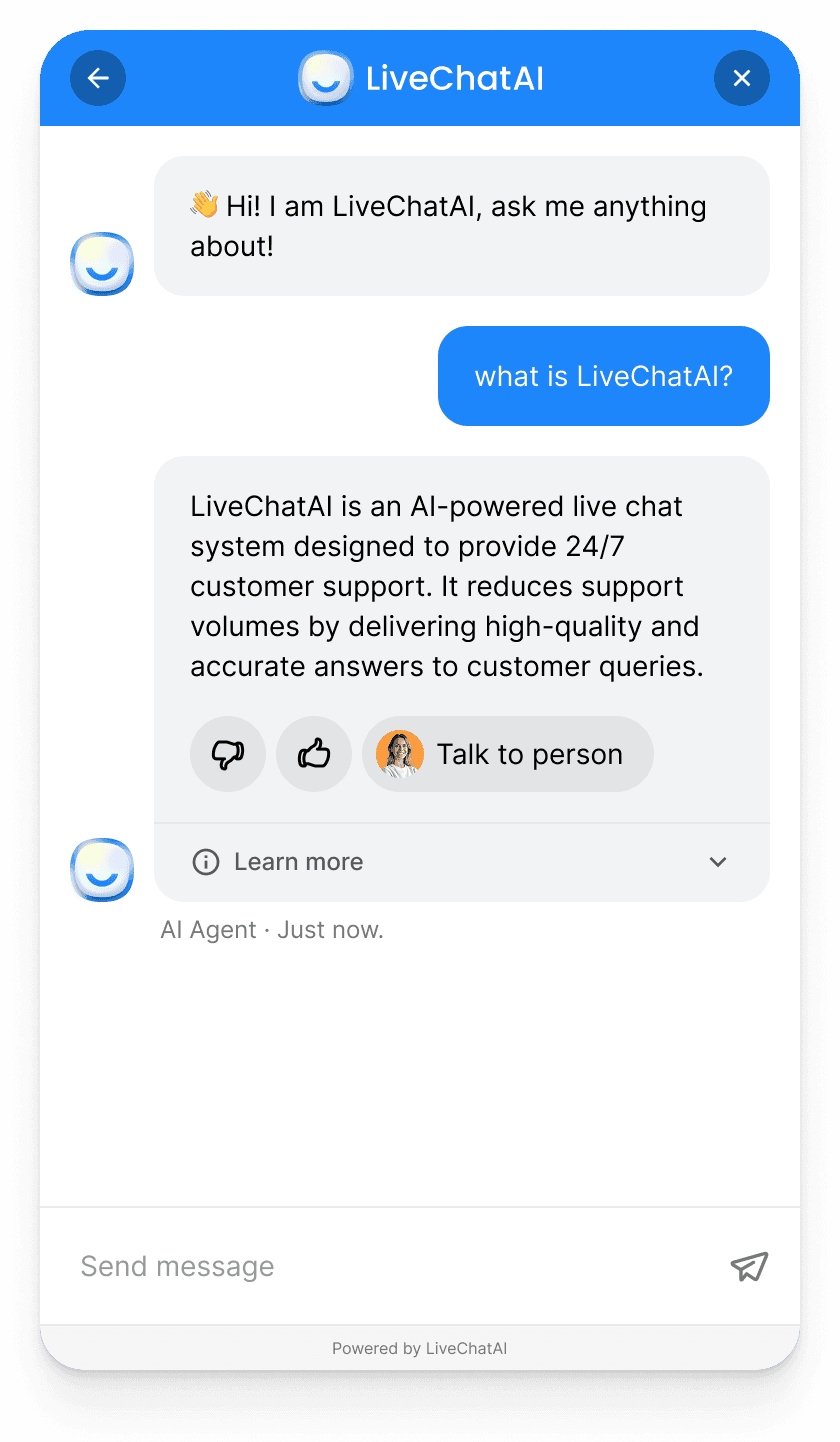
A chat survey is a feedback questionnaire that runs inside a chat window. One question shows up, the respondent answers, and the next question loads based on what they just said. There is no page break, no "1 of 12" progress bar, no submit button at the end. The experience is closer to texting a friend than filling out a form.
We deploy chat surveys for LiveChatAI customers every week, and the shift in tone is the part people miss when they read about this format. A web form asks. A chat survey converses. Because the bot can react to a low rating with "Sorry to hear that — what went wrong?" and a high rating with "Glad to hear it — what worked best?", the same five-question survey produces two completely different conversations. That is where the qualitative depth comes from.
The format covers four common deployments. Pre-chat surveys open the conversation before a live agent or AI bot picks up, capturing name, email, and reason for contact. Post-chat surveys fire after a conversation closes, usually a one-tap CSAT or CES rating with an optional follow-up. Offline or after-hours surveys replace "leave us a message" forms when nobody is online. In-chat polls and micro-surveys interrupt a longer flow with a single rating or multiple choice — useful for product feedback inside an onboarding bot.
The shared trait across all four is the conversational shell. Traditional surveys try to fit 12 questions on one screen and rely on willpower to push respondents through. Chat surveys stretch the same 12 questions across a 90-second dialogue that respondents finish without realising they are taking a survey at all.
Why chat surveys outperform traditional surveys in 2026
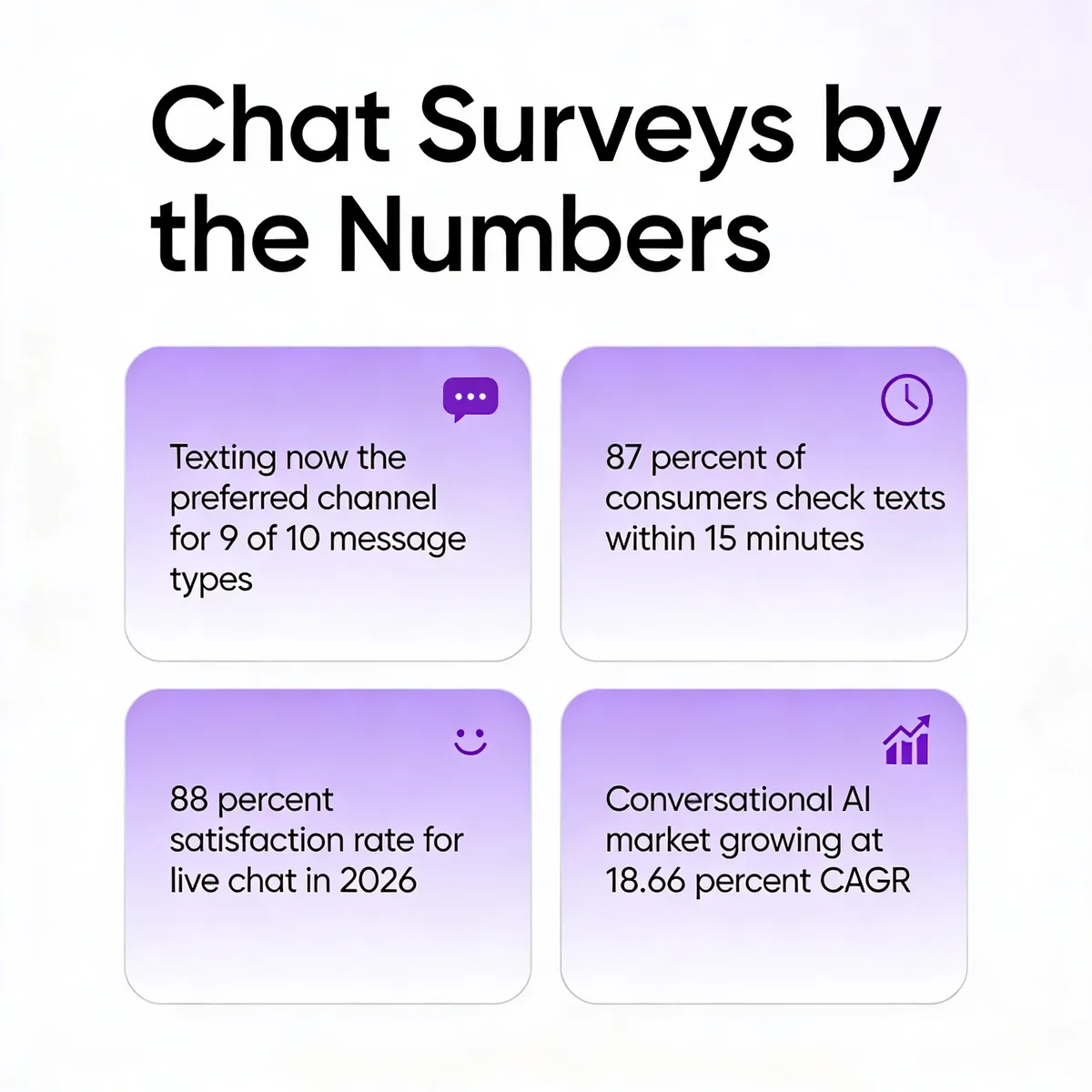
The behavioural shift here is not theoretical. According to Yahoo Finance, texting is now the preferred channel for 9 of 10 message types among US consumers, with 87% of recipients reading texts within 15 minutes. People answer chat threads with reflex speed. They do not open survey emails with the same urgency, and they almost never finish them.
Live chat as a feedback layer is also pulling its weight. Ringly's 2026 live chat report puts the satisfaction rate at 88%, with a 20% conversion lift when chat is present. When the same channel that resolves the support ticket also asks the satisfaction question, you remove the email-to-form context switch that kills response rates. The respondent is already in the conversation; one more message lands.
The 2026 layer that did not exist five years ago is agentic AI. Modern chat surveys can run sentiment analysis on every free-text reply, branch automatically when negative emotion is detected, and generate the next question on the fly using an LLM. That removes the cap on what a survey can ask. Instead of designing a decision tree of 40 nodes upfront, you give the bot a goal — "find out why the user is frustrated" — and let it improvise within guardrails.
How chat surveys work
The mechanics are straightforward. A chat survey opens with one question. The respondent taps a quick-reply button or types a free-text answer. The bot reads that answer, decides which question to ask next, and continues until the goal is met or the respondent disengages.
Compare that to a Google Form. A form shows you every question at once, asks you to scroll, then asks you to confirm and submit. There is no feedback loop. If you skip question 3, the form has no opinion about it. A chat survey, by contrast, treats every answer as a routing decision. A low CSAT score immediately triggers a "what went wrong" branch. A high score triggers a "would you leave a review" branch. The respondent never sees the questions that do not apply to them, and the survey ends when the data is collected, not when 15 fields are filled.
Three components sit underneath the surface. The first is a question library — every prompt the bot might ever ask, stored as reusable nodes. The second is a routing engine — the rules and AI logic that pick which node fires next. The third is a data layer that captures every answer with a timestamp, a session ID, and ideally a sentiment score so analysts can slice by emotion later. Most modern chat survey tools expose all three to a non-technical user through a drag-and-drop builder, which is why marketing teams can ship them without filing a ticket with engineering.
If you want a deeper look at the testing side of this stack, our guide to testing your AI chatbot covers the QA patterns that apply directly to survey bots, including how to catch routing loops before they go live.
The 4 types of chat surveys
Pre-chat surveys
A pre-chat survey runs before the conversation with the agent or bot begins. The classic use case is qualification: ask for name, email, and reason for contact so the inbound message lands with context. Done well, it shortens the support conversation by a turn or two because the agent already knows who they are talking to.
The trap most teams fall into is asking too much. Three fields is the ceiling. Once you reach a fourth, drop-off accelerates because the respondent is now doing work to get to a conversation they have not started yet. Stick to the bare minimum needed to route the conversation, and leave demographic questions for the post-chat survey when the respondent has already invested time.
One pattern that works well in our deployments is a dynamic pre-chat survey that adapts to the URL the visitor is on. A pricing-page visitor gets one set of questions, a docs-page visitor gets a different set. The same chat widget produces qualified leads from the marketing side and triages bug reports from the support side without any of the friction of separate forms.
Post-chat surveys
A post-chat survey fires when the conversation ends — either when the agent closes the ticket or when the bot detects the user has gone silent. The three workhorses here are CSAT (Customer Satisfaction Score, one question on a 1-5 scale), CES (Customer Effort Score, "how easy was it to resolve your issue?"), and NPS (Net Promoter Score, the classic 0-10 recommendation question).
The advantage of running these inside the same chat window is the response rate. An emailed CSAT survey gets 4-8% completion across most B2B SaaS benchmarks. A post-chat survey embedded in the same window the conversation just ended in typically lands between 30% and 45% in our customer data. The respondent never leaves the context, never opens a separate tab, and never has to remember anything about the conversation they just had.
If you are pairing post-chat surveys with broader review-collection workflows, the patterns in our review response examples guide map cleanly to the follow-up flows you can trigger after a 5-star rating.
Offline and after-hours surveys
This is the survey that runs when no one is around to answer. Most chat tools default to "leave us a message" when the team is offline, which is functionally a contact form with a chat skin. Replacing it with a short three-question chat survey converts the same window into a feedback channel, even when no agent is available.
The questions to ask here are different from a normal post-chat survey because the user came in expecting a conversation that did not happen. Open with empathy ("Looks like the team is out — happy to take a quick message"), then ask one routing question (sales, support, billing) and one substance question (what they actually need). The third slot is for contact info if it was not captured earlier.
What surprised me when we ran the numbers across LiveChatAI customers last year is that offline chat surveys outperform regular contact forms by roughly 2x on completion. The reason seems to be the conversational pacing — answering one question at a time at 11pm feels like less work than staring at a five-field form, even when the actual data being collected is identical.
In-chat polling and micro-surveys
The fourth type breaks the conversation in half. A user is working through an onboarding flow, a checkout flow, or a docs flow. A single quick-reply question appears: "Was this helpful?" or "Did the article answer your question?" One tap, one data point, no interruption.
Micro-surveys are the closest thing to a free lunch in the feedback world. Because the response cost is one tap, completion rates run between 50% and 80% in our data. Because the question is contextual to the page or step the user is on, the data is immediately actionable — you do not need to cross-reference session logs to find out which docs page is failing readers.
The risk is over-deployment. Five micro-surveys on five different pages turn the product into a feedback gauntlet. The rule we apply with customers: one micro-survey per critical journey step, and rotate them out after 30 days so the same user does not see the same prompt twice.
Why people respond more to chat surveys than to forms
It feels like a conversation, not a form. Static forms signal effort the moment they load — every field on screen is a future task. A chat survey reveals one question at a time, which removes the visual cost. Respondents commit to the first answer before they realise there are four more behind it.
It is mobile-native. Texting is how mobile users communicate by default. According to YouGov, messaging now replaces many phone calls for 68% of Americans. A chat survey on a phone screen mirrors that habit. A web form on a phone screen fights it.
The cognitive load is lower. Each question is its own discrete decision. The respondent does not have to hold seven questions in working memory while deciding how to answer the eighth. They answer, they get acknowledgement, they move on.
Branching keeps every question relevant. The respondent never sees a question that does not apply to them. That is the single biggest difference from a paper-style form, where 40% of the questions are usually filler from a respondent's point of view.
Real-time sentiment shapes the flow. Modern chat surveys score each free-text reply for emotion. A frustrated response triggers an apology and a routing question. A happy response triggers a review-request branch. The conversation adapts mid-flight, which respondents read as attentiveness.
There is no email tax. Email surveys ask for two extra clicks — open the inbox, open the email, click through to the survey, then start answering. A chat survey starts where the conversation started. The cost of entry is zero.
Immediate context boosts honesty. When the post-chat survey fires 30 seconds after the support conversation ends, the respondent's emotion is still calibrated. They remember exactly what happened. The same survey emailed three days later gets a less accurate signal because memory has decayed.
Features of modern chat survey tools
Conversational logic and branching: The core feature. Every modern tool ships a visual builder where you wire up if-this-then-that branches. The differentiator is how clean the builder gets when a survey has 40+ nodes — most tools fall apart at scale, so test with a real survey before committing.
Sentiment analysis on free-text replies: The bot scores each answer for positive, neutral, or negative emotion in real time. That score becomes the routing variable for the next question. It also feeds the analytics dashboard so you can filter responses by mood, not just rating.
Real-time analytics dashboards: Watching responses land live is more useful than waiting for a weekly export. The best dashboards let you slice by URL, channel, agent, and session length. If you want to go deeper on what to measure, our guide to chatbot analytics covers the 10 metrics that matter most.
Multi-channel deployment: A single survey definition that fires on the website widget, the WhatsApp channel, the in-app SDK, and the email follow-up. The data lands in the same dashboard regardless of source, which means cohort comparisons across channels become trivial.
AI follow-up questions: Instead of pre-writing every probe, the tool generates the next question using an LLM constrained by your goal. The respondent says "the onboarding was confusing." The bot asks "what part of the onboarding lost you?" — a question no one wrote in advance. The data quality on these AI follow-ups is consistently higher than on hard-coded probes because they are specific to what the respondent said.
Native CRM and ticketing integrations: Survey responses should flow into HubSpot, Salesforce, Intercom, or your ticketing system without a Zapier patch. The data is only useful if it lands where the customer record lives.
Security and compliance: GDPR, HIPAA, and SOC 2 are table stakes for any tool that touches personally identifiable information. Confirm how the vendor handles data residency, retention, and respondent consent before you ship a survey that touches health or financial data.
Best practices for running chat surveys
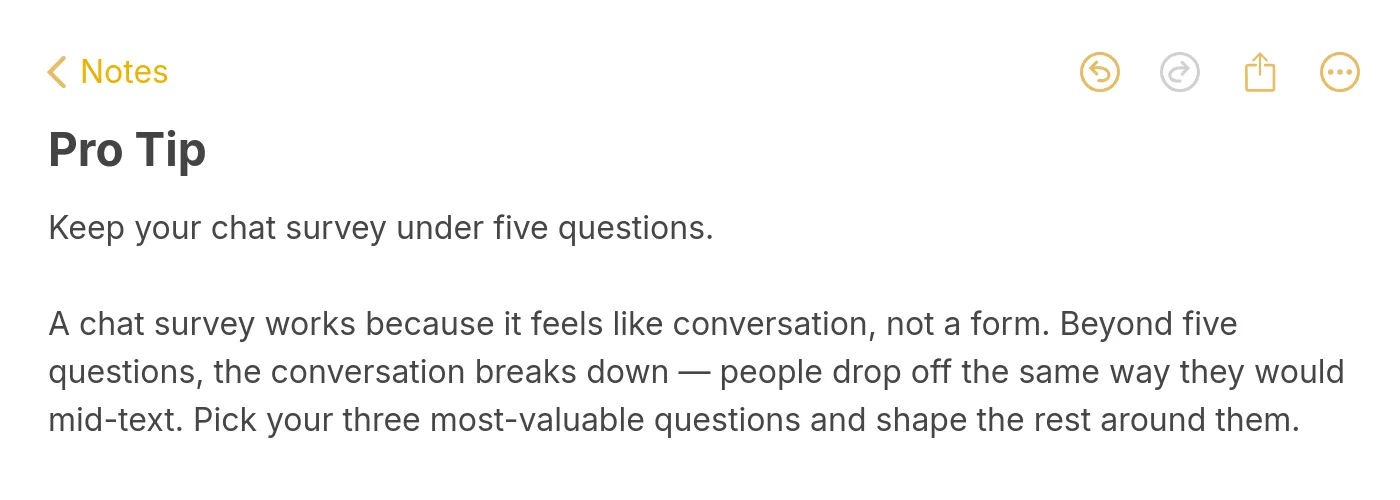
Keep it under five questions
Five is the ceiling, three is the target. Past five questions, completion rates drop sharply because the conversational illusion breaks — respondents notice they are filling out a survey rather than chatting. Cut every question that is "nice to have" and reserve the saved real estate for a single open-ended follow-up where the qualitative gold lives.
Open with a sentiment trigger, not a Likert scale
"Was that helpful?" with thumbs up or thumbs down beats "On a scale of 1-7, how satisfied were you?" as an opener. The binary answer commits the respondent to the conversation in one second. Once they have answered the first question, completing the rest is significantly easier because the sunk cost is already paid.
Branch based on the previous answer
If you are not using branching, you are running a form with a chat skin. The whole point of the format is conditional logic. A negative sentiment should route to an apology and a "what went wrong" question. A positive sentiment should route to a "would you tell others" question. Same survey, two completely different paths.
Time the post-chat survey before the window closes
Fire the survey while the conversation is still on screen, not after the chat widget collapses. The closer the survey is to the conversation it is measuring, the more accurate the response. A two-minute delay is fine. A two-hour delay through email gets a different — and weaker — signal.
Mix open-ended and multiple-choice questions
Pure multiple choice produces clean charts and no insight. Pure open-ended produces rich qualitative data and slow analysis. The right mix in a 4-question chat survey is three multiple-choice questions for routing and aggregation, plus one open-ended question where the respondent can explain themselves in their own words.
Run sentiment analysis on every free-text response
Tag each open-ended answer with a sentiment score at intake. Even a basic positive/neutral/negative label is enough to filter responses in the dashboard. The reason this matters: a 4-star rating with negative free-text sentiment is a different beast from a 4-star rating with positive sentiment, and you only catch that distinction if you score the text.
Real-world examples of chat surveys in action
National study on health, technology, and media
A large US health organisation was running its annual public-opinion study via email, with a long PDF-style questionnaire embedded in a survey-tool link. Response rates had been declining year over year, and the median completion time was creeping toward 14 minutes. The decision was to rebuild the same instrument as a mobile-first chat survey, breaking the questionnaire into seven short conversational blocks.
The results were measurable on three dimensions. Engagement rose because respondents stayed in the conversation longer per question — the chat format added back the dwell time that the form had stripped out. The completion rate climbed by a double-digit percentage because the cognitive load per screen was lower. And drop-out shifted: instead of bailing in the middle, respondents who quit did so after question one, which made the funnel diagnostic instead of a black box.
The lesson the organisation took back is that the questionnaire content did not need to change. The packaging did. Same 28 questions, different envelope, materially better data.
LiveChatAI: surveys baked into live chat conversations
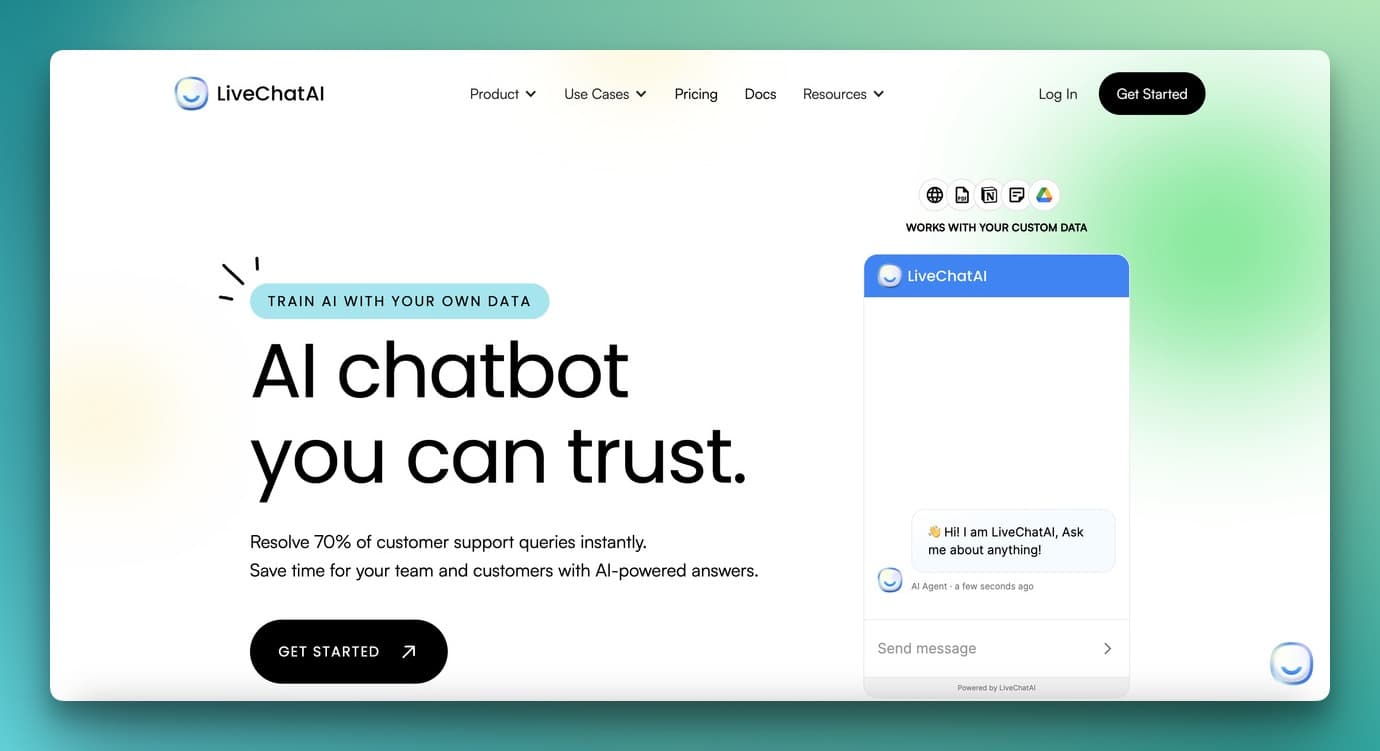
The pattern we run at LiveChatAI is to bake the survey directly into the existing chat conversation, rather than firing it as a separate workflow. When a support conversation ends, the AI agent transitions into a two-question CSAT and CES flow inside the same window. If the respondent rates the conversation a 1 or 2, the bot asks one open-ended probe and tags the ticket for human review. If the rating is 4 or 5, the bot offers a follow-up: would you recommend us, would you leave a review, would you sign up for the newsletter.
The numbers we see from customers running this pattern are consistent. Post-chat survey completion lands between 30% and 45%. Negative-feedback recovery — the percentage of unhappy customers who respond to the apology branch and accept a follow-up — typically runs above 60%. And the data feeds straight into the analytics dashboard alongside ticket volume and AI deflection rate, so the feedback loop is closed without a separate analytics stack. If you are exploring use cases beyond CSAT, our roundup of chatbot use cases covers patterns that adjacent teams in onboarding, sales, and product use too.
How chat surveys affect market research
Market research is rewriting its playbook around conversational data. According to Gitnux, the conversational marketing software market is projected to grow from $12.4 billion in 2023 to $49.8 billion by 2030 at a 22.1% CAGR. Chat surveys sit at the data layer of that growth — they are the instrument that captures structured feedback inside conversational channels.
The shift on the buyer side is just as steep. Zendesk's CX Trends report shows 64% of leaders plan to increase investment in conversational AI chatbots in 2026. Most of that spend goes to agentic AI that handles inbound conversations, but a meaningful slice goes to the feedback infrastructure that measures whether those conversations are working. Without survey instrumentation, the conversational AI investment is unaccountable.
The framing that helps most market research teams is that chat surveys are not a replacement for traditional research methods. Long-form quantitative studies still have their place when sample size and statistical power matter more than response velocity. Chat surveys are an additional layer — the fast, mobile-native instrument that catches reactions while they are still hot, complementing the slower, deeper studies that run on a quarterly cadence.
Common challenges with chat surveys (and how to fix them)
Data privacy and consent: Chat surveys often collect personally identifiable information mid-conversation, sometimes without an obvious opt-in moment. Fix: place a one-line consent notice at the start of any survey that captures email or name, and make the data retention policy a link in the bot's intro message.
Response bias from short surveys: Five-question surveys risk under-sampling the nuance of a 20-minute conversation. Fix: pair the structured CSAT with one open-ended probe, and run sentiment analysis on the probe so you catch the texture the rating misses.
AI sentiment misreads: Sentiment scoring is good but not perfect — sarcasm and mixed feedback trip up most models. Fix: surface low-confidence sentiment scores for human review instead of acting on them automatically, and retrain the scoring model on your own historical data once you have 500+ tagged responses.
Low context for first-time visitors: A pre-chat survey on a brand-new visitor has nothing to personalise on. Fix: use the URL the visitor arrived on as the routing signal, and default to the broadest qualifying question rather than a specific one.
Distribution beyond the site: Most chat surveys only fire when someone is already on the website. Fix: deploy the same survey across WhatsApp, SMS, and in-app channels using a tool that supports multi-channel definition once and deployment everywhere.
Exporting to existing analytics tools: Survey responses that live in a vendor silo are second-class citizens to the data team. Fix: pick a tool with native webhooks into your data warehouse so responses join the rest of your event stream within minutes.
Training the bot on follow-up questions: AI-generated follow-ups occasionally go off-script. Fix: define hard guardrails — categories the bot can probe on, topics it cannot raise, length limits — and review the first 100 generated follow-ups manually before letting the bot run unsupervised. Our checklist for chatbot quality assurance walks through this in more detail.
How to set up a chat survey with LiveChatAI
1. Create your LiveChatAI workspace and connect a knowledge source. The AI agent that runs your support conversations needs to know your product before it can ask intelligent follow-up questions. Point it at your help center, docs, or a sitemap and let it index. Most accounts are ready within an hour.
2. Pick the survey type that matches your goal. CSAT for satisfaction measurement after a support conversation. CES for ease-of-resolution measurement. NPS for advocacy. Pre-chat for lead qualification. Pick one, not all four — start with the metric you actually plan to act on.
3. Write the first question in the respondent's voice. Avoid corporate phrasing. "How did that go?" beats "Please rate your satisfaction with the support interaction you just completed." The first question sets the conversational tone for the rest of the survey.
4. Set the branching logic for the negative and positive paths. A 1 or 2 rating routes to apology + open-ended probe. A 4 or 5 rating routes to a follow-up offer. A 3 rating routes to a neutral diagnostic question. Three branches is enough — do not engineer more than the volume justifies.
5. Deploy, watch the first 50 responses, and tune. Survey design rarely works on the first try. Read the first 50 free-text answers manually, identify the questions where respondents drop off or give thin answers, and rewrite. For monetisation patterns built on the same conversational infrastructure, our piece on make money with AI chatbots covers adjacent flows.
Ship one chat survey on your site this week
The fastest way to learn whether chat surveys work for your business is to replace one existing form with one chat survey. Pick the post-chat satisfaction form first — it has the highest payoff and the lowest design cost. Wire up three questions, set two branches, point it at the chat widget you already have, and watch the response rate for two weeks. The completion rate will tell you whether the conversational format is worth scaling to the other surveys in your stack, or whether your audience is one of the rare cases where forms still outperform.
Frequently asked questions
Are chat surveys secure?
Yes, when deployed on a tool that handles encryption in transit, encryption at rest, and respondent consent properly. The questions to ask any vendor before signing: where is the data stored, who has access, how long is it retained, and which compliance frameworks does the platform support (GDPR, HIPAA, SOC 2). Communicate the privacy policy to respondents inside the bot's intro message so consent is explicit.
Can chat surveys be automated?
Yes — automation is the default mode. A chat survey is essentially a conditional script that fires on a trigger (page visit, conversation end, time of day, user property). The questions, the branching, and the follow-ups all run without human intervention. Humans only step in when a low-rating response routes the conversation to a live agent for recovery.
How can post-chat surveys improve customer service?
They turn every conversation into a measurable data point. A team running post-chat CSAT consistently can spot trends within days rather than waiting for a quarterly review — a particular agent's scores trending down, a particular product area generating frustration, a particular page driving high-effort conversations. The fix is usually obvious once the data is visible, and the survey is the instrument that surfaces it.
What is a good response rate for a chat survey?
Post-chat surveys typically land between 30% and 45% in our customer data. Pre-chat surveys, where the respondent has not yet had a conversation, run lower — usually 20% to 35%. Micro-surveys (single-question, one-tap) consistently outperform both, often above 50% because the response cost is so low. Anything above 20% on a multi-question survey is healthy; below 10% suggests the survey is too long or poorly timed.
Should chat surveys use AI for follow-up questions?
For probes after a free-text answer, yes — AI follow-ups are usually more specific to what the respondent actually said. For the core rating questions (CSAT, CES, NPS), keep them hard-coded. Mixing the two is the right pattern: deterministic scoring questions plus AI-driven probes that go deeper on the answers that warrant it.
How do chat surveys compare to email surveys?
Email surveys have higher reach because they go to anyone with an inbox; chat surveys have higher completion because they fire in the context of a conversation. The two formats serve different jobs. Use chat surveys for in-the-moment feedback tied to a specific interaction. Use email surveys for periodic relationship measurement, brand health, and longer instruments that benefit from being completed at the respondent's own pace.
Further reading on chat surveys and customer feedback:
How to Collect Feedback with AI Chatbots
Chatbot Analytics 2026: 10 Metrics for Higher Performance
Chatbot Quality Assurance (QA): The Fundamental Guide
25 Real-World Chatbot Use Cases Across Industries