






My AskAI is a no-code AI chatbot that turns your help docs, website, and PDFs into a self-serve customer support agent. The strongest myaskai alternatives in 2026 are LiveChatAI for SMB support deflection, Chatbase for fast no-code prototypes, and DocsBot AI for documentation-heavy Q&A. Pick by training-source breadth and helpdesk integrations.
What Is My AskAI?
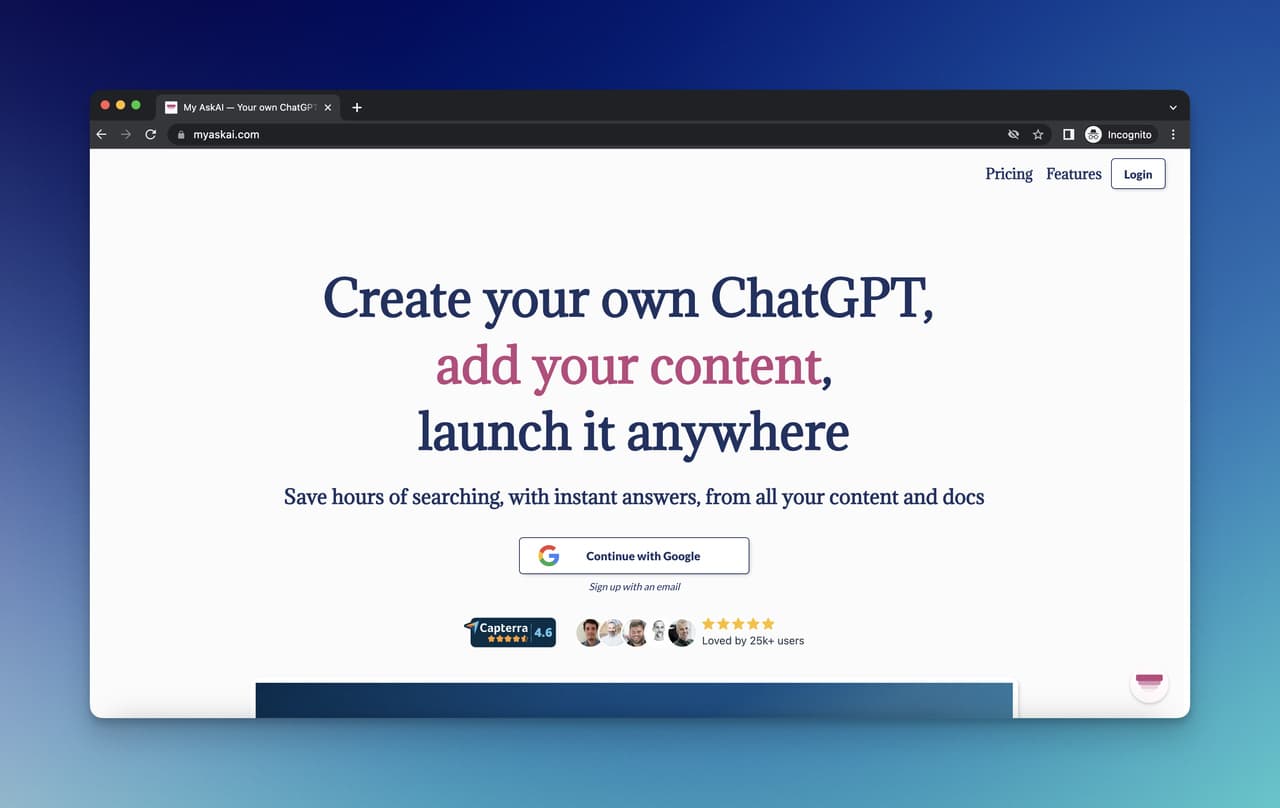
My AskAI is an AI customer support and document-Q&A platform that ingests your help docs, website content, and PDF files, then deploys a chatbot trained on that knowledge. The product targets small support teams that want to automate the first layer of customer questions without writing code or building intents.
The setup flow is short. You point My AskAI at a domain or upload files, the system indexes the content, and you embed the chat widget on your site. Teams typically use it for ticket deflection on help pages, internal Q&A for sales reps, and 24/7 answers about products. It plays well in the same workflow space as a knowledge base chatbot sitting on top of an existing documentation site.
The market context matters here. According to Chatmaxima, the global AI customer service market is projected to reach $15.12 billion in 2026, and platforms like My AskAI sit inside that wave. Budgets for support automation are growing, and so is the field of tools competing for that spend.
My AskAI's per-ticket pricing model (starting around $0.10 per resolved ticket on its current usage-based plans) makes it attractive for low-volume teams, but the trade-off is that costs become unpredictable as ticket volume scales. That's the main reason buyers go alternative-hunting.
Pros and Cons of My AskAI
Before we look at alternatives, here's an honest read of where My AskAI shines and where buyers hit friction.
Where My AskAI works well:
• Fast indexing: Pointing the crawler at a help center or sitemap and getting a working bot back in under 10 minutes is genuine. The onboarding flow is one of the cleaner ones in the category.
• Per-ticket pricing for tiny support volumes: Teams resolving fewer than 200 tickets a month often spend less than a flat-rate competitor.
• Helpdesk plug-ins: Native connectors for Intercom, Zendesk, and Freshdesk let support managers slot My AskAI in front of human agents without re-platforming.
• Multilingual coverage: My AskAI handles answers in 95+ languages, useful for support teams covering EMEA or APAC users.
Where My AskAI hits friction:
• Costs creep with volume: Per-ticket pricing rewards low traffic and punishes growth. Teams crossing 5,000 monthly conversations often shop around.
• Limited deep customization: Conversation flows, branching logic, and conditional handoffs are thinner than what Botpress or Stack AI ship.
• Analytics are basic: You see what was answered and what got escalated, but cohort, funnel, and ROI dashboards lag the category leaders.
• Brand control on the widget: White-labeling exists, but layout and theming options stay tighter than what Wonderchat or Chatling offer.
Top My AskAI Alternatives in 2026 at a Glance
The chatbot market is getting crowded fast. According to Grand View Research, the chatbot market grew from $9.56 billion in 2025 and is projected to reach $41.24 billion by 2033, at a CAGR of 19.6%. Inside that growth, dozens of platforms now compete for the same SMB customer support buyer who would have defaulted to My AskAI two years ago.
Use the decision matrix below as a quick orientation, then read the deep dives for the platform you're closest to picking.
Here's the quick read on each tool we cover in this post:
• LiveChatAI: Best free plan in the category. Trained on docs and live website content, ships ticket deflection plus human handoff out of the box.
• Chatbase: No-code prototype builder. Fastest path from "I have a website" to "I have a bot" with light setup.
• CustomGPT: Document-Q&A first. Strong for sales enablement and internal knowledge bases that are heavy on PDFs and Notion.
• DocsBot AI: Documentation-native. Designed to sit on top of help-center content and developer docs.
• Forethought AI: Enterprise support automation. Built for support orgs running on Zendesk, Salesforce, and Freshdesk at scale.
• Wonderchat: Quick-deploy ChatGPT bot. Five-minute setup from a single URL or PDF upload.
• Chatling: Multi-bot dashboard. Useful for agencies running chatbots for several clients from one workspace.
• Knowbo: Sitemap-trained bot in two minutes. Strong for small e-commerce stores and content sites.
• Wotnot: Multichannel chatbot builder. WhatsApp, SMS, and appointment booking flows alongside web chat.
• Stack AI: Enterprise no-code RAG builder. Good when you need to assemble a custom AI agent on top of internal data sources.
10 Best My AskAI Alternatives for AI Customer Support
Each tool below gets the same treatment: a short positioning paragraph, screenshot, pricing snapshot, pros and cons, and a one-line verdict on who it fits. We've ordered them by how directly they overlap with My AskAI's core use case (no-code support bot trained on your content), starting with the closest match.
1. LiveChatAI
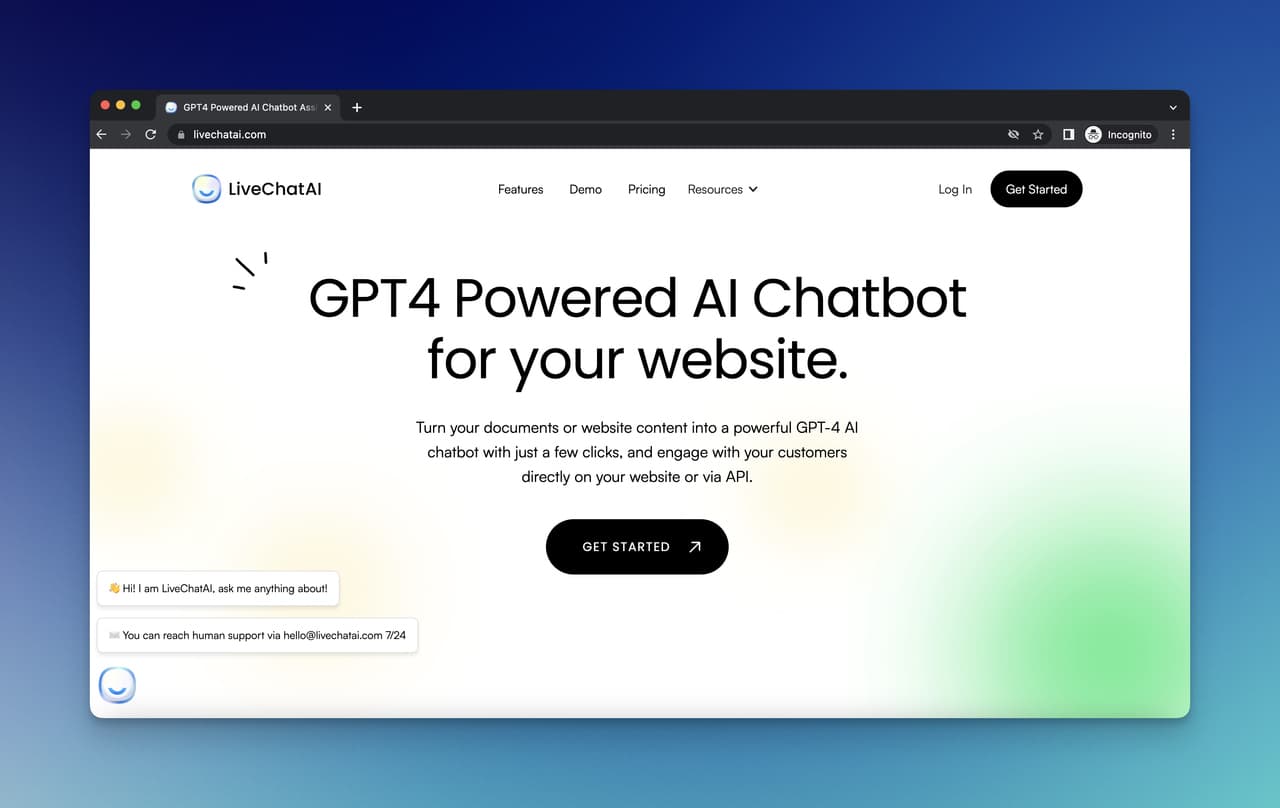
LiveChatAI is the brand publishing this post, and yes — we put ourselves first because the overlap with My AskAI is the tightest of any tool in this list. Both are no-code, both train on websites and PDFs, both target SMB support teams. The differences sit in pricing model and in how the product handles human handoff. LiveChatAI runs on flat monthly tiers with a free forever plan, while My AskAI's costs scale per resolved ticket. Our team built the platform around the realization that training a chatbot on your own data is the part teams care about most, and we've kept that flow simple.
Key features:
• Mixed-source training: Sitemap crawl, PDF and DOCX uploads, plus manual Q&A entries in one workspace.
• Human handoff: Conversations route to live agents via Slack, Intercom inbox, or email when the bot can't answer.
• Long-term memory: Persistent chat history per visitor so returning users don't re-explain context.
• GDPR and privacy controls: Data residency options, PII filters, and audit logs available on paid plans.
• Multichannel deploy: Web widget, Slack bot, and API endpoints from a single chatbot instance.
Pricing snapshot: Free forever plan with a working chatbot and limited messages. Basic at $39/month for 5,000 messages, Pro at $89/month for 10,000 messages and ten chatbots, Expert at $389/month for 100,000 messages and 50 chatbots.
Pros: Real free tier, predictable flat pricing, clean human handoff, strong Trustpilot reviews (4.9/5).
Cons: Less mature enterprise SSO than Forethought or Stack AI. Conversation-flow branching is simpler than developer-first tools like Botpress.
Best for: SMB and mid-market support teams who want flat pricing, a free starting point, and ticket deflection without per-ticket cost surprises.
2. Chatbase
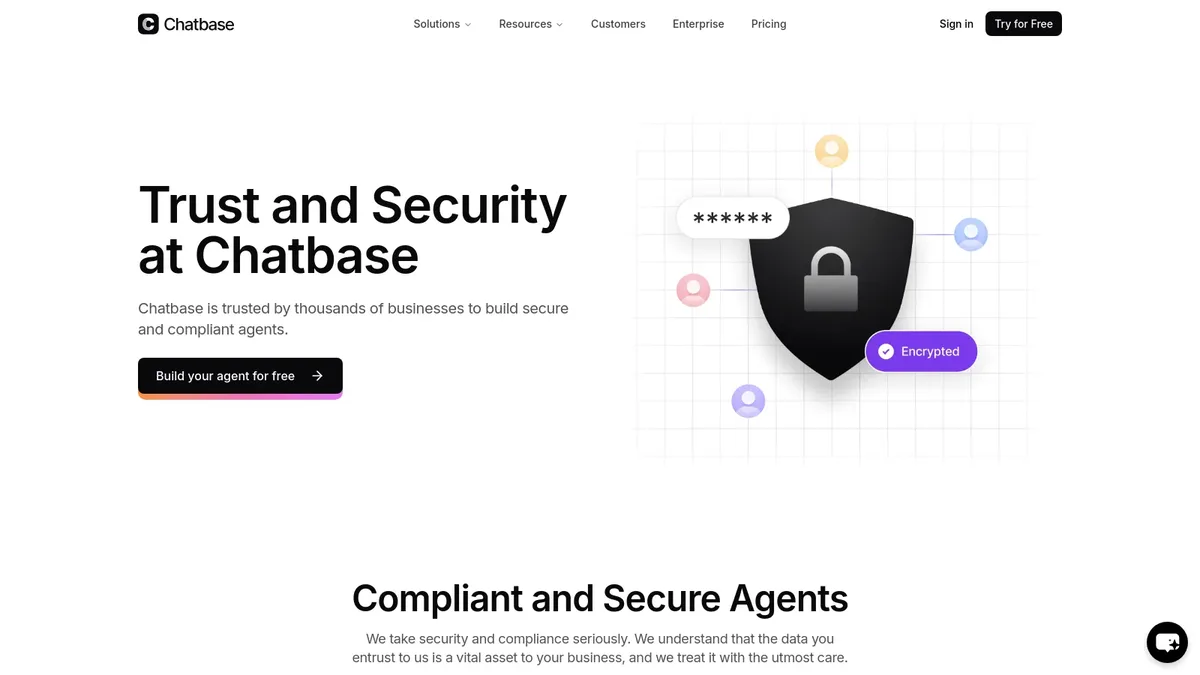
Chatbase is one of the most-cited names in the no-code chatbot category, and it's the tool buyers usually compare side-by-side with My AskAI when they want the fastest possible "URL in, bot out" flow. Train it on a website, upload PDFs, paste in text snippets, and you have a working agent in under 10 minutes. The product leans toward marketing and lead-capture use cases as much as classic support, and recent updates added action-based agents that can do more than answer questions.
Key features:
• Multi-source training: Crawl websites, upload files, paste content, or connect a Notion workspace.
• Action-based agents: Bots can collect leads, book meetings, or trigger webhooks.
• Multi-language support: Answers in 80+ languages from a single trained model.
• Custom domain and white-label: Deploy under your own subdomain on higher tiers.
• Integrations: Slack, WhatsApp, Zapier, and a public API for custom workflows.
Pricing snapshot: Free trial limited to a small number of messages, then paid tiers starting at $40/month for the Hobby plan, $150/month for Standard, and $500/month for Pro. Enterprise pricing on request.
Pros: Fastest no-code setup in the category, healthy integration library, recognizable brand for buyers who want a "safe pick."
Cons: Free tier is more of a demo than a usable plan. Pricing jumps fast as message volume grows. Detailed analytics still maturing.
Best for: Teams who want a quick MVP chatbot to validate whether automation actually deflects their tickets, before committing to a deeper platform. For a longer comparison of similar tools, see our breakdown of how to add custom GPTs to your website.
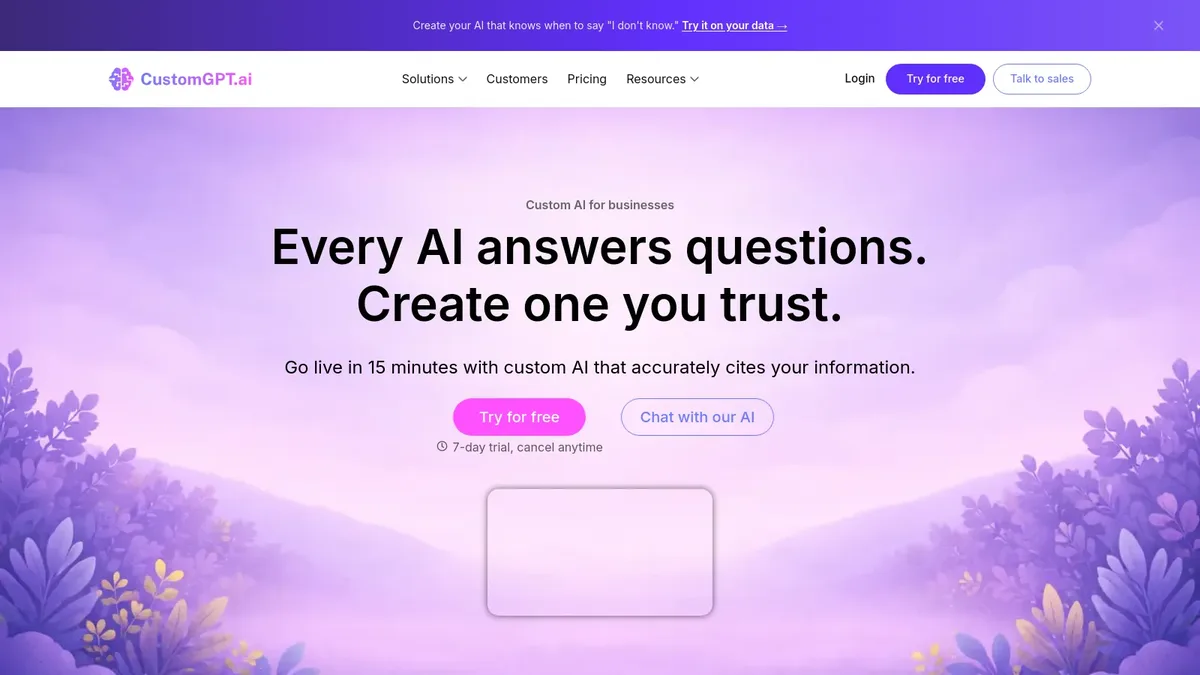
3. CustomGPT
CustomGPT is the tool most often picked when the use case is internal knowledge or sales enablement rather than public customer support. The product is document-first: it ingests PDFs, sitemaps, video transcripts, and audio files, then exposes a GPT-4-class chatbot trained strictly on that content. The promise is "no hallucinations from outside your data," which lands well with legal, healthcare, and finance buyers who can't afford a chatbot inventing answers.
Key features:
• 1,400+ file format support: PDFs, DOCX, audio, video transcripts, and structured exports.
• Citation-backed answers: Every response links to the source document, which auditors love.
• Anti-hallucination guardrails: Bot refuses to answer outside the training corpus.
• API and embed widgets: Same chatbot deployable on web, mobile, and inside internal apps.
• SOC-2 Type II compliance: Enterprise-grade security posture for regulated industries.
Pricing snapshot: Standard plan at $89/month with 5,000 queries, Premium at $449/month for 50,000 queries and 100 projects, Enterprise on quote.
Pros: Strongest source-of-truth guardrails in the category, deep file-format coverage, citation-backed responses by default.
Cons: Pricing skews higher than SMB-focused tools. Live-chat handoff is less polished than dedicated support platforms.
Best for: Knowledge-heavy teams (legal, healthcare, education, internal sales enablement) where source-citation matters more than fast deflection. If you're weighing this specific tool, our CustomGPT alternatives guide covers the full field.
4. DocsBot AI
DocsBot AI sits in the same documentation-Q&A space as CustomGPT, but with a sharper focus on developer docs and help center content. The product was originally built to answer questions about software documentation, and it shows: the indexing pipeline handles code blocks, markdown nesting, and version-tagged content better than generic crawlers. Teams running products with deep help libraries (think SaaS companies with 200+ articles) tend to land here.
Key features:
• Help-center-native crawler: Recognizes Zendesk, Intercom, HelpScout, and Notion structures out of the box.
• Multi-bot workspaces: Separate bots per product line, each with its own training corpus.
• Embeddable widgets and chat embeds: Drop into a docs site, web app, or marketing page.
• Question reports and gaps detection: Surfaces questions the bot answered poorly, so you can patch the source docs.
• Zapier and API access: Pipe answers into Slack, ticketing systems, or internal tools.
Pricing snapshot: Hobby at $19/month for 1,000 questions, Power at $49/month, Pro at $99/month for 10,000 questions and unlimited bots, Business at $499/month with white-label.
Pros: Strongest fit for technical docs, useful gap-detection reports, affordable starting tier.
Cons: Less suited to general lead-gen or sales conversations. Smaller integration library than Chatbase.
Best for: SaaS support teams sitting on dense help libraries who want the chatbot to deflect documentation questions before they hit a human. If you're building a custom solution, our walkthrough on how to build a smart Q&A chatbot covers the architecture.
5. Forethought AI
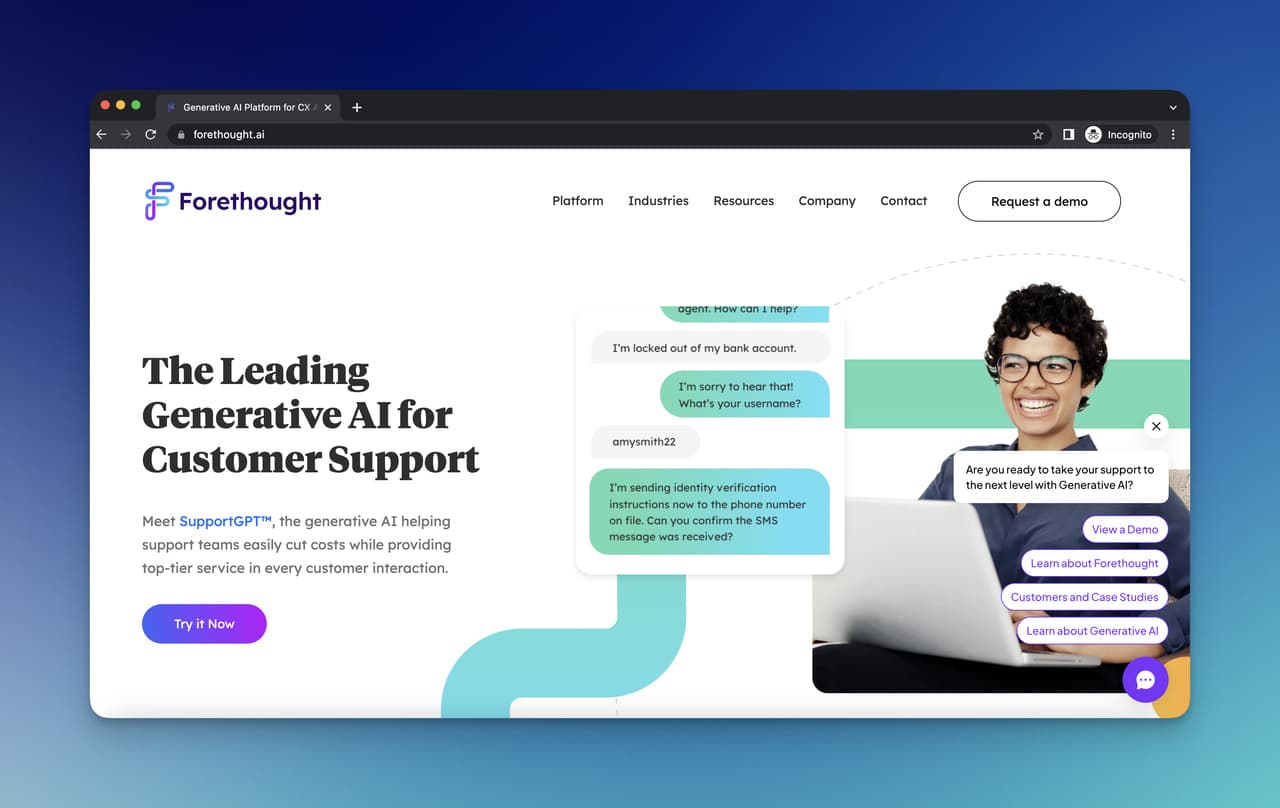
Forethought is the enterprise pick on this list. The product targets support orgs running on Zendesk, Salesforce, and Freshdesk with thousands of tickets a month and dedicated automation budgets. Their four-stage framework — Solve, Triage, Assist, Discover — is built around the reality that AI alone doesn't replace a support team; it sits between the customer and the agent, picking which tickets to deflect, route, or escalate. This is a different buyer than My AskAI's typical user.
Key features:
• Ticket-triage AI (Triage): Auto-classifies and routes incoming tickets by intent and urgency.
• Agent-side suggestions (Assist): Surfaces draft replies and relevant macros inside the agent inbox.
• Self-serve resolution (Solve): Customer-facing chatbot trained on knowledge bases and past tickets.
• Discover analytics: Identifies emerging support trends across ticket volume.
• Native helpdesk integrations: Zendesk, Salesforce, Freshdesk, ServiceNow, Kustomer.
Pricing snapshot: Custom enterprise pricing only. Typical contracts start in the high four figures per month and scale by ticket volume and seat count.
Pros: Strongest enterprise feature set, deep helpdesk plug-ins, agent-assist features that go beyond customer-facing chat.
Cons: No public pricing or self-serve trial. Overkill for teams under 50 support agents. Implementation requires a project.
Best for: Mid-market and enterprise support orgs already running Zendesk or Salesforce who want a layered AI strategy (chatbot + triage + agent assist). For a broader look at this segment, our Intercom Fin alternatives roundup compares similar platforms.
6. Wonderchat
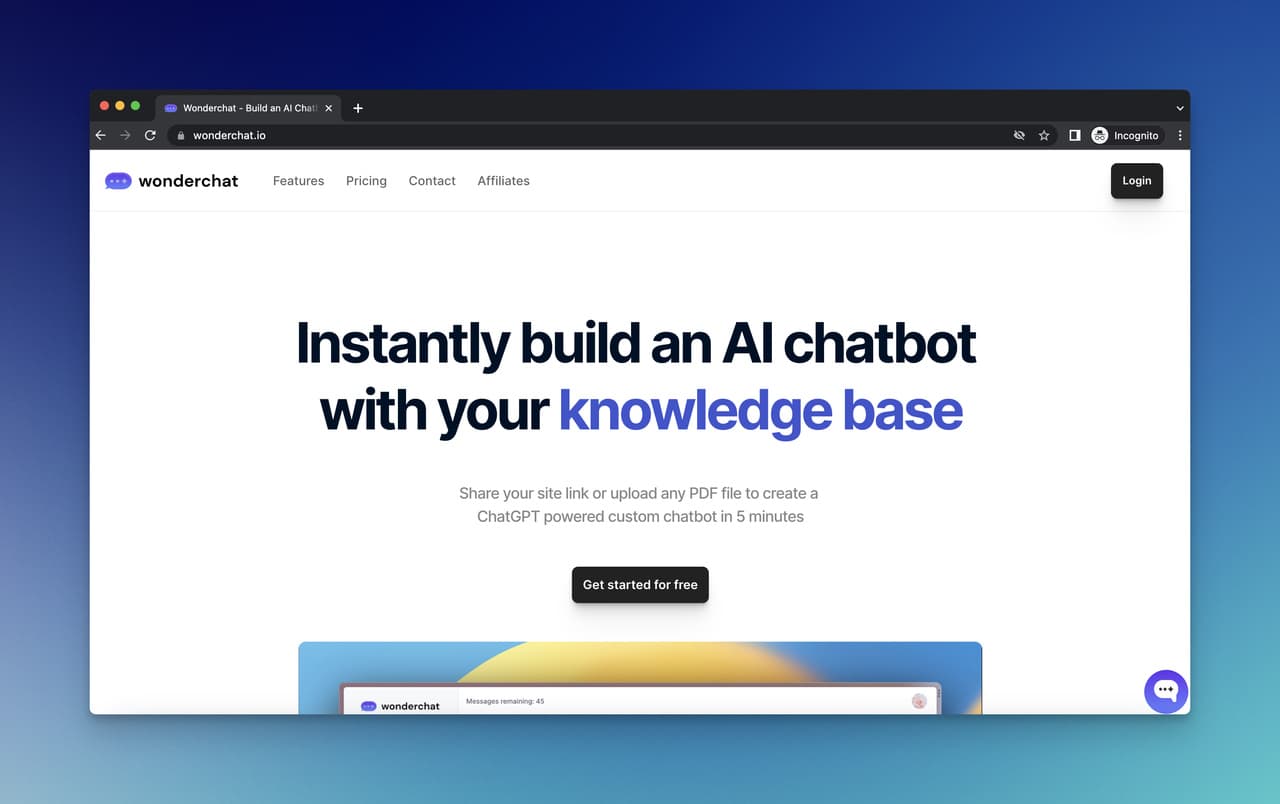
Wonderchat aims at the same fast-deploy promise as Chatbase but with a slightly different angle: it leans into a clean visual builder, generous PDF page allowances, and a polished customer dashboard. Five-minute setup is the marketing line, and that's close to accurate for a basic single-URL deployment. The free starter plan is genuinely usable for testing on a small site.
Key features:
• URL-and-PDF training: Point at a sitemap or upload a PDF, get a bot in minutes.
• Visual customization: Theming, avatar selection, welcome-message editing inside the dashboard.
• Feedback collection: Thumbs up/down ratings on each bot answer, exportable for QA.
• Team seats: Add collaborators on paid plans without per-seat surcharges.
• CMS compatibility: Documented embeds for WordPress, Webflow, Shopify, and Wix.
Pricing snapshot: Free plan with 10 messages and limited training. Lite at $49/month for 500 messages, Basic at $99/month for 1,000 messages, Turbo at $249/month for 5,000 messages, Professional at $499/month for 10,000 messages.
Pros: Polished onboarding, generous training-source allowances, friendly free tier, two-month discount on annual billing.
Cons: Light on enterprise compliance (SOC-2 not advertised). Message ceilings on lower tiers hit fast.
Best for: Small marketing or support teams who want a polished, branded chatbot live on their site this week without a procurement cycle. For more options in this lane, see our Wonderchat alternatives roundup.
7. Chatling
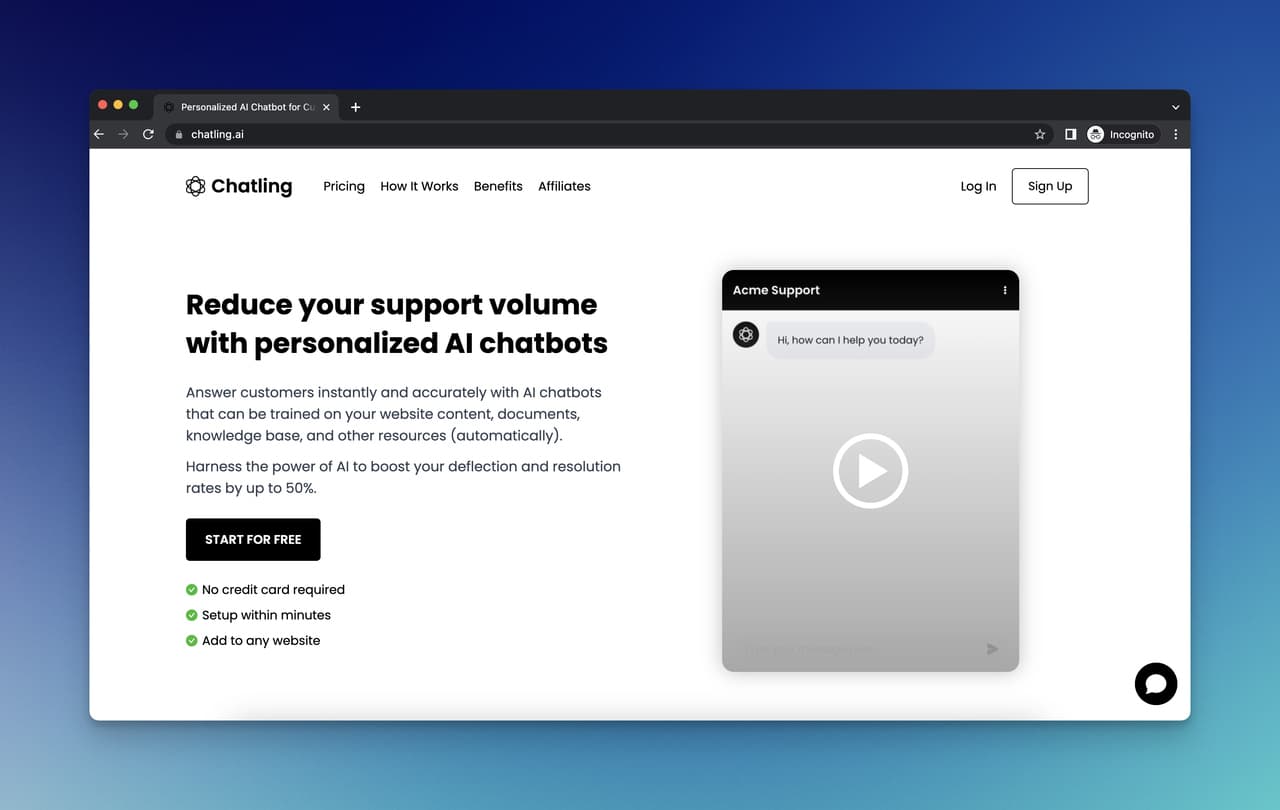
Chatling's sweet spot is agencies and consultants who need to run separate chatbots for several clients from one workspace. The dashboard is set up for multi-bot management: separate training corpora, separate widgets, separate analytics per bot, all billed under a single seat. The training-character limits on each tier (instead of message limits) appeal to teams running text-heavy bots for niche industries.
Key features:
• Multi-bot workspaces: Up to 25 separate chatbots on the Ultimate plan.
• Training-character pricing: Tiers measured in training characters rather than messages.
• Custom flows: Conditional logic and branching beyond pure Q&A.
• White-label option: Remove Chatling branding on higher tiers.
• Analytics dashboard: Per-bot conversation logs and topic clustering.
Pricing snapshot: Free plan with 35 message credits and 500,000 training characters. Basic at $15/month, Pro at $35/month, Ultimate at $99/month, Business at $299/month for 50,000 credits and unlimited chatbots.
Pros: Genuinely affordable starting tier, multi-bot management built in, decent free plan for kicking the tires.
Cons: Brand recognition is lower than Chatbase or DocsBot. Help-desk integrations are thinner.
Best for: Agencies, freelancers, and consultants running chatbots for several clients out of one billing seat.
8. Knowbo
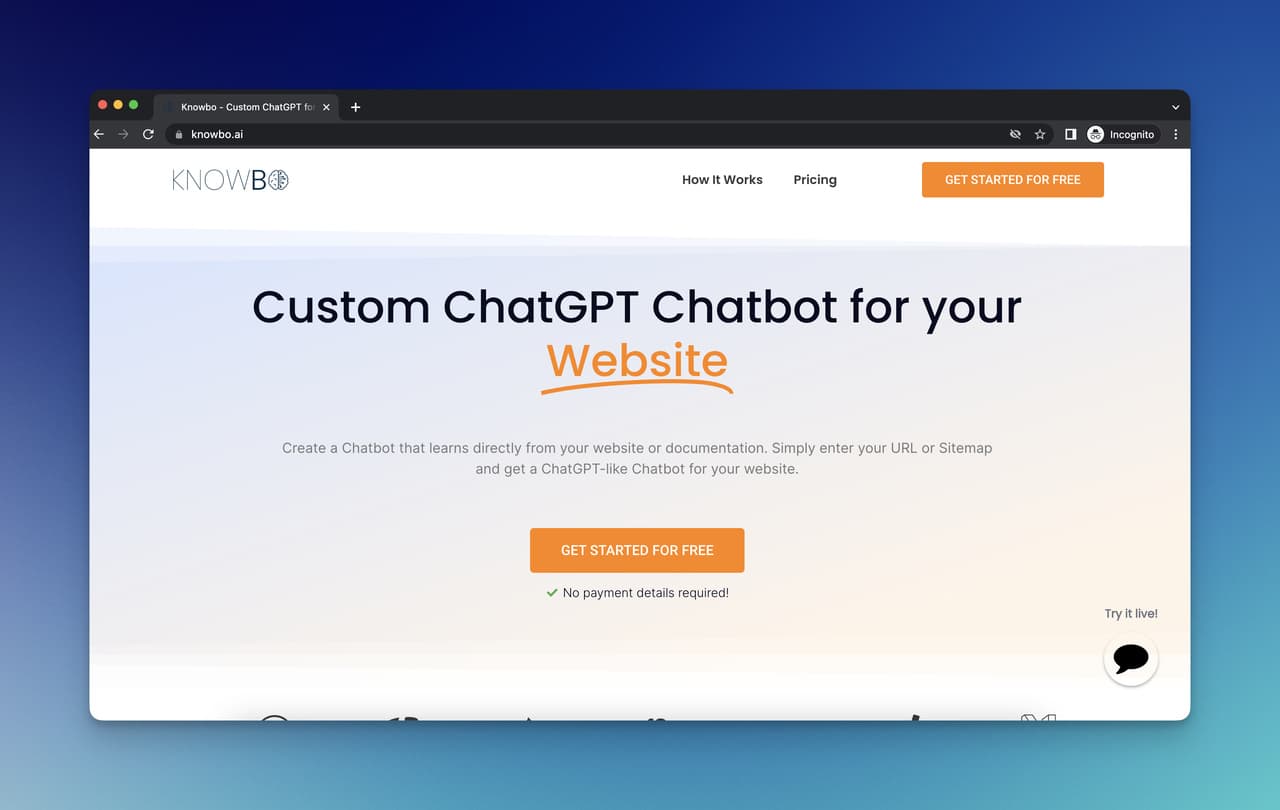
Knowbo is the simplest tool on this list, and that's the point. The product builds a chatbot from a single sitemap URL in about two minutes, with almost no configuration. There's no flow builder, no integration marketplace, and no advanced customization — just "give me your URL, get a bot." For small e-commerce stores and content sites who want the support bot to exist without owning a project, Knowbo is the path of least resistance.
Key features:
• Two-minute setup: Sitemap URL in, chatbot out.
• Auto-refresh of source content: Re-crawls source pages so the bot stays current with site changes.
• Embeddable widget: Standard JavaScript snippet.
• Chat history: Per-visitor conversation logs.
• Customization basics: Colors, logo, chat icon.
Pricing snapshot: Seven-day free trial across all tiers. Starter at $19/month for 100 customer messages, Expert at $39/month for unlimited messages and 500 source URLs, Ultimate at $79/month for 2,000 source URLs.
Pros: Lowest setup friction in the category. Predictable monthly pricing. Very small learning curve.
Cons: Almost no advanced features. Smaller user base means thinner third-party reviews. Limited helpdesk integrations.
Best for: Solo founders and small e-commerce stores who want a working FAQ bot up by lunch without becoming a chatbot administrator.
9. Wotnot
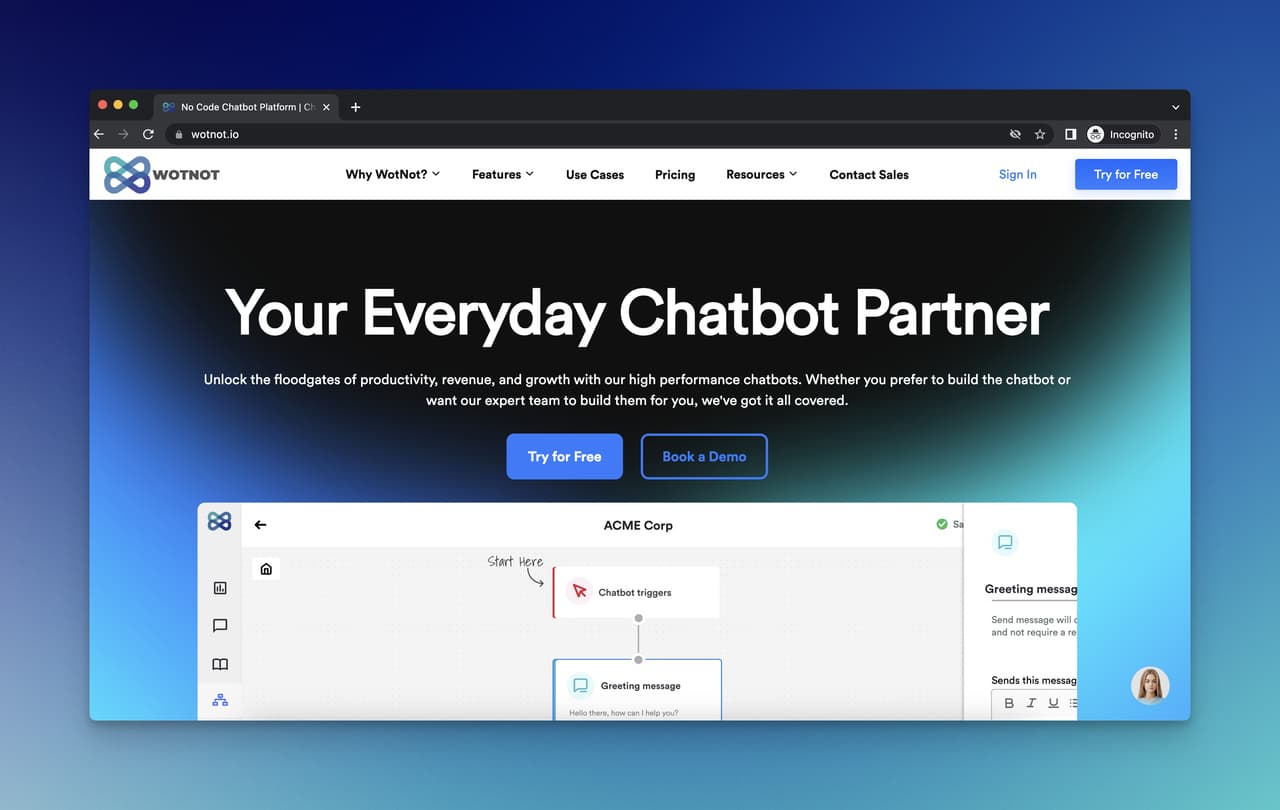
Wotnot leans further into multichannel than the rest of this list. The product handles web chat, but its strongest pitch is WhatsApp and SMS bots, plus an appointment-booking flow that drops naturally into service businesses (clinics, salons, agencies, real estate). For teams whose customer base lives in WhatsApp first and on websites second, Wotnot makes more sense than a web-only chatbot.
Key features:
• WhatsApp Business API support: Official WhatsApp templates and broadcasting.
• Appointment booking: Calendar-aware flow steps for service businesses.
• Visual flow builder: Drag-and-drop conditional logic.
• Pre-built templates: Industry templates for healthcare, real estate, education, e-commerce.
• Third-party API hooks: Webhook actions inside flows.
Pricing snapshot: Free plan with 500 chats and unlimited users. Basic at $49/month for 2,000 chats, Starter at $99/month for 5,000 chats, Premium at $299/month for 10,000 chats. Annual plans save 20%.
Pros: Strong multichannel coverage. Service-business templates save build time. Decent G2 rating (4.6/5).
Cons: Less AI-native than the GPT-trained tools in this list; some flows are still rules-based. WhatsApp setup has its own learning curve.
Best for: Service businesses and SMBs whose customers live in WhatsApp or SMS, and who need appointment-booking alongside Q&A.
10. Stack AI
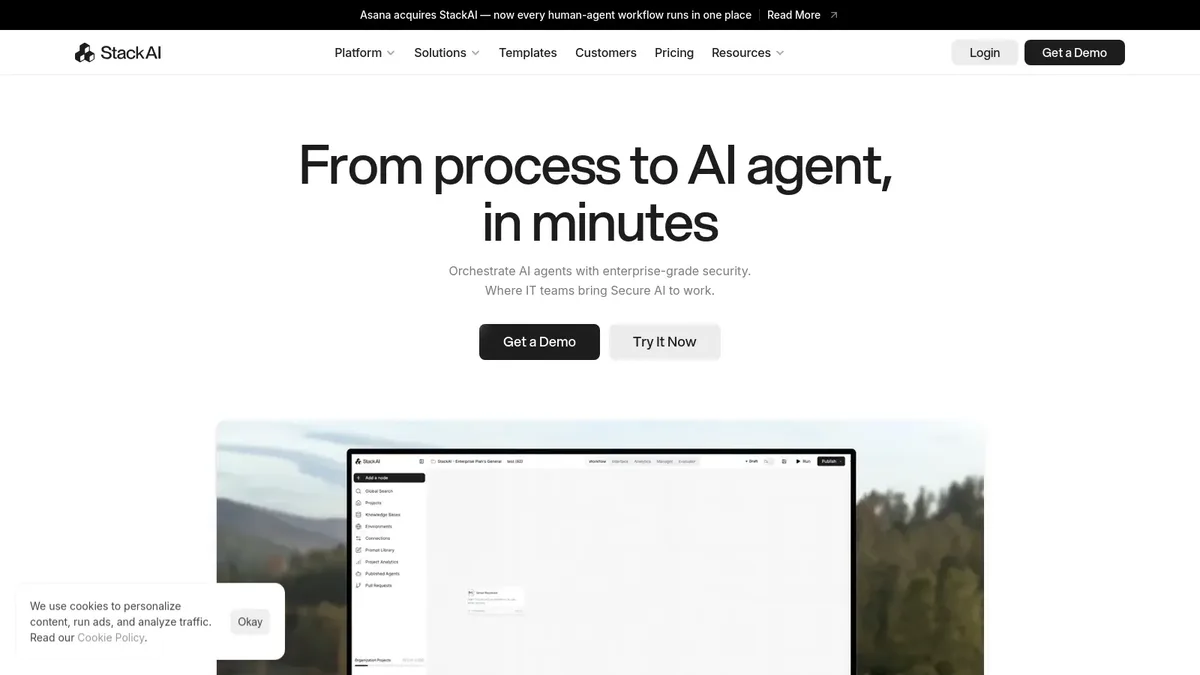
Stack AI is the most flexible — and most complex — tool on this list. The product is a visual builder for assembling RAG (retrieval-augmented generation) workflows on top of your own data. Instead of "drop in a URL, get a bot," Stack AI gives you a canvas to wire up data sources, LLM calls, prompt logic, and output channels. The trade-off is power vs. setup time: you can build assistants that no off-the-shelf tool can match, but the first hour with the product is steeper.
Key features:
• Visual workflow canvas: Drag-and-drop nodes for sources, models, prompts, and outputs.
• Multi-source RAG: Pull from documents, databases, APIs, and SaaS apps inside one workflow.
• Model flexibility: Choose GPT-4, Claude, Mistral, or open models per workflow step.
• Enterprise security: SOC-2 Type II, HIPAA-ready deployments, on-prem options.
• API-first deploy: Every workflow exposes a REST endpoint and embeddable widget.
Pricing snapshot: Free starter plan with limited runs. Team at $899/month for shared workspaces and full feature access, Enterprise on quote with SSO, audit logs, and dedicated support.
Pros: Most flexible architecture in this list. Strong for custom internal tools and regulated industries. Real enterprise security posture.
Cons: Steeper learning curve. Pricing skews enterprise. Overkill for a basic FAQ deflection use case.
Best for: Engineering or ops teams building internal AI assistants on top of proprietary data, where a generic chatbot won't fit the workflow.
How to Choose the Right My AskAI Alternative
The myaskai alternatives market is wide, which means buyer paralysis is real. According to Knowledge Sourcing, the global AI chatbot market is forecast to grow from $24.5 billion in 2026 to $75.2 billion in 2031 at a 25.1% CAGR — and a chunk of that growth is new tools entering the space every quarter. A repeatable decision framework matters more than tool features in isolation.
Here's a six-step decision flow that maps to how most teams should evaluate:
1. Define what you're automating. Be specific. "Customer support" is too broad. Is it pre-sales product questions, post-purchase order status, technical documentation, or internal sales enablement? CustomGPT and DocsBot win for document-heavy use cases. LiveChatAI and Forethought win for ticket deflection. Wotnot wins when WhatsApp is the primary channel.
2. Audit your training sources. Count what you actually have. A 200-article help center wants a docs-native crawler (DocsBot, CustomGPT). A 20-page marketing site wants a URL-and-PDF tool (Chatbase, Wonderchat, Knowbo). A messy mix of Notion, Google Docs, and Zendesk wants Stack AI's multi-source RAG or LiveChatAI's mixed-source ingest.
3. Map your helpdesk reality. If your team lives in Zendesk or Salesforce, prioritize tools with native connectors (Forethought, LiveChatAI, DocsBot). If you don't have a helpdesk yet, you have more flexibility — pick on training quality first.
4. Pressure-test the pricing model. Forecast 12 months of traffic and run both flat-rate and per-ticket math. According to Harvard Business School research, AI assistants help human agents respond to chats around 20 percent faster — but only if you can afford to keep the AI running as volume grows. If usage-based pricing makes the bot scary to scale, that's a sign to go flat-rate.
5. Verify the human handoff path. Every chatbot eventually escalates. Test how the tool routes a conversation to a live agent, what context the agent inherits, and whether the handoff respects business hours. Tools that hide the handoff (or don't have one) are red flags for customer support. Our Help Scout alternatives guide covers the helpdesk side of this equation in more depth.
6. Pilot before you commit. Run a 14-day pilot with one chatbot on one product or one help section. Measure deflection rate, customer satisfaction on bot conversations, and the share of escalations that arrived with useful context. A two-week test reveals more than a sales demo.
One more pattern to watch for: 2026 buyers consistently regret picking the cheapest tool when they had volume growth planned. They also regret picking the most expensive tool when their actual deflection use case was simple. Match the tool to the volume curve you expect, not the one you have today.
Pricing Comparison Across My AskAI Alternatives
Entry pricing is one of the most-searched parts of any alternatives decision, and the spread across this category is wide. According to Joyz, the global conversational AI market is estimated to reach $20.7 billion in 2026, up from $17.3 billion in 2025 — and pricing models inside that market are still settling. Some vendors charge per resolved ticket, some per message, some per training character, some flat per month. Compare like-for-like before you compare absolute dollars.
Here's the entry-tier pricing snapshot for the ten alternatives covered above:
• Chatling: $15/month entry tier. Cheapest paid plan in this list, useful for agency-style multi-bot setups.
• DocsBot AI: $19/month Hobby plan. Strong value for small docs sites.
• Knowbo: $19/month Starter. Lowest-friction onboarding.
• LiveChatAI: $0 forever plan, then $39/month Basic. The only tool in this list with a real free tier and flat scaling.
• Chatbase: $40/month Hobby. Common entry point for no-code MVPs.
• Wonderchat: $49/month Lite. Polished free plan and yearly discount available.
• Wotnot: $49/month Basic, with free plan for 500 chats. WhatsApp adds API costs separately.
• CustomGPT: $89/month Standard. Higher floor, but document-Q&A depth justifies it for the right team.
• Forethought AI: Custom quote. Expect four-figure-per-month minimums.
• Stack AI: $899/month Team. Built for orgs ready to invest in custom workflows.
According to Master of Code, the chatbot market is set to expand at a 23.3% annual rate, reaching $15.5 billion by 2028. Vendors will keep iterating on pricing as the market matures — re-check published prices before signing any annual contract, and ask sales teams about overage clauses, training-source caps, and what happens at the next tier.
One pattern worth flagging: tools with "messages" as a billing unit can surprise you. A single customer conversation might count as 5-15 messages depending on how the platform defines it. Read the fine print.
Frequently Asked Questions
What are the best free myaskai alternatives in 2026?
The strongest free options are LiveChatAI (which offers a forever-free plan with a working chatbot), Wotnot (free plan with 500 chats), Wonderchat (free starter with 10 messages and limited training pages), and Chatling (free plan with 35 message credits). Free tiers vary in how usable they are for actual customer support. LiveChatAI's free plan is the most production-ready among the list. Watch out for "free trials" labeled as "free plans" — Chatbase and Knowbo, for instance, are trial-only despite their pricing pages suggesting otherwise.
How do I cancel my My AskAI subscription?
You cancel your My AskAI subscription from the billing section of your dashboard. Log in, go to Settings, then Billing or Subscription, and click the cancel option for your current plan. The cancellation takes effect at the end of your current billing cycle, so you keep access until the period ends. Export any conversation data you want to keep before the access window closes — most AI chatbot vendors don't retain your data after cancellation, and re-importing training sources on a new tool is faster than re-creating bot history.
What is askmyai, and is it the same as My AskAI?
"Askmyai" is a common misspelling of "My AskAI" — they refer to the same product at myaskai.com. Search queries split between the two spellings because the brand name itself is unusual (the "My" prefix throws off muscle memory). If you're looking for the chatbot product, both terms point you to the same destination. There are unrelated tools with similar names in the AI category, so verify the URL before signing up.
Which My AskAI alternative is best for SMBs on a budget?
For SMBs under 5,000 monthly conversations and a budget under $50/month, LiveChatAI's free plan is the obvious starting point, followed by DocsBot AI at $19/month and Chatling at $15/month if your use case is more multi-bot. Avoid usage-based pricing (My AskAI's per-ticket model, some Chatbase tiers) if you expect rapid volume growth — flat-rate tools give you predictable cost lines. For documentation-heavy SMB use cases, DocsBot's Hobby tier is hard to beat at the price.
Can a My AskAI alternative replace my full support team?
No, and any vendor promising that is overselling. Chatbots in 2026 deflect routine questions — order status, account lookups, repetitive FAQs, "how do I" questions answered by your docs. Edge cases, complaints, refund disputes, and anything requiring judgment still need humans. The honest read is that a good AI chatbot reduces ticket volume by 30-70% depending on your use case, freeing your team to focus on harder conversations. Pick a tool with a strong human-handoff flow so the bot knows when to step aside.
How do I choose between My AskAI and LiveChatAI?
Pick My AskAI if your ticket volume is genuinely low (under 500/month) and stable, you prefer usage-based billing, and you don't need a free production tier. Pick LiveChatAI if you want a free forever plan to test in production, predictable flat monthly pricing as you scale, and built-in human handoff via Slack or email. Both train on websites and PDFs, both support multilingual answers, and both target SMB support teams — the practical decision usually comes down to pricing model and whether you want to start free.
Do these alternatives offer GDPR compliance and data security?
Most of the alternatives covered here advertise GDPR compliance and some level of data security controls, but the depth varies. CustomGPT and Stack AI lead with SOC-2 Type II compliance for enterprise buyers. LiveChatAI, DocsBot, and Forethought offer GDPR-compliant data handling with EU data residency options on paid tiers. Smaller tools (Knowbo, Chatling) handle GDPR basics but don't typically carry SOC-2 audits. If you're in regulated industries (healthcare, finance, legal), filter your shortlist by compliance certifications before evaluating features.
Pick Your My AskAI Replacement Today
The shortlist for most teams in 2026 comes down to three picks. If you want flat pricing, a free production tier, and tight human handoff, start with LiveChatAI's free plan. If your use case is document-Q&A first and customer chat second, run a trial of CustomGPT or DocsBot AI. If you're at enterprise scale with a real Zendesk or Salesforce footprint, talk to Forethought.
Whatever you pick, don't skip the pilot. Two weeks on one product, one help section, and one channel will tell you more about whether the tool fits your team than any feature comparison table. The myaskai alternatives that look identical on paper often differ sharply in how they handle the messy 20% of conversations — escalations, multilingual edge cases, follow-up questions, and content that's just been updated.
Ready to test a free-tier alternative against your real traffic? Start a free LiveChatAI workspace, train it on your help center, and watch your deflection rate move over the first two weeks. That's the fastest way to know whether AI customer support is going to work for you, before any annual contract.