







You can collect feedback with AI chatbots by embedding conversational prompts at key touchpoints in your product or website. Unlike static surveys that get 5-15% response rates, chatbot-driven feedback collection reaches 40-60% completion rates because the interaction feels like a conversation, not a form. Here's how to set it up from scratch.
What you'll need:
• An AI chatbot platform (LiveChatAI, or similar tool with conditional logic)
• Access to your website or app codebase for widget installation
• A feedback management tool (Google Sheets, Notion, or a dedicated analytics platform)
• Time estimate: 2-4 hours for initial setup, 30 minutes/week for optimization
• Skill level: Beginner-friendly (no coding required for most platforms)
Summary of the process:
1. Define your feedback goals — Decide exactly what customer signals you need and map them to specific chatbot questions.
2. Design your conversation flows — Build branching dialogue paths that feel natural and extract targeted responses.
3. Connect your chatbot to analytics tools — Route feedback data into dashboards where your team can act on it.
4. Test and optimize your chatbot — Run controlled experiments to improve completion rates and response quality.
5. Analyze and act on feedback data — Turn raw conversational data into product decisions and support improvements.
Why Collect Feedback with AI Chatbots Instead of Traditional Surveys?
Traditional feedback methods are broken. According to Conferbot's research, 70% of customers who start a survey abandon it before finishing. Email surveys sit unopened. NPS pop-ups get dismissed reflexively. The data you do collect skews toward extremes — people who are either furious or thrilled.
AI chatbots fix this by meeting customers where they already are — inside your product, on your website, in a support thread — and asking questions that adapt based on answers. The result isn't just more responses. It's better data.
According to a Harvard Business School analysis of 250,000+ chat conversations, AI chatbots helped human agents respond 20% faster while improving empathy and thoroughness, particularly for less experienced team members. That same conversational quality translates directly to feedback collection — when the interaction feels human, people share more.
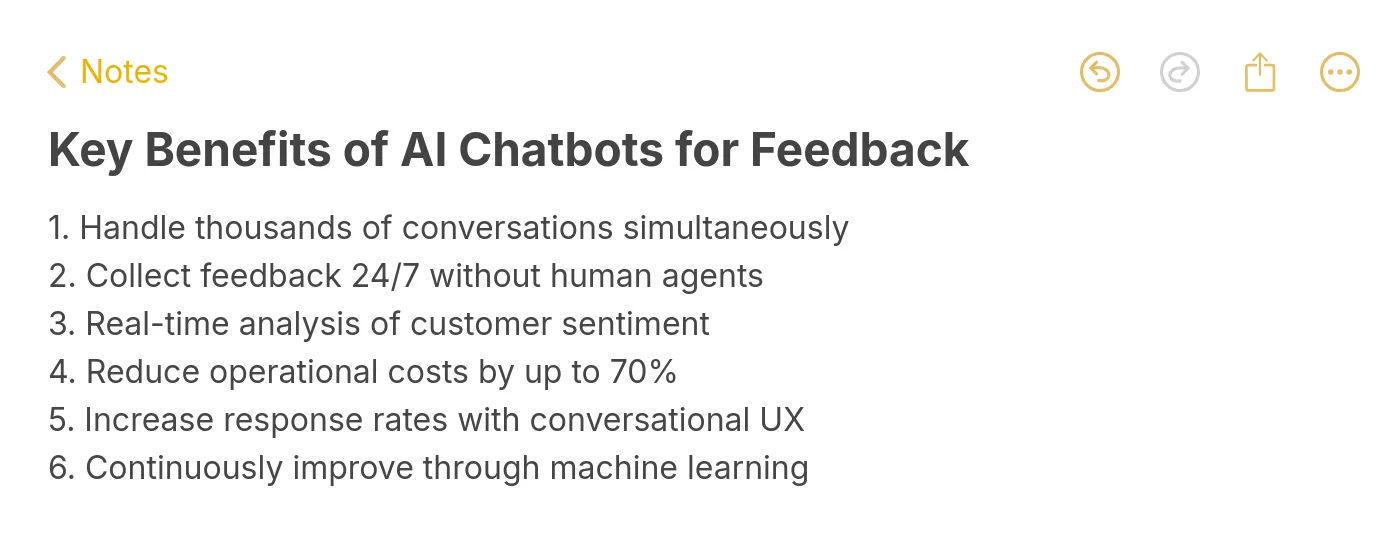
Here's what makes chatbot feedback collection different from surveys:
| Factor | Traditional Surveys | AI Chatbot Feedback |
|---|---|---|
| Response rate | 5-15% | 40-60% |
| Timing | Sent hours or days after interaction | Triggered in real time during the experience |
| Adaptability | Fixed question set | Branching logic adjusts to each response |
| Data depth | Multiple-choice or 1-10 scales | Open-ended conversational responses with sentiment |
| Analysis speed | Manual review or batch processing | Real-time sentiment detection and categorization |
Step 1: Define Your Feedback Goals Before Touching Any Tool
The most common mistake with AI chatbot feedback is collecting everything and acting on nothing. Before you create a single conversation flow, you need to know exactly what decisions this feedback will inform.
What This Step Accomplishes:
Goal definition turns vague "we want to hear from customers" into specific, measurable feedback targets tied to business outcomes. Without this, you'll build a chatbot that generates data nobody uses.
Detailed Instructions:
1. Open a shared document and list your top 3 business questions. Not "How do customers feel?" — instead: "Why do trial users drop off during onboarding step 3?" or "Which feature gap is causing churn in our mid-market segment?"
2. For each question, identify the trigger moment where feedback is most valuable. Post-purchase? After a support ticket closes? When someone cancels? The trigger determines where your chatbot appears.
3. Define your success metric for each goal. Example: "Collect 200+ responses per month about onboarding friction, with at least 60% containing actionable detail (more than one sentence)."
4. Prioritize ruthlessly. Start with one feedback goal, not five. A single well-designed chatbot flow that collects post-cancellation feedback will give you more value than five half-built flows covering everything.
5. Document the action owner for each feedback stream. If nobody is assigned to read and act on the data, don't collect it yet. Feedback without follow-through erodes customer trust faster than not asking at all.
You'll know it's working when: Your team can articulate, in one sentence, what decision each feedback stream informs. If anyone says "it would be nice to know," that goal isn't specific enough.
Watch out for:
• Scope creep in early setup: Teams often try to cover every possible feedback type in their first chatbot. I've seen companies build 15-question flows that take 8 minutes to complete — their completion rate dropped to 12%. Keep your first deployment focused on one goal with 3-5 questions maximum.
• Confusing satisfaction measurement with feedback collection: CSAT scores (1-5 ratings) tell you how people feel but not why. If your goal is understanding churn reasons, a rating scale won't cut it. You need open-ended questions with conditional follow-ups based on the rating.
Step 2: Design Conversation Flows That Feel Like Talking, Not Filing a Form
Your chatbot's conversation flow determines whether customers engage or bail. The goal is to make feedback feel like a quick, useful exchange — not an interrogation.
What This Step Accomplishes:
A well-designed conversation flow uses conditional logic and natural language to guide customers through feedback in under 90 seconds. The branching paths ensure every follow-up question is relevant to what they just said, which keeps completion rates high.
Detailed Instructions:
1. Start with a context-setting opener that explains why you're asking and how long it takes. Example: "Quick question about your experience today (takes about 30 seconds)." Avoid generic greetings like "Hi! How can I help you today?" — that signals a support bot, not a feedback request.
2. Use a gateway question as your first prompt. This should be easy to answer and determine the conversation branch. For post-support feedback: "Did we solve your issue today? (Yes / Partially / No)." Each answer routes to a different follow-up path.
3. Build 3 branching paths based on the gateway response:
• Positive path: "Great — what did the support agent do well?" (captures positive signals for training)
• Partial path: "What's still unresolved?" (captures specific gaps to escalate)
• Negative path: "Sorry about that. What went wrong?" (captures pain points for process fixes)
4. Limit each path to 2-3 follow-up questions. After the gateway, ask one open-ended question and one structured question (rating or multiple choice). More than that and you'll see drop-off rates spike.
5. End with a thank-you message that does something. Don't just say "Thanks for your feedback!" Instead: "Thanks — we've flagged this for our product team. You'll see an update in the next release notes." This turns feedback into a loop, not a dead end.
You'll know it's working when: Your average conversation completion time is under 90 seconds, and at least 50% of responses include open-ended text (not just button clicks). If people are only clicking pre-built options, your open-ended prompts need rewording.
Watch out for:
• Leading questions that bias responses: "How amazing was your support experience?" pushes toward positive answers. Use neutral framing: "How would you describe your support experience?" The difference in data quality is significant — neutral phrasing yields 3x more constructive criticism.
• Missing the mobile experience: Over 60% of chatbot interactions happen on mobile. If your conversation flow relies on long text input fields, mobile users will abandon. Use tap-to-select options for the first 1-2 questions, then offer an optional text field for detail.
Pro tip: The single best thing you can do for chatbot feedback quality is add a "Why?" follow-up after every rating question. When someone rates support 3/5, the chatbot should ask "What would have made it a 5?" That one follow-up generates more actionable data than the entire rest of the conversation. Platforms like LiveChatAI's chat survey feature make building these conditional branches straightforward — you set the trigger, define the branching logic, and deploy without writing code.
Step 3: Connect Your Chatbot to Feedback Management Tools
A chatbot that collects feedback but stores it in an inaccessible silo is a chatbot that wastes your customers' time. You need the data flowing into systems where your team already works.
What This Step Accomplishes:
Integration connects your chatbot's output to analytics dashboards, CRMs, and notification systems. This means feedback triggers action — a negative response auto-creates a support ticket, a feature request gets tagged and routed to product, and trends surface in weekly reports without manual data pulls.
Detailed Instructions:
1. Choose your primary data destination based on team workflow. If your support team lives in a helpdesk tool, route feedback there. If product decisions happen in Notion or Jira, set up a direct integration. Don't create a new tool — plug into what already exists.
2. Set up webhook-based integrations for real-time data flow. Most AI chatbot platforms support webhooks that fire when a feedback conversation completes. Connect these to:
• Google Sheets or Airtable for simple collection and manual review
• Your CRM (HubSpot, Salesforce) to attach feedback to customer profiles
• Slack or Microsoft Teams for instant notifications on negative feedback
3. Configure auto-tagging rules. Use your chatbot platform's NLP capabilities to tag responses by category (bug report, feature request, praise, complaint) and sentiment (positive, neutral, negative). This eliminates hours of manual categorization.
4. Build a basic dashboard with three views:
• Volume view: How many feedback responses per day/week, broken down by trigger point
• Sentiment view: Positive/negative ratio over time, with trend lines
• Action view: Unresolved negative feedback items requiring follow-up
5. Set alert thresholds. If negative feedback exceeds 30% in any 24-hour window, trigger an alert to your support lead. If a specific feature complaint appears 10+ times in a week, notify your product manager. These thresholds catch problems before they become crises.
You'll know it's working when: Your team can pull a weekly feedback summary in under 2 minutes without logging into the chatbot platform. If they still need to export CSVs and manually sort data, the integration isn't complete.
Watch out for:
• Data duplication across tools: When you connect webhooks to multiple destinations (CRM + Sheets + Slack), the same feedback appears in three places with no deduplication. Assign one system as the "source of truth" and make the others reference it. Otherwise your team will waste time reconciling conflicting counts.
• Ignoring API rate limits: If your chatbot handles high volume (500+ conversations/day), webhook-based integrations can hit rate limits on the receiving end. Google Sheets API allows 60 requests per minute — if you exceed that, responses get silently dropped. Use a queue system like Zapier or Make.com as a buffer.
Pro tip: The highest-impact integration isn't a dashboard. It's a Slack notification that fires within 60 seconds of negative feedback, tagged with the customer's account tier and their exact words. When your support lead can respond to an unhappy enterprise customer 5 minutes after they gave feedback, that's where you prevent churn. Chatbot analytics dashboards give you the trend data, but real-time alerts drive the immediate action that customers actually notice.
Step 4: Test and Optimize Your Chatbot for Higher Completion Rates
Your first chatbot deployment won't be your best. Testing reveals friction points you can't predict from a flowchart — and optimization is what separates 30% completion rates from 60%.
What This Step Accomplishes:
Structured testing identifies where customers drop off, which questions confuse them, and what conversation paths generate the most actionable responses. Optimization then fixes those friction points based on real behavioral data, not assumptions.
Detailed Instructions:
1. Run a soft launch with 5-10% of traffic before full deployment. Most chatbot platforms let you set audience percentage targeting. Use this to collect initial data without risking your full user base on an untested flow.
2. Track these four metrics from day one:
• Conversation start rate: What percentage of people who see the chatbot prompt actually engage? (Target: above 25%)
• Completion rate: Of those who start, how many finish? (Target: above 50%)
• Drop-off points: Which specific question causes the most abandonment?
• Response quality score: Percentage of open-ended answers with 10+ words (Target: above 40%)
3. Run A/B tests on your opener. Test at least three variations:
• Version A: "Quick feedback? Takes 30 seconds."
• Version B: "Help us improve — one quick question."
• Version C: "Your last experience — how'd it go?"
Each will perform differently depending on your audience. Run each for at least 200 impressions before drawing conclusions.
4. Review actual conversation transcripts weekly. Read 20-30 random complete conversations and 10-15 abandoned ones. You'll spot patterns that metrics alone miss — confusing phrasing, dead-end paths, or questions that consistently generate useless one-word answers.
5. Iterate in small, measurable changes. Change one element per test cycle (question wording, button labels, flow length, timing trigger). If you change three things at once, you won't know what drove the improvement.

You'll know it's working when: Your completion rate increases by at least 10 percentage points within the first month of optimization. If it plateaus below 40%, the problem is likely structural (too many questions, wrong trigger timing) rather than cosmetic (button colors, wording).
Watch out for:
• Optimizing for completion at the expense of data quality: You can get 90% completion rates by asking only yes/no questions, but the feedback will be shallow. Balance completion rate against response quality score. The goal is both metrics improving together.
• Testing during atypical periods: Running A/B tests during a product outage, holiday period, or major feature launch will skew results. Check your event calendar before starting tests, and exclude anomalous data periods from your analysis.
Pro tip: The biggest completion rate gains come from trigger timing, not question design. A chatbot that appears 3 seconds after page load gets ignored. One that appears after a user completes a specific action (closes a support ticket, finishes onboarding, or hits a milestone) gets 2-3x better engagement. Platforms like LiveChatAI let you set up CSAT surveys as AI actions that trigger at exactly the right moment in the customer journey.
Step 5: Analyze Feedback Data and Turn It Into Product Decisions
Collecting feedback is the easy part. The hard part — and where most teams fail — is turning conversational data into decisions that ship. This step closes that gap.
What This Step Accomplishes:
Structured analysis transforms raw chatbot conversations into prioritized action items. You'll move from "customers are unhappy about X" to "here are the three changes that will have the biggest impact on retention, ranked by effort and expected outcome."
Detailed Instructions:
1. Run weekly sentiment analysis on your feedback data. Most AI chatbot platforms provide built-in sentiment scoring. Export the data and look at three things: overall sentiment trend (improving or declining?), sentiment by trigger point (which touchpoint generates the most negative feedback?), and sentiment by customer segment (are enterprise accounts happier than SMBs, or vice versa?).
2. Categorize open-ended responses using thematic clustering. Group similar feedback into themes manually for the first 2-3 months until you have enough data to train automated categorization. Common B2B SaaS themes: onboarding friction, feature gaps, pricing concerns, integration issues, and support quality.
3. Build a feedback-to-roadmap pipeline. Create a simple scoring system for each theme:
• Frequency: How often does this come up? (weight: 40%)
• Revenue impact: Are high-value accounts mentioning this? (weight: 35%)
• Fix effort: How hard is it to address? (weight: 25%)
Score each theme on a 1-5 scale, multiply by weight, and rank. This gives your product team a data-backed priority list instead of gut-feel decisions.
4. Compare feedback data against behavioral data. If customers say they love a feature but usage analytics show low adoption, there's a gap between perception and reality. If they complain about a feature but keep using it daily, the friction is tolerable. Cross-referencing qualitative feedback with quantitative usage data prevents over-indexing on vocal minorities.
5. Close the loop with monthly feedback reports shared across teams. Include: top 5 feedback themes, sentiment trends, actions taken based on last month's feedback, and impact of those actions. According to Gleap's 2026 analysis, AI customer feedback analysis is reshaping product intelligence with real-time sentiment detection and trend identification — making these reports faster to produce than ever.

You'll know it's working when: Your product roadmap includes items directly attributed to chatbot feedback, with measurable before/after metrics. If feedback data isn't influencing at least one product decision per quarter, the analysis step needs work.
Watch out for:
• Recency bias in analysis: Last week's complaints feel more urgent than patterns that have persisted for months. Always look at 90-day trends before reacting to any single week's data. The loud, recent complaint gets attention; the quiet, persistent pattern drives churn.
• Treating all feedback equally: A feature request from a $50/month account and the same request from a $5,000/month account have very different priority implications. Segment your analysis by account value, and weight high-revenue feedback accordingly in your scoring system.
Pro tip: The most underused feedback analysis technique is tracking what customers don't say. If your chatbot asks "What's one thing we could improve?" and 40% of respondents mention onboarding but nobody mentions billing, that tells you billing works fine — but it also means your chatbot isn't reaching customers who left because of billing issues. Cross-reference your chatbot feedback gaps with your chatbot use case coverage to identify blind spots in your feedback collection strategy.
Advanced Tips for Scaling Your AI Chatbot Feedback Program
Once your basic feedback flow works, these techniques take it further.
Use multilingual conversation flows. If you serve international customers, NLP-powered chatbots can detect language automatically and switch conversation flows. This alone can increase global feedback volume by 30-40%, since customers share more in their native language.
Implement feedback-triggered automation. Connect negative feedback directly to retention workflows. When a high-value customer gives a low rating, auto-assign a customer success manager to follow up within 24 hours. This turns feedback collection into an active retention tool, not just a data-gathering exercise. AI chatbots can enhance human agents by handling the initial collection and routing while humans handle the relationship repair.
Segment feedback by customer lifecycle stage. Trial users, active subscribers, and churned customers each have different feedback needs. Build separate conversation flows for each segment, triggered at different moments. Trial users get asked about onboarding friction. Active subscribers get asked about feature gaps. Churned customers get asked why they left.
Layer in chatbot response quality improvements over time. As you collect more conversation data, use it to train your chatbot's NLP model. Better language understanding means better follow-up questions, which means richer feedback data. This creates a compounding effect where your feedback quality improves the longer the system runs.
Putting It All Together
Collecting feedback with AI chatbots comes down to five things: set specific goals, design conversation flows that respect your customers' time, connect the data to tools your team already uses, test relentlessly, and analyze with the discipline to act on what you find.
The companies that get the most value from chatbot feedback don't treat it as a data project. They treat it as a customer relationship practice — one where every piece of feedback is a signal that someone cared enough to respond, and every action taken on that feedback strengthens the relationship.
Start with Step 1 this week. Pick one feedback goal, build one conversation flow, and deploy it to 10% of your traffic. You'll have actionable data within 48 hours. That's faster than any survey you've ever sent.
For more on building effective chatbot systems, check out our guide on omnichannel chatbot strategies and how to test your AI chatbot for ongoing performance improvements.
Frequently Asked Questions
How do AI chatbots improve feedback collection compared to email surveys?
AI chatbots collect feedback at the moment of experience, when memories are fresh and emotional context is intact. Email surveys arrive hours or days later, after the moment has passed. The conversational format also reduces friction — tapping a response in a chat widget takes 5 seconds versus opening an email, clicking a link, and filling out a form. This timing and format advantage explains the 3-4x higher response rates that chatbot-driven feedback typically achieves over email-based methods.
Can AI chatbots analyze feedback in real-time?
Yes. Modern AI chatbot platforms use natural language processing to score sentiment, categorize topics, and flag urgent issues as conversations happen. This means your team can see that negative sentiment spiked 40% in the last hour — and investigate — rather than finding out about the problem in a weekly report. Real-time analysis is particularly valuable for catching product bugs, service outages, or billing issues that affect many customers simultaneously.
How do you integrate AI chatbots into existing feedback processes?
Start by auditing your current feedback channels (email surveys, NPS tools, support ticket tags). Identify the biggest gap — usually it's real-time, in-context feedback during product usage. Deploy your chatbot to fill that specific gap first, routing data into your existing analytics tools via webhook integrations. Don't replace working channels. Layer the chatbot on top of them, and compare data quality across sources after 30 days to decide what stays.
Are AI chatbots secure for collecting sensitive customer feedback?
Reputable AI chatbot platforms encrypt data in transit (TLS 1.2+) and at rest (AES-256). For B2B SaaS companies handling customer data, check three things before deploying: SOC 2 Type II compliance, data residency options (where is feedback stored geographically?), and data retention policies (can you auto-delete after processing?). If your feedback includes personal information or health data, you'll also need GDPR and HIPAA compliance from your provider.
How long does it take to set up an AI chatbot for feedback collection?
For a basic single-flow setup with 3-5 questions and one integration (e.g., chatbot to Slack notifications), expect 2-4 hours on a code-free platform. A more advanced setup with multiple trigger points, branching logic, CRM integration, and custom analytics dashboards takes 1-2 weeks of part-time work. The ongoing time investment is roughly 30 minutes per week for reviewing transcripts, running A/B tests, and adjusting conversation flows based on data. Most of the value comes from the optimization cycle, not the initial build.
What makes AI chatbots cost-effective for feedback collection?
The math is straightforward. A customer success manager spending 10 hours/week on manual feedback outreach and analysis costs roughly $1,500-2,500/month in labor. An AI chatbot platform runs $50-500/month depending on conversation volume, handles collection 24/7 across every timezone, and scales to thousands of simultaneous conversations without additional headcount. The cost-effectiveness improves over time as the chatbot's conversation quality improves through testing and optimization.
For further reading, you can also take a look at other beneficial blog posts that we have prepared!
• 12 Benefits of AI in Customer Service to Guide Your Business
• Unlocking Growth: How AI Can Empower Small Businesses
• 13 Types of Chatbots That Contribute to Your Business Growth