




Shopify powers over 4.9 million live websites globally, according to BuiltWith, making it one of the most popular platforms for e-commerce. However, today’s Shopify stores need more than beautiful design; they need intelligence.
That’s where Shopify AI agents come in. These aren’t your average chatbots. They’re action-ready AI teammates that can answer questions, recommend products, recover abandoned carts, and even update your CRM. With platforms like LiveChatAI, setting up an AI agent for your Shopify store is not just possible, it’s easy.
In this article, I’ll explain what Shopify AI agents are, how they’re transforming e-commerce, and how you can create one for your store with LiveChatAI.
Let’s get started.
What Is a Shopify AI Agent?
A Shopify AI agent is an intelligent assistant you integrate into your online store. It can:
- Chat naturally with customers
- Recommend products based on browsing behavior
- Automate tasks like order tracking or appointment booking
- Connect with tools like Zapier, Klaviyo, HubSpot, Google Calendar, and more
- Take real-time actions, like sending abandoned cart reminders or capturing lead details
In short, Shopify AI agents go beyond answering FAQs, they become a proactive, automated sales and support layer embedded directly into your store experience.
How Shopify AI Agents Improve Your Store Experience
| Without AI Agent | With AI Agent |
|---|---|
| Manual product recommendations | Personalized suggestions based on user behavior |
| Multiple apps for support, CRM, and email | Unified support, sales, and marketing automation |
| Missed opportunities after hours | 24/7 live-like responses with real-time follow-ups |
| High bounce rates on product pages | Engaging conversations that retain and convert visitors |
| Time-consuming lead follow-up | Instant data capture and CRM entry through AI Actions |
👍 AI agents don’t replace your Shopify team—they supercharge it.
Types of Shopify AI Agents You Can Create
1. Customer Support AI Agent for Shopify
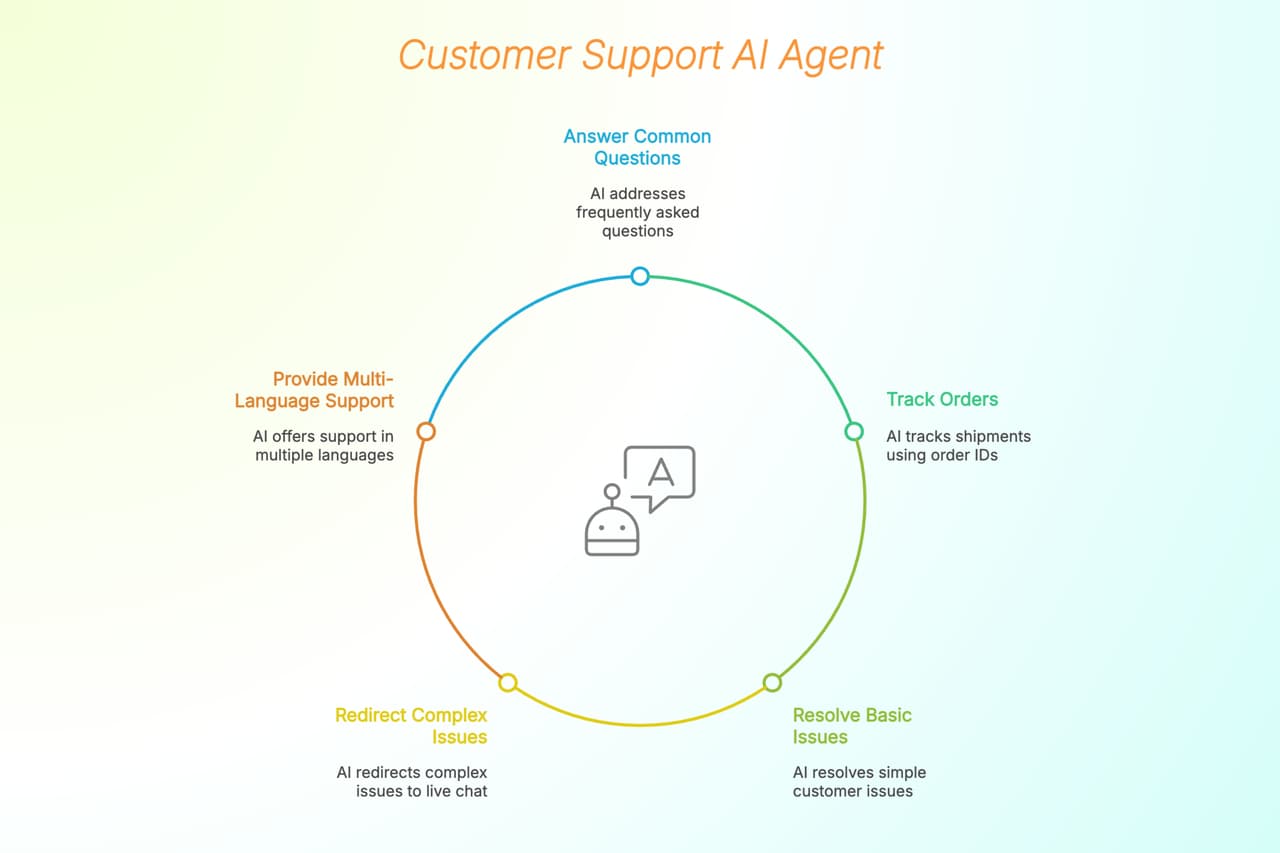
Use Case: Answer common questions, track orders, and resolve basic issues.
Key Features:
- Trained on your support docs, FAQs, and policies
- Tracks shipments by order ID
- Redirects complex issues to live chat
- Multi-language support for global stores
2. Sales & Product Recommendation Agent for Shopify
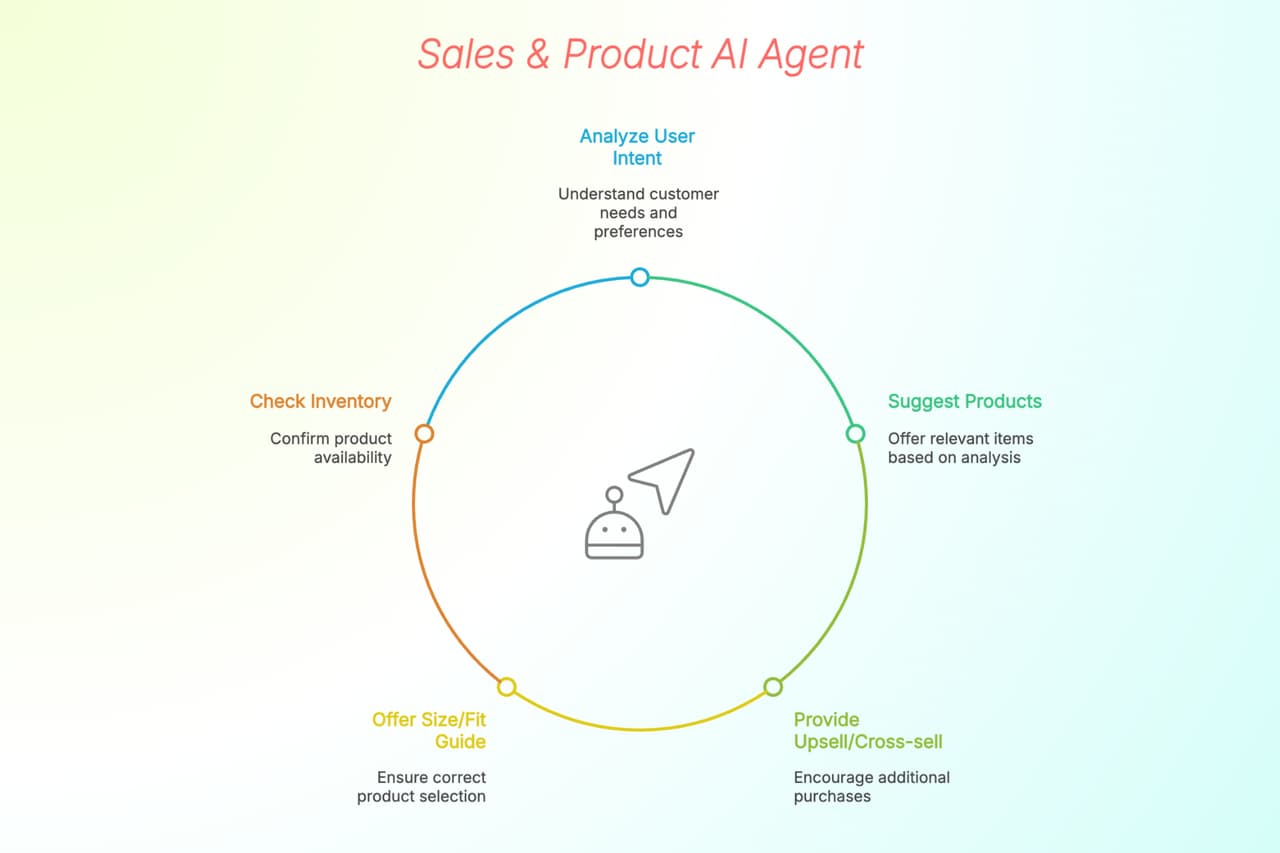
Use Case: Suggests the right products based on user intent and past behavior.
Key Features:
- Dynamic product recommendations
- Personalized upsell/cross-sell prompts
- Size or fit guide suggestions
- Inventory-based suggestions (what’s in stock)
3. Abandoned Cart Recovery Agent for Shopify
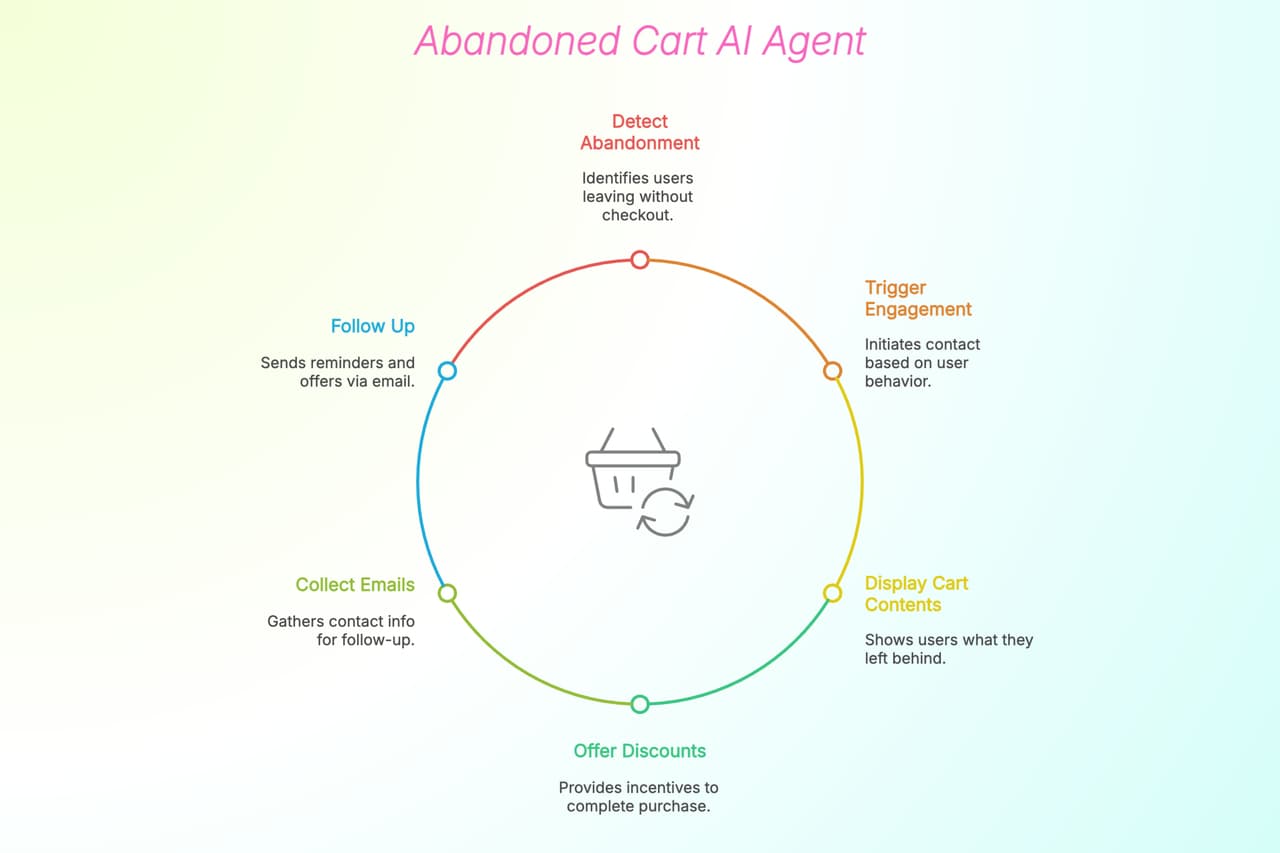
Use Case: Reduces lost revenue by re-engaging users who leave before checkout.
Key Features:
- Triggers on exit intent, inactivity, or page scroll depth
- Displays saved cart contents
- Offers time-limited discounts
- Collects emails to follow up via Klaviyo or Mailchimp
4. Lead Generation & Email Capture Agent for Shopify
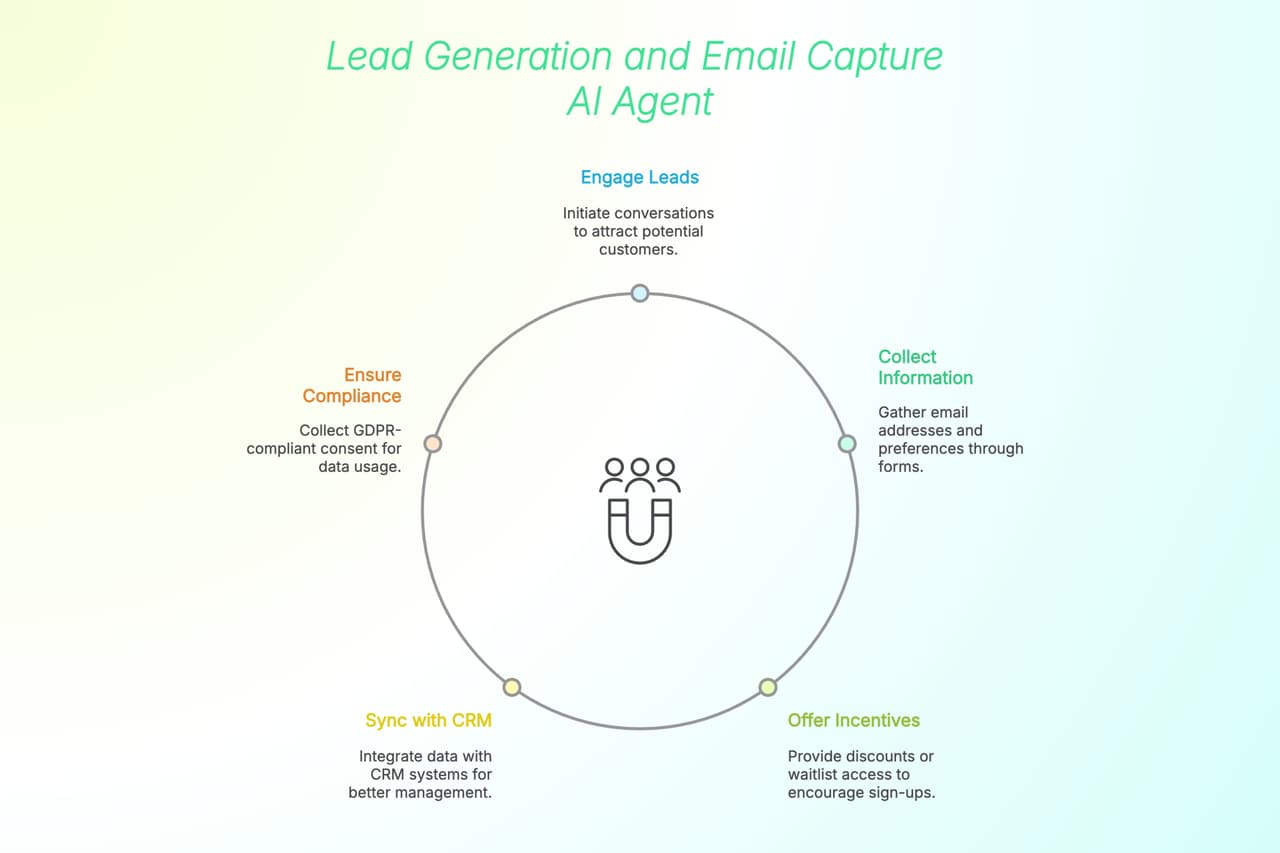
Use Case: Collects email addresses and preferences in a conversational flow.
Key Features:
- Forms built into AI conversations
- Customizable CTAs (e.g., “Get 10% off” or “Join the waitlist”)
- CRM sync via Zapier or Make
- GDPR-compliant consent collection
5. Order & Booking Management Agent for Shopify
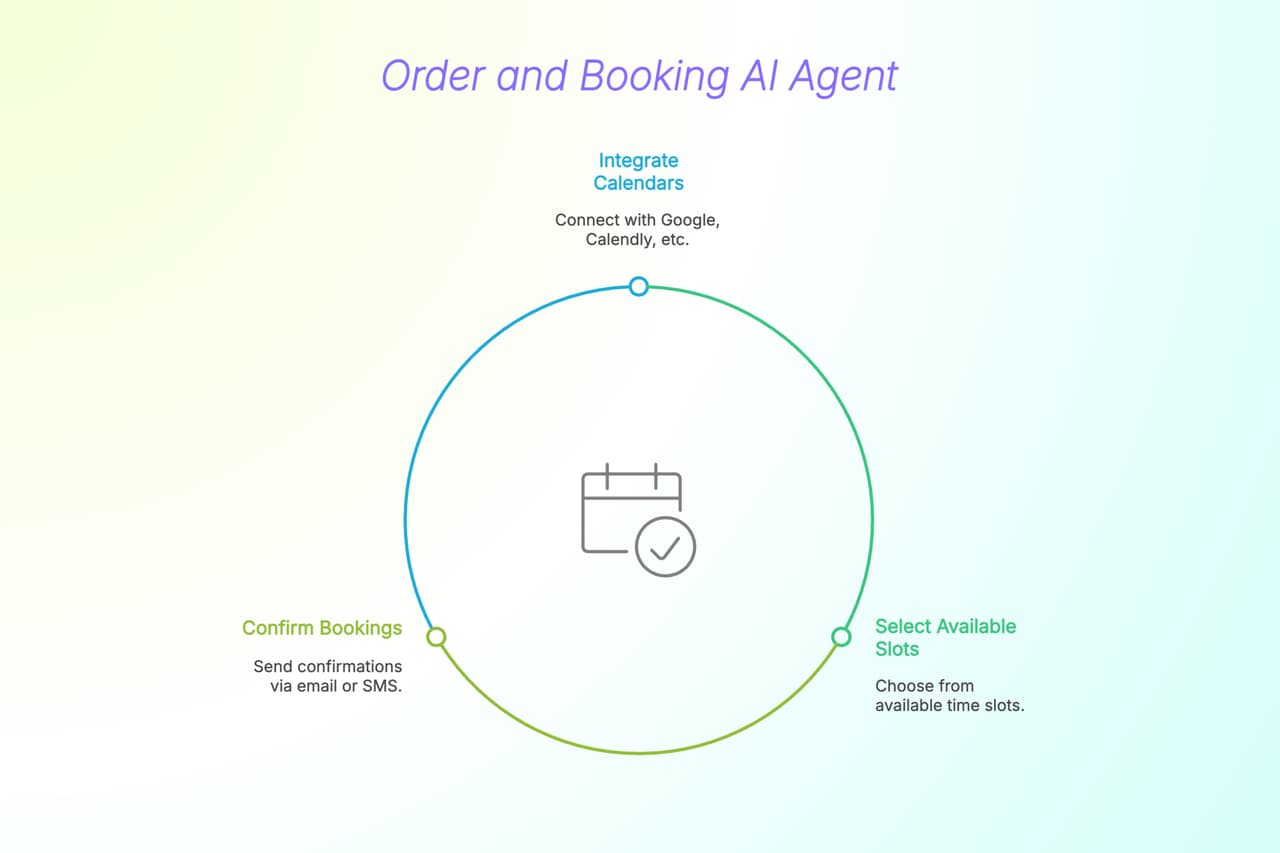
Use Case: Books appointments or tracks service requests for Shopify-based service stores.
Key Features:
- Calendar integrations (Google, Calendly, etc.)
- Availability-based slot selection
- Booking confirmations via email or SMS
Step-by-Step: Build a Shopify AI Agent with LiveChatAI
Give shoppers an instant “Where’s my order?” answer—without touching a ticket queue. Follow these seven steps to train, connect, and embed an agent that pulls live order data from Shopify and replies in real time.
1. Sign Up & Open Your LiveChatAI Dashboard
- Head to livechatai.com → Create Account (free; no card).
- Inside the dashboard you’ll see tabs for Data Sources, AI Actions, Embed & Integrate, and more.
2. Train the Agent on Your Store Content
- Data Sources → Add New Source.
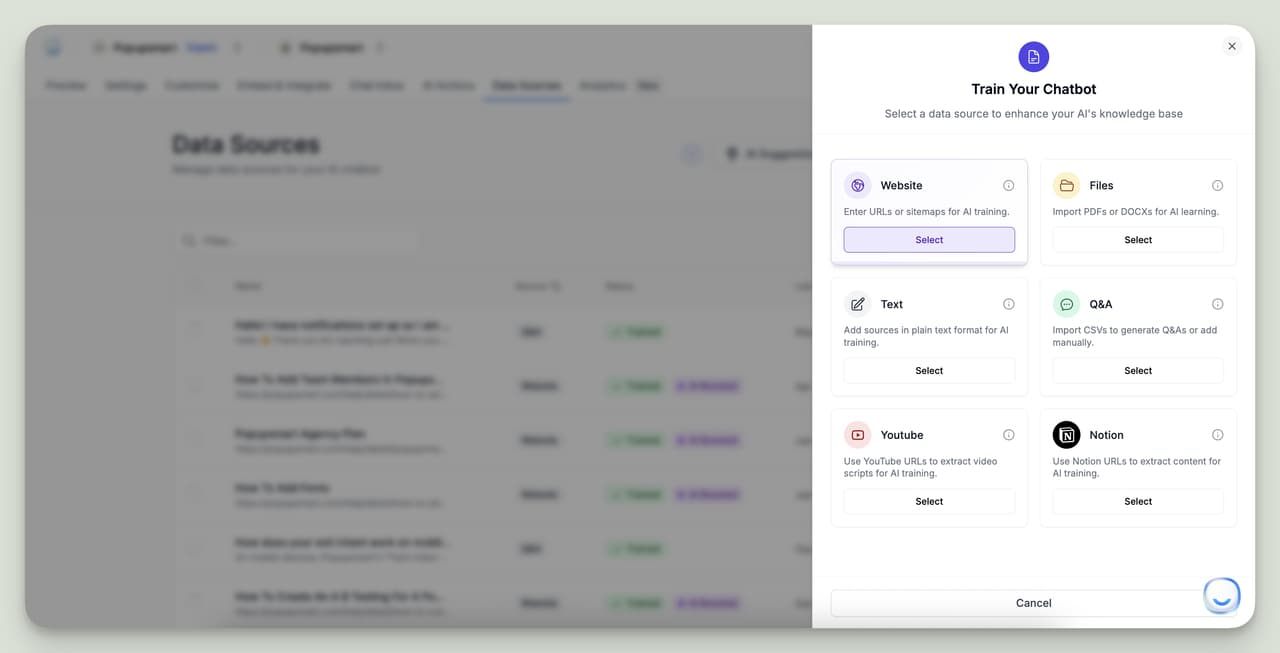
- Add high-intent pages first (tracking FAQ, shipping policy, product pages).
- Optional: upload PDFs or CSV Q&A pairs for extra coverage.
Pro tip: The richer the content, the fewer fallback answers you’ll see later. ⭐
3. Create an AI Action for Order Status Queries
- AI Actions → Create an AI Action → choose “Create Shopify AI Chatbot for Real-Time Order Status Update”
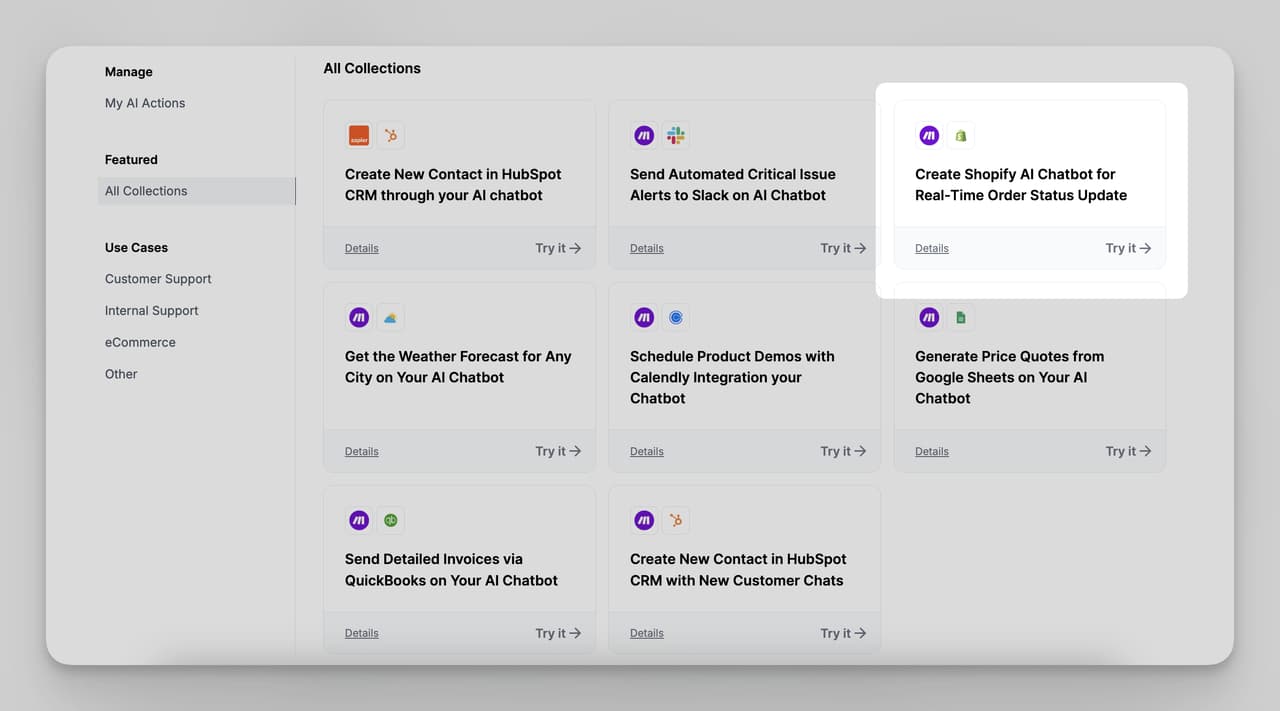
- 2. Condition (trigger prompt):
Provide real-time order status when the customer message includes
“order status”, “where’s my order”, “track order”, the order number itself, etc.
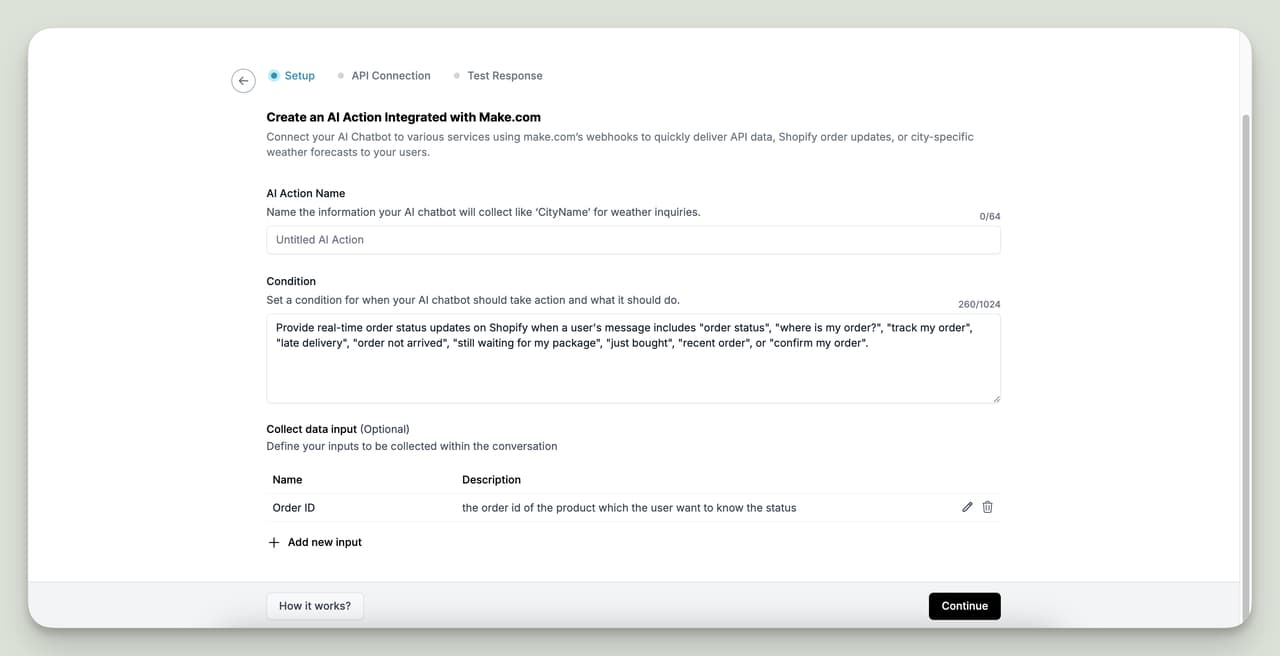
- Input Name: order_id
- Description: Customer’s order number.
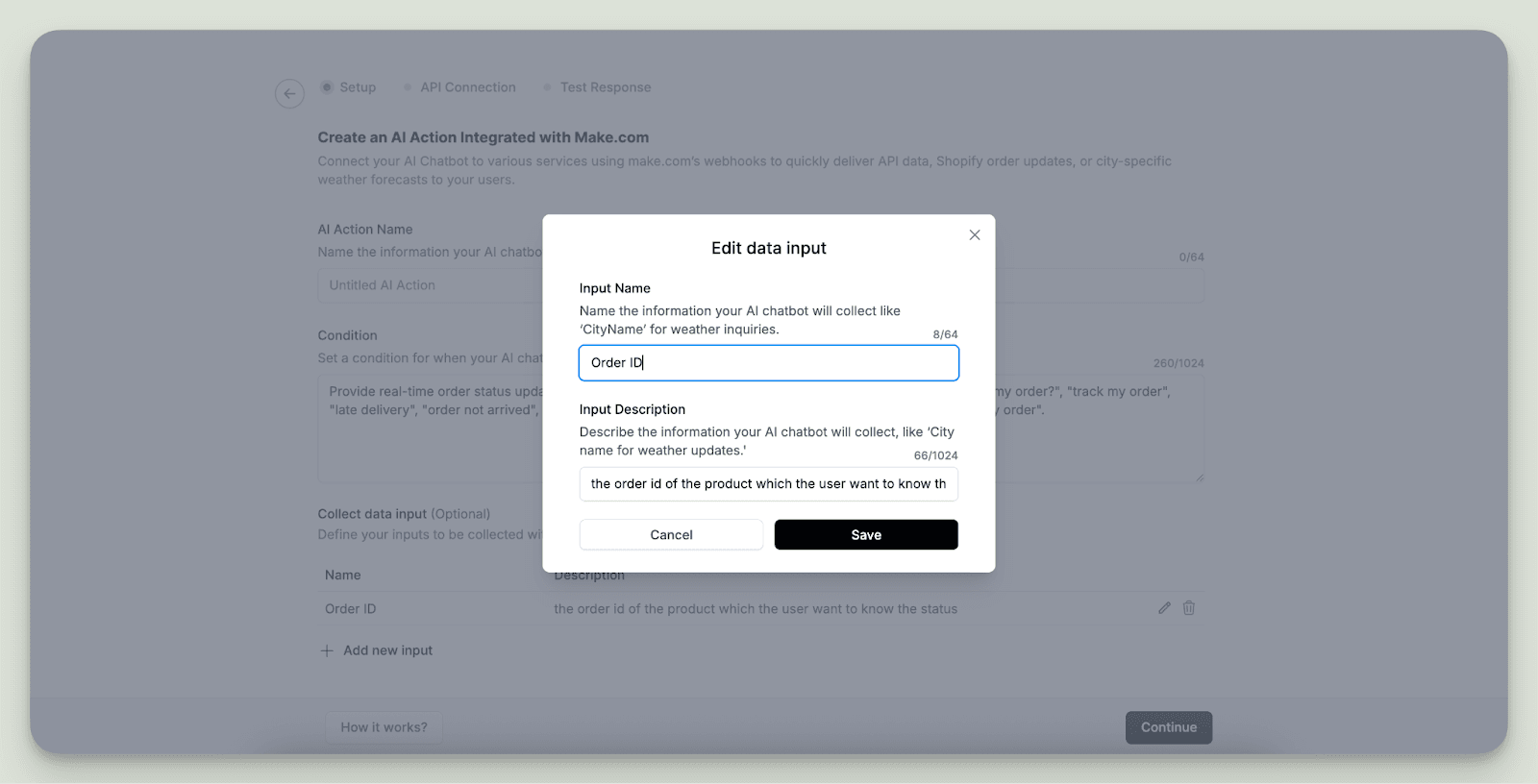
- Fallback Message: “I couldn’t find that order. Please double-check the number and try again.”
- Create to save the action (you can edit later and add more variables).
4. Connect the Action to Shopify via Make.com
- Log in to Make.com (free plan is fine).
- Clone the public scenario: “Shopify Order Status Update (LiveChatAI)”.
- In the first module (LiveChatAI – Watch AI Actions)
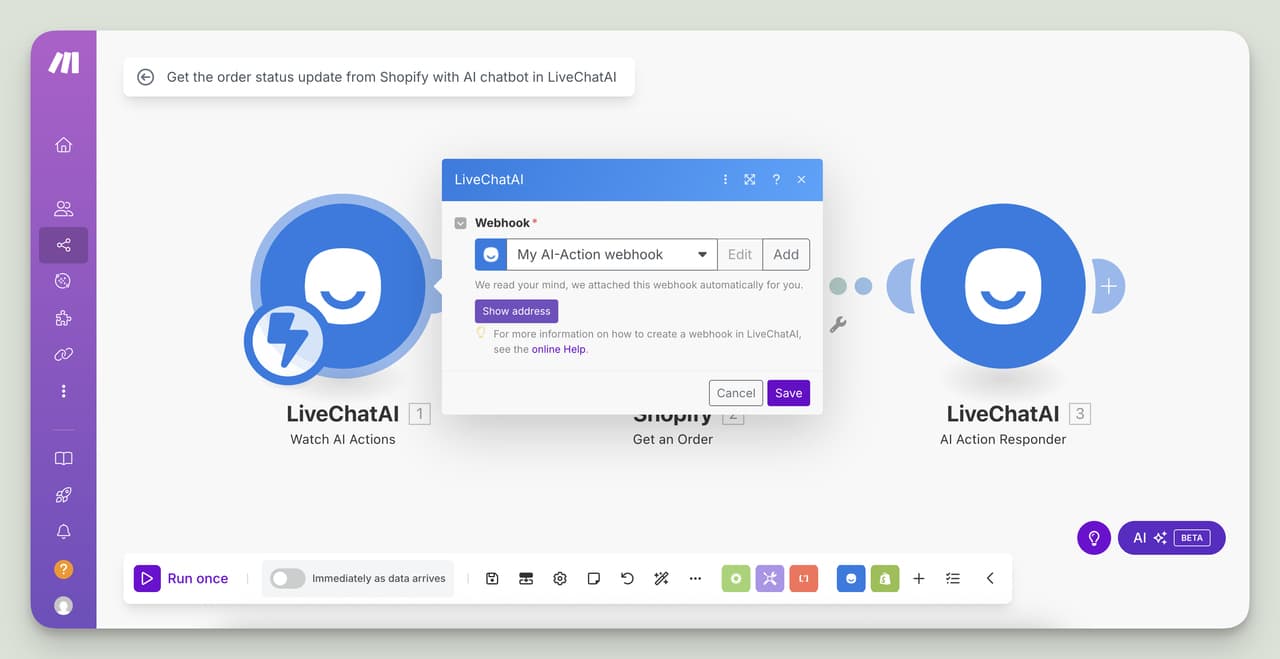
- Select the AI Action you just created.
- Click Run once so Make pulls the JSON schema from LiveChatAI (required).
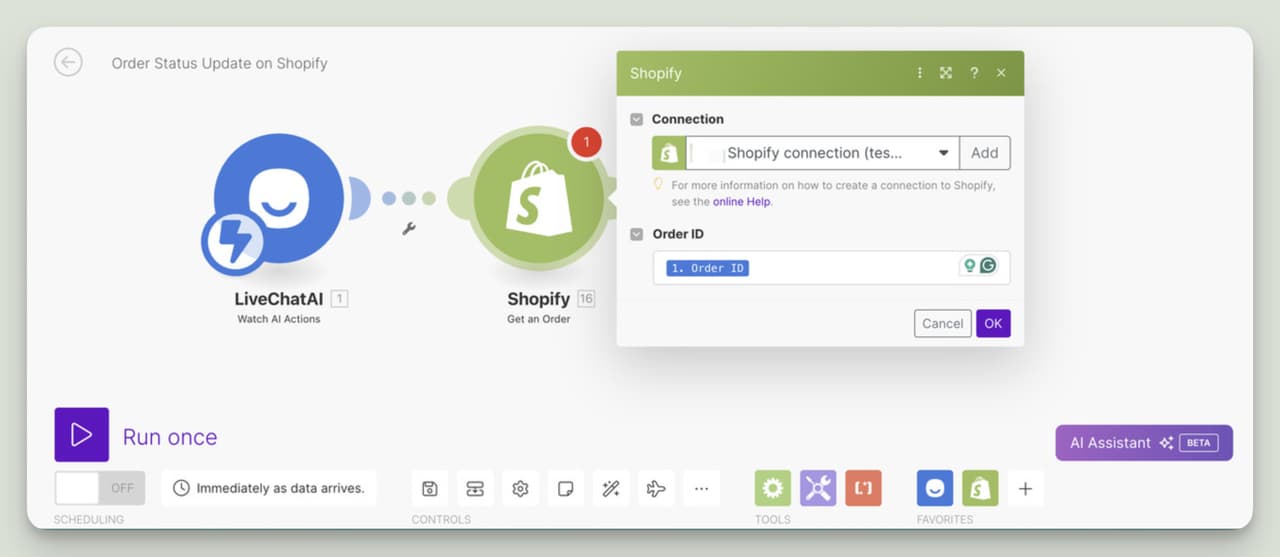
- In the second module (Shopify – Get an Order): Add your Shopify store connection.Map order_id from LiveChatAI to the Order ID field.
- In the third module (LiveChatAI – AI Action Responder):
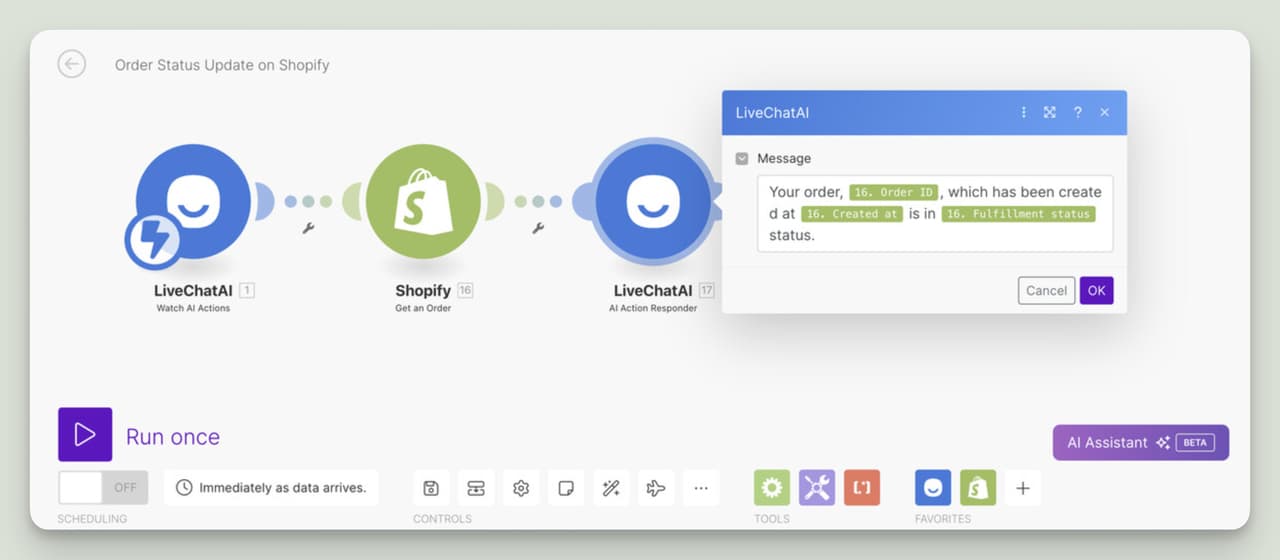
Craft the reply, e.g. Your order {{1.order_id}} was created on {{1.created_at}} and is currently
“{{1.fulfillment_status}}”.
- Click Run once to test with a live order. If the response looks good, toggle the scenario ON.
5. Polish the Agent’s Personality
- Customize tab → choose GPT-4o (or Claude/Gemini), tweak temperature, set tone.
- Write a snappy welcome message: “Hi! Want to check an order or need sizing advice? I’m here 24/7.”
- Match widget colors to your theme; position bottom-right or inline.
6. Embed the Chatbot in Shopify
No-code: Add an HTML block in your theme customizer, and paste the embed script. Code route: Online Store → Themes → Edit code → theme.liquid → paste the script just before </body> → Save.
7. Test, Monitor & Iterate
- Place a real order (or use a test order) → ask “Track order 12345”.
- Confirm the bot fetches status correctly; inspect any fallbacks.
- Review analytics in AI Actions → My AI Actions for trigger accuracy.
- Tweak trigger phrases, add synonyms, or enrich training data as questions emerge.
8. You’re Live!
Customers now get instant, accurate tracking updates while your team stays focused on higher-value tickets. Need to extend the flow? Clone the same Make.com pattern to handle refunds, shipment delays, or back-in-stock notifications—no extra dev work required.
Shopify AI Agent: Real Use Cases by Industry
🛍 E-Commerce Retail
- Product discovery and upselling
- Cart reminders with incentives
- Real-time support for shipping, returns, and size guidance
💎 Luxury or Niche Products
- Concierge-like interaction with tailored recommendations
- High-touch lead capture and booking follow-ups
💼 B2B Shopify Stores
- Handling custom quote requests
- Educating buyers on use cases and specs
- Auto-routing leads to sales reps
🧖 Wellness & Personal Services
- Booking massages, consultations, or spa sessions
- Answering treatment-related FAQs
- Sending reminders for upcoming appointments
Benefits of Using AI Agents on Shopify
| Benefit | Description |
|---|---|
| 📈 Conversions | Helps guide shoppers, reduce cart drop-offs, and personalize offers |
| ⏰ Time Savings | Automates lead capture, support, and product recommendations |
| 💬 Engagement | Real-time, intelligent responses that boost user satisfaction and time on site |
| 🤖 Automation | Syncs with CRM, sends emails, and triggers actions without manual input |
| 🌐 Scalability | Handles unlimited conversations—no more missed chats during peak hours |
Challenges to Expect When Implementing AI in Shopify
| Type | Challenge |
|---|---|
| Technical | Deeper API integrations may require developer input |
| Content Quality | Garbage in, garbage out—train your agent with clean, useful data |
| Transparency | Always disclose that the user is interacting with AI |
| Privacy | Handle user data securely and clearly, especially with forms or checkout info |
What’s Next for Shopify AI Agents?
The future is bright—and automated. Here's where we’re headed:
- Multimodal Agents – Agents that understand product images, user screenshots, or PDFs.
- Hyper-Personalized Conversations – AI that remembers a user’s style, size, or purchase history.
- Integrated Voice Commands – Let customers speak to your store—hands-free and fast.
- Prebuilt Agent Templates by Vertical – Pretrained setups for fashion, electronics, wellness, and more.
- Real-Time Inventory and Analytics Sync – AI that adapts offers based on what’s trending or in stock.
Final Thoughts: Build Your Shopify AI Agent Today
Adding an AI agent to your Shopify store is no longer a luxury; it’s a strategic growth move.
Whether you’re looking to boost sales, reduce support load, or increase engagement, Shopify AI agents deliver all three. And with LiveChatAI, you don’t need coding skills or multiple apps. You just need your content, your goals, and a few minutes.
👉 Start free today with LiveChatAI and build your first Shopify AI agent in less time than it takes to add a new product.
FAQs: Shopify AI Agents
Can I use LiveChatAI with Shopify’s free plan? Yes. You can embed the agent with Shopify’s basic plan using manual code or a free HTML app.
Do I need a separate plugin? No plugin is required. You can add the code directly into your theme or via a theme editor app.
Can the AI recommend products from my Shopify catalog? Yes. Train the AI with your product pages and use behavior triggers for dynamic suggestions.
Does it work with Shopify Checkout and Cart?
Yes, the agent can display cart contents, trigger upsells, and push to checkout links.
Can I connect it to Klaviyo, Mailchimp, or CRM tools? Absolutely. LiveChatAI integrates with Zapier, Make, and directly with major CRM and email tools.