







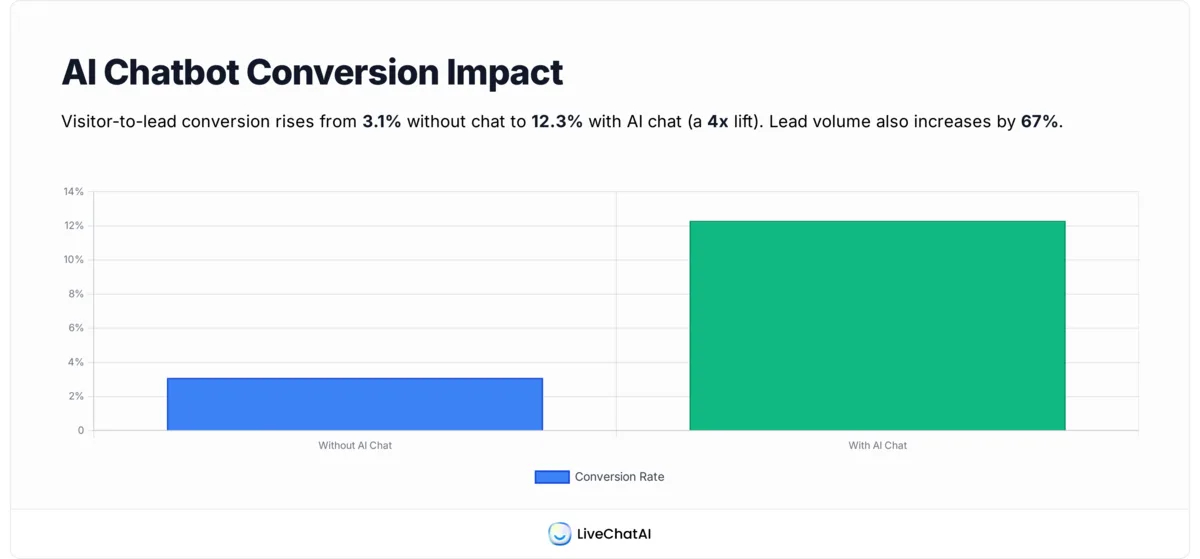
Shoppers who chat with an AI bot convert at 12.3% versus 3.1% without one. That's a 4x lift on the same traffic, with no extra ad spend. I've spent the last few years watching marketing teams bolt chatbots onto landing pages and walk away disappointed, then watch the same teams hit pipeline targets after rebuilding those bots around qualification, routing, and speed. The difference isn't the model. It's how you wire the bot into the funnel.
To use AI chatbots to automate lead generation, deploy a bot that greets visitors within 5 seconds, asks 3-5 qualifying questions, scores responses against your ICP, syncs the contact straight into your CRM, and books a demo or routes to sales in real time. Done well, this lifts qualified-lead volume by around 64% for B2B teams (see the Martal data below).
What Is a Lead Generation Chatbot?
A lead generation chatbot is a conversational agent that lives on your website, app, or messaging channels and turns anonymous traffic into known, scored contacts in your CRM. It's not the same as a generic support bot. A support bot exists to deflect tickets and answer "where is my order." A lead-gen bot exists to start a sales conversation, qualify intent, and either book time or pass an enriched record to a rep.
Three components do the heavy lifting. First, capture: the bot fires on intent signals (page time, scroll depth, exit cursor) and opens a low-friction conversation instead of a static form. Second, qualify: it asks 3-5 ICP questions — company size, role, current stack, timeline — and scores answers against rules you define. Third, route: a hot lead gets a Calendly slot or Slack ping, a warm one drops into a nurture sequence, a cold one gets gated content.
The newer generation of bots is grounded on your own docs and product data, so answers stay accurate. Older rule-based bots (think the IF/ELSE flowchart era) collapsed the moment a visitor asked anything off-script. Today's LLM-grounded bots can hold a contextual back-and-forth, recognise when a question signals high intent, and adapt the qualification path on the fly. For a deeper look at where this differs from generic agents, our AI agent vs chatbot breakdown is a good starting point.
Benefits of AI Chatbots for Lead Generation
The single biggest reason marketing teams move budget into AI chatbots is conversion lift on existing traffic. According to TailorTalk's 2026 benchmark, visitors who engage with an AI chat convert to leads at 12.3%, against 3.1% for visitors who don't — a 4x improvement on the exact same audience. For a site doing 50,000 monthly sessions, that's the difference between roughly 1,550 and 6,150 captured leads per month, before you've touched paid acquisition.
Quality follows volume. Martal's 2026 survey found that 64% of businesses using AI chatbots report generating more qualified leads, not just more leads. That matters because your sales team's bandwidth is the real constraint, not your form-fill rate. A bot that delivers 200 SQLs is more valuable than one that floods the CRM with 2,000 unqualified records.
Speed is the other lever. Companies investing in AI lead-gen automation reported 72% faster sales cycles, mostly because qualification happens before a human ever sees the lead. The bot does the discovery call's first 10 minutes. Sales picks up at the demo-booked stage.
The flip side worth naming: a badly-tuned bot kills conversion. Over-qualification (asking 12 questions when 4 would do) drops completion rates, and unscoped LLM bots can hallucinate pricing. The benefit math only works when the bot is grounded on your real product data and capped at the right number of questions. For more revenue-side context, the chatbot business ideas guide covers monetisation patterns beyond pure lead capture.
10 Ways to Use AI Chatbots to Automate Lead Generation
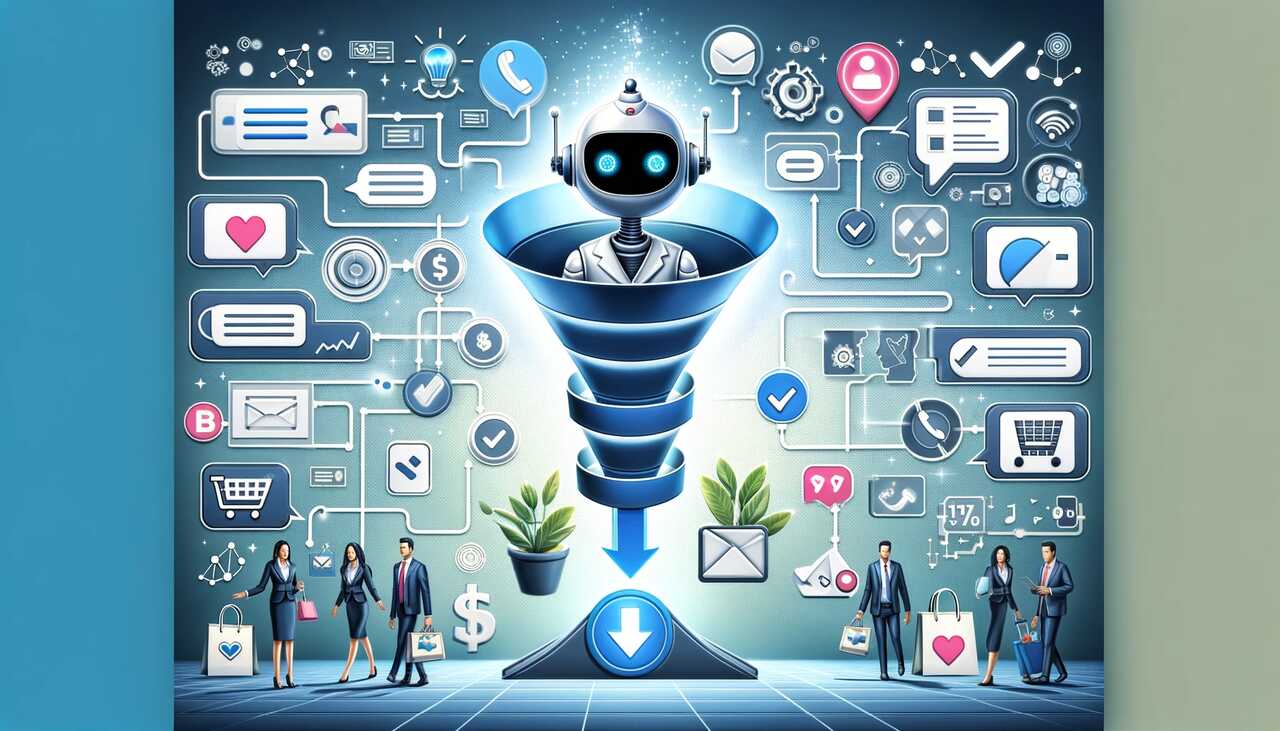
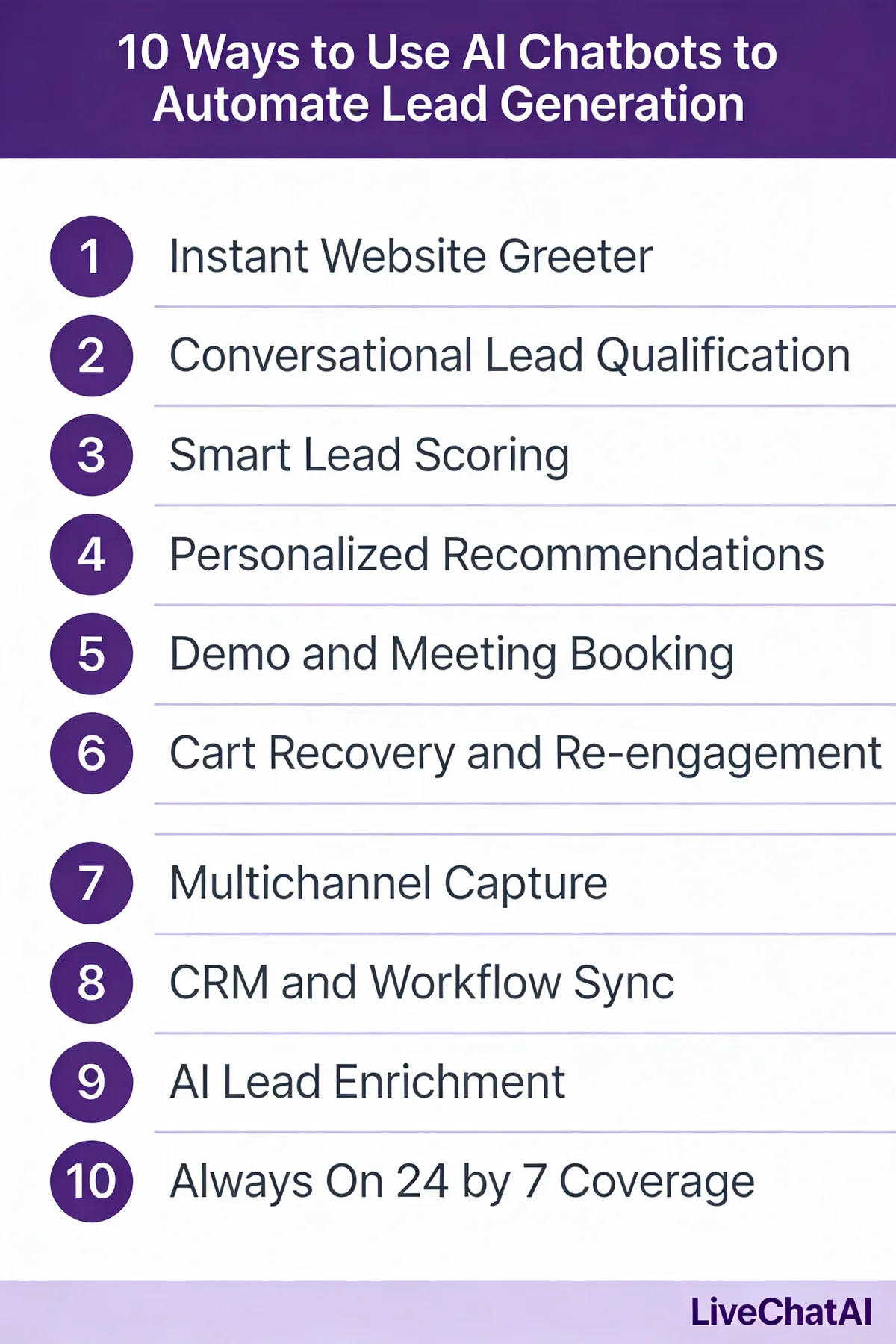
The strategies below are ordered roughly easiest-to-hardest. Each one works on its own, and most reinforce each other when stacked. If you're starting from zero, ship strategy 1 and 2 in week one, then layer the rest as you see traction. For inspiration on what working bots actually look like in production, our roundup of chatbot examples covers e-commerce, B2B, and support deployments.
1. Instant Website Greeter
An instant greeter is a low-effort proactive bot that opens a conversation within 5 seconds of a visitor landing on a high-intent page (pricing, product, comparison). It replaces the passive "Hi, how can I help?" tab with a context-aware opener tied to the page the visitor is on. Think of it as a live receptionist for traffic that would otherwise bounce.
1. Pick the trigger pages first. Don't fire site-wide. Restrict to pricing, product, and comparison URLs where intent is highest.
2. Set the delay to 5-7 seconds. Earlier feels intrusive, later misses the impulse window. Test both ends and watch your engagement rate.
3. Write page-specific openers. Pricing page: "Want a quick rundown of which plan fits your team size?" Comparison page: "Comparing options? I can pull a side-by-side in 30 seconds."
4. Cap impression frequency. One open per visitor per 7 days. Repeat firings on the same session destroy goodwill.
2. Qualifying Questions on Landing Pages
Landing pages built for paid traffic usually push visitors toward a static form. Swap that form for a 3-5 question conversational flow and you'll capture more leads with richer data. Each question is a single tap or short answer, framed as a conversation rather than a form field. The bot collects company size, role, use case, and timeline before asking for the email.
1. Map your ICP fields to questions. Pick the 3-5 fields your sales team actually filters on (usually company size, role, current tool, timeline).
2. Use multiple-choice for the first two. Tap-to-answer keeps drop-off low. Save free-text for the question with the most signal.
3. Ask for email last. Lead with value, end with the ask. Email-first kills completion rate by 30-40% in tests I've run.
4. Branch by answer. An enterprise-size answer routes to a sales calendar; SMB drops into self-serve.
One example I keep coming back to: a business coach featured in a 2026 case study saw a 67% lift in qualified leads after replacing static forms with conversational qualification across their funnel. Most of that lift came from richer data per lead, which let sales prioritise instead of dial-everyone.
3. Lead Magnet Delivery (eBook/Whitepaper Distribution)
Gated content is a workhorse for B2B lead-gen, but the standard "fill out a form, get a PDF" flow leaks intent. Replace the form with a chatbot that delivers the asset inline, asks one or two contextual questions, and uses the conversation itself as the segmentation event. The visitor downloads the eBook and the bot tags them with topic interest, role, and download intent.
1. Trigger the bot from the CTA button, not on page load. Visitors who click expect the asset; the bot delivers it inside the chat.
2. Send the file directly in chat. A clickable link in-conversation outperforms an email-delivery follow-up by roughly 2:1 on open rate.
3. Ask one segmentation question after delivery. "What are you trying to fix in the next 90 days?" The answer is gold for sales sequencing.
4. Tag the lead by content topic in your CRM. Whoever downloads "ABM Playbook" goes into a different nurture path than someone grabbing "SEO Basics."
Adoption is wide enough that this is now table stakes. The global chatbot market sat at $7.76 billion in 2024, and gated-content delivery is one of the most-cited use cases driving that growth in B2B SaaS specifically.
4. Demo Booking Automation
The classic "request a demo" form sends an email to sales, who then plays calendar tag for two days while the lead cools. A demo-booking bot replaces that round-trip with a single in-chat flow: qualify the visitor, surface available slots from the right rep's calendar, and confirm the booking — all in 60-90 seconds while intent is hot. The Calendly handoff that used to take 4 emails happens in one conversation.
1. Connect the bot to your scheduling tool. Calendly's API is the most common path; HubSpot Meetings works if you're already in the HubSpot stack.
2. Qualify before showing slots. 2-3 questions max. If the lead doesn't fit ICP, route to a self-serve trial instead of burning a sales hour.
3. Round-robin by territory or vertical. Don't dump every demo on one rep. Use the qualifying answers to assign.
4. Send a confirmation in chat plus calendar invite. Double confirmation cuts no-shows by roughly 25% in my experience.
This is the highest-ROI play for a sales-led motion. The IBM and Juniper Research numbers cited by a 2026 industry analysis show AI chatbots cut support costs 30% while tripling conversion rates, with cart and demo recovery driving most of that gain.
5. Cart Recovery and Exit-Intent Capture
For e-commerce and self-serve SaaS, the moment a visitor moves their cursor toward the close tab is the last good chance to convert. An exit-intent chatbot fires on that mouseleave event with a context-aware offer: a checkout assist for cart abandoners, a comparison summary for product-page bouncers, a free-trial nudge for pricing-page leavers. Done right, you recover 8-15% of would-be lost visitors.
1. Detect exit intent client-side, not on a timer. Mouse-leave on the document boundary is the signal you want.
2. Match the offer to the page. Cart page → "Want a 10% nudge to finish?" Pricing page → "Comparing? Here's the 30-second teardown."
3. Use the bot to handle objections in chat. The most common cart-abandon reason is shipping cost or hesitation; the bot can answer both inline.
4. Cap to one fire per session. Multiple exit pops on the same visit nukes trust.
For e-commerce stacks, the patterns get specific fast — our e-commerce chatbots roundup covers cart-recovery flows that ship value within hours of install. Recovery rates compound: even a 6% lift on a $200K monthly revenue baseline is $12K/month back into the funnel.
6. Conversational Forms (Multi-step Lead Capture)
Long forms are conversion killers. Every additional field above three drops completion by roughly 10-15% (this is well-documented in CRO literature). A conversational form spreads the same fields across a chat, asking one at a time, with progress visible. The visitor never sees a wall of inputs. They answer one question, get acknowledgement, then move to the next.
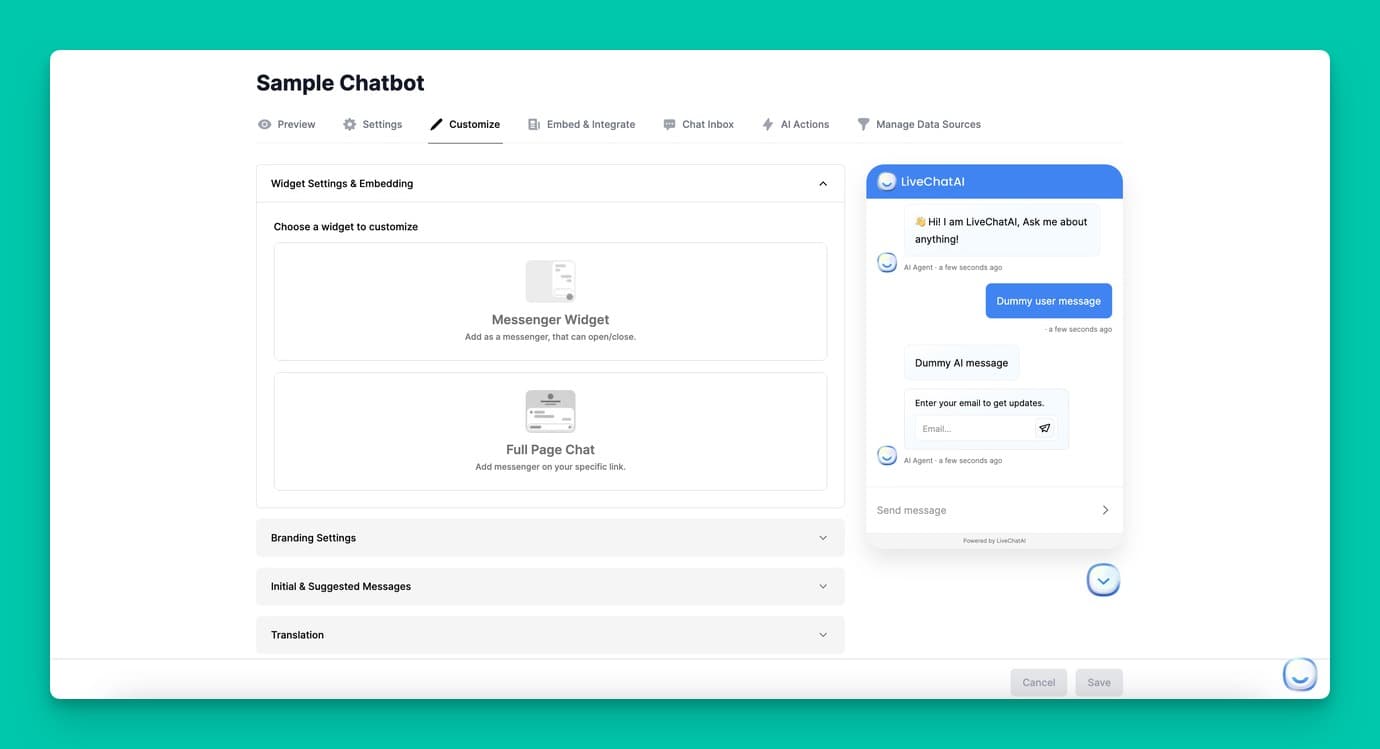
1. List every field your form asks for. Cut anything sales doesn't actually use. Most teams find they can drop 30-40% of fields and lose nothing.
2. Order questions easy-to-hard. First name and company first (frictionless), budget and timeline last (highest drop-off risk).
3. Use conditional logic. If "team size" is solo, skip "how many users." Don't ask questions you've already implied answers to.
4. Show progress. "Question 2 of 4" or a visual bar. Visible progress lifts completion by 10-12% in standard form testing.
The market trajectory backs this up. Conversational AI is projected to grow from $12.24 billion in 2024 to $61.69 billion by 2032, with conversational form-replacement being one of the most adopted use cases in B2B marketing stacks.
7. CRM Sync and Lead Routing
A lead that sits in the chatbot's database for 24 hours before reaching your CRM is a lost lead. The whole speed advantage collapses if the handoff is batched. Real-time sync — chatbot to CRM to sales rep — is what turns the bot from a lead-collection tool into a pipeline tool. The lead lands in the CRM, gets routed, and pings a rep within seconds of the conversation ending.
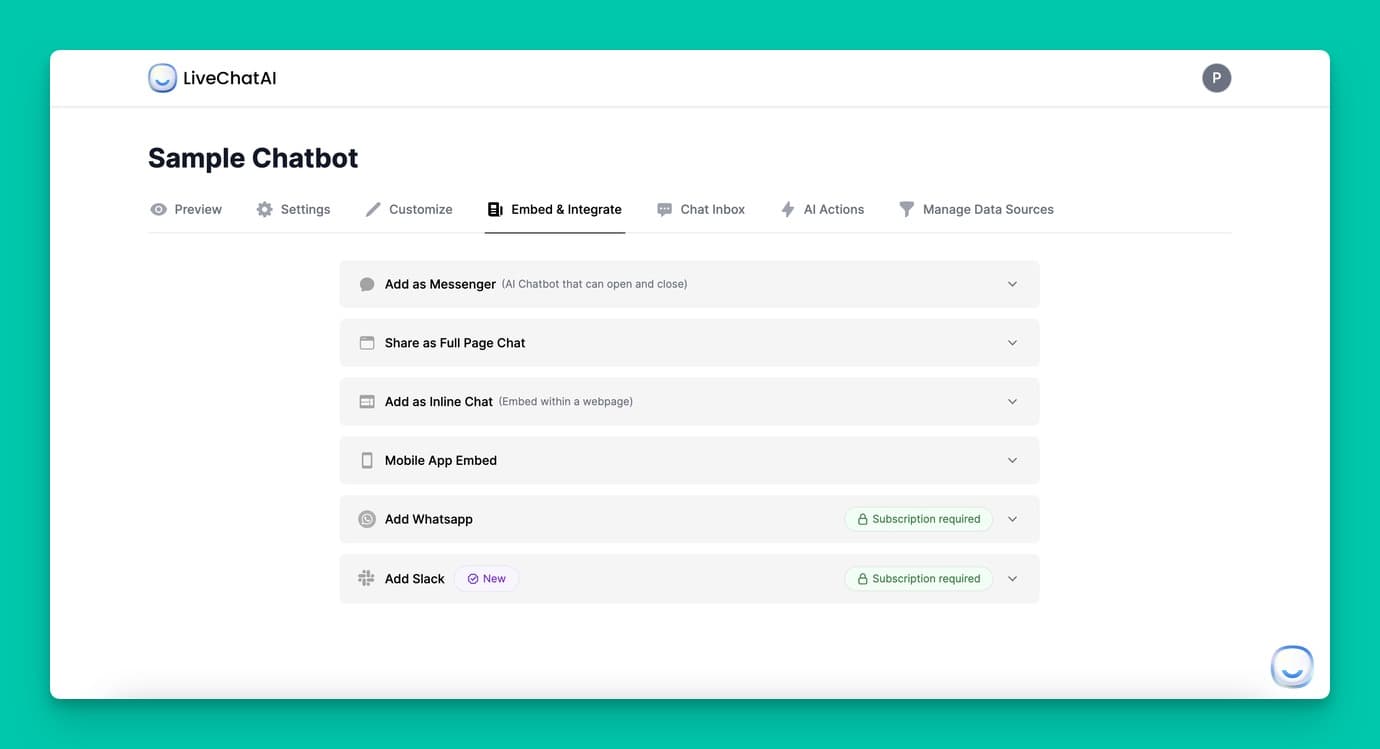
1. Use a native CRM connector if your bot has one. Native HubSpot, Salesforce, or Pipedrive integrations are far more reliable than Zapier middleware.
2. Map every chatbot field to a CRM property up front. Don't let "company size" land as free text in one place and a picklist in another.
3. Trigger Slack alerts for hot leads. If the qualifying score crosses your threshold, ping the assigned rep in Slack within 30 seconds.
4. Round-robin by rep capacity, not headcount. If one rep is at quota and another isn't, route accordingly.
Speed is what makes the rest of the funnel work. A LeadMetrics 2026 analysis found teams running real-time CRM sync from their bots saw 72% faster sales cycles compared with batched-import workflows.
8. Sales Pre-qualification (BANT/MEDDIC scoring)
For sales-led B2B, the bot's most valuable job isn't capturing emails. It's filtering. A BANT (Budget, Authority, Need, Timeline) or MEDDIC scoring layer turns the bot into a junior SDR that screens every visitor against your ICP and routes only fit leads to humans. Reps stop wasting hours on tire-kickers and start every day with a queue of pre-qualified conversations.
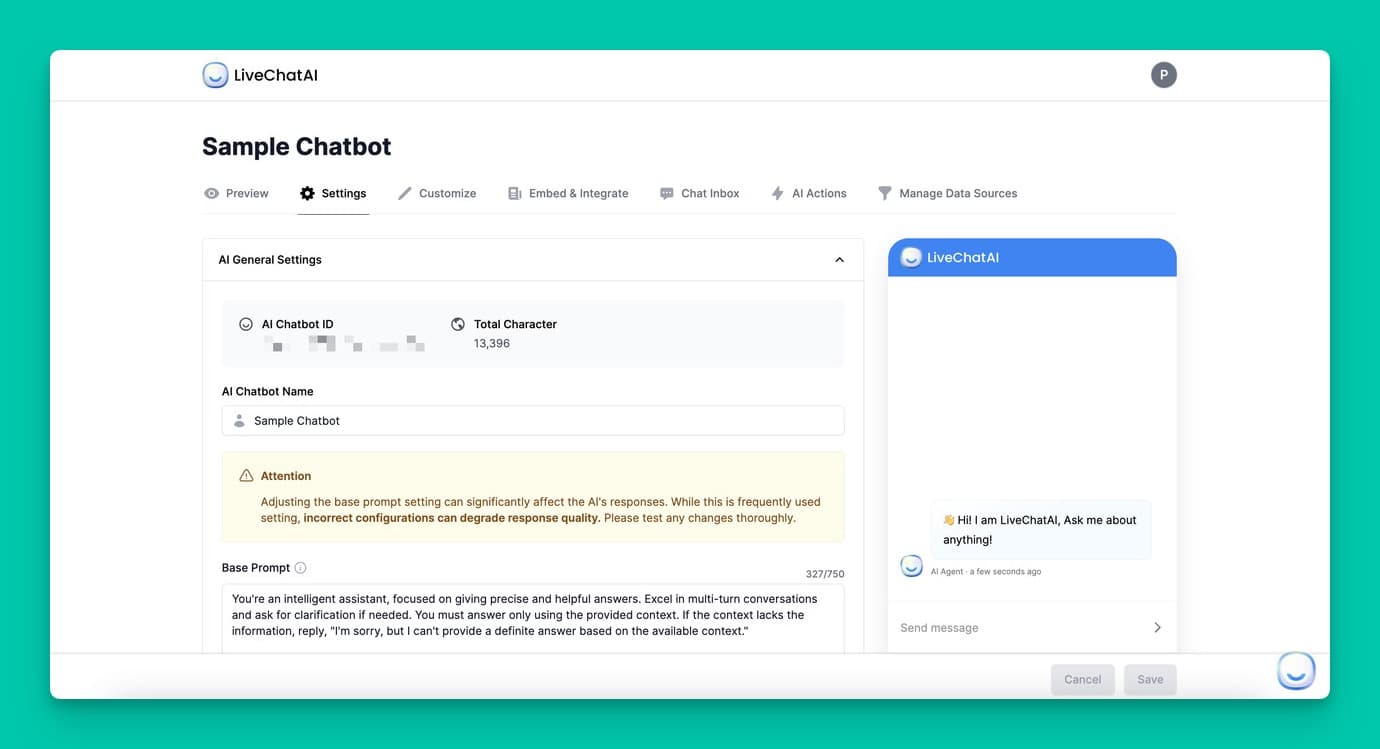
1. Define the score thresholds with sales. Don't guess — sit with reps and align on what "MQL," "SQL," and "drop" actually mean numerically.
2. Weight each BANT field by your win-rate data. If timeline correlates strongest with closes, weight it 3x; if budget is binary, weight it as a gate.
3. Build a "no-fit" off-ramp. Visitors who fail qualification go to self-serve docs, not a sales calendar. This protects the rep queue.
4. Review the score logic monthly. Closed-won data should keep tuning the weights.
For B2B SaaS specifically, this is where the volume math really kicks in — our B2B chatbot guide walks through scoring frameworks rep teams actually use. Honest caveat: BANT alone misses softer signals (champion strength, technical fit), which is why MEDDIC works better for complex enterprise deals. Don't over-engineer the scoring before you have win-rate data to calibrate it.
9. Re-engagement of Cold Leads
Most CRMs have a graveyard of leads that went cold 60-180 days ago. A re-engagement chatbot, triggered by an email click or a return site visit, restarts the conversation without a human having to remember the context. The bot pulls the lead's history, references the original use case, and offers a relevant next step (new feature demo, updated pricing, fresh case study).
1. Build a return-visitor trigger. Cookie-based identification fires the bot only for known leads, with a personalised opener.
2. Pull CRM context into the opening message. "Hey [name], last time we talked you were evaluating against [tool] — anything changed?"
3. Run a quarterly cold-lead sweep email. Link to a chat-based "are you still in market?" flow rather than a form.
4. Re-score on response. Anyone who re-engages gets re-evaluated; some cold leads come back hotter than your inbound queue.
This is one of the highest-ROI plays because the lead acquisition cost is already sunk. Reactivating 8-12% of a 5,000-lead cold list at zero new ad spend often beats a fresh paid campaign on a per-lead basis. Average cost per lead sits at $198.44 in 2026 — every reactivated lead is a save on that.
10. 24/7 Multilingual Coverage
If your buyers are global, your form is asleep two-thirds of the day. A multilingual AI chatbot covers timezone gaps and language gaps in one move — Spanish-speaking visitors land on Spanish replies, APAC traffic at 2am gets the same qualification flow as US business hours, and lead capture continues regardless of when sales is online. The bot books the demo for the next available rep slot in the lead's timezone.
1. Auto-detect browser language and switch the bot's prompts. Don't make visitors pick from a dropdown.
2. Translate qualification questions, not just greetings. A bot that opens in French and switches to English on question 2 reads as broken.
3. Localise the calendar handoff. Show times in the visitor's local zone, not yours. This alone lifts demo confirmations.
4. Quality-check translations quarterly. LLM translations drift; have a native speaker spot-check the top 5 languages every quarter.
This use case maps directly onto how teams already deploy bots across messaging platforms — our social media chatbot guide covers WhatsApp, Messenger, and Instagram deployments where multilingual coverage matters most.
Tools and Integrations Worth Considering
The tooling stack matters less than the workflow you wire together, but a few categories show up in almost every successful deployment. You'll want a CRM with strong API access, a scheduler the bot can read from, and an analytics layer to actually measure what's working.
• HubSpot CRM: The most chatbot-friendly CRM for SMB and mid-market. Native contact sync, lifecycle stages, and Slack integration make routing painless. Free tier covers most lead-gen use cases.
• Salesforce: The default for enterprise sales orgs. The bot writes leads directly into Lead or Contact objects, with custom fields for chatbot-specific scoring. Pair with Salesforce's routing rules for territory-based assignment.
• Calendly: The simplest scheduling handoff. The bot pulls availability from a rep's link and confirms the slot in-chat. Round-robin and team-link support cover most B2B scenarios out of the box.
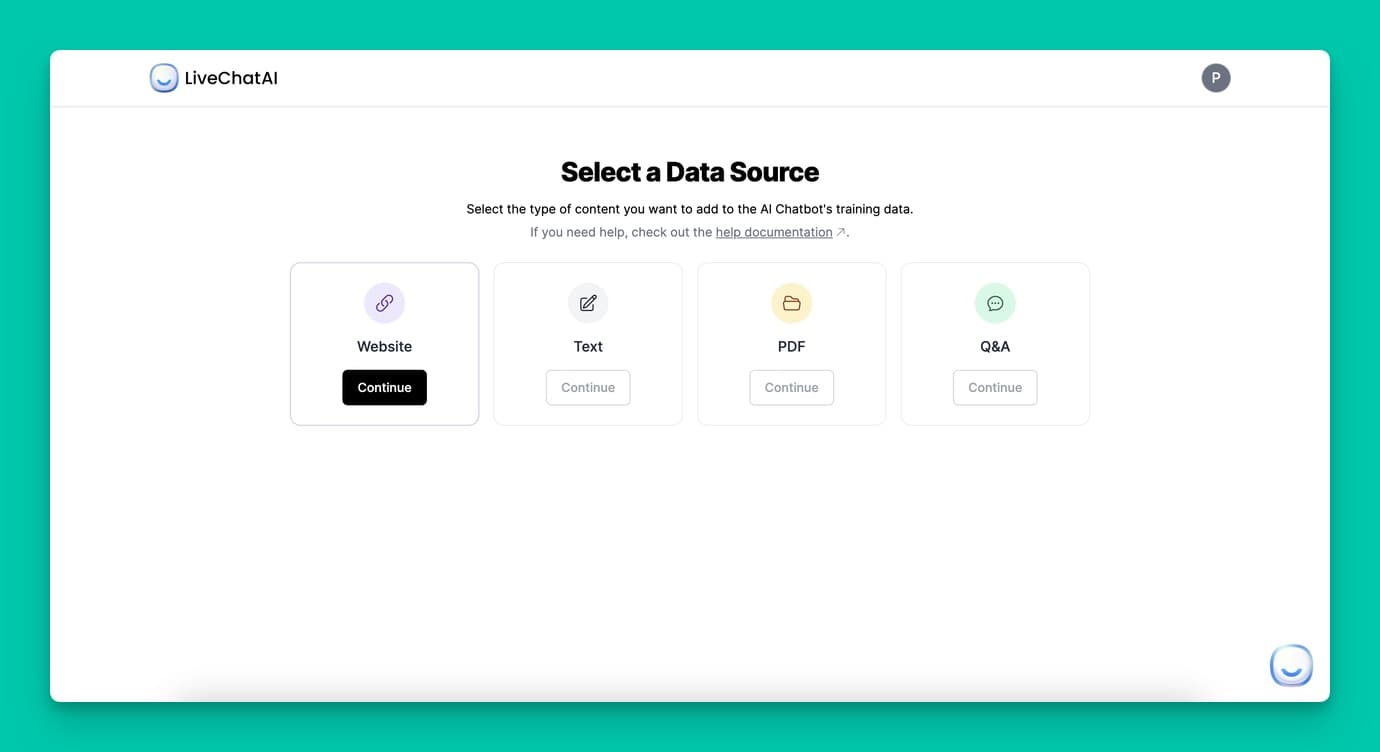
For the chatbot platform itself, look for grounding (so answers stay on your real product), CRM-native connectors (not Zapier-only), and BANT/MEDDIC scoring built in. LiveChatAI fits this brief — it grounds on your docs and site, syncs natively to HubSpot and Salesforce, and ships with qualification logic out of the box, which removes the usual 4-week integration tax. Whatever you pick, prioritise time-to-first-lead over feature count: a bot live in 48 hours beats a perfect bot in 8 weeks.
Common Mistakes to Avoid While Using AI Chatbots for Lead Generation
Most chatbot failures aren't model failures. They're configuration mistakes that compound over weeks. Here are the four I see most often, and what to do instead.
• Over-qualifying: Asking 8-12 questions when 4 would do. Each extra question drops completion by roughly 10%. Cap qualification at 5 questions, weighted toward the ones sales actually filters on. If you need more data, enrich after capture using a tool like Clearbit, not in-chat.
• Generic openers on every page: A "Hi, can I help?" prompt on the pricing page wastes the visitor's intent. Tailor the opener to the URL — pricing, comparison, product, blog all need different first messages. Generic openers convert at roughly half the rate of context-aware ones.
• No human escape hatch: Visitors who want a human and can't reach one bounce hard. Always include a visible "talk to a person" option, especially on pricing and demo pages. The bot should hand off cleanly with full conversation context, not start the rep from zero.
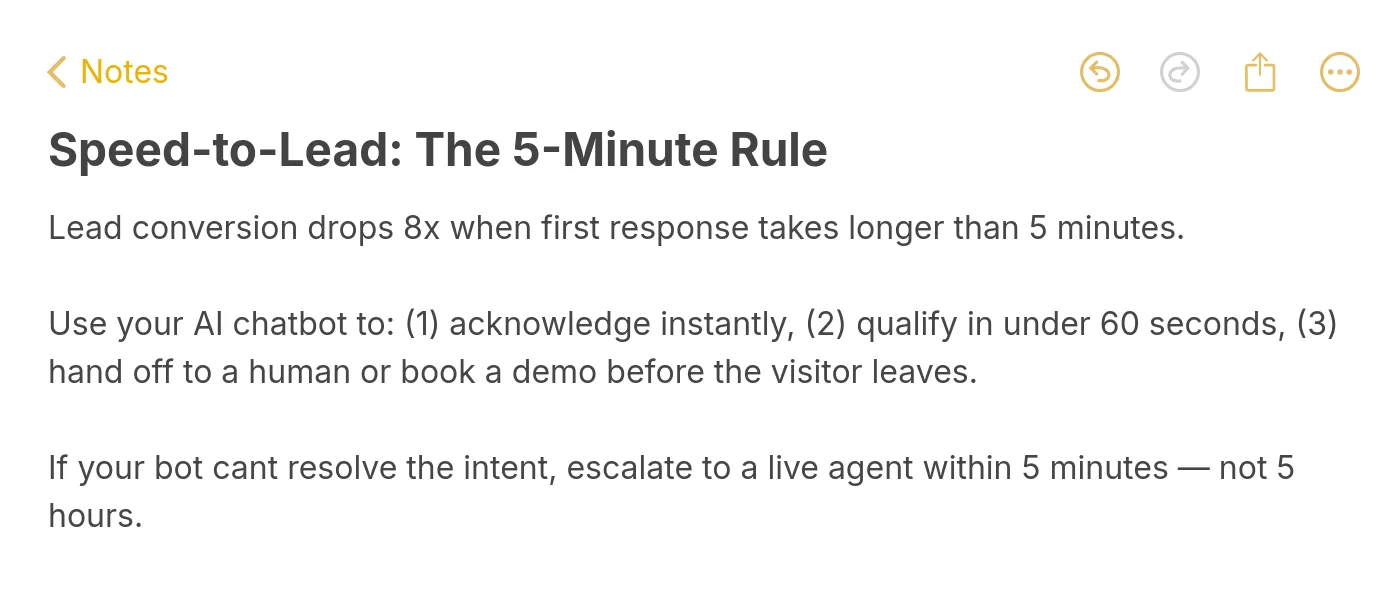
• Slow handoff to sales: A qualified lead that waits an hour for a rep is a cold lead. The speed-to-lead window is brutal — research consistently shows response within 5 minutes converts 8-9x better than response after an hour. Your routing layer must ping the rep in real time, not in a daily digest.
• Treating the bot as set-and-forget: The first month of conversations is data gold. Read transcripts weekly, prune dead branches, add answers to questions you didn't anticipate. Bots that aren't tuned in the first 90 days plateau hard and never recover.
Pick One Lead-Gen Way to Pilot This Week
Don't try to ship all ten. The teams that win with AI chatbot lead generation pick one strategy, ship it in 5-7 days, measure for 30, then add the next. If you're brand new to this, start with strategy 1 (instant greeter on pricing) — it's the fastest path to a measurable lift and tells you whether your traffic is even the bottleneck.
Once that's live and converting, layer strategy 2 (qualifying questions) and strategy 7 (CRM sync). Those three together cover the 80/20 of B2B lead-gen: capture, qualify, route. Everything else compounds on that base.
The one thing to avoid: spending 3 months in evaluation paralysis. The 4x conversion lift compounds every week you delay. Pick a tool that lets you ship in days, not quarters, and start writing transcripts to your CRM by next Friday.
Frequently Asked Questions
How do AI chatbots actually generate leads?
An AI chatbot generates leads by replacing static forms with conversation. It greets visitors based on intent signals, asks 3-5 qualifying questions, scores answers against your ICP, captures contact details, and either books a demo or syncs the lead into your CRM with a routing rule. The whole flow happens in real time, 24/7, in the visitor's language. Done well, this lifts qualified-lead volume by roughly 64% over static-form baselines, mostly because the conversation collects richer data per lead than a form ever could.
Can AI chatbots qualify leads automatically?
Yes, and this is one of the strongest use cases. A scoring chatbot runs BANT (Budget, Authority, Need, Timeline) or MEDDIC questions, weights each answer against your ICP, and assigns a numeric score that routes the lead to the right next step — sales calendar for hot, nurture sequence for warm, self-serve docs for cold. The bot replaces the first 10 minutes of a discovery call. Sales picks up at the demo-booked stage, which is where teams typically see the 72% sales-cycle compression numbers come from.
Is it expensive to set up an AI lead generation chatbot?
Setup cost has dropped sharply. Modern platforms ship with templates, native CRM connectors, and grounding from your existing docs, so a basic deployment runs $50-300/month plus 1-2 days of internal config time. The bigger cost is opportunity cost on your sales team — every week you delay is conversion lift you don't capture. Compare that against the average cost per lead of $198.44 in 2026 and the math typically pays back inside the first month, especially if your traffic is already at scale.
How do AI chatbots handle complex lead questions?
Modern LLM-grounded bots handle far more complexity than the rule-based bots of five years ago. They can pull from your docs, product pages, and pricing tables to answer in context, and they recognise when a question is outside their scope — at which point they should hand off to a human cleanly with full conversation history attached. The honest limit: bots still struggle with multi-stakeholder buying conversations, custom contract terms, and anything requiring a judgement call. Use them as the qualification and routing layer, not as the closer.
For further reading, you might be interested in the following:
• Using AI Chatbots for B2B Service: A Guide for SaaS
• The 7 Best E-commerce Chatbots to Use for Your Online Store