






Chatbot use cases in 2026 span 9 industries: customer support, healthcare, banking, education, travel, real estate, HR, marketing, and emerging fields like gaming and IoT. The 25 deployment patterns below cover ticket deflection, symptom triage, lead qualification, onboarding, and fraud alerts, with measurable cost, conversion, and satisfaction impact.
Quick Overview: 25 Chatbot Use Cases Across 9 Industries
Chatbots aren't a side project anymore. They sit at the front of support queues, inside banking apps, behind hospital triage forms, and on the contact page of nearly every B2B website I open. As a content marketer at LiveChatAI, I see new deployment patterns land in our inbox every week, so this post pulls together 25 real-world chatbot use cases that actually move metrics in 2026, organized across the 9 industries where adoption is heaviest.
Skim the list first, then jump to the industry section that matches your business. Each use case below gets a full breakdown later in the post (what it does, how to implement it, and what kind of result to expect).
| Industry | Use cases covered | Primary outcome |
|---|---|---|
| Customer Support | 24/7 service, FAQ deflection, escalation, personalized support (4) | Deflection rate, CSAT |
| Healthcare | Symptom triage, appointment scheduling, adherence and follow-up (3) | Patient adherence, no-show rate |
| Banking and Finance | Account management, fraud alerts, lending and financial education (3) | Containment rate, fraud loss |
| Education | Onboarding and admin Q&A, course recommendations, exam prep (3) | Enrollment, completion rate |
| Travel and Hospitality | Booking assistance, itinerary and disruption management, language translation (3) | Booking conversion, complaint rate |
| Real Estate | Property recommendations and lead qualification, virtual tour scheduling, mortgage guidance (3) | Qualified leads, time-to-tour |
| Human Resources | Onboarding and policy FAQs, leave management, and surveys (2) | Time-to-productivity, eNPS |
| Marketing | Lead generation and engagement, event registration and launches (2) | Lead volume, conversion rate |
| Emerging | Gaming, legal compliance, smart-home IoT (2) | Engagement, automation depth |
That's 25 deployment patterns across 9 industries. The numbering runs continuously from 1 to 25 so you can reference any single use case below by number.
What Are Chatbot Use Cases?
A chatbot use case is a specific job a conversational agent does for a business. It pairs a user intent ("I lost my luggage", "I need an appointment next Tuesday") with an automated response flow that resolves the intent, escalates it, or hands off relevant data to a human. The patterns below are the ones I see deployed most often by LiveChatAI customers and across the wider SaaS support market.
Definition and scope
At their core, chatbots are software programs that simulate conversation. They read text or voice input, parse intent, and respond with information or an action. Rule-based bots follow scripted menus and decision trees. AI-powered bots use natural language processing to handle messy, real-world phrasing, including typos, slang, and emotion.
If you want a primer on the underlying tech, our piece on what is an AI-powered chatbot walks through how training data, embeddings, and retrieval shape answer quality. For a contrast piece on rule-based vs AI bots, see our breakdown of rule-based chatbots vs AI chatbots.
The scope of "chatbot" is wider than it used to be. It now covers voice agents, in-app assistants, embedded copilots, and customer-facing AI on websites and inside Slack, WhatsApp, and SMS. The use cases stay roughly the same, but the channel changes.
The rise of conversational AI in 2026
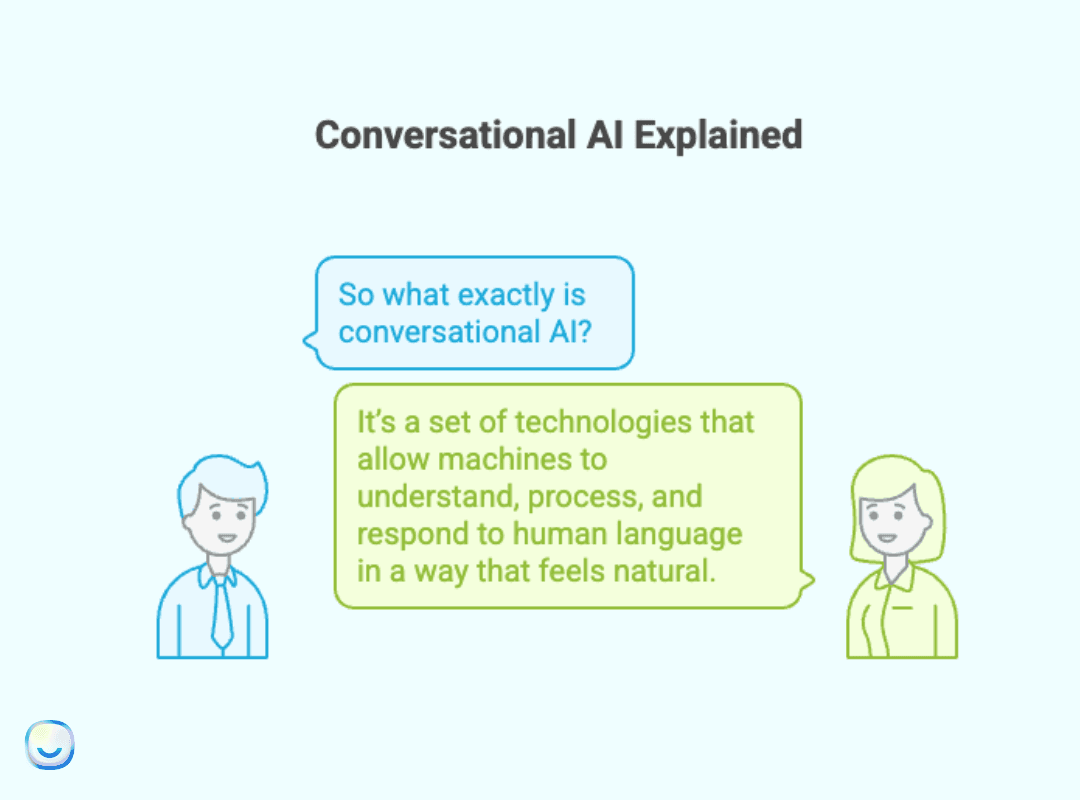
The shift from scripted IVR to genuine conversation happened faster than most teams planned for. Generative models can now hold context across a multi-turn chat, recall prior interactions, and tune their tone to match the user. That's why conversational interfaces have moved from novelty to default in B2B SaaS.
The market numbers back this up. According to JoyzAI's 2026 chatbot data, the global conversational AI market is estimated to reach $20.7 billion in 2026, up from $17.3 billion in 2025. That's roughly a 20% year-over-year jump, driven mostly by mid-market companies replacing legacy help desks with retrieval-augmented assistants.
The chatbot-specific market sits inside that broader number. Ringly.io's 2026 chatbot report puts the global chatbot market at $11.8 billion in 2026, with 987 million chatbot users worldwide and 91% of businesses with 50+ employees now using at least one bot in production. The picture isn't "early adoption" anymore. It's mainstream.
Why Businesses Are Adopting Chatbots
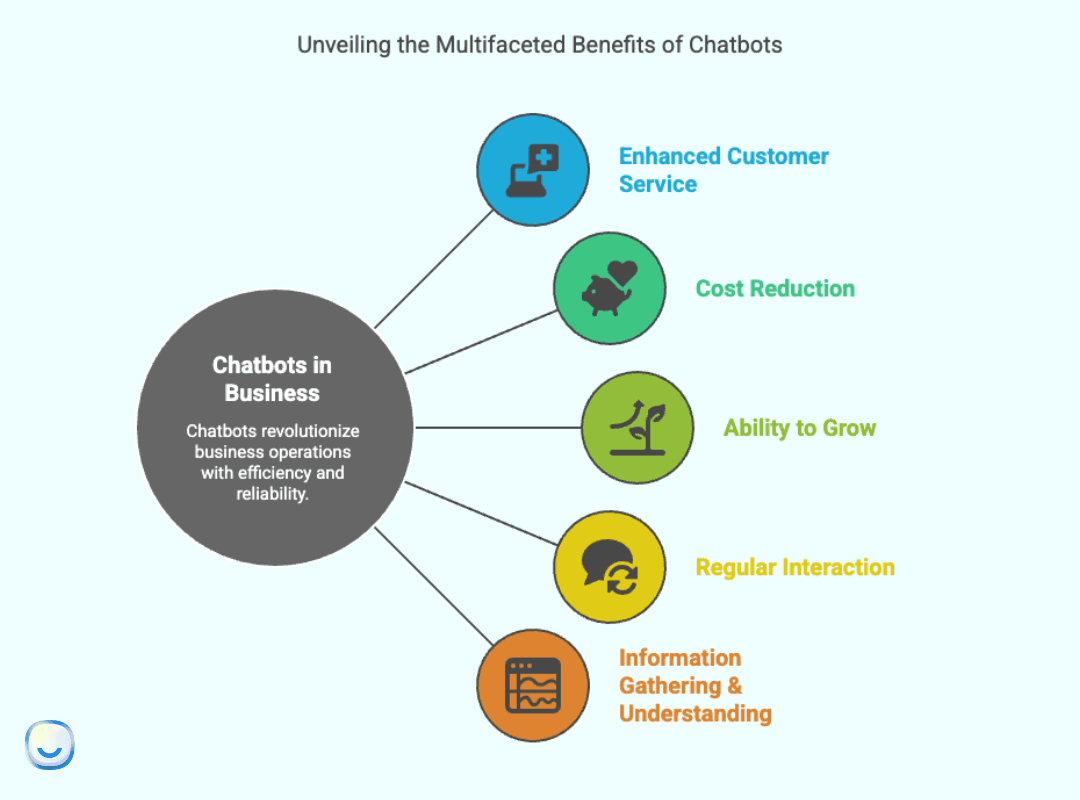
Five drivers come up in nearly every chatbot business case I review. None of them are about novelty.
1. Faster customer service: No queue, no hold music. The bot picks up instantly, every time. The Forbes Business Development Council has reported that AI chatbots solve the repetitive-inquiry problem that drains support agents and slows resolution times.
2. Cost reduction: Each contained chat skips a ticket. For mid-market teams running 30,000+ monthly support volumes, even a 30% containment rate cuts six-figure costs annually. IBM's research on chatbot ROI breaks down the after-hours staffing savings in detail.
3. Scalability: A single bot can handle 1 conversation or 10,000 in parallel without a new hire. That elasticity matters most for SaaS companies during product launches, Black Friday windows, or viral spikes.
4. Brand consistency: Humans have off days. Bots don't. Every response gets vetted against your brand voice, your policy library, and your compliance rules. The variance drops to near-zero.
5. Continuous data capture: Every chat is a data point. Common questions, drop-off moments, friction phrases — the bot logs all of it. That dataset becomes the most accurate voice-of-customer feed your product team will ever see.
Key Benefits of Chatbot Applications
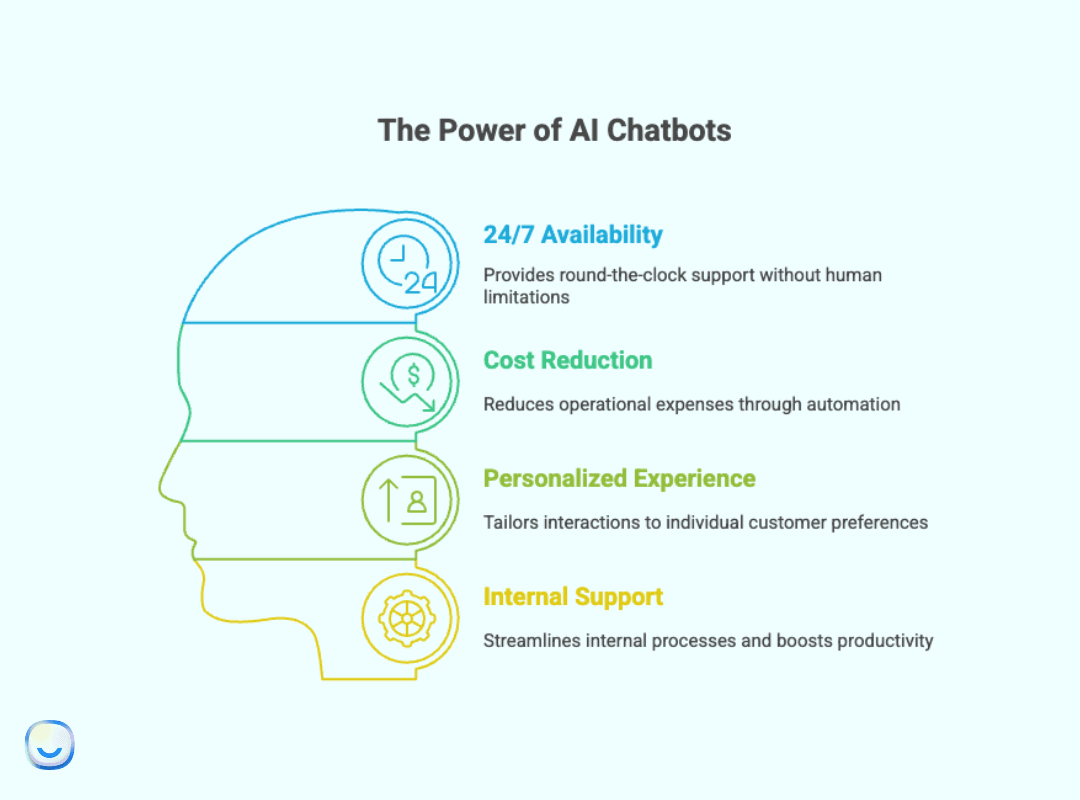
The drivers above turn into measurable benefits once a bot ships. Here's how the wins typically break down.
24/7 customer service that doesn't fatigue
Support teams have schedules and time zones. Bots don't. Whether a user pings at 3 PM or 3 AM, the response is immediate. For global SaaS products with users on every continent, that single benefit kills the "we're closed" experience that historically tanks weekend CSAT.
Real cost savings (without firing your team)
Automation doesn't replace your support team. It frees them. When the bot handles password resets, order status checks, and refund eligibility questions, your agents spend their day on the messy 20% — accounts at risk, escalations, churn calls — where human judgment actually changes the outcome.
Genuinely personalized experiences
One-size answers are out. Modern bots pull from your CRM, your billing system, and your product database to deliver context-aware replies. A returning customer asking "Where's my order?" gets their order number, status, and ETA in the first message, not a generic "Please share your order details."
Cross-department productivity
Bots aren't just customer-facing. HR, IT, sales operations, finance — all of these teams get the same lift internally. Employees stop emailing for the PTO policy or VPN reset link. They ask the bot.
The agent-assist angle deserves a callout. According to Harvard Business School Working Knowledge, AI helped human agents respond to chats some 20 percent faster, with the largest performance gains showing up in less experienced agents. That's the strongest evidence I've seen for the "copilot, not replacement" framing.
Industry-Wise Chatbot Use Cases
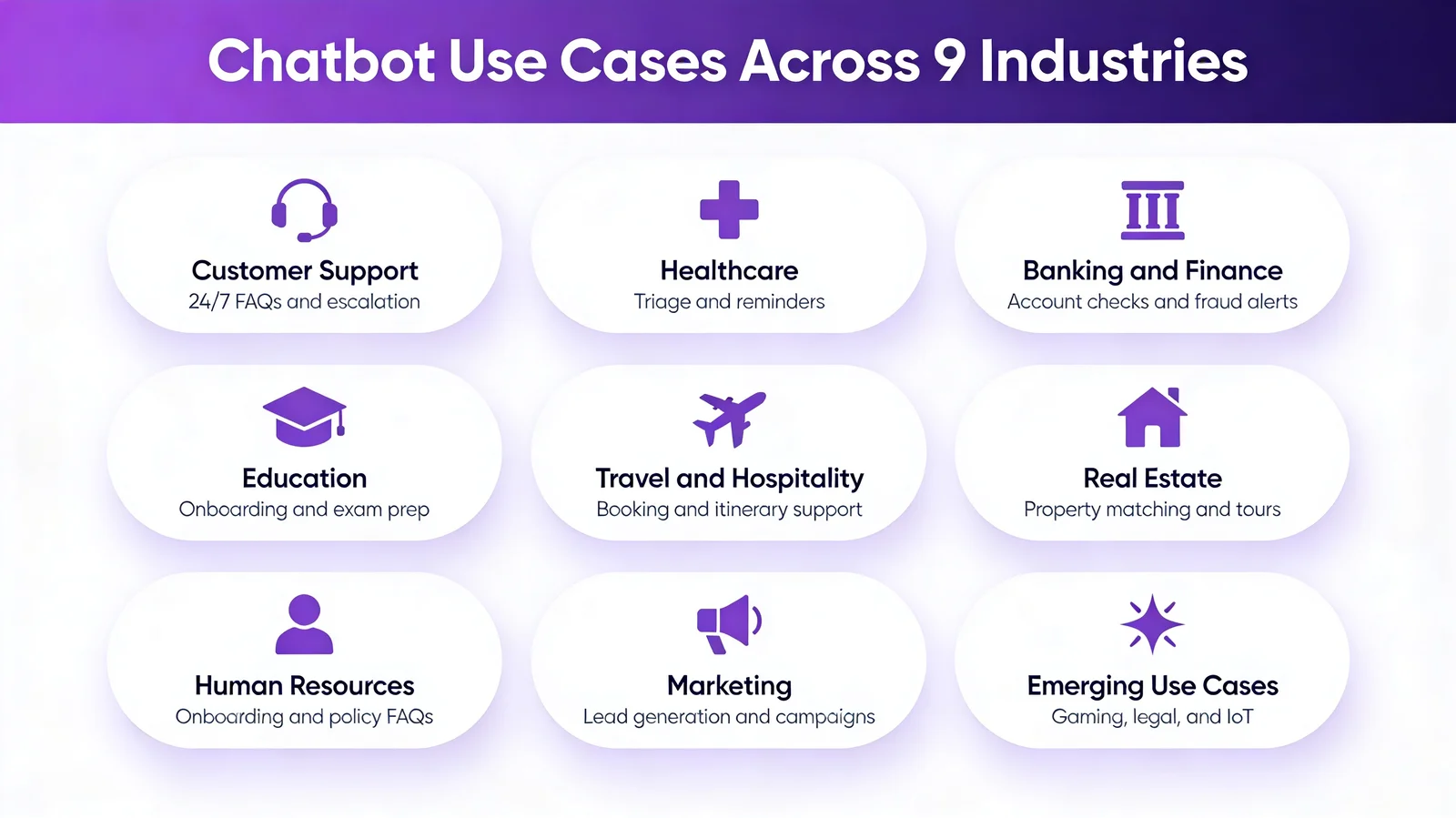
Chatbots aren't just a fit for tech startups anymore. They've worked their way into nearly every industry I can think of, each with its own pace, compliance baggage, and user expectations. The map above breaks down the 9 sectors I'll walk through next.
If you want broader industry examples beyond this list, our roundup of 21 chatbot examples covers specific product implementations from e-commerce, B2B, and healthcare. For sector-specific deep dives, see the AI chatbot for restaurants guide or our piece on the best e-commerce chatbots.
Here's the snapshot of which use cases fit which industry:
• Customer Support: 24/7 help, FAQ deflection, ticket reduction, escalation, personalized service.
• Retail and E-commerce: Product recommendations, order tracking, checkout assistance, returns.
• Healthcare: Symptom triage, appointment scheduling, medication reminders, follow-up care.
• Banking and Finance: Account queries, fraud alerts, loan pre-qualification, financial education.
• Education: Onboarding, course recommendations, exam prep, administrative Q&A.
• Travel and Hospitality: Booking, itinerary changes, real-time service, translation.
• Real Estate: Listings, lead qualification, tour scheduling, mortgage info.
• HR: Onboarding, policy Q&A, leave tracking, employee surveys.
• Marketing: Lead generation, campaign engagement, event registration, product launches.
Chatbot Use Cases in Customer Support
Customer support is where most companies first meet chatbots. It's also where the ROI shows up fastest because the call volume is high, the questions repeat, and the resolution paths are well-documented.
According to Master of Code's chatbot statistics, 46% of companies using AI bots employ them for voice-to-text dictation, 26% for team collaboration, and 24% for employee calendar management. The use case mix has broadened well past pure FAQ deflection.
1. Round-the-clock customer service
What used to be a premium tier (24/7 support reserved for enterprise contracts) is now the default. The bot picks up at 2 AM on a holiday weekend the same way it does at 10 AM on a Tuesday. The implementation is straightforward: connect your knowledge base, set fallback rules, and stand up a clear escalation path for cases the bot can't resolve.
The trust dividend is bigger than the cost savings. When users know they'll always reach someone (or something useful), they stop hoarding tickets for "the right time" and resolve more issues at first touch.
2. FAQ deflection and ticket reduction
Every support team has a top-20 question list they answer over and over. Password resets. Where's my order. How do I change my plan. What's your refund policy. Bots crush this category because the answers don't change much week-to-week, and a bot that responds in under a second can deflect 40-80% of routine inquiries before a ticket gets created.
To implement it well, audit your last 6 months of tickets, group them by intent, and train the bot on the top 50 patterns. Don't try to cover everything on day one. Cover the heavy hitters, ship, and expand. For e-commerce specifically, expect heavy lift on "where's my order" and "what's your return policy" — those two intents alone often make up 30% of inbound chats.
3. Graceful escalation to human agents
The best support bots aren't trying to be all things to all people. They know when to tap out. A clean escalation flow collects the user's issue, their account ID, the steps they've already tried, and any error messages, then hands the bundle to a human agent so the customer doesn't repeat themselves.
This is the single biggest CX win I see in our deployments. The handoff is often where good bots die, so treat it as a first-class feature, not an afterthought.
4. Personalized support experiences
With CRM and order-system integration, the bot can open the conversation already knowing who the user is, what they bought, and what they last asked about. "Hi Maria, I see your order #4567 is out for delivery tomorrow" feels nothing like "Please provide your order number." The personalization compounds — users come back to a channel that already knows them.
For a deeper look at the features that make this kind of personalization possible, see our piece on the 12 essential chatbot features for 2026.
Chatbot Use Cases in Healthcare
Healthcare is where chatbots earn their keep on accuracy, not speed. Time, accuracy, and trust all matter, and the consequences of a bad answer are real. Done right, they cut no-show rates, improve medication adherence, and route patients to the right care faster.
5. Symptom checking and triage
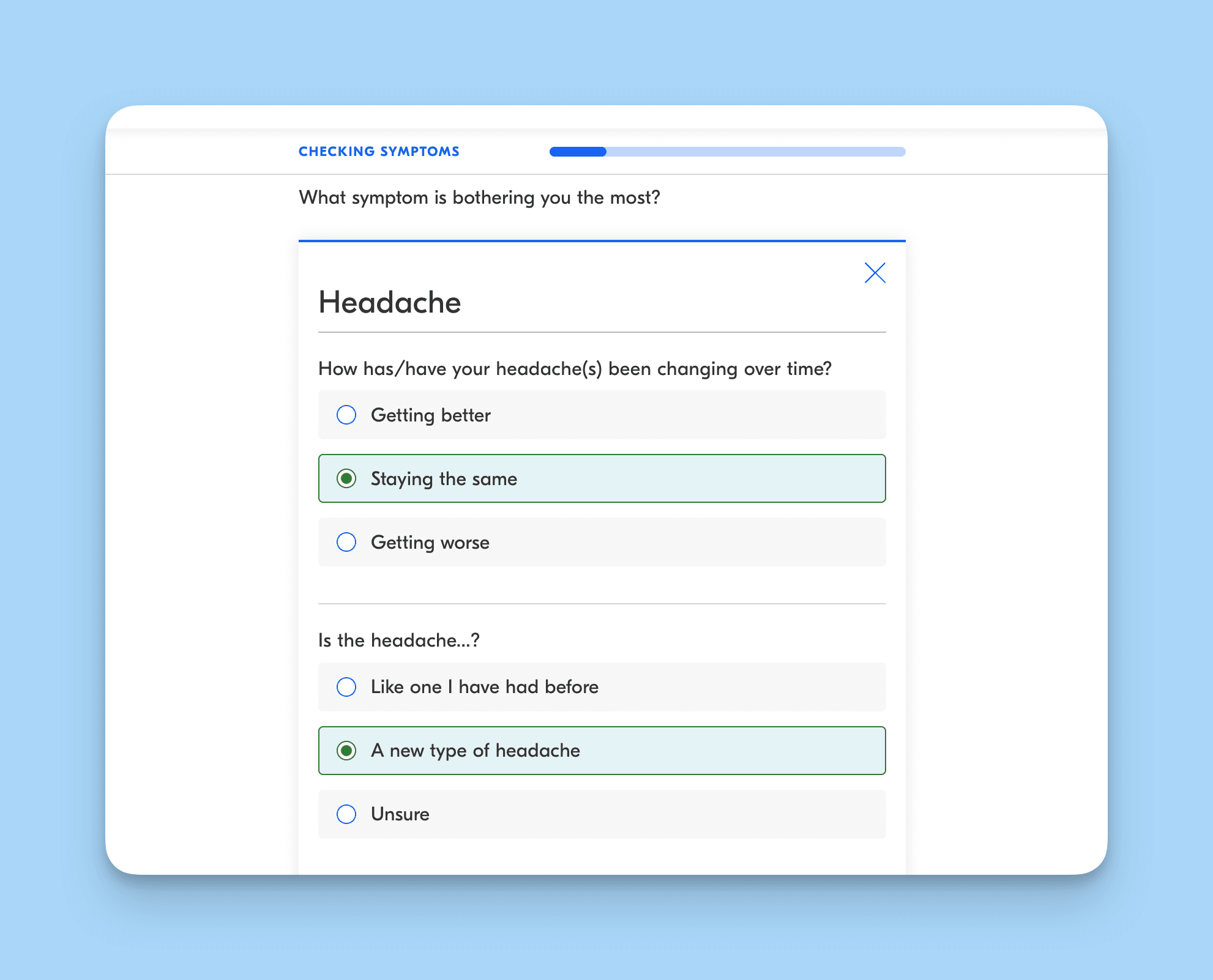
When something feels off, most people Google their symptoms first. The results are usually terrifying. A clinical triage bot can ask the right follow-up questions, narrow the likely cause, and route the patient to the right department (or back to rest and fluids) without the panic spiral.
Triage bots don't replace doctors. They cut the noise around urgent care intake and emergency room visits. The implementation has to involve clinicians from day one for safety review.
The volume of health-related chatbot conversations is bigger than most healthcare execs realize. According to OpenAI's January 2026 healthcare report, ChatGPT users send more than 1.5 million to nearly 2 million messages about health insurance every week. The patient demand is already there. The question is whether you'll meet it on your channel or watch it flow to a general-purpose AI.
6. Appointment scheduling and reminders
The old workflow (call the front desk, hold for ten minutes, find a time that doesn't work, hang up, try again next week) is finally dying. A scheduling bot checks the clinician's calendar, finds open slots that match the patient's stated preference, books the appointment, sends a confirmation, and queues reminders.
Add automatic rescheduling and waitlist management on top, and no-show rates drop noticeably. For high-volume specialty clinics, that's six or seven figures in recovered revenue per year.
7. Medication adherence and follow-up care
Adherence is one of the hardest problems in chronic care. Patients forget pills, mix up dosing schedules, or stop refilling. A reminder bot can send a polite ping ("Hi Robert, time for your 5 PM dose") and follow up if the patient doesn't acknowledge. For older patients, this works best when the bot speaks in a calm, plain-language tone and offers easy ways to confirm ("I took it" / "I'll take it in 10 minutes" / "I'm out, refill it"). Pair it with the pharmacy's refill flow and you've cut a major friction point out of chronic care.
The same care-loop bot handles post-discharge and post-procedure follow-ups. Nurses are overloaded, calls go unreturned, and patients don't know what's normal. A follow-up bot can check in on day 1, 3, and 7 after a procedure with the right symptom questions and escalate to a human if something looks off. This is where the bot earns trust: the patient feels cared for between visits, and the clinic catches complications earlier.
Chatbot Use Cases in Banking and Finance
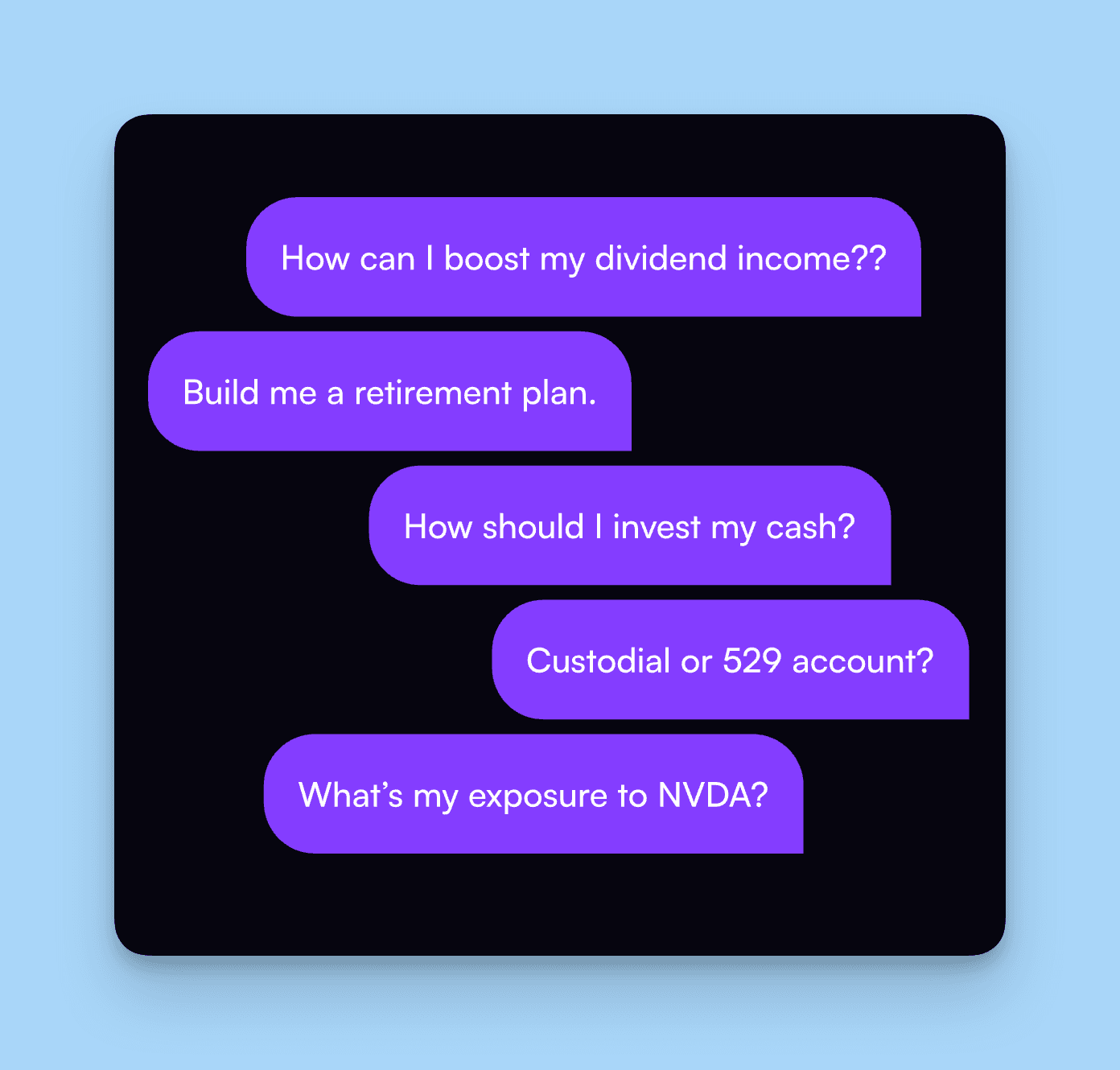
Banking chatbots have to be precise, secure, and traceable. There's no room for hallucinated balances or made-up transaction histories. The good news is that financial data is highly structured, which makes retrieval-based bots a strong fit.
8. Account management
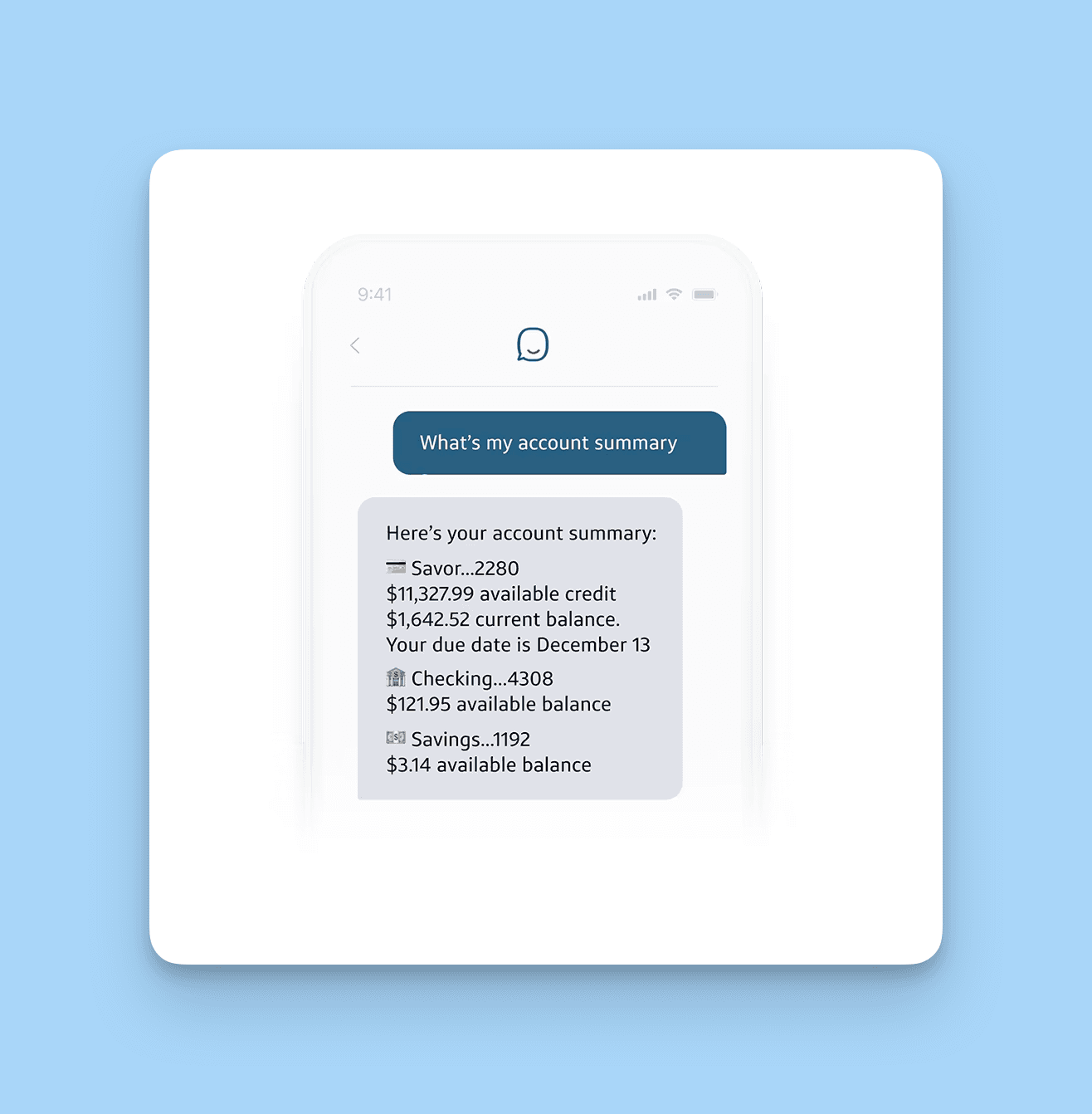
"What's my checking balance?" "Show me my last three transactions." "Did the rent payment clear?" These are the highest-frequency intents in retail banking, and they're perfect for an authenticated chatbot. Once the user is signed in, the bot pulls live data and answers in plain language, no menu tree required.
The implementation hurdle is authentication. Don't ship a banking bot without a hardened auth flow and clear handoff to fraud ops if anything looks suspicious.
9. Fraud detection alerts
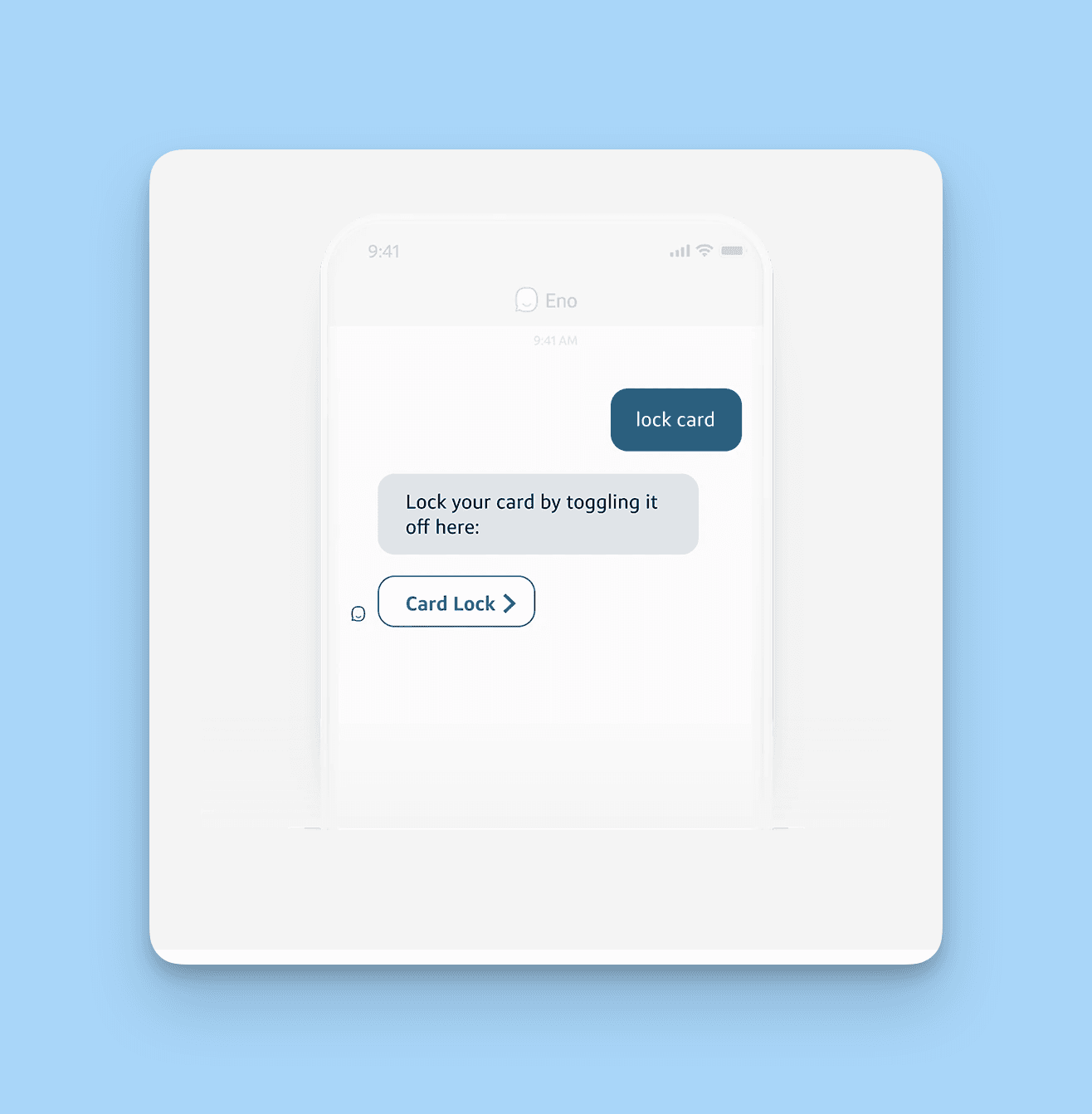
Real-time fraud alerts are one of the highest-value chatbot use cases in finance, period. The bot pings the customer the moment a suspicious transaction posts, asks "Was this you?", and either approves or freezes the card based on the response. The whole loop runs in seconds.
The win is twofold: customers feel protected (a major trust signal), and the bank's fraud loss numbers drop because the response window shrinks from hours to seconds. The implementation pairs the bot with your transaction monitoring system and your card-management API.
10. Lending guidance and financial education
Applying for a loan is one of the most intimidating financial experiences in a normal person's life. A pre-qualification bot can ask a handful of plain-language questions (income, employment, debt, the loan you want), pull soft-credit data, and give an instant indicative approval — no commitment, no hard pull. That experience converts dramatically better than a long online form. Customers who get a green light from the bot are far more likely to complete the full application later.
The same bot doubles as a financial-literacy coach. Not everyone is comfortable with credit scores, compound interest, or budgeting. The bot can explain terms in plain English, walk users through "what does APR mean" or "how does an HSA work", and point them to the right product for their situation. Done right, this builds long-term trust. Done wrong (heavy product pitching, scripted upsells), it kills trust faster than a bad call center experience.
Chatbot Use Cases in Education
Education has gone digital faster than anyone predicted. Students juggle online classes, deadlines, and admin paperwork while their professors are often unreachable outside office hours. A well-built education chatbot fills that gap.
11. Student onboarding and admin Q&A
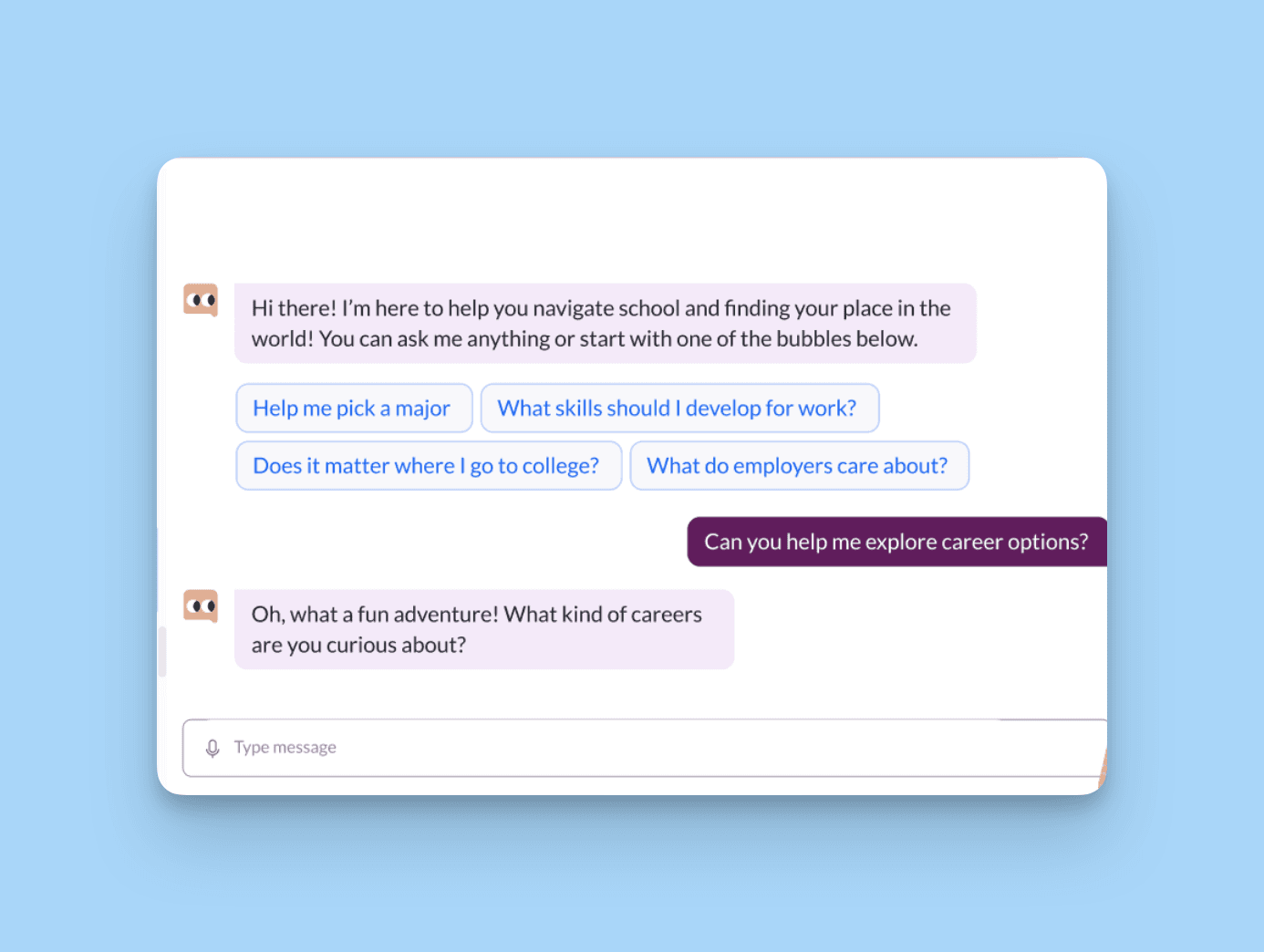
Starting a new program is overwhelming. Where do I get my ID? What's the academic calendar? How do I activate my portal login? An onboarding bot answers all of it in real time, 24/7, without overloading the registrar's office. The best implementations also drip-feed first-week tips ("Don't forget to add the syllabus reading by Friday") so students stay on track during the most fragile stretch of the term.
The same bot handles year-round admin volume: "How do I reset my portal password?", "Where's the academic calendar?", "Who handles financial aid?" These questions clog admin inboxes throughout the term. A well-trained bot handles 80%+ of them instantly and routes the rest to the right human. For a deeper look at sector-specific bots, our conversational AI examples piece covers six industries with concrete deployments.
12. Course recommendations
Picking the right course load is half puzzle, half guesswork. A recommendation bot pulls the student's major, completed credits, and interest tags, then suggests a schedule that hits requirements while keeping the workload realistic. For continuing ed and bootcamps, it can recommend modules based on career goals.
This is also a strong upsell channel for paid programs. The bot can flag relevant electives the student hasn't considered.
13. Exam preparation and reminders
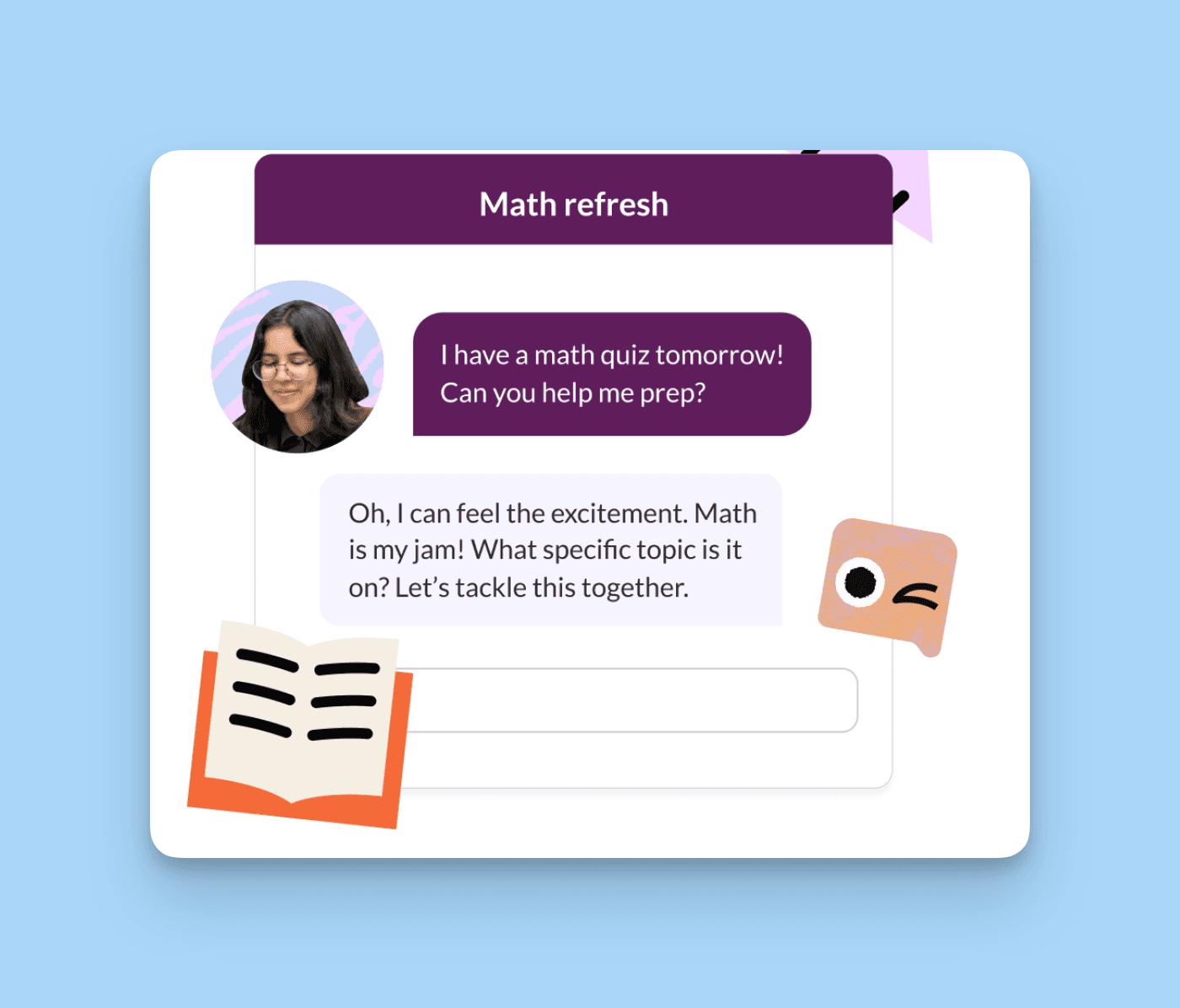
Exam season is when bots earn their keep with students. The bot can send study reminders, share flashcards, deliver practice questions on a spaced-repetition schedule, and (this part matters) drop encouraging messages when the stress spikes.
For institutions, pair the bot with the LMS so practice questions pull from the actual course material instead of generic content.
Chatbot Use Cases in Travel and Hospitality
Travel runs on timing. Flights move, weather changes, hotels overbook. A traveler who hits a snag at 11 PM in a foreign country doesn't want to wait on hold — they want an answer now. Chatbots fill that gap better than any other channel.
14. Booking assistance
Whether it's a flight, a hotel, or a full multi-leg itinerary, the bot can walk the user through availability, apply promo codes, and complete the booking conversationally. No more switching between tabs and forms.
The conversion lift here is real. Users who book through a bot tend to convert at higher rates than form-fillers, particularly on mobile where forms are friction-heavy.
15. Itinerary management and real-time disruption support
Plans change. The bot lets travelers reschedule flights, add baggage, change seats, or check hotel check-in times without calling the airline. Combined with calendar sync, the bot can also push proactive updates ("Your flight is delayed 45 minutes, here's the new gate").
This is also where bots shine when things go sideways. Delays, lost luggage, last-minute changes — these moments are stressful, and the old contact-the-airline path is broken. A bot that can immediately surface the disruption, offer alternatives, and rebook the segment in seconds is a real differentiator for carriers and hospitality brands.
16. Language translation for travelers
Visiting a country where you don't speak the language used to mean stumbling through phrasebooks. Now the bot translates in both directions in real time and can teach key phrases (hello, thank you, where's the bathroom). It's not a full language tutor, but it's a friendly translator in your pocket whenever you need one.
Chatbot Use Cases in Real Estate
Real estate runs on lead quality and timing. A buyer who fills out a contact form on a Saturday afternoon expects an answer before Monday. Most agencies still don't deliver that. Bots close the gap.
17. Property recommendations and lead qualification
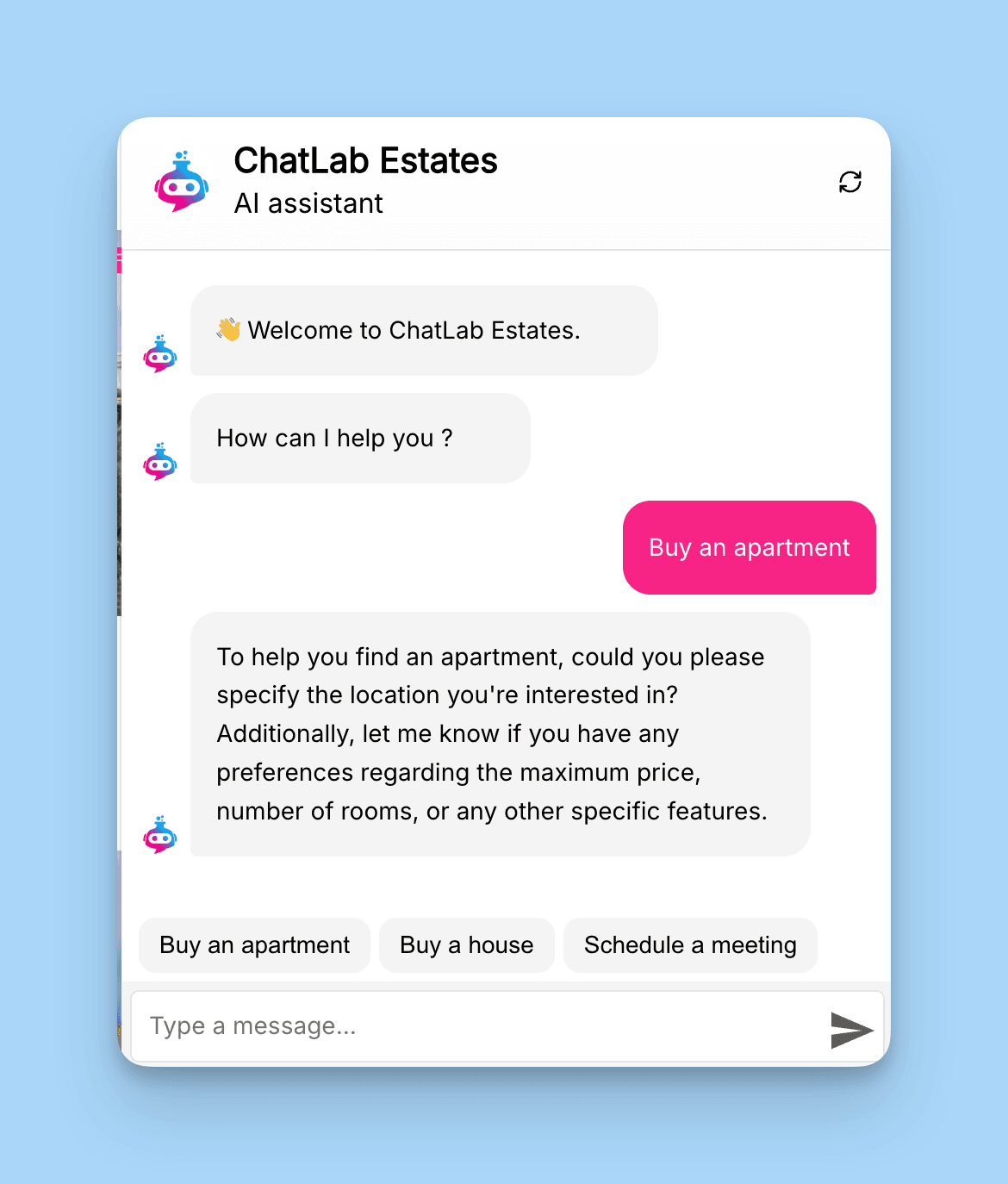
With a handful of clarifying questions (budget, neighborhood, property type, must-haves), the bot can surface a shortlist of listings that actually match. The buyer skips the painful scroll through 200 irrelevant results, and the agent gets a better-informed lead.
The same bot doubles as a lead filter. Not every form fill is a real buyer. Some are tire-kickers, some are casual browsers. The bot asks the qualifying questions (timeline, financing, decision-maker status) and flags the genuinely serious leads for the agent to follow up on personally. According to REVE Chat's analysis of chatbot use cases, conversational lead capture can boost conversions by up to 4x compared to traditional forms. The friction drop is the main lever — chatting is less painful than filling out 14 fields.
18. Virtual tour scheduling
The back-and-forth email game ("Tuesday at 3?" "I'm busy, how about 4?" "I have to check with my partner") is exhausting. The bot shows available slots, books the tour, and sends calendar invites in under a minute. Virtual tours work the same way — pick a time, get the Zoom link, done.
19. Mortgage info and pre-approval guidance
Buying property is mostly about money, and most buyers don't know how mortgages actually work. The bot explains the basics (down payment, amortization, PMI, points), guides users through pre-approval steps, and hands off qualified prospects to a loan officer.
Chatbot Use Cases in Human Resources
HR is the most under-automated function at most mid-market companies. Policy questions, leave requests, benefits enrollment, onboarding paperwork — all of it eats team time that should go toward strategic work. Bots reset that balance.
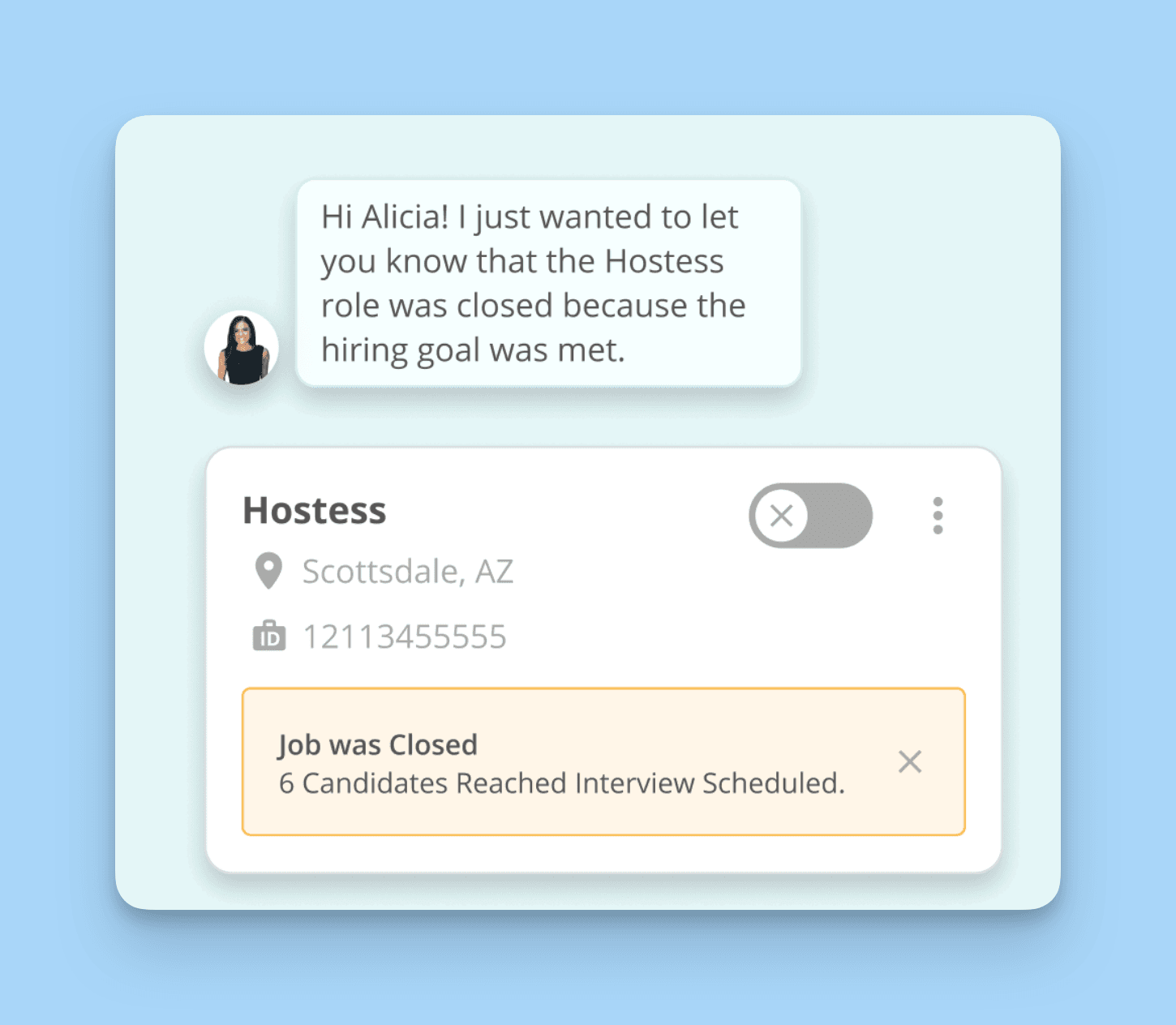
The HR-specific growth is striking. According to WotNot's chatbot statistics, HR and recruiting chatbot use cases are growing at a compound annual growth rate of 24.86%. That's the fastest-growing departmental category I see in our data.
20. Employee onboarding and policy FAQs
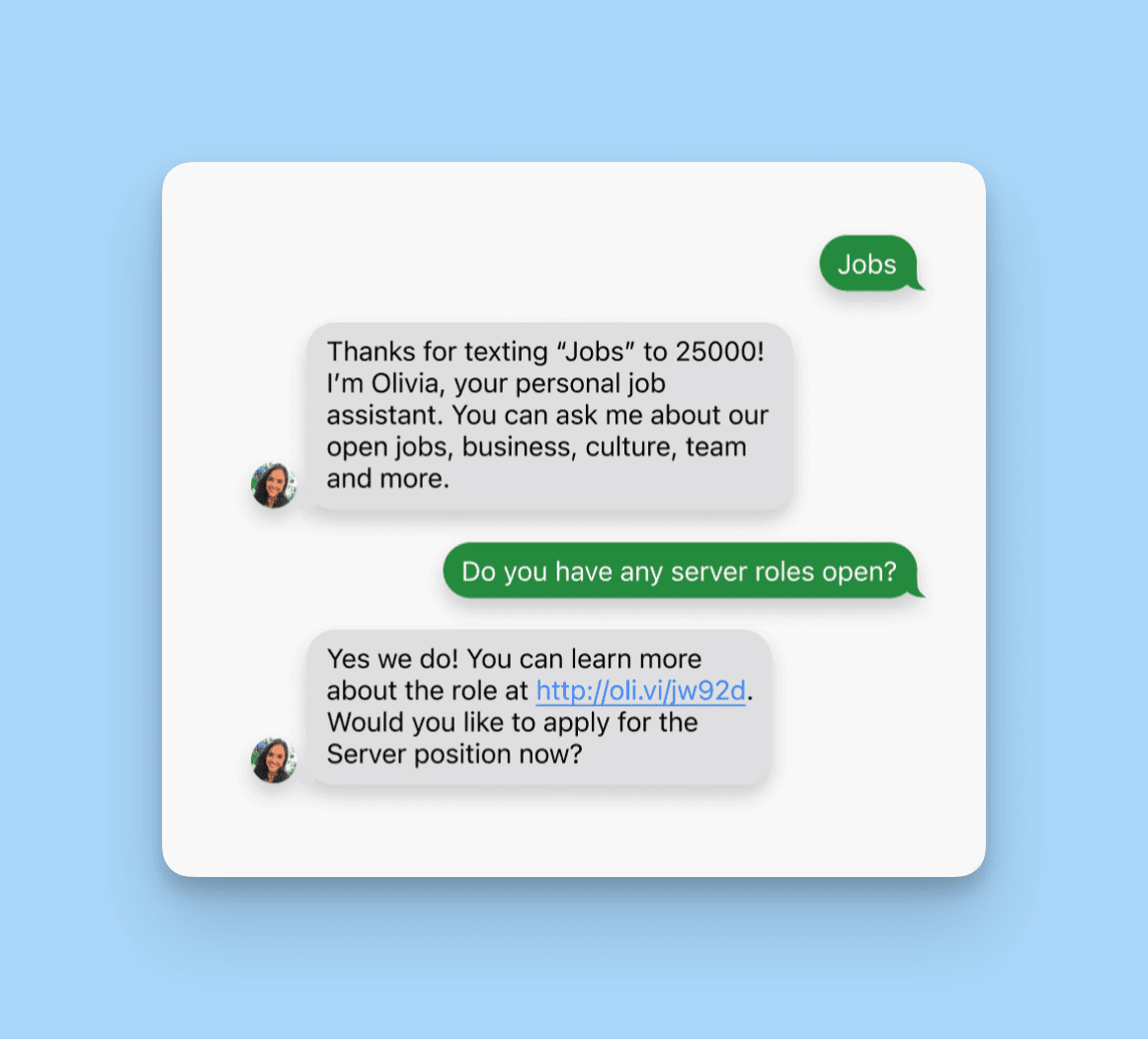
The first two weeks at a new job set the tone for retention. An onboarding bot walks new hires through paperwork, benefits enrollment, payroll setup, and first-week meetings. It also answers all the "tiny" questions ("Where do I find the VPN client?", "When does the kitchen close?") that nobody wants to bother HR about.
After onboarding, the same bot handles year-round policy Q&A. "How many vacation days do I have?", "What's the parental leave policy?", "How do I update my direct deposit?" These questions hit HR every day. The bot reads from the employee handbook and answers in seconds. The HR team gets back the hours they used to spend repeating themselves.
21. Leave management and employee feedback
Requesting time off should be a two-message exchange, not a five-step approval chain in three different tools. The bot checks the employee's leave balance, files the request, routes it to the manager for approval, and updates the team calendar — all conversationally.
The bot is also the most effective feedback channel HR has. Email-based surveys get terrible response rates. Bots get much better numbers because the experience feels like a conversation, not a form. Run a pulse survey through the bot quarterly and you'll get richer data than your annual engagement survey ever delivered.
Chatbot Use Cases in Marketing
Modern marketing is about conversation, not broadcast. Customers don't want to be talked at — they want a two-way exchange. Chatbots fit that mode naturally, which is why marketing teams are now one of the heaviest bot deployers in the company.
22. Lead generation and engagement campaigns
A bot on your landing page can open with "Looking for something specific?" and gently qualify visitors who might otherwise bounce. It collects name, email, company size, and intent in a chat that feels conversational instead of form-y.
The lead quality is usually better, too. According to JotForm's chatbot statistics, 55% of companies using chatbots for marketing report higher-quality leads compared to traditional capture channels. The bot weeds out the casual browsers and surfaces the buyers ready for a sales conversation. For more on this play, our chatbot business ideas guide covers 18 deployment patterns that work across industries.
The same bot powers interactive engagement campaigns: quizzes, polls, product finders, and mini-games inside the chat window. The engagement lift is real because the user is doing something, not passively scrolling. For consumer brands, this is also one of the best ways to keep first-party data flowing post-cookie deprecation.
23. Event registration and product launches
Conferences, webinars, workshops — all of them need a registration flow, reminders, and post-event follow-up. The bot handles the whole loop conversationally. Pre-event: collect details, confirm spot, calendar invite. Day-of: reminder ping, link to the event. Post-event: feedback survey, related content.
The same flow pattern works for product launches and time-limited promotions. The bot can be the early-access concierge: gating beta signups, sharing sneak previews, answering pre-order questions, and rolling out promo codes by segment. For limited-time sales, the bot drives urgency without the spammy pop-up energy.
Emerging Conversational AI Use Cases
Beyond the nine established industries, chatbots are showing up in places that felt like science fiction five years ago. These emerging use cases are worth tracking because they hint at where the broader category is headed.
According to JoyzAI's chatbot usage data, Gartner predicts that more than 80% of enterprises will use GenAI APIs or GenAI application integrations by 2026. The expansion isn't slowing.
24. Gaming, entertainment, and legal compliance bots
Game studios are deploying bots as in-game assistants, fan-engagement agents on Discord, and even as fully voiced characters in role-playing games. They help players with tips, track scores, and remember preferences across sessions. For live-service games, this is a genuine retention tool.
The same conversational pattern shows up in legal and compliance work. Bots help users understand policies, walk through routine compliance questions, and guide clients through basic legal processes (NDAs, simple contracts, dispute intake). They're not lawyers, but they cut the cost of preliminary triage dramatically. Both verticals share the same core skill: making expert-only information accessible through a chat window.
25. Smart assistants in IoT devices
Smart homes, smart cars, smart appliances — all of them need a conversational interface, and chatbot tech is what makes it possible. The bot becomes the bridge between you and every connected device in your life, from the thermostat to the refrigerator.
For nonprofit-specific applications that combine several of these patterns, our piece on charity AI chatbots covers six use cases tailored for donor relations and volunteer management.
How to Choose the Right Chatbot for Your Business
Now you know the use cases. The harder question is which bot architecture to actually deploy. Here's the framework I share with prospects who ask.
Rule-based vs AI-powered chatbots
The two architectures solve different problems. Rule-based bots follow a fixed decision tree, which is perfect for tightly scoped flows like FAQ navigation, simple intake forms, or yes/no qualification logic. They're cheap to build, easy to maintain, and predictable.
AI-powered bots use natural language processing to handle messy, real-world input. They understand intent even when the user phrases something weirdly, they remember context across the conversation, and they can learn from past interactions. For broad customer support, multilingual scenarios, or anything where users will phrase the same question 20 different ways, AI is the right call.
Integrating chatbots with CRM and tools
A bot that doesn't talk to your other systems is a dead end. Your CRM, your help desk, your scheduling app, your billing system — the bot needs to read from and write to all of them.
The integrations that pay off fastest:
• CRM sync: Update customer profiles in real time, log every interaction, route hot leads to sales.
• Email triggers: Fire automated follow-ups based on chat outcomes.
• Ticket creation: When escalation happens, create the ticket with full chat context preserved.
• Calendar booking: Sync demos, appointments, and tours straight to the rep's calendar.
For retail-specific integration patterns, see our newer guide on retail chatbots.
Tips for effective chatbot implementation
A great chatbot is mostly about experience design, not technology. Here are the things that actually matter at launch:
• Start small, expand fast: Don't try to automate everything on day one. Pick one high-volume use case (FAQ deflection is usually the right pick), ship it, learn, then expand.
• Give the bot a personality: A name, a warm tone, even a small visual identity. The bot doesn't have to pretend to be human, but it does have to feel like a character your brand would actually create.
• Make conversation flows clear: Quick replies, buttons, and concise prompts. Nobody wants to read a five-line message from a bot.
• Test weekly, refine constantly: Review chat logs every week, find the questions the bot is missing or fumbling, and update the training data.
Frequently Asked Questions
How can I identify the right chatbot use case for my business?
Start with where your business loses time or revenue. Is support overwhelmed by repetitive questions? Are leads dropping off before booking a demo? Do customers expect 24/7 help but your team isn't always online? List the three biggest friction points, then map them to the use cases above. The right starting point is whichever use case touches the largest volume of users with the lowest implementation lift.
What's the easiest way to get started with building a chatbot?
You don't need engineering bandwidth or a six-week project plan to ship your first bot. A no-code platform with drag-and-drop flow building, ready-made templates for FAQ deflection and lead capture, easy website integration, and built-in AI for handling natural language is enough to get to value in a week.
Tools like LiveChatAI let you connect a knowledge base, deploy a chat widget, and start handling real conversations the same day. Start with one narrow use case (FAQ handling is usually the right pick), measure deflection and CSAT for two weeks, then expand.
How do I measure if my chatbot is actually helping my business?
Track four metrics from day one and ignore the vanity numbers. Engagement rate tells you whether users actually use the bot. Containment rate (or resolution rate) measures how often the bot resolves the conversation without escalation. Conversion rate shows whether the bot drives the actions you care about (signups, bookings, purchases). Drop-off points reveal where users abandon the chat, which is your fastest improvement signal.
Set a baseline in week one, then review the same four metrics monthly. If containment is rising and CSAT is steady or improving, the bot is earning its keep.
Can chatbots really handle complex customer questions?
Depends on the architecture. Rule-based bots struggle with anything outside their decision tree — they're great for FAQs and bad at open-ended problem-solving. AI-powered bots that use retrieval-augmented generation (RAG) and remember context across turns can handle much messier conversations, including multi-step troubleshooting and policy interpretation.
The honest answer: even the best bots aren't ready to fully replace human judgment on emotionally charged or financially significant conversations. Plan for graceful escalation as a feature, not a fallback.
How can I make sure my chatbot feels helpful, not annoying?
A bad bot experience drives users away faster than no bot at all. A few rules I follow with every deployment:
• Don't force engagement: The bot shouldn't pop up the second the page loads. Wait for engagement signals (scroll depth, time on page, exit intent).
• Be transparent: Tell users they're chatting with a bot, and always offer a clear path to a human.
• Keep messages short: Quick replies, buttons, and concise language. Three sentences is usually too many.
• Iterate on real conversations: Review actual chat logs weekly and refine the flow based on what's failing.
Pick Your First Chatbot Use Case This Week
Twenty-five use cases is a lot to take in. Don't try to launch all of them at once. The companies that win with chatbots start with one narrow, high-volume use case, ship it inside two weeks, measure honestly, and expand from there.
My three picks for the fastest wins, in order:
1. FAQ deflection for customer support — Lowest effort, fastest payoff, easiest to measure. Aim for 30-40% containment rate in the first 30 days.
2. Lead qualification for marketing — High-impact, low-effort, and immediately visible to sales leadership. Pair it with a CRM sync and you've got a closed loop.
3. Employee onboarding for HR — Quiet win that compounds over time. Every new hire onboarded by the bot is a few hours saved for HR and a smoother first week for the employee.
The future of conversational AI
The chatbot category is moving toward agents that don't just answer questions but act on them — booking appointments, refunding orders, updating accounts, and orchestrating across systems. The line between chatbot and AI agent is blurring fast. Our piece on building an AI assistant walks through what that next layer of automation actually looks like.
The companies that started experimenting with chatbots in 2023 and 2024 now have two years of training data, refined prompts, and operational muscle. The ones that wait until 2027 will be playing catch-up against competitors who already automated half their customer interactions. Don't wait.
Key takeaways from real-world chatbot examples
Three things stick out from the 25 use cases above:
They're everywhere. From banks to schools, hospitals to hotels, chatbots simplify and scale communication in nearly every industry.
They save time and money. Whether it's deflecting tickets or guiding new employees, bots free human teams to focus on the high-judgment work that actually moves the business.
They keep customers happy. 24/7 service, instant answers, and personalized journeys make users feel seen.
They scale with you. Start with a simple FAQ bot or a sophisticated AI assistant. The same platform grows with your needs.
Whether you're new to chatbots or upgrading an existing setup, the time to move is now. An AI chatbot isn't a future trend — it's the default channel for customer interaction in 2026.
Check these out next:
• How to Create an AI Agent for Customer Support