

Zendesk AI Human Handoff

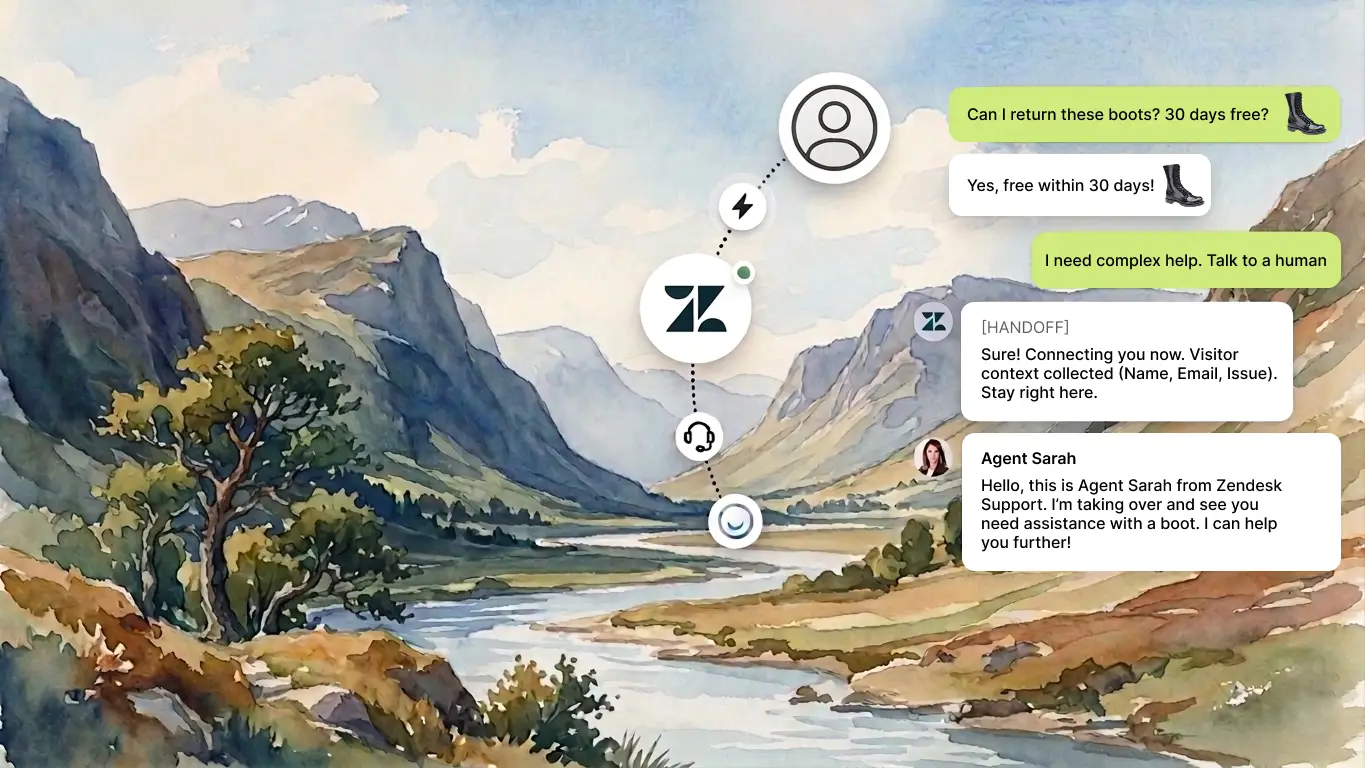
Your AI handles first contact. When a customer needs a real person, the conversation moves to Zendesk Agent Workspace instantly.
No page reload, no widget swap. Same chat window, human agent on the other end.

Why you should use LiveChatAI for Zendesk Human Handoff
  • 3-Step Setup
  • Visitor Stays Put
  • Agents Get Context
  • AI Knows When to Stop
  • Conversations Close Together
Why LiveChatAI?

Why you should use LiveChatAI for Zendesk Human Handoff

3-Step Setup — Connect, Configure, Go

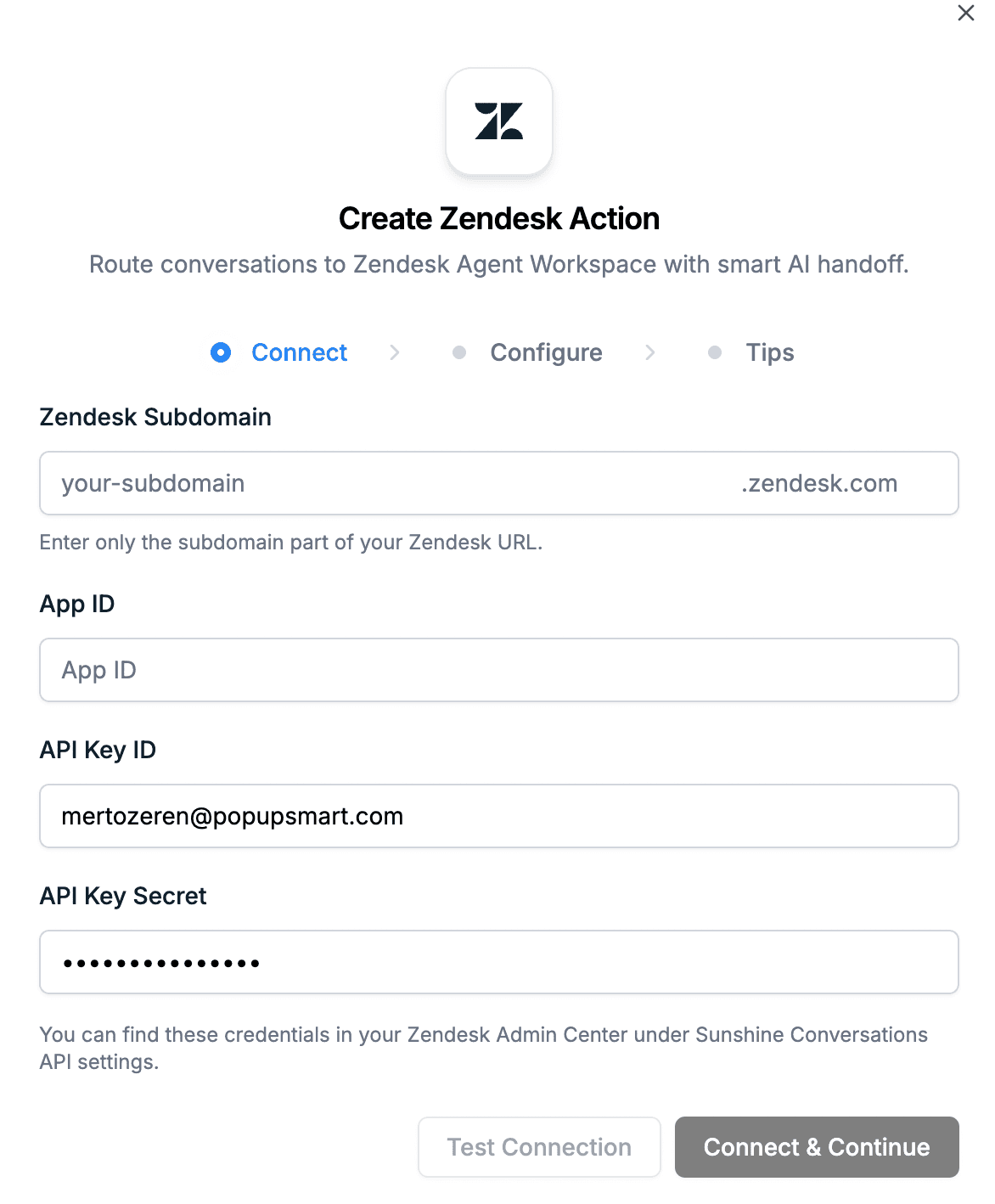
Add the Zendesk AI Action in LiveChatAI, enter your Sunshine Conversations credentials, set your handoff rules, and you’re live.

Three steps in your LiveChatAI dashboard. No code. No Zendesk-side app installation. You’ll need your Zendesk subdomain, a Sunshine Conversations App ID, API Key ID, and API Key Secret.

All of these are in Zendesk Admin Center → Apps & Integrations → Conversations API.

  • No Credit Cart Required
  • Free AI Action Setup
  • Connect & Continue in Minutes
LiveChatAI Zendesk AI Action setup screen showing Connect, Configure, and Tips steps with fields for Zendesk          Subdomain, App ID, API Key ID, and API Key Secret

Visitor Stays Put — No Redirect, No Portal, No Login

The visitor keeps chatting in your LiveChatAI widget the entire time. There’s no UI change, no “jump” to another chat interface. Responses just start coming from a human agent instead of the AI. From the visitor’s perspective, nothing changed except who’s typing.

  • Same Widget Experience
  • No Zendesk Login Required
  • Zero Disruption for the Visitor
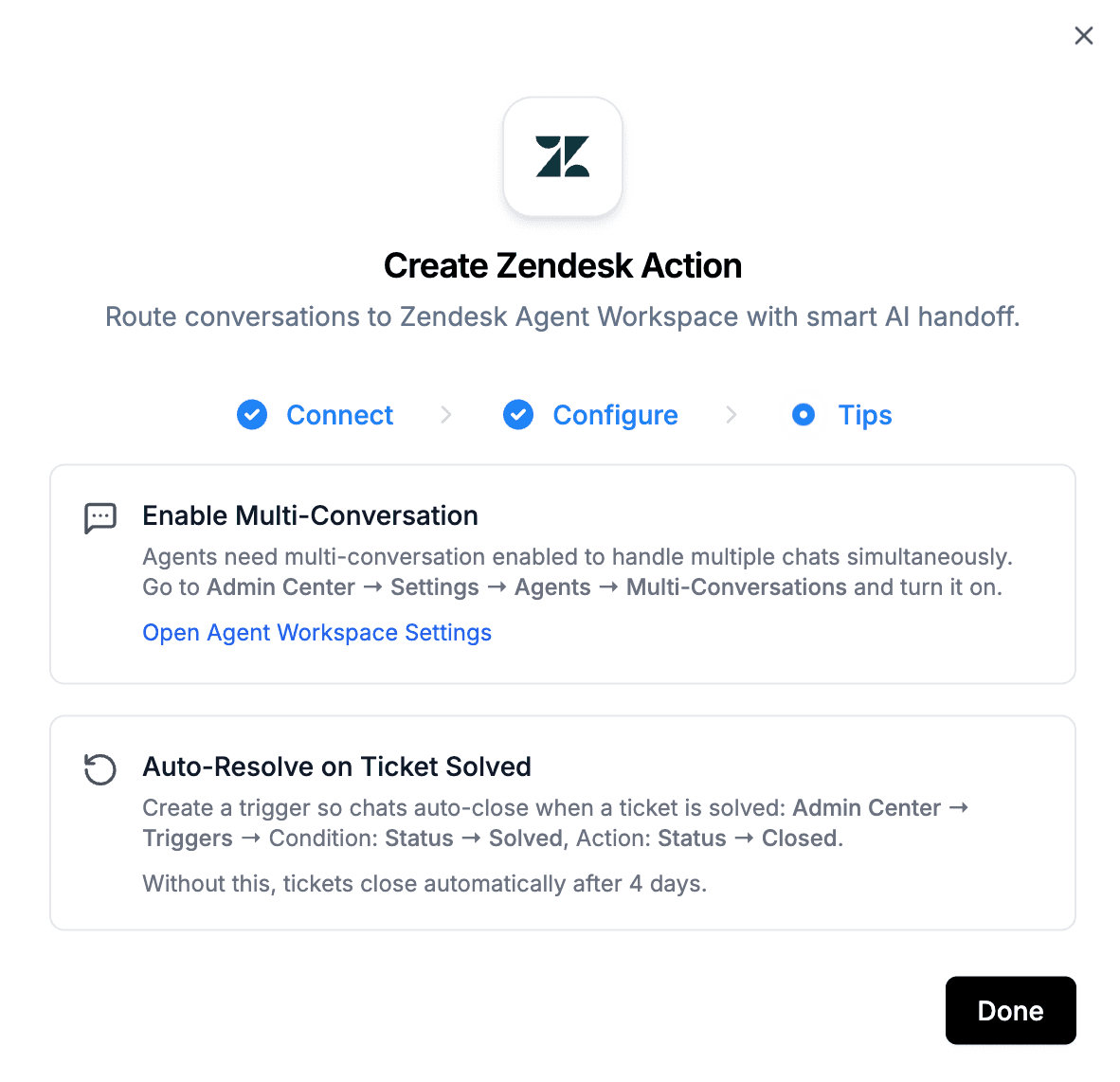
LiveChatAI Zendesk Action tips screen showing Enable Multi-Conversation and Auto-Resolve on Ticket Solved settings    for Zendesk Agent Workspace

Agents Get Context — Not a Cold Start

Before the handoff fires, LiveChatAI can collect and pass structured data to Zendesk: visitor name, email, account ID, order number, issue type, and a short AI-generated summary of the problem. Your agents start with answers instead of asking the visitor to repeat themselves.

  • Visitor Name & Email
  • Order ID & Account ID
  • Issue Type & AI-Generated Summary

AI Knows When to Stop

You define the rules. Two conditions cover most scenarios:

User asks for a human: “talk to a human,” “connect me with an agent,” “I want to speak with support,” “need human help”

User shows frustration: “this doesn’t help,” “you’re not understanding,” “I’ve tried that already,” “this isn’t working.”

Keep conditions tight enough to avoid accidental handoffs, but broad enough to catch real intent. Once triggered, the AI stops responding and your Zendesk team takes over.

  • Intent-Based Routing
  • Frustration Detection
  • No Accidental Handoffs

Conversations Close Together

When your Zendesk agent solves the ticket and closes the conversation, it closes in LiveChatAI too. No orphan chats sitting open. No manual cleanup on either side.

Pro tip: Create a Zendesk trigger (Condition: Ticket status → Solved, Action: Ticket status → Closed) so chats close cleanly. Without this, Zendesk may wait days before fully closing a ticket.

  • Auto-Close Sync
  • No Orphan Conversations
  • Clean Ticket Lifecycle

How it works

What happens during a handoff

  1. Visitor chats with LiveChatAI in your site widget.
  2. The configured condition is met (e.g., “I want a human”).
  3. LiveChatAI triggers the Zendesk AI Action.
  4. A Zendesk conversation/ticket is created via Sunshine Conversations API.
  5. AI stops replying.
  6. A human Zendesk agent replies in real time from Zendesk Agent Workspace.
  7. Visitor continues chatting in the same LiveChatAI widget.
  8. When the agent closes the conversation in Zendesk, it closes in LiveChatAI as well.
Features

Features that you can use on your Zendesk AI Human Handoff

Success stories

How top brands use LiveChatAI
to win at support.

Discover how leading brands achieve 70% resolution rates and transform their customer support with LiveChatAI's perfect blend of AI and human expertise.

Scale customer service without sacrificing experience.
Visit case study
65%
Support queries resolved automatically by LiveChatAI.
LiveChatAI transformed the way we handle support. It now resolves 65% of our customer queries automatically, which means faster answers for users and less pressure on our team.
Alptekin Can
CEO

Peacock Turfscape gives every customer expert guidance with LiveChatAI.
Visit case study
24 / 7
Instant turf sizing, product picks & care tips—no waiting.
LiveChatAI now answers almost all our customer questions—from which turf to order, to how to care for it—so our small team can focus on running the business.
Lisa Pieraccini
Customer Account Manager
Faster answers for customers. More focus for your team.
Visit case study
24/7
AI product & setup support, in Turkish
LiveChatAI allows us to offer fast, technical support directly on our Turkish e-commerce site—without adding extra overhead. Our customers get quick answers to their questions, whether they’re buying or setting up a product, and our team can spend more time on strategic work. It’s been a great fit.
Emir Yanar
Sales Manager
User Testimonials

Schedule a special demo meeting to explore our solutions and see how they fit your business.

What do support teams & businesses think about LiveChatAI?

Osmely V.
Designer
Small-Business (50 or fewer emp.)
The option to train the AI with my data and the feature for human handoff ensure a personalized and efficient customer support experience. It helps me to reduce support volume and improve response times.
see full review
Shannon J.
Marketing Specialist
Mid-Market (51-1000 emp.)
It does a good job at customer support with the added feeling of an actual human. it is easy to implement and use and comes with lots of cool features that help it perform the way it does.
see full review
Shienna Mae M.
Product Development & Production Assistant
Mid-Market (51-1000 emp.)
I really love that they have answers to my questions whenever I needed and also offers Live chat support that helps me when I need to confirm something from a live agent.
see full review
Amirali N.
Co-founder
Small-Business (50 or fewer emp.)
It was very easy to implement, we set our documentation portal as the Data Source and that's all we did. It solved most of the support requests since questions were often repetetive ones. It also notifies when someone wants to talk to the real person, so we can handle conversations further.

It really reduces customer support work and even answers better then a real person. I check conversations daily, and usually LiveChatAI handles most of our customer support work.
see full review
Zeynep S.
Customer Success Specialist
Small-Business (50 or fewer emp.)
Implementing LiveChatAI has been a game-changing experience for Popupsmart. Before LiveChatAI, we struggled with overwhelming support queries and long response times.

Our support team was continually playing catch-up, and we were worried about customer satisfaction.
see full review
Alexandra G.
Marketing Executive
Mid-Market (51-1000 emp.)
I like how LiveChatAI easily understood the questions/queries I ask of it. It keeps giving you options according to your request.
see full review
David D.
Interpreter
Small-Business (50 or fewer emp.)
I think that its most powerful feature is the crawl of the pages because you can train the IA bot by selecting the URL and start crawling and it will automatically add any micro site that is in it so I'd a great help and it saves a lot of time for you if you want to have a personalized chat bot in a specific topic.
see full review
Melissa P.
Business Owner
Small-Business (50 or fewer emp.)
Sometimes the LiveChat refers you to material which can actually solve your situation needed.
see full review
See More - Testimonials