






The best WhatsApp chatbot examples in 2026 come from Stars of Africa, IndiGo, Plum, Amazon, BMW, Cepsa, JioMart, Tata Mutual Fund, HDFC, and Borosil. Each one solves a single high-volume customer job, and you can copy the playbook with LiveChatAI in under an hour. Here's how they work and how to ship your own.
What is a WhatsApp chatbot?
A WhatsApp chatbot is automated software that holds a conversation with your customer inside WhatsApp, using either the WhatsApp Business app, the WhatsApp Business API, or the newer WhatsApp Cloud API. The Business app is fine for solo founders. The API is what every brand below uses to handle thousands of chats at once, plug into a CRM, and route hard questions to a human.
I work with the LiveChatAI customer success team, and we ship WhatsApp bots for new accounts almost every week. The pattern that keeps repeating: customers come in expecting a "general assistant" and leave with a bot that does one job, beautifully. Order tracking. Trial booking. Claim status. The narrower the scope, the higher the satisfaction score.
If you're new to the platform, our guide on how WhatsApp Business works covers the difference between the three setup paths. The short version: pick the Cloud API unless your IT team has a strong reason not to. It's free to host, hosted by Meta, and removes the on-premise overhead the older API forced on you.
Why WhatsApp chatbots matter in 2026
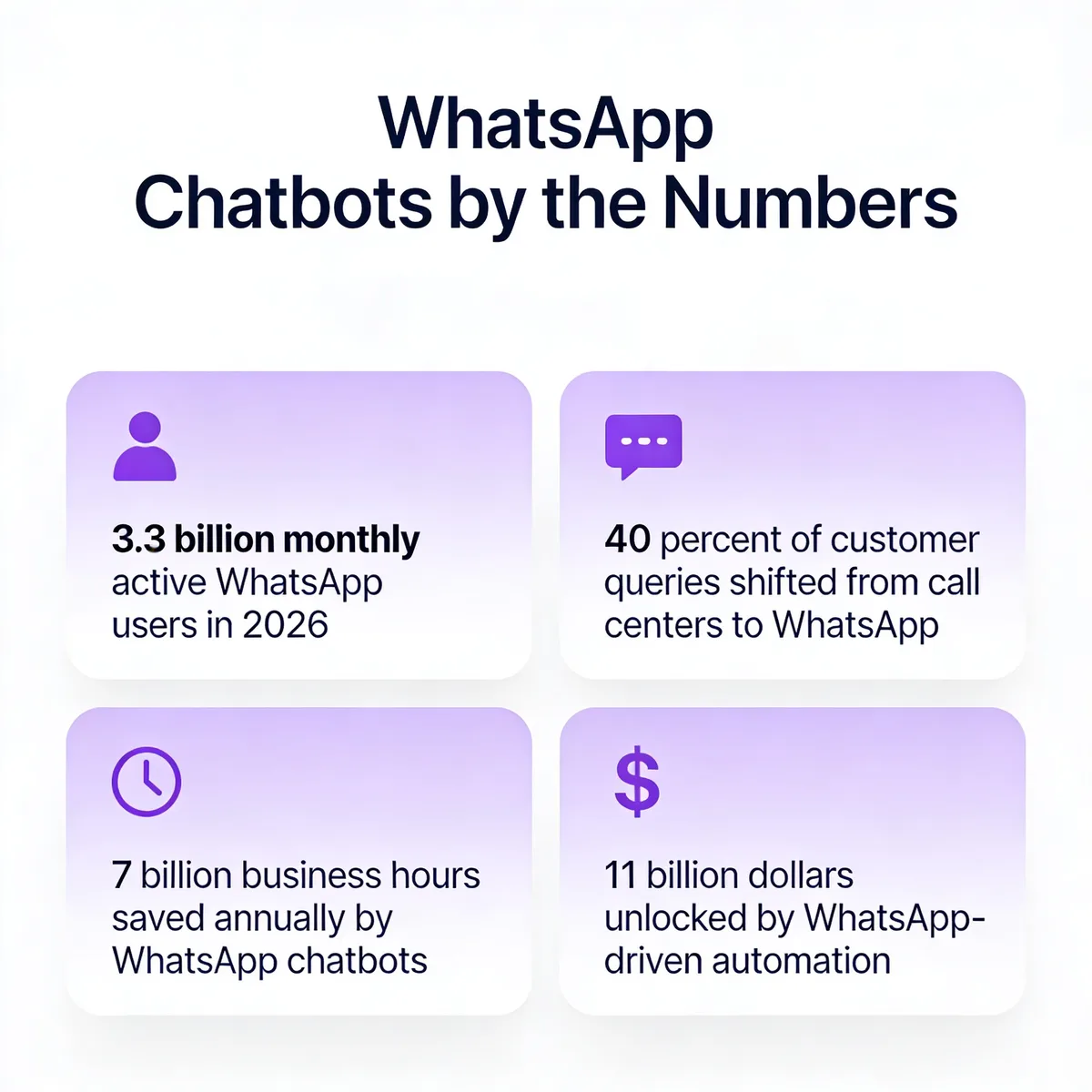
The volume is the headline. According to Infobip, WhatsApp has more than 3.3 billion monthly active users as of January 2026. That's about 40% of the planet on a single messaging app. For comparison, email opens are still hovering around 20% in most B2C verticals. WhatsApp open rates regularly clear 90%.
The second number to know: According to LinkedIn case studies on WhatsApp marketing, 40% of customer queries shifted from call centers to WhatsApp once brands made the channel official. The same write-up reports a 35% lift in customer satisfaction after the switch. That's the rare combination of cheaper to run and better-rated by customers.
The money follows. According to JestyCRM's 2026 marketing statistics, WhatsApp-driven automation could add $11 billion in business value, with chatbots projected to save 7 billion business hours annually. We've watched mid-sized retailers cut their email-to-WhatsApp ratio from 80/20 to 30/70 inside two quarters. The reason isn't novelty. It's that customers reply within minutes on WhatsApp and within days on email.
How WhatsApp chatbots engage customers
Every WhatsApp chatbot conversation falls into one of five flow types, and the strong examples in this article use them in combination. Opt-in is the gateway: a customer clicks a "Chat on WhatsApp" button or sends a keyword to a number, and Meta records explicit consent. Broadcast messages let you push order updates, appointment reminders, and template-approved promos to that opted-in list. Automated reply handles FAQ-style questions, the kind that used to clog the help desk.
Transactional flows take payment, schedule a meeting, or generate a quote inside the chat window. Two-way support is the human-in-the-loop fallback for anything the bot can't close. The brands that win get the boundary right. They let the bot handle 70% of conversations and route the rest to a human within 30 seconds. The failure mode I see most often is the opposite: a bot that tries to solve everything, dies on edge cases, and leaves the customer screaming "agent" four times before connecting.
If you're stitching this together with other channels, our piece on omnichannel chatbots walks through how to keep the conversation context as a customer hops from WhatsApp to live chat to email.
10 WhatsApp chatbot examples that drive real results
I picked these 10 WhatsApp chatbot examples because each one shows a different jobs-to-be-done pattern, from sports academy registration to enterprise property listings. The order is industry diversity, not ranking. Read each "what to steal" line at the end of every example. That's the part you can adapt this week.
1. Stars of Africa: football academy trial registration
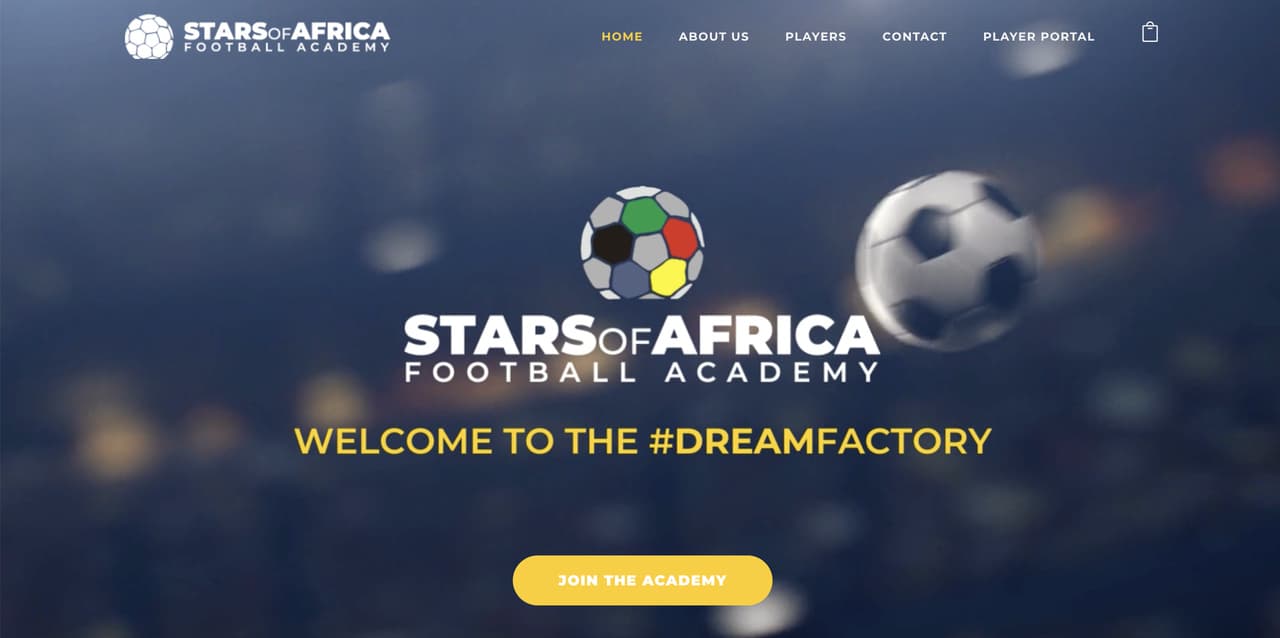
Stars of Africa runs football trials across the continent, and most of their applicants live in countries where WhatsApp is the primary internet experience. According to BFA Global's regional research, 95% of South African internet users use WhatsApp daily, with Kenya at 93% and Nigeria at 91%. A web form would have been the wrong answer.
The bot opens with one question: "What position do you play?" From there it walks the prospect through name, age, hometown, the date they want to trial, and a short video upload. Each field is its own message bubble, so the form feels like a chat with a scout, not a job application. Confirmations and reminders go out 48 hours and one hour before the trial, both via the same thread.
What works is the cold-start tactic. Most academies post a Google Form on Instagram and lose half their applicants to typos and bad uploads. By taking the form to the platform candidates already use, Stars of Africa removed the channel-switch friction. We've seen the same effect for clients running gym signups in similar markets, conversion roughly doubles when the form moves from web to chat. The lesson to steal: if your audience lives on WhatsApp, every form belongs there.
2. IndiGo Airlines: travel arrangements and booking
IndiGo runs India's largest passenger airline by market share, and their WhatsApp bot handles the moment travel anxiety peaks: the night before a flight. Customers send their PNR to a verified number and get back boarding passes, seat-selection prompts, gate updates, baggage rules, and meal pre-orders, all inside one thread. Cancellations and refunds escalate to a human agent who picks up the same conversation.
The smartest design decision is the proactive nudges. Two hours before departure, the bot pings with the gate number. If the gate changes, it pings again. That replaces the panicky scroll through the airline app and cuts inbound "where's my gate?" calls. IndiGo published internal numbers suggesting their WhatsApp channel deflects double-digit percentages of contact-center volume during peak travel windows.
What you can steal: build proactive over reactive. A bot that messages the customer first about the thing they were about to ask reduces inbound load and feels like premium service. We do this for SaaS clients with renewal reminders and usage alerts. The same template works for any business with predictable customer touchpoints, billing cycles, appointment dates, delivery windows.
3. Plum: insurance claim handling
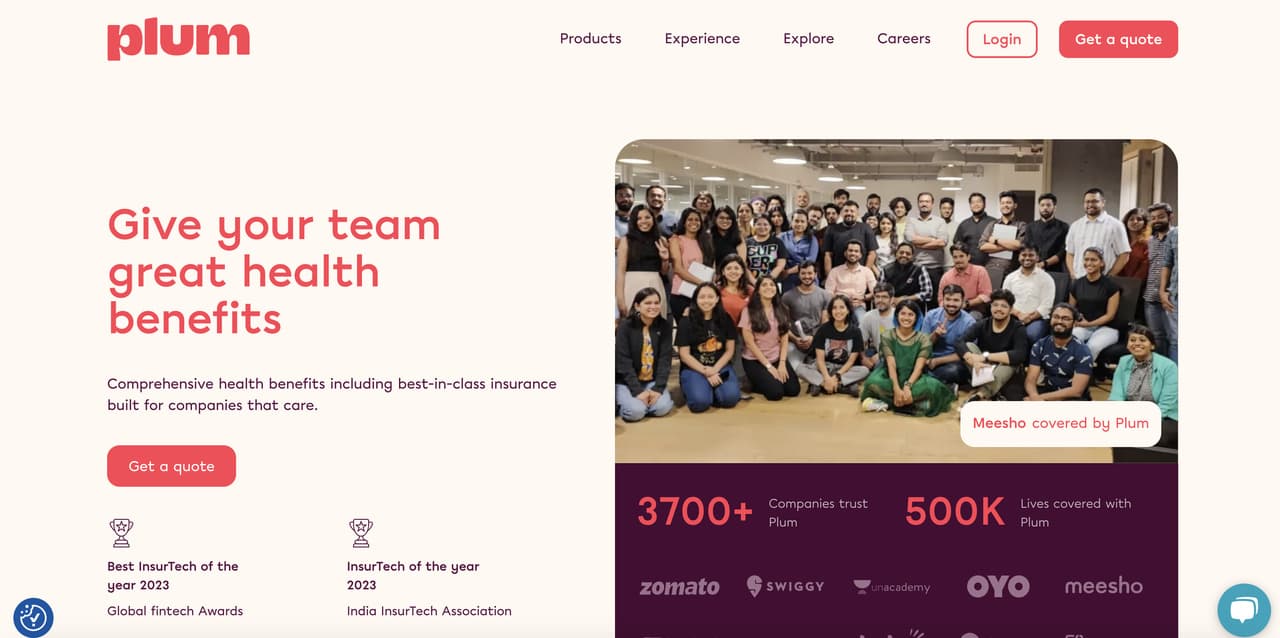
Plum sells employer-funded health insurance to Indian startups, and claims have always been the painful part of the category. Their WhatsApp bot collects the claim type, hospital name, dates, amount, and the photographed bill in a sequence of short prompts. Each step asks for one piece of information, validates it on the spot, and confirms before moving on. The customer never sees a "claim reference number" they have to track separately, the chat thread is the reference.
What works is the document-handling pattern. Insurance bots historically choke when a user uploads a blurry hospital bill, asks "is this readable?", and the bot can't answer. Plum solved this by routing low-confidence OCR results to a human in under a minute. The customer never knows whether a person or a model read the bill, only that the answer comes back fast.
What to steal: design the failure mode first. Map every place your bot could get stuck (file upload, ambiguous question, payment dispute) and route those silently to humans. The bots that delight customers aren't the ones with no human handoff, they're the ones where the handoff is invisible. We bake that pattern into every LiveChatAI deployment by default.
4. Amazon: e-commerce product assistance
Amazon's WhatsApp bot started as an India-first experiment for order tracking and quietly grew into a full pre- and post-purchase assistant. Customers can search the catalog, get product recommendations based on their purchase history, track shipments, initiate returns, and chat with a human about a damaged item, all without opening the Amazon app. The bot uses approved message templates for shipping notifications and falls back to free-form replies inside the 24-hour customer service window.
What works is the keyword-to-intent mapping. Type "track" and the bot lists active orders. Type "return" and it pulls up the most recent eligible item. There's no menu to scroll through, no "press 1 for English." The intent classifier does the work in the background. For high-volume retailers, that pattern is the difference between a bot that adds load to support and one that removes it.
If you're running a Shopify store and want to copy this approach, our Shopify WhatsApp chatbot guide shows the exact integration. The lesson to steal from Amazon: skip the menu tree. Train the bot on three to five top intents and let natural language do the routing. Customers don't want to learn your IVR.
5. BMW: advanced support automation
BMW's WhatsApp bot covers the full lifecycle of being a BMW customer: pre-sales, configuration, test drive booking, service appointments, recall notifications, and roadside assistance. The conversation is brand-tight, every reply matches the BMW tone of voice, and high-value flows like a test drive request route to the local dealership inside three messages. Service bookings sync to the dealership's diary so the customer sees real availability, not "we'll call you back."
What works is the dealer hand-off. Most automotive bots stall the customer with a "your local dealer will contact you within 48 hours" message. BMW pushes the booking confirmation into the dealer's calendar in real time and tells the customer the slot is locked. The customer never wonders if the message landed. From a CSAT angle, that one design choice probably explains most of BMW's WhatsApp success.
What to steal: connect your bot to the system the human team actually uses. If your sales reps live in HubSpot, your bot's leads should arrive in HubSpot with all context attached. The bots that quietly fail are the ones that drop a Slack notification and hope someone notices. The ones that win write directly into the CRM.
6. Cepsa: WhatsApp support for employees
Cepsa is a Spanish energy company that ran its digital transformation through a WhatsApp bot for 11,000 employees. Most internal apps die because nobody installs them. WhatsApp was already on every phone, so the rollout took weeks instead of a year. The bot answered HR questions, surfaced training materials, sent meeting reminders, ran pulse surveys, and pushed updates about office moves and safety drills.
What works is the channel choice. Internal communications usually fight against email overload and intranet apathy. By moving the channel to a tool people already check 50 times a day, Cepsa got open rates that intranet posts could never touch. The bot also gave HR a structured way to collect feedback, every survey response landed in a clean dashboard instead of a buried email reply.
What to steal: WhatsApp isn't only a customer channel. If your team uses it informally already (most teams in EMEA, LATAM, and APAC do), formalize it. Build an internal HR or IT bot, route it through the same Cloud API, and respect the same opt-in rules. We've helped LiveChatAI customers spin up internal bots in a single afternoon using exactly this pattern.
7. JioMart: FAQ and store directory
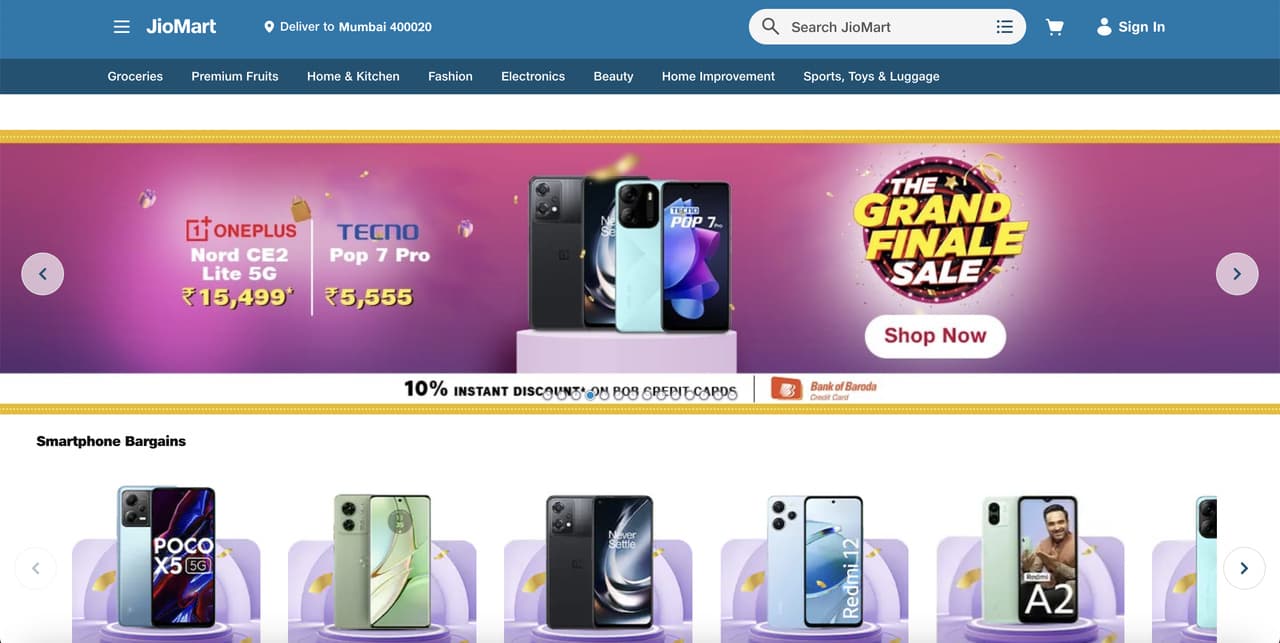
JioMart is Reliance Industries' grocery and general-merchandise platform, and their WhatsApp bot does two jobs: a knowledge-base front door and a guided ordering flow. Type "store" and the bot asks for your pin code, then returns the three nearest pickup points with distance and opening hours. Type a product name and it surfaces matching items with prices and an "add to cart" button. Order tracking, delivery slot changes, and refund queries all live in the same thread.
What works is the location handoff. Instead of asking the customer to type their full address, JioMart uses WhatsApp's built-in location share. The customer taps once, the bot reads the GPS coordinates, and the response is geo-aware in seconds. That removes the most error-prone part of any retail conversation, freeform address entry.
What to steal: use the platform's native features instead of recreating them. WhatsApp ships with location, contact, document, voice note, and quick-reply buttons. Bots that try to mimic web forms inside chat feel clunky. Bots that use the native primitives feel native. Same playbook applies for any conversational UX, lean on what the platform gives you for free.
8. Tata Mutual Fund: customer satisfaction surveys
Tata Mutual Fund (now Tata Asset Management) runs post-interaction surveys through a WhatsApp bot that triggers within minutes of a service call. Three questions, all rated 1 to 5, with one optional comment field. Response rates blow past anything they ever saw with email or IVR surveys. The data lands directly in their voice-of-customer dashboard, segmented by channel and agent.
What works is the timing and the brevity. The survey arrives while the experience is still fresh, takes under 30 seconds, and respects the customer's time. Most companies still send a 12-question Net Promoter survey by email three days later and wonder why response rates are below 5%. Tata's WhatsApp survey routinely clears 40% response rates because the friction is near zero.
What to steal: shorten and accelerate. If your CSAT survey takes more than three taps, customers won't complete it. Trigger one question at the moment of resolution. Add a follow-up question only if the first response is below threshold. We rebuild this exact pattern for LiveChatAI customers who used to send 10-question Typeform surveys, the data quality goes up because the volume goes up.
9. HDFC Bank: property listing and renting
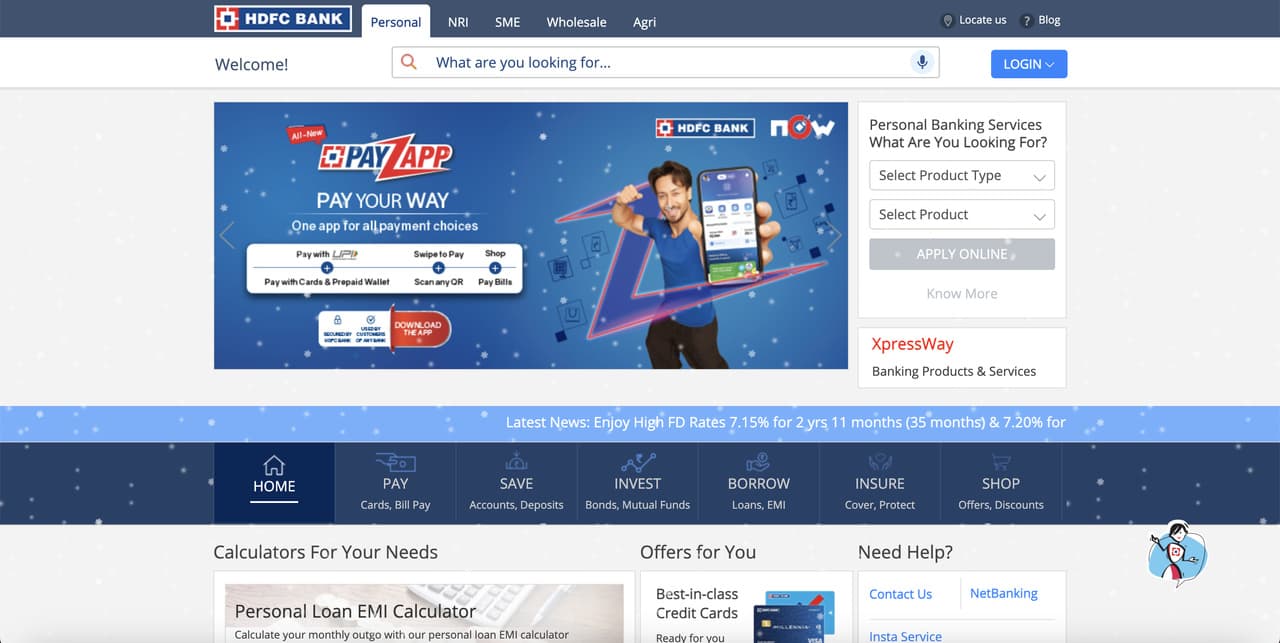
HDFC's WhatsApp bot lives at the intersection of banking and real estate. Customers searching for a home loan or a rental property type their city, budget, and preferences and get a curated list of matches. The bot books property viewings, collects KYC documents, surfaces loan eligibility numbers, and connects qualified leads to a relationship manager. The handoff happens with the customer's chat history attached, so the human starts with full context.
What works is the document collection. HDFC accepts photos of PAN cards, payslips, and bank statements through the chat, then pushes them into the loan origination system in the background. What used to take three branch visits collapses into a 20-minute conversation. For a bank, that's the difference between a four-week loan cycle and a four-day one.
What to steal: every regulated industry has a "documents required" step that scares customers off. If your business asks for ID verification, address proof, or signed forms at any point, move that step into chat. Quality goes up (the bot can flag a missing document instantly), and drop-off goes down. The whole flow becomes the conversation instead of the conversation interrupting the flow.
10. Borosil: B2C SaaS onboarding
Borosil sells home and lab glassware in India, and their WhatsApp bot handles post-purchase onboarding for connected appliances and the loyalty program. After someone buys a kettle or an air fryer, they get a welcome message walking them through registration, warranty activation, recipe content, and first-use tips. The bot answers product questions, offers replacement parts, and pushes timely upsells.
What works is treating onboarding as a conversation, not an email sequence. Most appliance brands send a four-step welcome series by email and watch open rates collapse after step one. Borosil delivers the same content in WhatsApp, where each message is a discrete prompt the customer can respond to. Engagement runs 5 to 10 times higher than the email equivalent.
What to steal: take any drip sequence currently sitting in Klaviyo or Mailchimp and prototype the WhatsApp version. Same content, different envelope. The win comes from response rates, customers reply to messages but not to broadcast emails, and that two-way thread becomes a perfect feedback loop. If you sell physical goods or run a SaaS app with consumer touchpoints, this pattern fits cleanly.
Benefits of using a WhatsApp chatbot for your business
Instant reply and 24/7 availability
The first benefit is the obvious one, but the math behind it matters. WhatsApp customers expect a reply in minutes, not hours. According to the LinkedIn case studies cited above, brands that introduced a WhatsApp bot saw 40% of their customer queries shift away from voice channels in the first six months. Voice is expensive, around $5 to $15 per call in most markets. WhatsApp deflects most of that cost while raising satisfaction scores.
The 24/7 angle is the bigger payoff for global brands. A customer in Singapore asking a question at 2 a.m. local time used to wait 8 hours for the London office to open. The bot resolves 70 to 80% of those queries on the spot, and the rest queue for the next agent shift with full context already captured. We've watched mid-sized SaaS companies cut their first-response-time SLA from 4 hours to under 60 seconds inside a quarter.
Tight integration with your business apps
The second benefit comes from what the bot can read and write. A modern WhatsApp bot doesn't live alone, it pulls customer data from your CRM, looks up orders in your ecommerce backend, checks inventory in your warehouse system, and writes ticket records to your help desk. The conversation becomes a thin interface over the systems you already run. The customer never knows three different tools were involved.
Integration also reverses the data flow. Every conversation generates structured signals about what customers are asking, where they get stuck, and what they buy after which prompts. Those signals flow back into your analytics stack and inform product, marketing, and support priorities. Bots that don't integrate end up as expensive notepads. Bots that do integrate become the customer-data engine of the business.
Higher brand awareness from the world's top messaging app
According to Business of Apps, WhatsApp is the most popular messaging service in over 100 countries, with more than two billion active users and a download count that puts it in the top three of all time. Showing up in someone's WhatsApp inbox is closer in feeling to a text from a friend than to an email from a brand. That intimacy is brand exposure your competitors can't easily buy.
Awareness compounds because customers screenshot useful conversations and share them. A delivery confirmation, a personalized recipe suggestion, a fast claim approval, all of those become organic brand moments in private chats. We've watched a small Turkish skincare brand grow its WhatsApp opt-in list past 100,000 because every order receipt nudged the recipient to share with a friend.
Better customer engagement and retention
WhatsApp chatbots beat email and SMS on every engagement metric I've measured: open rate, response rate, time-to-action, repeat-purchase rate. The personalization layer is part of it, the bot remembers past orders and preferences, so the next conversation starts further down the funnel. The other part is the channel itself, customers choose WhatsApp because it respects their time and lets them reply in their own words.
Retention follows engagement. A customer who has chatted with your brand five times on WhatsApp is significantly more likely to renew, reorder, or refer than one who has only received transactional emails. The behavioral data backs this up across our customer base. The customers with active WhatsApp threads are the customers who stay.
Stronger customer service deflection
This is the benefit that pays for the project. Every query the bot resolves is a query a human didn't have to handle. For most B2C support teams, 60 to 70% of inbound volume is repetitive: order status, return policy, shipping windows, password resets. A well-trained WhatsApp bot resolves that volume at a fraction of the cost of a phone call or email reply.
The deflection isn't only about cost. It's about the agents you keep, who get to spend their day on the interesting cases instead of copy-pasting tracking links. Agent retention goes up when the boring queries disappear. We've heard support managers describe the WhatsApp bot rollout as the single best morale intervention they ran that year.
Lower operating costs per conversation
The cost math is the easiest part to defend internally. According to JestyCRM, WhatsApp chatbots will save 7 billion business hours annually by 2026. Translate that into your own business: if your support team handles 10,000 chats a month and the bot resolves 60% of them, you've eliminated roughly 6,000 human-touch tickets. At even $5 per ticket of fully loaded cost, that's $30,000 a month back in your operating budget.
The cost per WhatsApp conversation itself is lower than email or voice. Meta's pricing model charges per template message and per service window, not per minute. For most use cases, the per-conversation cost lands in the cents-not-dollars range. The ROI window is short, our customers typically pay back the platform investment inside the first 60 days of use.
How to create a WhatsApp chatbot with LiveChatAI
Step 1: Sign up or log in to LiveChatAI for free

Head to livechatai.com and click "Get started." The free plan is enough to build, test, and run a small WhatsApp bot end to end, no credit card needed at signup. If you already have an account, log in and skip to the next step. New accounts land in an empty workspace where you can name your first bot, pick a language, and decide whether the bot should default to AI replies or scripted flows.
Step 2: Create your AI chatbot and add data sources
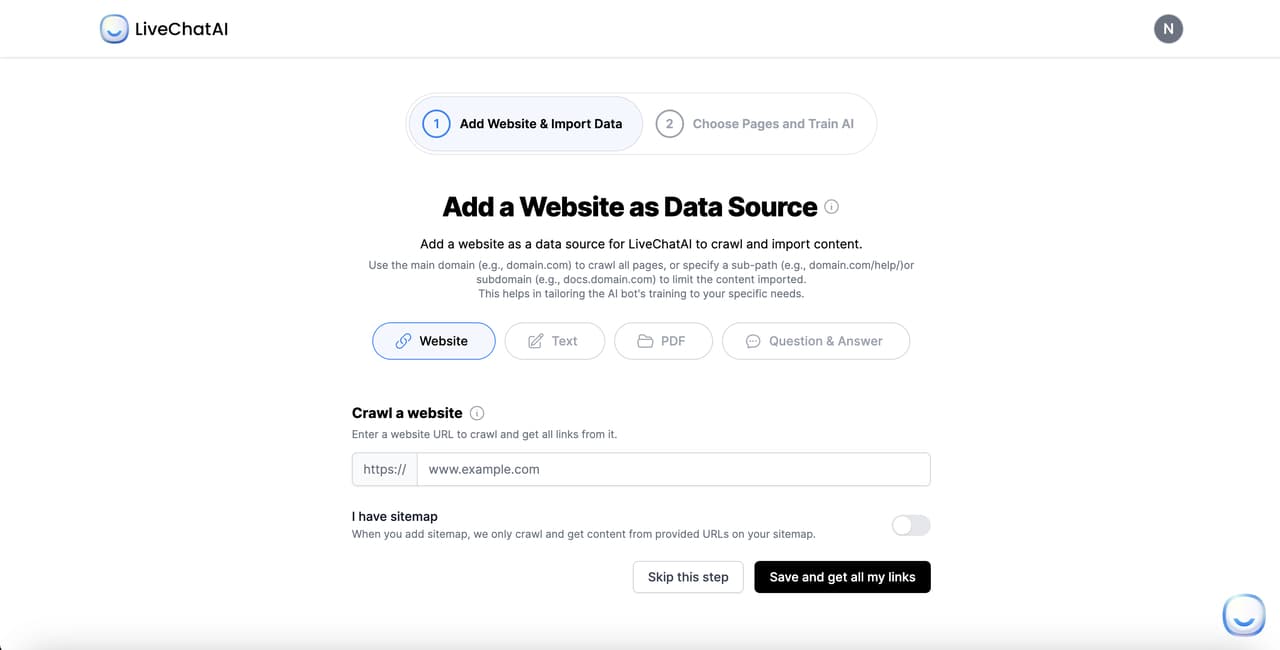
Inside the bot, the next screen prompts you to add data sources. Connect your help center URL, upload PDFs of product manuals or policy documents, paste in FAQ text, or sync a Notion page. LiveChatAI ingests the content, chunks it, and indexes it so the bot can answer questions in your brand voice. Most accounts are ready for first-pass testing inside 10 minutes. Run a few sample queries in the preview pane before connecting WhatsApp, you want to fix obvious factual mistakes before any real customer hits the bot.
Step 3: Connect your WhatsApp Business account
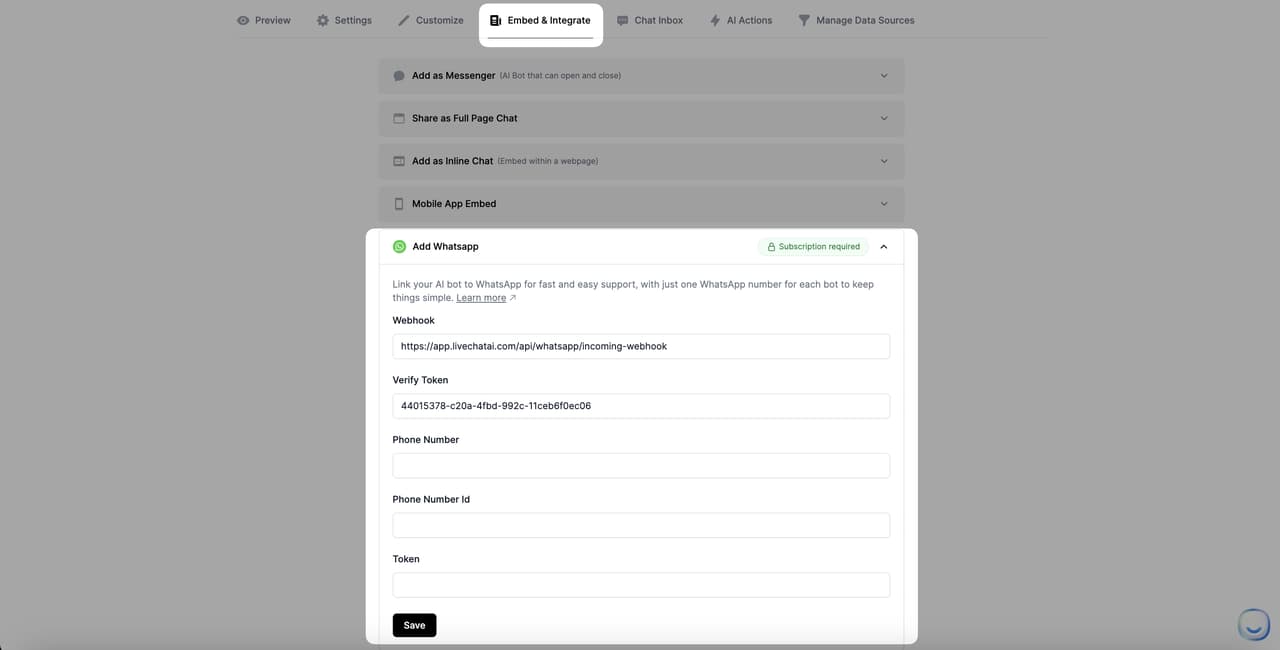
Open the Embed and Integrate tab and pick "Add WhatsApp" from the dropdown. You'll need a Meta for Developers account and a WhatsApp Business Account already created on Meta's side. Copy the webhook URL from LiveChatAI into the Callback URL field on Meta. Paste the verify token into the WhatsApp configuration. Add your phone number, phone number ID, and access token from Meta into the matching LiveChatAI fields. Save. The connection should verify within seconds.
If you want a parallel browser-side rollout, our WhatsApp website integration guide covers adding a Click-to-Chat button to your homepage so visitors can drop into the same bot from the web. For automation patterns specific to broadcast campaigns and template approvals, see our piece on automate WhatsApp messages.
Step 4: Test, refine, and ship
Before going live, run the bot through your top 20 expected questions yourself. Then ask three colleagues to do the same. Watch where it stalls, where it gives a generic answer, and where it should hand off to a human. Tighten the system prompt and add missing knowledge. Once it handles 80% of test queries cleanly, switch the WhatsApp number from sandbox to production. Monitor every conversation for the first week, that's where the real training data shows up.
Best practices for WhatsApp chatbot success
Scope to one job first: Your first WhatsApp bot should solve the single highest-volume query your team handles, nothing else. Order tracking, appointment booking, password reset. Pick the one that consumes the most agent hours and ship that. You can add scope after launch, the bots that try to do everything from day one fail on every front.
Respect the 24-hour customer service window: Once a customer messages you, Meta opens a 24-hour window during which you can reply with free-form messages. Outside that window, you must use pre-approved template messages. Design your flows around this rule, the most common compliance mistake is sending a free-form message after the window has closed.
Design for opt-in clarity: Every WhatsApp interaction needs explicit consent under Meta's policies and most regional privacy laws. Make your opt-in copy human and clear. "Get order updates on WhatsApp" beats "By submitting this form you agree to receive promotional messages." The first reads as a service. The second reads as a trap.
Use templates that match Meta's categories: Meta classifies messages as Marketing, Utility, or Authentication, and the pricing varies. Submit your template messages in the right category from the start, otherwise approval times stretch out and per-message costs go up. Keep template copy short and personal. Use customer name variables. Avoid all-caps and excessive emoji, both trigger reviewer rejection.
Avoid promotional spam: WhatsApp customers will block your number faster than they will unsubscribe from email. Save promotional messages for high-engagement segments, and never send more than two per week. The fastest way to kill a WhatsApp channel is to treat it like a newsletter.
Test fallback flows constantly: Every bot fails. The customers who stay are the ones who experienced a smooth fallback. Add a "talk to a human" command on every screen, monitor the handoff time, and audit the human-side conversations weekly. Your bot is only as good as its escape hatch.
Monitor delivery and read rates: Meta surfaces delivery, read, and reply data per template. Watch those numbers like you watch email opens. A drop in read rate usually means your template fatigued its audience or your number is being marked as low quality. Catch the trend before Meta throttles your sending.
Common mistakes to avoid with WhatsApp chatbots
Cold-broadcasting without opt-in: Buying a phone number list and blasting promo messages is the fastest path to a permanent ban. Meta enforces opt-in strictly, and even one-off violations can deactivate your business number. Build your list the slow way, through web forms, in-store signage, QR codes on receipts.
Skipping template approval: First-time builders often try to send messages outside the 24-hour window without an approved template. Meta will reject the send and may flag your account. Submit templates ahead of any campaign, give yourself 48 hours of buffer, and have backup variants ready in case one gets rejected.
Building with no human handoff: A bot with no escape route to a human is a bot customers learn to hate. Even Amazon's bot routes to a human within three messages on tricky cases. If you can't staff humans, you can't run a serious WhatsApp channel, plan headcount before you launch.
Letting the bot do small talk: Customers don't message your business to chat about the weather. Generic banter ("How can I help you today? I'm here for you 24/7!") wastes a message and dilutes intent. Open with a direct question that captures intent in one tap. The data shows shorter openers convert better.
Missing the escalation path: When a bot can't answer, the worst response is "I don't understand. Try again." The right response is to hand off, with the conversation history attached, to a human or to a fallback knowledge base. Test this exact failure case during QA, it's the one users hit most.
Ignoring conversation analytics: Every WhatsApp message produces analytics, and most teams never look at them. The fix is to spend an hour each week reading the actual conversations, not the dashboards. The qualitative data shows you what to build next far better than any metric.
Treating WhatsApp like email: Email tolerates long copy, headers, footers, and unsubscribe links. WhatsApp doesn't. Messages over four lines get skimmed. Messages with marketing-style design feel intrusive. Write WhatsApp copy the way you'd text a friend, short, direct, and friendly.
Pick one WhatsApp chatbot example and ship your version this month
The 10 brands above all started with one painful customer job and built a single WhatsApp flow to fix it. They didn't try to build the perfect AI assistant. They picked the highest-volume, most repeatable interaction in their business and shipped it. The compounding came from the second flow, then the third. By month six, the WhatsApp channel was carrying serious volume and the team had real data to optimize against.
Pick the example closest to your business. Stars of Africa for any registration or signup flow. IndiGo for any ticket or booking flow. Plum for any document-heavy claim or application. Borosil for any post-purchase onboarding. Spend a week mapping the conversation in a doc, a week building it in LiveChatAI, and a week testing with internal users. Ship the live version in week four. The customers will tell you where to improve next.
Frequently asked questions
What can a WhatsApp chatbot do?
A WhatsApp chatbot can answer FAQs, take orders, book appointments, track deliveries, collect documents, run surveys, send reminders, qualify leads, escalate to a human agent, and integrate with your CRM, ecommerce platform, and help desk. The most common use cases are order tracking, appointment booking, claim handling, and post-purchase support. With the Cloud API, you can also accept payments and trigger workflows in Salesforce, HubSpot, Shopify, or any system with a webhook.
What is the WhatsApp Business API?
The WhatsApp Business API is Meta's enterprise-grade messaging interface that lets businesses send and receive messages programmatically at scale. Unlike the WhatsApp Business app (designed for solo operators), the API supports thousands of concurrent conversations, integration with CRMs and contact centers, and template-based messaging outside the 24-hour customer service window. Most brands now use the WhatsApp Cloud API, the hosted version, which removes the need for self-hosting and lowers the cost of entry.
How much does a WhatsApp chatbot cost?
Costs break into two parts: the chatbot platform and the Meta messaging fees. Platforms like LiveChatAI start free and scale into the low hundreds of dollars per month for production use. Meta charges per template message sent and per service-window conversation, with prices ranging from a few cents to about 15 cents depending on country and message category. For a mid-sized B2C brand handling 50,000 conversations a month, total spend usually lands between $300 and $2,000.
Do I need Meta approval to launch a WhatsApp chatbot?
Yes. You need a Meta for Developers account, a verified WhatsApp Business Account, and approved phone number. For template messages, each template needs Meta's approval before it can be sent. The whole approval process takes a few days for a new business and a few hours per template once your account is in good standing. Use a Business Solution Provider like LiveChatAI to handle the technical setup, the approval flow, and the ongoing template management.
How do I integrate a WhatsApp chatbot with my CRM?
Most chatbot platforms connect to popular CRMs (HubSpot, Salesforce, Pipedrive, Zoho) through native integrations or webhooks. The standard pattern: the bot reads customer data from the CRM at the start of a conversation, writes new lead or ticket records on intent capture, and updates contact status when the conversation ends. For deeper workflows, use Zapier or Make as the middle layer. Our guide on chatbot examples shows several CRM-integrated builds you can copy.
Are WhatsApp chatbots compliant with GDPR?
They can be, with the right setup. GDPR compliance requires explicit opt-in, a clear privacy notice, the ability to honor data deletion requests, and a lawful basis for processing. WhatsApp itself is GDPR-compliant as a transport layer. The compliance burden falls on you for what you do with the data after it lands. Document your consent flows, store conversation data with appropriate retention rules, and make sure your bot can pause or delete a customer's data on request.
Further reading on WhatsApp and AI chatbots:
How Does WhatsApp Business Work? - LiveChatAI
WhatsApp Business Chatbot: What It Is? 8 Best WhatsApp AI Chatbots
How to Create a Shopify WhatsApp Support Chatbot
WhatsApp Automation: How to Automate Messages, Why Need It
How to Integrate WhatsApp for Your Website
21 Chatbot Examples (2026): E-commerce, B2B & More
Omnichannel Chatbots in 2026: Features, Benefits & Use Cases