






These 35 live chat greeting examples cover every scenario from first-time visitors to returning customers, e-commerce shoppers to B2B prospects, and after-hours messages. Each example includes context on why it works and when to deploy it, so you can copy the ones that fit your business and start converting more visitors into conversations today.
What Makes a Great Live Chat Greeting?
Not all greetings perform equally. I reviewed over 100 live chat greeting examples across SaaS, e-commerce, and service businesses before selecting these 35 based on four criteria:
• Specificity: The greeting addresses a particular visitor behavior or page context rather than defaulting to a generic "How can I help?"
• Brevity: Messages stay under 25 words. According to Comm100's live chat benchmark report, the average live chat response time is 1 minute 35 seconds, and shorter greetings get faster replies from visitors too.
• Clear next step: Every greeting includes either a question or a call to action. Visitors shouldn't have to guess what to do after reading your message.
• Brand fit: The tone matches the company's voice. A fintech app shouldn't greet people the same way a pet supply store does.
Quick Glance at All 35 Live Chat Greeting Examples
| # | Greeting | Category | Best For |
|---|---|---|---|
| 1 | "Hi there! How can we assist you today?" | General Welcome | Homepage, first-time visitors |
| 2 | "Welcome to [Company]! Let us know how we can help." | General Welcome | Any landing page |
| 3 | "Hello and welcome! Do you have any questions for us?" | General Welcome | About Us, informational pages |
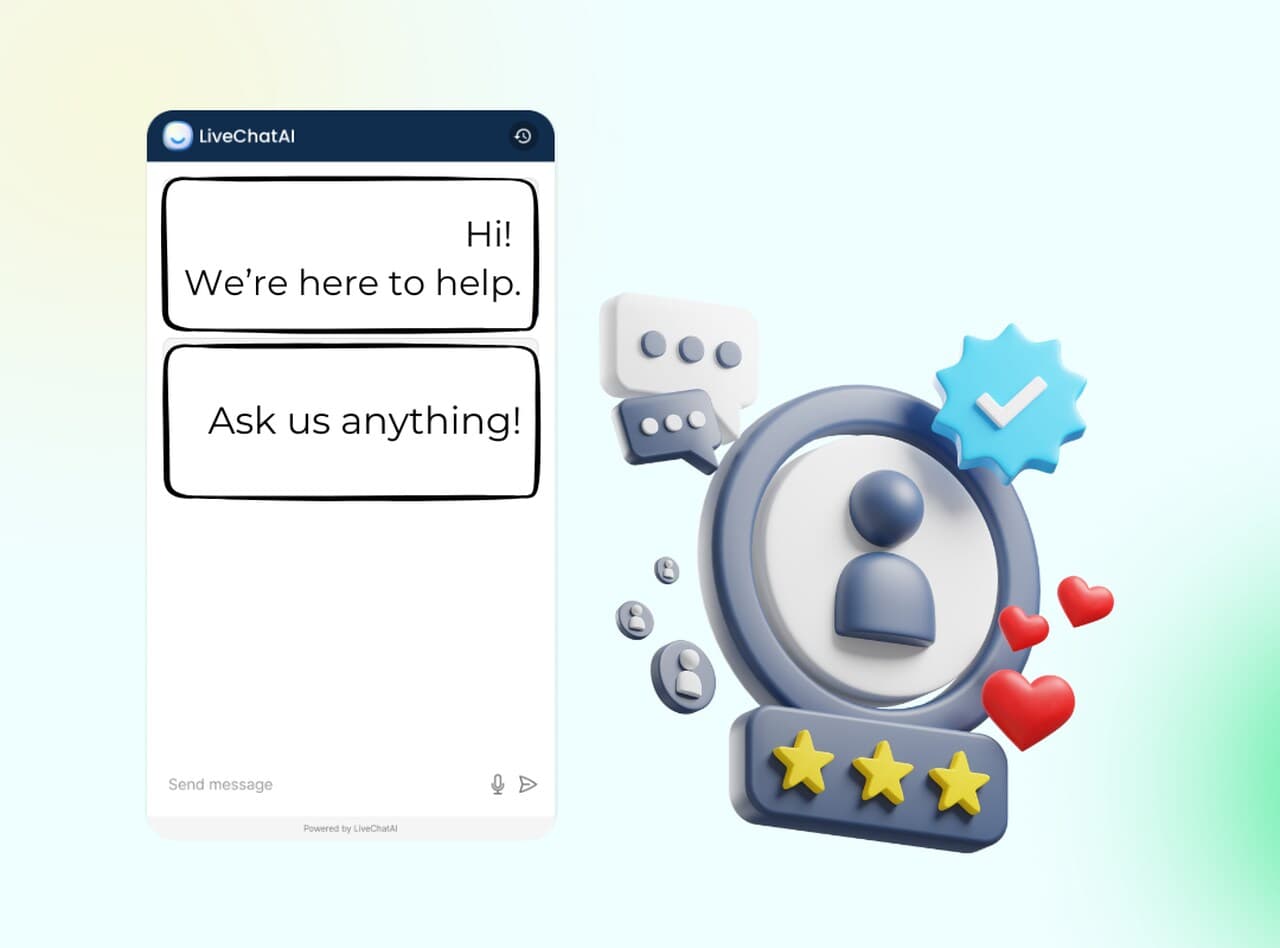
| 4 | "Hi! We're here to help. Ask us anything!" | General Welcome | Blog readers, casual browsers |
| 5 | "Welcome! Browse around, and feel free to reach out if you need assistance." | General Welcome | Low-intent visitors, content pages |
| 6 | "Welcome to [Store]! Can I help you find the perfect product?" | E-commerce | Category pages, new arrivals |
| 7 | "Hi [Name], see something you like? Let us assist you in making the best choice." | E-commerce | Product detail pages with user data |
| 8 | "Hey there! Not sure which item to pick? Let's find the right fit for you." | E-commerce | Comparison shoppers, filter pages |
| 9 | "Hi! Need help with sizing, shipping, or anything else? Ask away!" | E-commerce | Product pages with sizing info |
| 10 | "Hello! Check out our best-sellers or let us recommend a product for you." | E-commerce | Homepage, category pages |
| 11 | "Hello! Need help resolving an issue? We're here for you." | Customer Support | Help center, FAQ pages |
| 12 | "Having trouble with [product/service]? Chat with us for quick solutions." | Customer Support | Troubleshooting guides |
| 13 | "Hi! Looking for answers? Let us guide you to the right resource." | Customer Support | Knowledge base, docs pages |
| 14 | "Need support? Our team is standing by to assist you right now." | Customer Support | Contact pages, urgent issues |
| 15 | "Hi there! Stuck on something? Tell us more, and we'll sort it out." | Customer Support | Error pages, post-login issues |
| 16 | "Don't miss out on [X% off]! Chat with us if you have questions about the deal." | Special Offers | Sale pages, promo banners |
| 17 | "Hi there! Grab our exclusive deal today, chat with us to learn more." | Special Offers | Seasonal campaigns |
| 18 | "Hello! Our [holiday sale] is on. Let us help you find the best discounts!" | Special Offers | Holiday pages, limited-time events |
| 19 | "Hi! Limited-time offer: [specific promotion]. Need help claiming it?" | Special Offers | Coupon pages, flash sales |
| 20 | "Welcome! We've got amazing deals waiting for you. Want recommendations?" | Special Offers | Clearance pages, bundle offers |
| 21 | "Looking for the right solution? Let's chat and find the best fit for you." | Lead Generation | Pricing pages, feature comparison |
| 22 | "Hi! Want to see how [Product] can help? Book a free demo with us today." | Lead Generation | Demo request pages |
| 23 | "Hello! Download our free guide to learn more about [topic]." | Lead Generation | Resource pages, gated content |
| 24 | "Hi there! Let's explore how [Service] can meet your needs. Ready for a quick chat?" | Lead Generation | Solutions pages, use case pages |
| 25 | "Interested in [specific feature]? Let's discuss how it can help your business." | Lead Generation | Feature pages, integration pages |
| 26 | "Welcome back, [Name]! Ready to pick up where you left off?" | Returning Visitors | Logged-in users, cookie-recognized |
| 27 | "Hi again! Let us know if you have more questions about [previous topic]." | Returning Visitors | Users who previously chatted |
| 28 | "Welcome back! We missed you. What can we help you with today?" | Returning Visitors | Inactive users returning |
| 29 | "Hi [Name]! Great to see you again. Can I assist you with anything specific?" | Returning Visitors | Known contacts in CRM |
| 30 | "Hello again! Need help with your last search or something new?" | Returning Visitors | Users with search history |
| 31 | "Hello! We're currently offline, but leave a message, and we'll respond ASAP." | After-Hours | Outside business hours |
| 32 | "Hi! Our team is away, but we'll get back to you first thing tomorrow." | After-Hours | Evening/night visitors |
| 33 | "Thanks for reaching out! We'll follow up with you as soon as we're back online." | After-Hours | Weekend visitors |
| 34 | "Hi there! We're not here right now but will respond to your query within [timeframe]." | After-Hours | Visitors expecting SLA clarity |
| 35 | "Hello! Leave us your contact info, and we'll get in touch as soon as possible." | After-Hours | Lead capture during off-hours |
General Welcome Greetings
General welcome greetings work on homepages, about pages, and any landing page where you don't yet know the visitor's intent. The goal is simple: acknowledge their presence and invite a response without being pushy. These are your default messages, the ones that fire when no specific trigger condition is met.
1. "Hi there! How can we assist you today?"
What works: This is the most universal greeting in live chat, and for good reason. It's six words. No assumptions about why the visitor is there, no product pitch, no fluff. The question format ("How can we") puts the visitor in control of the conversation direction. The word "today" adds subtle urgency and signals that someone is available right now, not later.
Why it works: Open-ended questions reduce the cognitive load on visitors. They don't have to figure out which category their question falls into or navigate a menu. Research on improving customer experience on websites consistently shows that removing friction from the first interaction increases engagement rates. This greeting does exactly that by asking one simple question.
When to use it: Homepage visitors, first-time visitors on any page, or as a fallback when no behavioral trigger applies. This is your safe default.
Key takeaway: Start with a short, open-ended question if you don't know the visitor's intent. Let them tell you what they need instead of guessing.
2. "Welcome to [Company]! Let us know how we can help."
What works: Adding the company name does something subtle but measurable: it confirms the visitor is in the right place. Visitors who land on your site from a Google search or a referral link sometimes need that confirmation. The phrase "Let us know" is a soft invitation rather than a direct question, which works well for visitors who might not be ready to engage yet but want to know the option exists.
Why it works: Brand reinforcement in the first touchpoint builds familiarity. When someone reads your company name in a greeting, it creates a micro-association between your brand and helpfulness. This is especially valuable for SaaS companies where trust is a major conversion factor. The greeting also avoids the pitfall of sounding like a robot, since the phrasing mimics how a human receptionist would speak.
When to use it: Landing pages from paid ads, referral traffic from partner sites, or any page where visitors might not be familiar with your brand yet.
Key takeaway: Include your company name in greetings for visitors arriving from external sources. It confirms they're in the right place and builds early brand recognition.
3. "Hello and welcome! Do you have any questions for us?"
What works: The word "questions" is intentional. It positions the chat as an information resource rather than a sales channel. Visitors on About Us pages, blog posts, or documentation are typically in research mode. They're not ready to buy, but they might have a question that, if answered well, moves them closer to a decision. This greeting meets them where they are.
Why it works: Matching the greeting to the visitor's likely mindset reduces perceived pushiness. When someone is reading your blog, they don't want a sales pitch. They want help. Phrasing the greeting around "questions" signals that you're there to inform, not to sell. This distinction matters because Meta-commissioned research from Kantar found that 73.3% of online adults now prefer messaging as their primary way to communicate with a business.
When to use it: Blog pages, About Us pages, resource centers, and any informational content where visitors are researching rather than purchasing.
Key takeaway: Use "questions" instead of "help" on informational pages. It signals support without sales pressure and matches the research mindset.
4. "Hi! We're here to help. Ask us anything!"
What works: "Ask us anything" is bold. It removes the usual boundaries that visitors assume exist (like business hours, topic limitations, or "that's not my department" deflections). The exclamation mark adds energy without being obnoxious. This greeting works particularly well for companies that pride themselves on responsive, no-filter support.
Why it works: Unlimited scope reduces hesitation. Visitors often don't start a chat because they're unsure whether their question is "appropriate" for live chat. By saying "anything," you remove that mental barrier entirely. The directness also differentiates you from competitors whose greetings feel corporate and scripted. If you can actually back up this promise with knowledgeable agents or a well-trained AI chatbot, this greeting builds strong credibility.
When to use it: Companies with broad product lines, knowledge bases, or AI-powered chat that can handle diverse queries. Don't use this if your team can only answer narrow topics.
Key takeaway: Only promise "ask us anything" if your team or AI can deliver. Empty promises in greetings damage trust faster than no greeting at all.
5. "Welcome! Browse around, and feel free to reach out if you need assistance."
What works: This is the low-pressure greeting. It acknowledges the visitor without demanding interaction. "Browse around" gives explicit permission to explore, which reduces the anxiety some visitors feel when a chat window pops up immediately. "Feel free" is an invitation without obligation. For visitors who prefer self-service, this greeting respects their preference.
Why it works: Not every visitor wants to chat immediately. Some are in early-stage browsing and will feel interrupted by an aggressive greeting. This message strikes a balance: it makes the chat visible and available without forcing engagement. The visitor knows the option exists and can return when they're ready. This approach works especially well for content-heavy sites where visitors need time to read and evaluate.
When to use it: Content pages, blog archives, resource libraries, and any page where visitors typically spend several minutes before taking action.
Key takeaway: Give browsers room to explore. A low-pressure greeting that says "I'm here when you're ready" often outperforms aggressive openers for top-of-funnel visitors.
E-commerce Live Chat Greetings
E-commerce visitors have different needs depending on where they are in the buying journey. Someone browsing category pages needs help finding the right product, while someone on a product detail page needs specifics like sizing, shipping, or comparisons. These five greetings map to distinct stages of the e-commerce live chat experience.
6. "Welcome to [Store]! Can I help you find the perfect product?"
What works: The word "perfect" does heavy lifting here. It doesn't just offer help; it promises a curated outcome. Visitors who see this greeting feel like they're getting a personal shopping assistant rather than a generic support bot. Including the store name reinforces brand identity right at the entry point, and the question format invites a direct response.
Why it works: According to Ably's research, 52% of customers say they'd buy again from a company that offers live chat. The promise of finding the "perfect" product taps into the desire for personalization. Visitors who engage with this greeting are self-selecting as people who want guidance, which makes them higher-quality leads for your sales team or AI chatbot to work with.
When to use it: Category pages, new arrivals sections, or any page where visitors are browsing a range of products without a clear purchase intent.
Key takeaway: Use aspirational language like "perfect" to elevate product-finding greetings above basic "need help?" messages. It positions your chat as a concierge, not a help desk.
7. "Hi [Name], see something you like? Let us assist you in making the best choice."
What works: Personalization with the visitor's name is the most direct way to signal that you recognize them as an individual, not just another session ID. The phrase "see something you like?" assumes positive browsing intent, which is psychologically encouraging. It's an affirmative frame rather than a problem-oriented one ("having trouble?" or "need help?").
Why it works: Name personalization increases chat engagement because it creates a social contract. When someone uses your name, you feel acknowledged, and ignoring them feels slightly rude. This small psychological nudge raises response rates. The positive framing also matters: starting with "see something you like?" assumes the visitor is enjoying the experience, which reinforces positive feelings about your store.
When to use it: Product detail pages for logged-in users or visitors whose names you have from a previous session. Don't use this if you don't actually have their name, since "[Name]" placeholders look terrible.
Key takeaway: Personalize with names only when you have accurate data. A greeting with the wrong name is worse than one with no name at all.
8. "Hey there! Not sure which item to pick? Let's find the right fit for you."
What works: "Not sure which item to pick?" directly addresses the most common friction point for comparison shoppers. This greeting acknowledges the visitor's indecision without judgment. "Let's find" uses collaborative language, and "the right fit for you" promises a tailored recommendation rather than a generic suggestion. The casual "Hey there" sets an approachable, pressure-free tone.
Why it works: Choice paralysis is real. When shoppers face too many options, they often leave without buying anything. This greeting preemptively addresses that by offering guidance before frustration sets in. The collaborative framing ("Let's find") makes it feel like a partnership, not a sales pitch. Comparison shoppers who engage with this greeting are primed for a recommendation, which simplifies the decision-making process.
When to use it: Filter pages, comparison pages, or any category with more than 10 products. Trigger it after 30-45 seconds of browsing without adding anything to the cart.
Key takeaway: Address choice paralysis directly by offering to narrow options. Visitors who feel overwhelmed by choices will engage more readily with a guide than a generic helper.
9. "Hi! Need help with sizing, shipping, or anything else? Ask away!"
What works: Listing specific topics ("sizing, shipping") signals that your chat agents are prepared to answer those exact questions. Most visitors on product pages have one of three concerns: will it fit, how fast will it arrive, and how much is shipping. By naming two of those concerns upfront, this greeting prequalifies the conversation. "Or anything else" keeps the door open for other questions.
Why it works: Specificity builds confidence. When a greeting names concrete topics, visitors trust that the agent or chatbot on the other end can actually answer those questions. Generic greetings ("How can we help?") leave visitors wondering if the chat can even address their concern. Naming topics removes that uncertainty. This is especially effective for products where sizing or shipping is the primary purchase barrier.
When to use it: Product detail pages for clothing, shoes, furniture, or any item where fit and delivery are common concerns. Also effective on pages where return policies are prominent.
Key takeaway: Name the top 2-3 questions visitors actually ask on each page type. Specificity in greetings builds confidence that your chat can deliver useful answers.
10. "Hello! Check out our best-sellers or let us recommend a product for you."
What works: This greeting does double duty. It gives visitors a self-service option ("check out our best-sellers") and a guided option ("let us recommend"). Visitors who prefer to browse independently can follow the first suggestion, while those who want help can respond for a personalized recommendation. Two choices, no dead ends.
Why it works: Offering both paths respects different shopping styles. Some visitors want to find products on their own, while others want curation. By presenting both options in one sentence, you avoid alienating either group. The mention of "best-sellers" also taps into social proof (other people bought these, so they must be good) without being heavy-handed about it.
When to use it: Homepage, main category pages, or seasonal landing pages where visitors haven't narrowed their search yet.
Key takeaway: Offer both self-service and guided paths in one greeting. Visitors choose their preferred experience, and both routes lead toward a purchase.
Customer Support Greetings
Support greetings serve visitors who already have a problem. The tone shifts from invitation to reassurance. These visitors don't need to be sold on your product; they need to know that help is available quickly and that their issue will be resolved. Speed and empathy matter more than personality here.
11. "Hello! Need help resolving an issue? We're here for you."
What works: "Resolving an issue" acknowledges that the visitor likely has a problem. This isn't a sales greeting; it's a support greeting. The phrase "We're here for you" adds a human element that generic support bots often lack. It's short enough to read in under two seconds and direct enough to prompt an immediate response from frustrated visitors.
Why it works: Visitors on help pages are already frustrated. They've tried finding the answer on their own and couldn't. A greeting that immediately acknowledges they might have an issue validates their frustration and signals that the next step (chatting) will actually solve it. According to Digital Minds BPO, the average live chat response time is 1 minute 35 seconds. Visitors who see this greeting expect similar speed.
When to use it: Help center pages, FAQ pages, and knowledge base articles where the visitor has already been searching for answers.
Key takeaway: On support pages, skip the small talk. Acknowledge the problem immediately and offer a path to resolution in the first sentence.
12. "Having trouble with [product/service]? Chat with us for quick solutions."
What works: Dynamic product or service name insertion makes this greeting contextually relevant. A visitor troubleshooting their email integration sees "Having trouble with email integration?" rather than a generic message. "Quick solutions" sets an expectation of speed, which is exactly what support visitors want. The greeting is action-oriented: it identifies the problem and offers a solution in 11 words.
Why it works: Contextual relevance dramatically increases click-through rates on chat widgets. When a greeting references the specific product or feature the visitor is looking at, it signals that the agent or AI chatbot script is prepared for that exact question. This reduces the visitor's anxiety about having to re-explain their problem from scratch, which is one of the top frustrations in customer support.
When to use it: Product-specific troubleshooting pages, feature documentation, or any page tied to a specific component of your product.
Key takeaway: Use dynamic variables to insert the product or feature name into support greetings. Context-aware messages reduce the visitor's effort and increase chat engagement.
13. "Hi! Looking for answers? Let us guide you to the right resource."
What works: This greeting positions the chat as a navigation tool, not just a support channel. "Guide you to the right resource" tells the visitor that even if the agent can't solve the problem directly in chat, they can point them to the documentation, tutorial, or team member who can. It's honest about the chat's role without underselling it.
Why it works: Many support visitors don't actually need a conversation; they need a link. They're lost in your knowledge base and can't find the right article. This greeting meets that exact need. It turns the chat into a search assistant, which reduces resolution time and frees up your support agents for more complex issues. Companies using knowledge base chatbots can automate this entirely.
When to use it: Knowledge base pages, documentation sites, or any resource library with a large number of articles where visitors may struggle to find the right one.
Key takeaway: Position chat as a navigation aid on documentation pages. Guiding visitors to the right resource is faster than resolving every question in real-time conversation.
14. "Need support? Our team is standing by to assist you right now."
What works: "Standing by" and "right now" both signal immediate availability. For visitors dealing with urgent issues (broken feature, billing error, account lockout), knowing that someone is available immediately is the single most important piece of information. This greeting removes the uncertainty of "will anyone answer?" which is the primary reason people avoid live chat for urgent problems.
Why it works: Urgency matching. When a visitor has an urgent problem, they need the greeting to match their urgency level. A casual "Hey, how's it going?" on a contact page would feel tone-deaf. "Standing by to assist you right now" mirrors the visitor's sense of urgency and reassures them that they won't be waiting. This is especially effective when paired with an actual fast response time.
When to use it: Contact pages, billing/account pages, and any page where visitors are likely dealing with time-sensitive issues.
Key takeaway: Match the urgency of your greeting to the page context. Contact and billing pages need "right now" language, not casual browse-at-your-pace messaging.
15. "Hi there! Stuck on something? Tell us more, and we'll sort it out."
What works: "Stuck on something?" is deliberately casual and empathetic. It acknowledges the visitor's frustration without dramatizing it. "Tell us more" invites them to describe the issue in their own words, which gives the agent full context before responding. "We'll sort it out" is a confidence statement, not a caveat-laden "we'll try our best."
Why it works: The word "stuck" is relatable. Everyone has been stuck on something. It normalizes the experience of needing help, which reduces the embarrassment some visitors feel about reaching out. The invitation to "tell us more" also sets up a better first agent response because the visitor provides context upfront rather than sending a one-word "hi" that requires multiple follow-up questions.
When to use it: Error pages, post-login screens where users are configuring settings, and onboarding flows where new users might hit roadblocks.
Key takeaway: Use empathetic language like "stuck" to normalize asking for help. Then ask for context upfront so your agents can skip the back-and-forth diagnostic questions.
Special Offer and Promotional Greetings
Promotional greetings work on sale pages, seasonal campaigns, and any page featuring a time-sensitive offer. The psychology here is different from support greetings: you're creating excitement and urgency, not solving problems. These greetings should feel like a tip from a friend, not a billboard ad.
16. "Don't miss out on [X% off]! Chat with us if you have questions about the deal."
What works: Leading with the discount percentage grabs attention immediately. "Don't miss out" triggers loss aversion, the psychological tendency to avoid missing something rather than gaining something equivalent. The second sentence ("Chat with us if you have questions about the deal") pivots from urgency to helpfulness, giving visitors a reason to engage even if they're already aware of the promotion.
Why it works: Loss aversion is one of the strongest behavioral drivers in e-commerce. According to behavioral economics research, people feel losses approximately twice as intensely as gains of the same magnitude. By framing the greeting around what the visitor might miss rather than what they might gain, you increase the emotional stakes. The chat offer also addresses a common barrier: visitors who see a deal but aren't sure if it applies to their specific situation.
When to use it: Sale pages, promotional landing pages, and any page where a specific discount is featured. Include the actual percentage; don't leave it as a placeholder.
Key takeaway: Lead promotional greetings with the specific discount amount. Vague offers ("great deals") underperform compared to concrete numbers ("25% off").
17. "Hi there! Grab our exclusive deal today, chat with us to learn more."
What works: "Exclusive" creates a sense of privilege. The visitor feels like they're getting access to something special, not just a standard sale. "Grab" is an action verb that creates momentum. And "today" adds time pressure without being aggressive about it. The invitation to "chat with us to learn more" gives visitors who need additional details a clear next step.
Why it works: Exclusivity increases perceived value. When an offer feels exclusive (whether it genuinely is or not), visitors are more likely to engage because they don't want to miss an opportunity that isn't available to everyone. This is the same principle behind members-only pricing, early access sales, and VIP programs. The casual tone keeps it from feeling like a hard sell.
When to use it: Seasonal campaigns, member-exclusive promotions, and landing pages with limited-availability offers.
Key takeaway: Use the word "exclusive" to increase perceived value, but make sure the offer actually has some exclusivity element. False exclusivity erodes trust quickly.
18. "Hello! Our [holiday sale] is on. Let us help you find the best discounts!"
What works: Tying the greeting to a specific event (holiday sale, Black Friday, end-of-year clearance) gives it a natural expiration date. Visitors know this isn't a permanent message; it's connected to a real event happening now. "Let us help you find the best discounts" positions the chat as a deal-finding tool, which appeals to bargain-hunting visitors.
Why it works: Event-anchored greetings feel timely and relevant. Generic promotional messages ("We have great deals!") can feel stale, but a holiday-specific greeting signals that your site is actively updated and the deals are current. This freshness signal matters because visitors have learned to distrust perpetual sales. Naming the event gives the promotion a built-in credibility boost.
When to use it: During major shopping events: Black Friday, Cyber Monday, holiday sales, back-to-school, or company-specific annual promotions.
Key takeaway: Anchor promotional greetings to specific events or dates. Time-bound messages outperform generic "we have deals" greetings because they feel current and credible.
19. "Hi! Limited-time offer: [specific promotion]. Need help claiming it?"
What works: "Limited-time" creates scarcity. "Need help claiming it?" addresses a real barrier: many visitors see promotions but aren't sure how to apply the discount code, whether it stacks with other offers, or which products qualify. By asking this question, you preempt the confusion that causes visitors to abandon their carts instead of completing their purchase.
Why it works: Scarcity combined with assistance removes two barriers simultaneously. The time limit creates urgency (they need to act), and the offer to help eliminates confusion (they know how to act). This dual approach is more effective than either element alone. Visitors who are already interested in the deal just need someone to walk them through the last step.
When to use it: Flash sale pages, coupon landing pages, and any page where visitors need to take a specific action (enter a code, select qualifying products) to claim the offer.
Key takeaway: Pair scarcity messaging with practical help. "Limited time" creates urgency, and "need help claiming it?" removes the friction that prevents conversion.
20. "Welcome! We've got amazing deals waiting for you. Want recommendations?"
What works: "Waiting for you" creates anticipation. It suggests the deals were curated or set aside specifically for this visitor, even though the same message goes to everyone. "Want recommendations?" shifts the conversation from passive browsing to active exploration. Visitors who respond to this greeting are essentially asking for a personalized shopping experience.
Why it works: The offer of recommendations appeals to visitors who feel overwhelmed by a large sale catalog. When everything is 30% off, it's hard to know where to start. A recommendation request channels visitors toward high-margin or high-satisfaction products that your team has identified. This is where AI-powered chat really shines, because it can analyze the visitor's browsing history and suggest relevant items instantly.
When to use it: Clearance pages, bundle offer pages, or any sale with a large number of discounted items where visitors might struggle to choose.
Key takeaway: Offer recommendations during large sales. When everything is discounted, visitors need curation to avoid choice paralysis, and chat-based recommendations drive higher average order values.
Lead Generation Greetings for B2B and SaaS
Lead generation greetings target visitors on pricing pages, demo request pages, feature pages, and solutions pages. These visitors are evaluating whether your product is right for them. The greeting should position chat as a shortcut to the information they need, not a generic "let's talk" prompt.
21. "Looking for the right solution? Let's chat and find the best fit for you."
What works: "The right solution" acknowledges that the visitor is comparing options. This greeting doesn't assume they've already decided; it meets them in the evaluation phase. "Find the best fit for you" is needs-based language that signals consultative selling rather than product pushing. There's no mention of a specific product, which works well on pages where visitors are still exploring.
Why it works: B2B buyers spend an increasing amount of time researching solutions online before talking to sales. A greeting that respects the evaluation process (rather than jumping straight to "book a demo") matches the buyer's mental state. The phrase "best fit" also implies that the agent is willing to be honest about whether the product is right for them, which builds trust.
When to use it: Pricing comparison pages, feature overview pages, and solutions pages where visitors are evaluating multiple options.
Key takeaway: On evaluation-stage pages, use consultative language ("find the best fit") instead of transactional language ("buy now" or "sign up"). B2B buyers want guidance, not a hard close.
22. "Hi! Want to see how [Product] can help? Book a free demo with us today."
What works: This greeting has a clear call to action: book a demo. It works because visitors on demo or trial pages are already high-intent. They've moved past the research phase and are ready for a hands-on evaluation. "Free" removes the cost barrier, and naming the specific product reinforces relevance. The greeting doesn't try to sell; it offers to show.
Why it works: "Show, don't tell" applies to SaaS greetings too. A visitor on your demo page doesn't need more feature descriptions. They need to see the product in action. This greeting accelerates that journey by making the booking process conversational. Instead of filling out a form and waiting for an email, the visitor can schedule a demo right in the chat. For AI-powered platforms like LiveChatAI, this can be fully automated with positive scripting techniques.
When to use it: Demo request pages, free trial pages, and landing pages from paid campaigns targeting high-intent keywords.
Key takeaway: On demo pages, make the CTA explicit. Don't just offer to "chat." Tell visitors exactly what they can do: book a demo, start a trial, or schedule a call.
23. "Hello! Download our free guide to learn more about [topic]."
What works: This greeting offers immediate value before asking for anything in return. A free guide, whitepaper, or ebook gives the visitor a tangible resource they can take away from the interaction. The topic mention ensures relevance, and "learn more about" positions the content as educational rather than promotional.
Why it works: Lead magnets work because they create reciprocity. When you give someone something valuable (a guide, template, checklist), they're more likely to give you something in return (their email, a form fill, a conversation). This greeting turns the chat widget into a distribution channel for gated content, which doubles its utility. Visitors who download the guide are warm leads for follow-up email sequences.
When to use it: Resource pages, blog posts related to the guide's topic, and landing pages for content marketing campaigns.
Key takeaway: Use chat greetings to distribute lead magnets. A free guide offered through chat feels more personal than a sidebar banner, and it starts a conversation that can qualify the lead.
24. "Hi there! Let's explore how [Service] can meet your needs. Ready for a quick chat?"
What works: "Let's explore" is softer than "let me show you." It frames the conversation as a joint exploration rather than a one-way pitch. "Meet your needs" focuses on the visitor's requirements, not the product's features. And "Ready for a quick chat?" sets the expectation that this won't be a long, high-pressure sales call. The word "quick" is reassuring.
Why it works: Time commitment is a major friction point for B2B chat engagement. Decision-makers are busy, and they don't want to get trapped in a 30-minute conversation when they only have a 5-minute question. By signaling that the chat will be "quick," you lower the perceived time investment and increase the likelihood of engagement. Once the conversation starts, it can naturally extend if the visitor has more questions.
When to use it: Solutions pages, use case pages, and industry-specific landing pages where visitors want to understand how the product applies to their situation.
Key takeaway: Add time expectations to B2B greetings. "Quick chat" converts better than open-ended invitations because busy decision-makers need to know the time commitment upfront.
25. "Interested in [specific feature]? Let's discuss how it can help your business."
What works: Feature-specific greetings show that you know exactly what the visitor is looking at. If someone is on your integrations page, the greeting mentions integrations. If they're on the analytics page, it mentions analytics. This level of specificity signals that the chat agent (or AI) is prepared to have a detailed, relevant conversation.
Why it works: B2B buyers evaluate features individually. They don't buy "the platform"; they buy specific capabilities that solve specific problems. A greeting that matches the feature they're researching demonstrates product knowledge and cuts through the generic noise of most chat widgets. This approach works even better when the chat is powered by AI that's been trained on your product documentation, because it can immediately answer detailed technical questions about that feature.
When to use it: Individual feature pages, integration pages, and API documentation where visitors are evaluating specific capabilities.
Key takeaway: Map greetings to specific feature pages using dynamic variables. A greeting about "your analytics dashboard" converts better than "our product" on the analytics page.
Returning Visitor Greetings
Returning visitors are your warmest audience. They've been to your site before, which means they already have some familiarity with your brand. These greetings should acknowledge that relationship and build on it. Recognition, continuity, and personalization are the three principles that drive returning visitor engagement.
26. "Welcome back, [Name]! Ready to pick up where you left off?"
What works: "Welcome back" immediately tells the visitor they've been recognized. Combined with their name, this creates a VIP feeling. "Pick up where you left off?" references their previous session, which is powerful because it implies continuity. The visitor doesn't have to re-explain their situation or re-navigate to where they were. It signals that your system remembers them.
Why it works: Continuity reduces friction for returning visitors. Most chat systems treat every visit as a fresh start, forcing visitors to repeat themselves. This greeting promises the opposite: your last conversation, browsing history, or cart is still here. For SaaS products, this is especially valuable during trial periods when users are evaluating features over multiple sessions. Building customer trust and loyalty depends heavily on this kind of recognition.
When to use it: For logged-in users or visitors recognized via cookies who had a previous meaningful interaction (chat conversation, cart activity, or feature usage).
Key takeaway: Reference the visitor's previous activity in returning-visitor greetings. "Pick up where you left off" reduces repeat effort and signals that your system values their time.
27. "Hi again! Let us know if you have more questions about [previous topic]."
What works: "Hi again" is casual and warm. Referencing the "[previous topic]" shows that you've kept a record of their last interaction. This greeting works best when your CRM or chat system can dynamically insert the topic from their last conversation. The phrase "more questions" assumes they got value from the previous interaction and might want to continue.
Why it works: Topic continuity builds on an existing relationship. The visitor already trusts you enough to have chatted before, and referencing that conversation strengthens the relationship. It also reduces the startup time of the new conversation because the visitor doesn't have to provide background context. This is where chatbot use cases that include conversation history become extremely valuable.
When to use it: For visitors who previously engaged in a chat conversation about a specific topic and are returning within a reasonable timeframe (1-14 days).
Key takeaway: Store conversation topics and reference them in follow-up greetings. Visitors who feel remembered are significantly more likely to engage again.
28. "Welcome back! We missed you. What can we help you with today?"
What works: "We missed you" adds a human touch that most automated greetings lack. It's a social pleasantry that makes the brand feel personal. The greeting is effective for visitors who haven't been to the site in a while because it acknowledges the gap without being clingy about it. "What can we help you with today?" is the standard open-ended closer that invites a response.
Why it works: Emotional connection drives repeat engagement. Visitors who feel that a brand actually cares about their return (even if the message is automated) develop stronger brand affinity. The "we missed you" phrase is a pattern interrupt: visitors expect robotic chat messages, and this one feels unexpectedly human. That surprise factor increases the likelihood they'll respond.
When to use it: Visitors who haven't been active in 30+ days. This greeting works as a win-back mechanism for churned users or dormant leads.
Key takeaway: Use emotionally warm language for lapsed visitors. "We missed you" costs nothing to say but can reactivate a relationship that's gone cold.
29. "Hi [Name]! Great to see you again. Can I assist you with anything specific?"
What works: Name plus "great to see you again" creates a greeting that feels like running into a familiar sales associate at a store you visit regularly. The word "specific" is important because it signals that the agent is prepared for a focused conversation, not a meandering one. It invites the visitor to skip pleasantries and get straight to their question.
Why it works: High-value returning visitors (enterprise leads, repeat customers, VIP accounts) expect personalized treatment. A generic "welcome back" isn't enough. Adding their name and asking a "specific" question shows that your system treats them as an individual with unique needs. For B2B SaaS, this type of greeting can be connected to your CRM data to reference their company, subscription tier, or recent product usage.
When to use it: Known contacts in your CRM, enterprise accounts, or users with active subscriptions who return to the product or marketing site.
Key takeaway: For high-value returning visitors, combine name personalization with CRM data. The more you know about the visitor, the more targeted (and effective) the greeting becomes.
30. "Hello again! Need help with your last search or something new?"
What works: This greeting references the visitor's search behavior, which is a powerful personalization signal. "Your last search" tells the visitor you know what they were looking for, and "or something new" gives them an easy exit if their needs have changed. The binary structure (last search OR something new) simplifies the visitor's response: they can say "last search" or "something new" without composing a complex message.
Why it works: Search-based personalization is underused in live chat. Most companies personalize based on pages visited, but search queries are a more direct signal of intent. If someone searched for "API documentation" last time, mentioning that in the greeting tells them you can help with technical questions. This signals competence and saves time for both the visitor and the agent.
When to use it: Visitors who used your site search during their previous session. This works especially well for product documentation sites, knowledge bases, and e-commerce stores with large catalogs.
Key takeaway: Use search history data in greetings for returning visitors. Search queries reveal intent more precisely than page views, making them a stronger personalization signal.
After-Hours and Offline Greetings
After-hours greetings serve two goals: set expectations clearly, and capture information so you can follow up. Visitors who arrive outside business hours shouldn't hit a dead end. These greetings keep the conversation going even when your team isn't available, and they prevent the frustration of typing a question into a chat widget that nobody is monitoring.
31. "Hello! We're currently offline, but leave a message, and we'll respond ASAP."
What works: Honesty first. "We're currently offline" is transparent, and visitors appreciate knowing upfront that they won't get an immediate response. "Leave a message" gives them a clear action to take. "ASAP" signals urgency on your end, reassuring the visitor that their message won't sit in a queue for days.
Why it works: Transparency about availability builds trust. Visitors who send a message to what they think is a live chat and get no response feel deceived. This greeting prevents that by setting accurate expectations from the start. The visitor can then make an informed decision: leave a message now, or come back during business hours. Either way, they don't feel ignored. This is where AI-powered solutions shine because they can provide automated responses 24/7 even when your human team is offline.
When to use it: Outside business hours on any page. This should be your default after-hours greeting if you don't have 24/7 support or an AI chatbot handling conversations.
Key takeaway: Always disclose when your team is offline. A transparent after-hours greeting preserves trust and prevents the frustration of unanswered messages.
32. "Hi! Our team is away, but we'll get back to you first thing tomorrow."
What works: "First thing tomorrow" is more specific than "ASAP" or "as soon as possible." It gives the visitor a concrete timeline. This specificity reduces anxiety because the visitor knows exactly when to expect a response. The phrase "our team is away" humanizes the message, implying real people who go home at the end of the day.
Why it works: Specific timelines outperform vague ones in customer satisfaction. When you say "tomorrow morning," the visitor can mentally plan for it. When you say "soon," they keep checking their inbox. The psychological difference is real: certainty reduces stress, even if the actual wait time is the same. This greeting is also honest; it doesn't promise 24/7 availability when you don't have it.
When to use it: Evening and night visitors when your team operates on standard business hours (9-5 or similar). Not ideal for weekends unless your team works Saturdays.
Key takeaway: Replace "ASAP" with a specific timeframe in after-hours greetings. "First thing tomorrow" sets clear expectations and reduces visitor anxiety about response timing.
33. "Thanks for reaching out! We'll follow up with you as soon as we're back online."
What works: Leading with "Thanks for reaching out" acknowledges the visitor's effort. They took the time to open the chat and type a message, and this greeting recognizes that. "As soon as we're back online" promises priority handling: your message will be one of the first things the team addresses. The grateful tone differentiates this from robotic automated messages.
Why it works: Gratitude in automated messages feels unexpected, and that's why it works. Visitors expect a cold "We're offline. Leave a message." Instead, they get a thank you. This small touch humanizes the brand and makes the visitor feel valued even when nobody is there to respond. For businesses that rely on weekend traffic (e-commerce, entertainment, travel), this greeting maintains a positive brand impression during high-traffic offline hours.
When to use it: Weekend visitors, holiday traffic, or any period when your team is offline but traffic remains high. Pair it with an email capture field.
Key takeaway: Start after-hours greetings with gratitude. "Thanks for reaching out" humanizes automated messages and makes visitors feel valued despite the delayed response.
34. "Hi there! We're not here right now but will respond to your query within [timeframe]."
What works: The "[timeframe]" placeholder is the key feature. Replacing it with "2 hours," "4 business hours," or "by 9 AM EST" gives visitors a precise commitment. Precision builds accountability. This greeting is best for companies that have SLA commitments for chat responses and want to communicate those to visitors proactively.
Why it works: SLA transparency is a competitive advantage. Most live chat after-hours messages are vague ("we'll get back to you"). By committing to a specific timeframe, you differentiate your brand as one that takes response times seriously. If you can consistently meet these SLAs, this greeting also builds long-term trust because visitors learn that your promises are reliable. One caveat: never promise a timeframe you can't meet. A broken SLA is worse than no SLA.
When to use it: Businesses with defined support SLAs, enterprise SaaS with contractual response time commitments, or any company that tracks and meets response time targets reliably.
Key takeaway: Commit to a specific response timeframe in after-hours greetings, but only if you can consistently meet it. Broken SLA promises damage credibility more than vague timelines.
35. "Hello! Leave us your contact info, and we'll get in touch as soon as possible."
What works: This greeting has one job: capture the visitor's contact information. "Leave us your contact info" is a direct ask that turns an offline chat interaction into a lead capture opportunity. Even though the team is offline, the greeting still generates value by collecting an email address or phone number for follow-up.
Why it works: After-hours traffic is often undermonetized. Visitors arrive, see nobody is available, and leave without a trace. This greeting captures those visitors before they bounce. According to Kayako's analysis of live chat trends, generative AI in customer service could add $2.6 trillion to $4.4 trillion annually across use cases, and after-hours lead capture is one of the simplest implementations. The contact info becomes a warm lead for your next business day, and the conversation context helps agents prioritize their follow-up.
When to use it: After-hours on any high-value page (pricing, demo request, product pages). Essential for B2B SaaS companies where every lead matters.
Key takeaway: Turn after-hours greetings into lead capture forms. Every visitor who leaves their contact info during off-hours is a warm lead waiting for your morning follow-up.
Why Your Live Chat Greeting Matters More Than You Think
A greeting is the first message your visitor reads. It frames the entire interaction that follows. Get it wrong, and visitors close the widget without responding. Get it right, and you've opened a conversation that can lead to a sale, a resolved ticket, or a qualified lead.
The numbers back this up. According to Digital Minds BPO's live chat research, 63% of customers prefer live chat as their primary support channel. And Ably's analysis of live chat trends found that 79% of businesses report that implementing live chat has boosted customer loyalty and sales.
But preference alone doesn't mean engagement. According to customer experience research compiled by OscarChat, websites that greet visitors with proactive chat messages see up to 85% higher engagement compared to those waiting for visitors to initiate. That's the difference between a silent widget and a conversation starter.
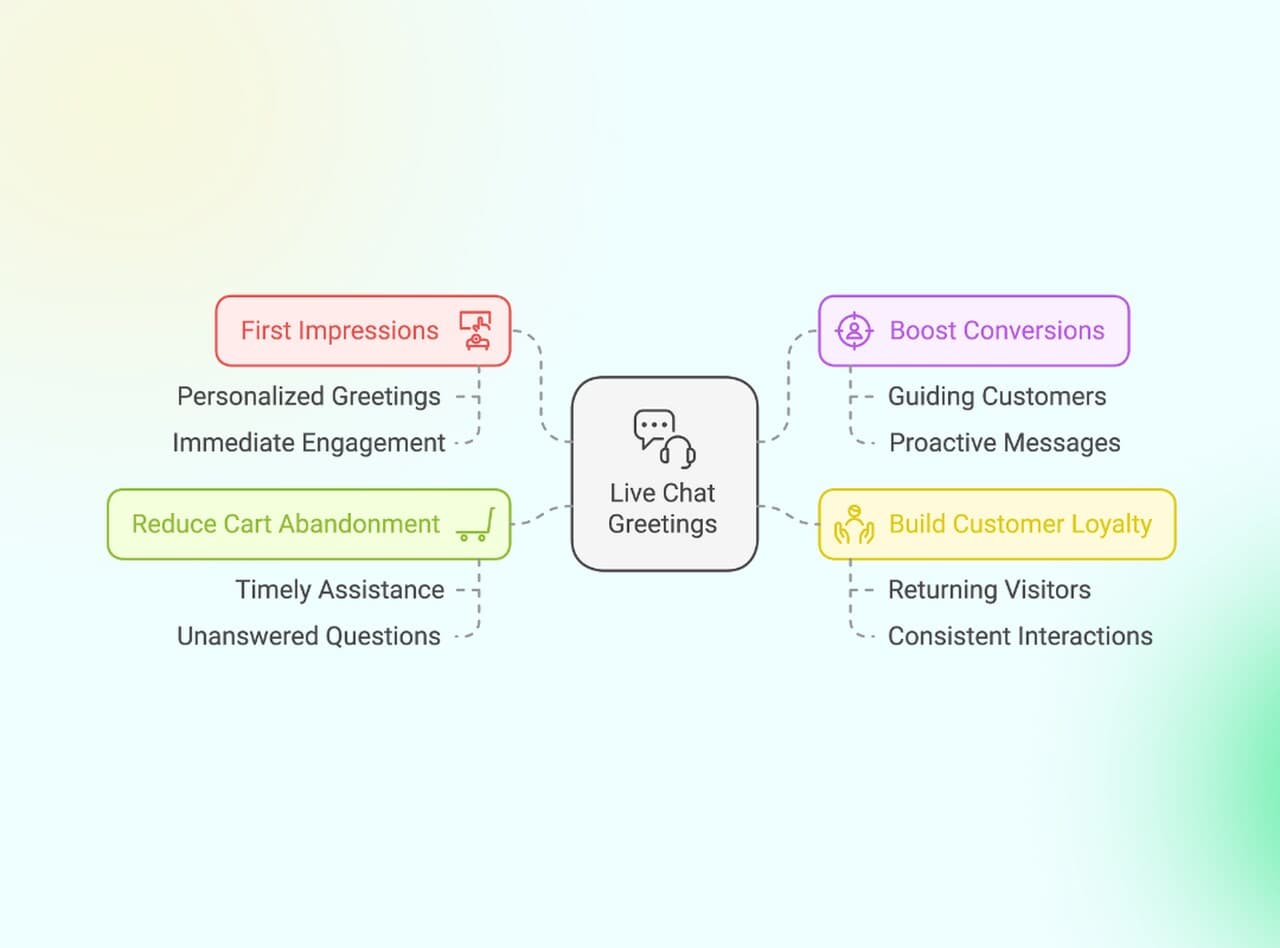
Here's what the right greeting actually does for your business:
• Converts hesitant browsers: A well-timed message on a pricing page can be the nudge someone needs to ask their last question before buying.
• Reduces cart abandonment: Proactive greetings on checkout pages address doubts before they turn into exits.
• Builds immediate trust: Visitors see that a real person (or a capable AI) is available. That alone increases their confidence in your brand.
• Segments visitors automatically: Different greetings on different pages tell you what the visitor cares about, even before they respond.
Key Elements That Make Any Live Chat Greeting Work
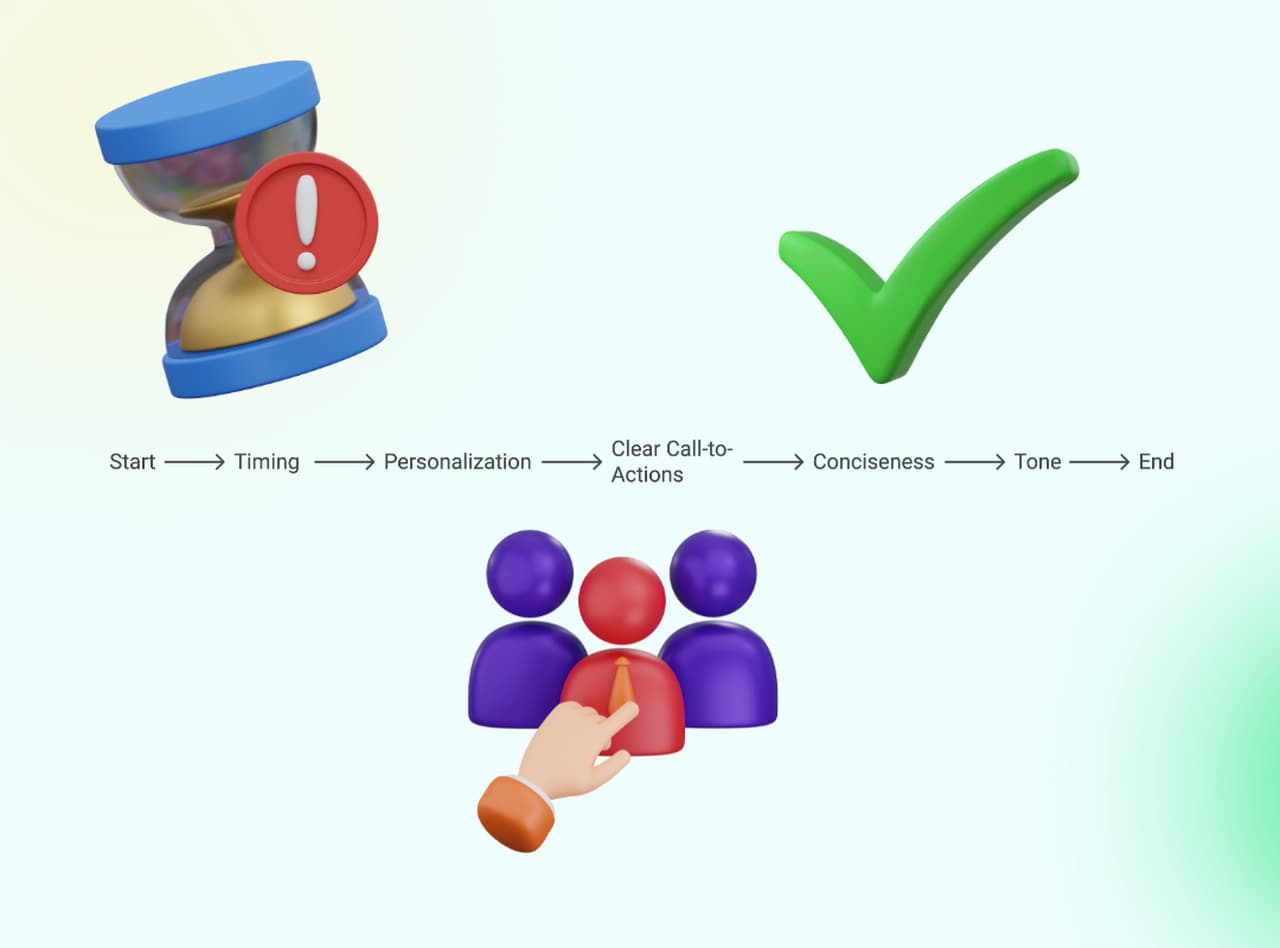
Across all 35 examples, five elements separate greetings that get responses from greetings that get ignored:
1. Timing that matches visitor behavior. Trigger greetings based on specific actions: 30 seconds of inactivity on a product page, scrolling past the fold on a blog post, or navigating to a pricing page. According to Comm100's research, AI-powered agents are expected to manage up to 95% of customer interactions by 2026, and behavioral triggers are the foundation of that automation. The best greetings appear when the visitor is most receptive, not when the page loads.
2. Personalization beyond "Hi [Name]". Real personalization references the visitor's behavior, not just their identity. "Hi Sarah, still comparing our Pro and Enterprise plans?" is personalized. "Hi Sarah, how can we help?" is just addressing someone by name. The difference matters because behavior-based personalization shows you understand the visitor's situation, not just their name. Live chat script templates can help you build these personalized message flows.
3. A clear next step. Every greeting should end with either a question or a call to action. "We're here to help" is a statement. "We're here to help. What are you looking for today?" is a conversation starter. The question mark is what turns a greeting from passive to active. Without it, visitors read the message and move on.
4. Brevity that respects attention. Keep greetings under 25 words. Anything longer, and visitors skim or ignore the message entirely. Chat greetings aren't emails. They're interruptions (welcome ones, if done right), and interruptions need to justify their presence in as few words as possible.
5. Tone that matches the page context. A support page greeting should feel reassuring. A promotional page greeting should feel exciting. A B2B pricing page greeting should feel consultative. Mismatched tone is worse than no greeting at all. Use your chatbot persona guidelines to ensure consistency across all page types.
How to Customize Live Chat Greetings for Your Brand
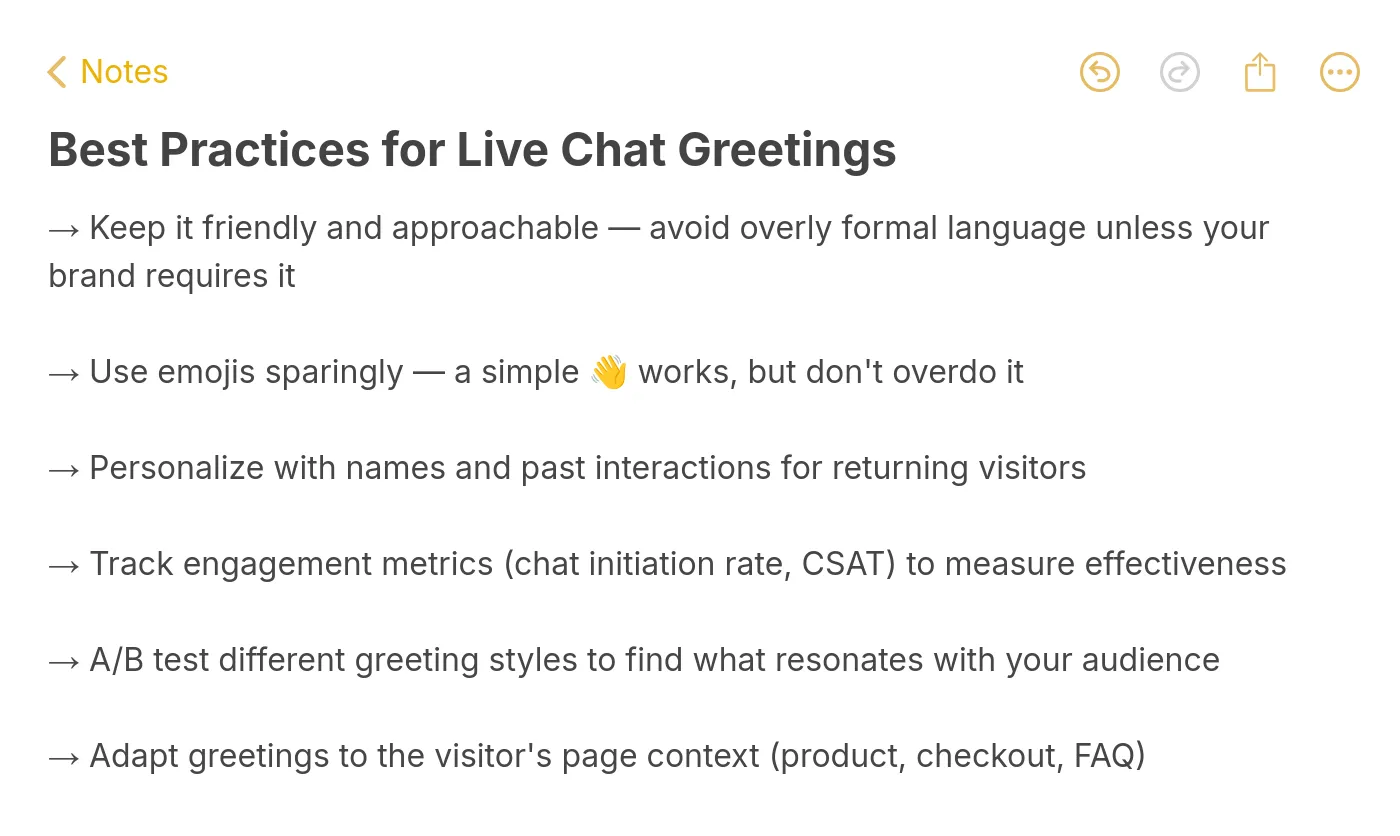
Copying these examples word-for-word will get you started, but the best-performing greetings are adapted to your brand voice, visitor data, and page structure. Here's how to make that happen:
Match your brand voice to the greeting tone. A corporate law firm shouldn't say "Hey there!" and a streetwear brand shouldn't say "How may we be of assistance?" Pull three to five phrases from your existing marketing copy and use them as the foundation for your chat greetings. Consistency across channels (website copy, email, chat) reinforces brand identity.
Use live chat triggers to deploy the right greeting at the right time. Page-based triggers (pricing page = lead generation greeting), time-based triggers (30 seconds on page = engagement prompt), and behavior-based triggers (scrolled 50% = content-specific message) let you serve different greetings to different visitor segments without manual intervention.
A/B test your greetings monthly. Run two versions of each greeting for 30 days and measure chat initiation rate, conversation completion rate, and conversion rate. Small changes (question vs. statement, formal vs. casual, with vs. without emoji) can produce significant differences. The only way to know is to test.
Adapt greetings for mobile vs. desktop. Mobile greetings should be shorter (under 15 words) because the chat widget takes up more relative screen space on small devices. Desktop greetings can be slightly longer (up to 25 words) because the widget is less intrusive. Also consider that mobile visitors are often on the go and have less patience for lengthy messages.
Update greetings seasonally. A greeting that mentions your summer sale in December looks stale. Schedule quarterly reviews of all your chat greetings to keep them current. Even general greetings benefit from occasional refresh. Visitors who see the same greeting every time they visit stop noticing it.
Common Mistakes in Live Chat Greeting
Knowing what to do is half the equation. Here are the mistakes that consistently undermine chat greeting performance:
Triggering too early. A greeting that fires the instant someone lands on the page feels aggressive. Wait at least 5-10 seconds on most pages, and 20-30 seconds on content pages, before showing a greeting. Let the visitor orient themselves first.
Using the same greeting everywhere. A single "How can we help?" message across your entire site ignores context. Your pricing page visitor has different needs than your blog reader. Map greetings to page types at minimum.
Writing greetings that sound like ads. "Check out our AMAZING new product!" in a chat widget feels spammy. Greetings should be conversational, not promotional. Save the marketing copy for your landing pages.
Ignoring mobile visitors. If your chat greeting is 40 words and your chat widget covers half the mobile screen, you're hurting the visitor's experience instead of helping it. Test every greeting on mobile before deploying.
Never measuring performance. If you don't track which greetings get responses and which get dismissed, you're guessing. Set up analytics for chat initiation rate, response rate, and conversation-to-conversion rate for each greeting variant. Track customer success metrics to quantify the impact of your greeting strategy over time.
Forgetting to update after-hours messages. Nothing frustrates visitors more than chatting with what they think is a live person and getting no response. Your after-hours greeting must clearly state that the team is offline and provide a realistic response timeline.
What to Do Next with These Live Chat Greeting Examples
You now have 35 live chat greeting examples covering every major scenario your visitors will encounter. The next step isn't to implement all 35 at once. Pick the three to five that match your most important pages (usually pricing, product, and homepage) and deploy those first.
Run each greeting for 30 days, measure initiation and conversion rates, then iterate. Swap underperformers for alternatives from this list. Test tone variations (formal vs. casual), length variations (15 words vs. 25 words), and trigger timing (5 seconds vs. 30 seconds).
If you want to automate this entire process, AI-powered chat tools can dynamically select and personalize greetings based on visitor behavior, time of day, and page context without manual configuration for each page. Conversational marketing with bots is the natural next step once you've validated which greeting styles work for your audience.
The greeting is just the start of the conversation. What happens next (response time, agent knowledge, resolution quality) matters just as much. But without a strong greeting, that conversation never begins.
Frequently Asked Questions
How do you greet customers on live chat?
Start with a short, friendly message that matches the page context. On a product page, reference the product. On a support page, acknowledge the visitor likely has an issue. On a pricing page, offer to answer questions about plans. Keep greetings under 25 words, include a question or call to action, and make sure the tone matches your brand voice. The most effective greetings are triggered by visitor behavior (time on page, scroll depth, or page type) rather than displayed immediately on page load.
How to start a chat greeting?
Open with acknowledgment, then add a question or offer. "Hi!" or "Hello!" followed by a relevant question works consistently. Avoid long introductions or company pitches in the greeting itself. The greeting's only job is to start a conversation, not close a sale. Good formula: [Friendly opener] + [Context-relevant question or offer]. For example: "Hi! Comparing plans? I can walk you through the differences."
What is a welcome message in live chat?
A welcome message is the first automated text a visitor sees when the live chat widget opens or triggers on a page. It can be proactive (triggered by visitor behavior like time on page or scroll depth) or reactive (displayed when the visitor clicks the chat icon). Effective welcome messages are short, context-aware, and include a clear next step. They set the tone for the entire conversation and directly impact whether the visitor engages or ignores the chat. You can explore more AI chatbot welcome message examples for additional inspiration.
What are proactive live chat greeting examples?
Proactive greetings fire automatically based on visitor behavior without the visitor clicking the chat icon first. Examples include time-based triggers ("You've been browsing for a minute. Can I help you find something?"), page-based triggers ("I see you're on our pricing page. Have questions about plans?"), and behavior-based triggers ("Looks like you haven't checked out yet. Need help completing your order?"). The key difference from reactive greetings is that proactive messages reach visitors who might not have opened the chat on their own, which increases overall engagement rates.
How to personalize live chat greetings for better engagement?
Use visitor data to go beyond "Hi [Name]." Reference their browsing history ("Still looking at our Enterprise plan?"), geographic location ("Hello from [your city]! Need help with local shipping?"), or previous interactions ("Welcome back! Last time we chatted about integrations. Want to continue?"). The more specific the personalization, the higher the engagement. But accuracy matters: a personalized greeting with wrong data (wrong name, wrong product reference) performs worse than a generic one. Use your CRM and chat platform's variable system, and always include fallback messages for visitors where data isn't available. An AI dialogue generator can help you create personalized conversational flows at scale.
How do you measure the success of live chat greetings?
Track four metrics: chat initiation rate (percentage of visitors who respond to the greeting), conversation completion rate (percentage of started conversations that reach a resolution), conversion rate (percentage of chat conversations that lead to a desired action like a purchase or demo booking), and customer satisfaction score (CSAT rating after the conversation ends). Compare these metrics across different greeting variants using A/B tests. A greeting with a 15% initiation rate that converts at 5% is more valuable than one with a 25% initiation rate that converts at 1%.
For Further Reading
• AI Chatbot Welcome Message Examples and Strategies
• 200 Live Chat Script Examples for AI Chatbots
• 12 Live Chat Triggers and Uses to Maximize Engagement
• How to Write AI Chatbot Scripts with Examples and Tips
• 45+ Live Chat Canned Response Examples for Customer Support