







I've spent the last few years writing about conversational AI for B2B SaaS teams, and healthcare is the hardest category to get right. The rules are strict, patients aren't always literate in their own conditions, and hallucinations carry real clinical weight. So this guide skips the hype. You'll get 17 specific practices — tested against real deployments, regulatory constraints, and what patients actually do when they open a chat window at 2 a.m.
The best practices for AI chatbots in healthcare pair strict HIPAA-compliant infrastructure with clear scope limits, human escalation, and patient-friendly language. According to Sagapixel, AI is projected to reduce annual U.S. healthcare costs by $150 billion by 2026. That gain only holds if chatbots stay inside their lane — administrative triage, education, and follow-up — and hand off clinical judgment to people.
What you'll need before you start:
• HIPAA-ready vendor contract: Business Associate Agreement (BAA) signed before any PHI touches the system
• Clean source content: clinic policies, FAQs, formulary, appointment rules in structured files (PDF, Docx, web pages)
• Clear scope: a one-page document listing what the bot will and won't do
• Human escalation path: live agents or on-call staff for handoffs
• Time estimate: 2-6 weeks from kickoff to pilot, depending on integration depth
• Skill level: Intermediate — you need someone who can write patient-facing copy and read a compliance checklist
Quick overview of the 17 best practices:
1. Define one job — pick a single workflow before you expand.
2. Sign the BAA first — no PHI without a written agreement.
3. Ground answers in your own content — no web-scraped responses.
4. Scope out clinical advice — the bot educates, doesn't diagnose.
5. Build a fast escalation path — one click to a human.
6. Train on real patient language — misspellings, slang, emotion.
7. Plan for multilingual users — Spanish alone covers 13% of patients.
8. Integrate with the EHR — don't make patients repeat themselves.
9. Design for accessibility — WCAG 2.2 AA, screen-reader tested.
10. Set a confidence threshold — below 0.7, hand off or ask a clarifier.
11. Log everything — for audit, model improvement, and legal defense.
12. Run weekly QA — sample 50 conversations, score them, retrain.
13. Monitor for hallucination drift — new symptoms, new drugs, new rules.
14. Publish your AI disclosure — patients know they're talking to a bot.
15. Limit data retention — delete transcripts on a schedule.
16. Pilot, don't launch — 30-day closed beta with 100 users minimum.
17. Review quarterly with clinicians — the people who know what's changing.
What Is a Healthcare Chatbot?
A healthcare chatbot is an AI-powered conversational tool that answers patient questions, schedules appointments, and triages symptoms through a chat or voice interface. It uses natural language processing to interpret what a person typed or said, then pulls from a structured knowledge base — your clinic's FAQs, the formulary, appointment rules, or approved patient education — to respond in plain language.
What makes it "healthcare" instead of generic customer support is the regulatory wrapper. A clinic's chatbot runs inside a Business Associate Agreement, logs every interaction for HIPAA audit, and routes anything that looks clinical (symptom patterns, medication questions, emergencies) to a licensed human. The bot isn't the doctor. It's the front desk, the intake form, and the after-hours FAQ — operating in parallel so people with the training can spend their time on the cases that need them.

Patients use them for the boring-but-necessary stuff. "When's my appointment?" "Is the lab open Saturday?" "Can I take ibuprofen with my blood pressure med?" Staff use them to cut phone volume so they can focus on the person in the waiting room. When you read "healthcare chatbots" in this article, that's what I mean — not a diagnostic oracle, but a patient-facing interface that behaves itself.
The Impact of AI Chatbots in Healthcare
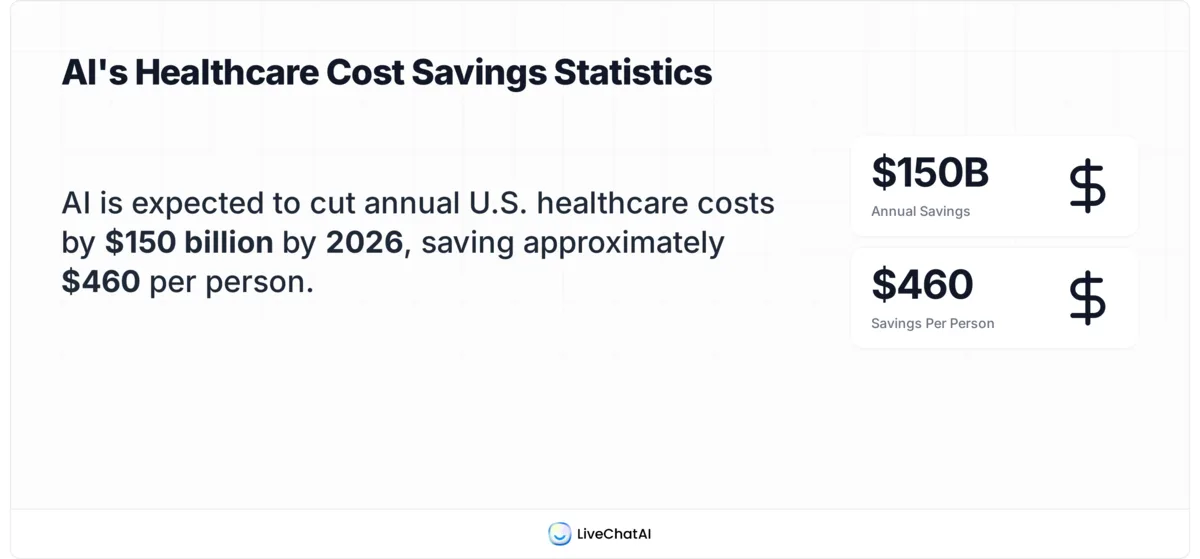
The honest answer to "are these things working?" is: mostly for administrative tasks, occasionally for education, and almost never as a substitute for clinicians. The financial case, though, is real. According to Sagapixel, AI is projected to reduce annual U.S. healthcare costs by $150 billion by 2026, which works out to roughly $460 per person. Most of that saving lives in automated triage, reduced no-shows, and lower call-center staffing.
Patients are already voting with their fingers. Pew Research Center reports that 22% of U.S. adults now get health information from AI chatbots at least sometimes. That's a meaningful share of your patient base showing up to the clinic already having "asked the bot." Whether they got a reasonable answer or a confident hallucination depends on which bot they used.

The four shifts I see most often in deployments I've worked with:
• Access: 24/7 coverage without hiring a third shift. Patients get answers at midnight; staff get their lunch breaks back.
• Admin load: appointment scheduling, intake forms, and FAQ handling move off the phones. One mid-sized clinic I talked to cut call volume by 38% in the first quarter.
• Engagement: post-visit follow-ups, medication reminders, and condition-specific education happen consistently instead of whenever a nurse has five minutes.
• Cost: Coherent Solutions estimates AI-driven chatbots are expected to save the healthcare industry $3.6 billion globally by 2025, most of it in operational overhead rather than clinical care.
None of this replaces clinicians. It just means the clinicians get fewer interruptions and the patients get faster answers to the 80% of questions that don't need a degree to resolve.
Top Benefits of Implementing AI Chatbots in 2026
Before you pick a vendor, it helps to know what you're actually buying. The benefit list below is the one I hand to clinic operations leads when they ask "what should I expect?" — ranked roughly in order of how fast they show up after launch.
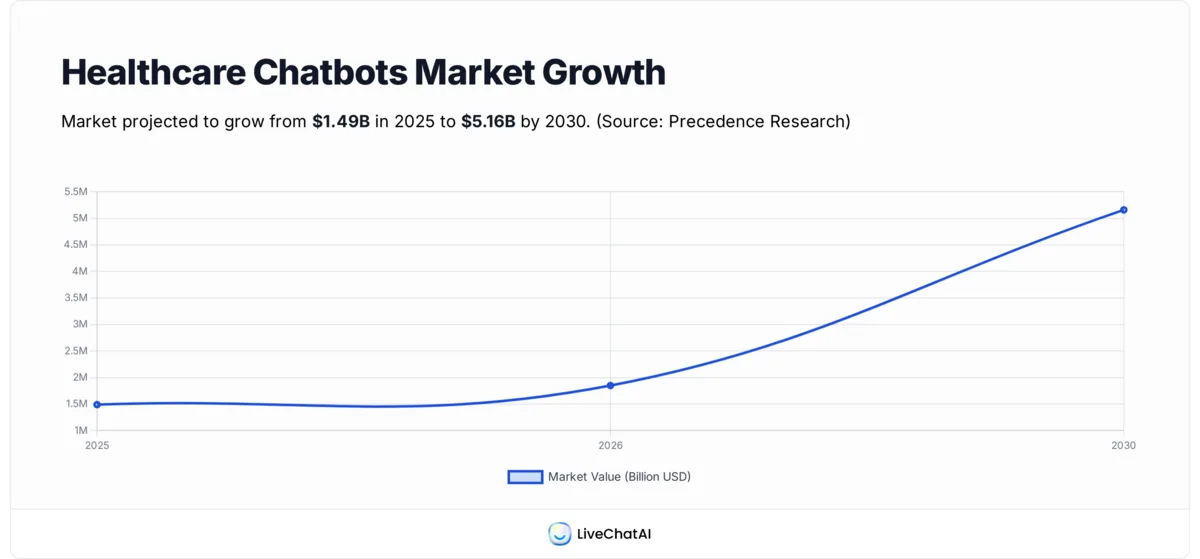
The market itself is climbing fast. Precedence Research calculates the global healthcare chatbots market at USD 1.49 billion in 2025, rising to USD 1.85 billion in 2026 — a steep enough curve that vendor options, pricing, and feature depth all improve year over year. If you evaluated tools 18 months ago and passed, the market has moved.
• Lower call-center volume: appointment confirmations, lab-hours questions, and billing FAQs leave the phone queue and land in chat. Expect a 25-40% reduction in inbound call minutes within 90 days. For context on how teams measure this across industries, AI adoption benchmarks in customer support show similar curves outside healthcare.
• Fewer no-shows: appointment reminders sent as two-way chat (where the patient can reschedule or confirm inline) typically cut no-shows by 10-20%. A no-show in primary care runs $150-$250 in lost revenue; chatbots pay for themselves on this benefit alone.
• Patient self-service for education: "what do I do before my colonoscopy?" gets a reliable answer any hour. This is where real-world chatbot use cases across industries matter — healthcare education is one of the highest-impact applications.

• Better data hygiene: intake forms filled in a chat interface are cleaner than paper. You get structured fields that flow into the EHR instead of a clerk retyping someone's medication list.
• Multilingual reach: one chatbot can run in English, Spanish, Mandarin, and Vietnamese without hiring interpreters for routine tasks. For practices serving diverse communities, this is the benefit staff notice first.
• Triage quality: structured symptom checkers route patients to the right level of care — urgent, next-day, telehealth, or self-care — with better consistency than a front-desk clerk making the judgment on the fly.
17 Best Practices for Using AI Chatbots in Healthcare
Here's the section I actually want you to read closely. Every one of these 17 practices came out of a real deployment story — someone got burned, or someone got it right, and the lesson is in the specifics. I've ordered them so the first few matter most; skip the later ones at your own risk but read the top ten even if you read nothing else.

1. Define a Single, Narrow Job Before You Expand
Summary: Pick one workflow — appointment scheduling, post-visit follow-up, or FAQ handling — and ship that before anything else. Resist the urge to launch a do-everything bot in week one. The expected outcome of this step is a launch you can measure, learn from, and defend.
The clinics I've seen fail at chatbot rollouts tried to cover 40 use cases on day one. The ones that succeeded launched a single job, tracked it for 30 days, then expanded. Good first jobs: appointment scheduling, lab hours and location FAQs, prescription refill requests. Bad first jobs: symptom triage, insurance coverage explanations, anything involving a medication interaction check.
How to pick the right first job:
1. Pull your call-center log for the last 60 days and sort calls by reason.
2. Flag the top three call reasons that don't involve clinical judgment.
3. Pick the one with the clearest existing written policy — that's your source content.
4. Define success as a specific metric: "reduce appointment-confirmation calls by 40% in 90 days."
You'll know it's working when: one clearly defined metric moves in the right direction for three consecutive weeks. Before you expand scope, that number has to hold.
Watch out for:
• Scope creep from well-meaning staff: someone will ask "can the bot also handle X?" Write a change-request form. Every addition needs the same evaluation as the original job.
• Picking a job with no written policy: if your appointment-cancellation rule lives only in Sue's head, the bot can't learn it. Document first, automate second.
Pro tip: I tell every team starting out to write the bot's "job description" as a one-pager, the same way you'd write a job ad for a human hire. What are the three things it does? What are the three things it explicitly doesn't do? Tape it to the wall. Every time someone suggests an expansion, check it against the page.
2. Sign the BAA Before Any Patient Data Moves
Summary: A Business Associate Agreement (BAA) makes your chatbot vendor legally responsible for PHI handling under HIPAA. No BAA, no PHI — period. The expected outcome: a signed document in your files before a single patient message is exchanged.
I've watched more than one clinic launch a pilot with a consumer-grade tool, then scramble when counsel asked "who signed the BAA?" The answer "nobody" meant the pilot got yanked and someone got a very uncomfortable email. A BAA is non-negotiable. It also forces vendors to answer hard questions — where is data stored, who has access, how fast can they delete it on request.
What to confirm in the BAA:
1. Data residency (U.S.-only, EU, or international — matches your state regulations).
2. Subprocessor list (who else touches the data — OpenAI, Azure, AWS?).
3. Breach notification timeline (HIPAA requires 60 days; push for 24-72 hours contractually).
4. Data deletion terms — how fast can you force deletion after a patient request or at contract end?
You'll know it's working when: your compliance officer signs off in writing, the BAA is on file, and the vendor's sub-processor list matches what their sales rep told you. Verify that last part yourself — sub-processor lists change.
Watch out for:
• "HIPAA-compliant" marketing claims: there's no such thing as a HIPAA-certified product. Compliance is about how you deploy the tool, not a badge on the website. Ask for the BAA, not the certification.
• Consumer-grade ChatGPT or Gemini: the free tiers don't offer BAAs. Use enterprise versions (Azure OpenAI, Gemini for Workspace) or a platform vendor that signs one.
Pro tip: Put a draft BAA in front of every vendor during the demo call. The fastest way to find out if a vendor can actually serve you is to ask for a redline. Vendors who've done this before come back in 48 hours; vendors who haven't will ghost you.
3. Ground Every Answer in Your Own Content
Summary: Configure the chatbot to pull only from your documented policies, FAQs, and approved patient education — not the open web. This grounding approach (often called retrieval-augmented generation or RAG) cuts hallucinations dramatically. The outcome: patients get answers that match your policies, not a generic model's guess.
The difference between a chatbot trained on the web and one grounded in your own content is night and day. A web-trained bot will confidently tell your patient that your clinic closes at 5 p.m. even if you close at 7. A grounded bot either answers correctly or says "I don't know — let me connect you to a human." The second response is always safer than a confident wrong answer.
How to set up grounding:
1. Export your website pages, clinic policies, and FAQ documents as a structured set (URLs + PDFs + text).
2. Upload to your chatbot platform's training interface — most modern tools support website crawling plus document upload.
3. Set the system prompt to "answer only from provided sources. If the information isn't present, say so."
4. Test with 20 questions you know the answer to — half should be covered in source content, half shouldn't.
You'll know it's working when: for the half-covered questions, the bot answers correctly; for the uncovered half, it says "I don't have that information" and offers a handoff. That refusal behavior is the feature, not a bug.
Watch out for:
• Out-of-date source content: if your website says you accept Blue Cross but you dropped the contract six months ago, the bot will parrot the old answer. Run a content audit before launch.
• PDFs with bad OCR: scanned PDFs where the text didn't extract cleanly will poison your grounding. Re-export from source or run proper OCR before upload.
4. Scope Clinical Advice Out Entirely
Summary: The chatbot must explicitly refuse to diagnose, recommend treatments, or interpret symptoms. Even when patients ask, the right answer is "I can't help with that — here's how to reach a clinician." The outcome: a bot that educates and routes, but never practices medicine.
The pressure to let the bot answer clinical questions is enormous. Patients ask. Staff want the relief. And the model can usually produce plausible-sounding medical text, which makes the temptation worse. But a CIDRAP analysis of general-purpose chatbots found "the audited chatbots performed poorly when answering questions in misinformation-prone health and medical fields." Translating that to your clinic: if the bot starts giving clinical advice, the worst answers are the ones that sound most confident.
How to enforce the scope limit:
1. Write a list of 30 clinical topics that are off-limits (symptoms, drug interactions, dosing, diagnosis, prognosis).
2. Use keyword and intent classifiers to detect clinical questions at input time.
3. When detected, reply with a fixed refusal template: "That sounds like a clinical question — let me connect you to our nurse line."
4. Log the refusal and the handoff so you can measure how often clinical questions come in.
You'll know it's working when: patients asking clinical questions get a handoff within two turns and the refusal rate for clinical intents stays above 98% in weekly audits.
Watch out for:
• Soft clinical questions: "can I take Tylenol?" sounds benign but it's clinical. Keep the scope tight. The list grows over time — review monthly.
• Staff unofficially "teaching" the bot to answer clinical questions: someone on your team will add a clinical FAQ to the knowledge base because "it's simple." Lock the training interface or add a review step.
5. Build a One-Click Human Escalation Path
Summary: Every chat screen needs a visible "talk to a person" button. The button must route to a real human in seconds, not "submit a ticket and wait." The outcome: patients never feel trapped with the bot, and the bot is never a barrier to care.
The fastest way to lose patient trust is to make the chatbot the only path forward. I've tested healthcare bots that buried the human handoff three menus deep — the kind of thing that looks fine to the design team and feels like a punishment to someone in pain. Put the handoff button at the top of every screen. Let the user type "human" or "agent" or "nurse" and trigger it.
How to implement escalation:
1. Add a persistent "Talk to a person" control visible in every state of the conversation.
2. Configure intent detection to trigger handoff on any request for a human.
3. Auto-escalate after two failed turns (bot couldn't understand or answer).
4. Route to live agents during staffed hours; route to a callback queue after hours with a stated SLA ("we'll call within 2 hours").
You'll know it's working when: handoff median wait is under 60 seconds during staffed hours, the callback SLA holds at 95%+, and patients who escalate report satisfaction at or above the bot's own score.
Watch out for:
• Handoff that drops context: if the human agent has to re-ask everything the bot already collected, you've halved the value. Pass the full transcript and any collected fields in the handoff payload.
• Agents who don't know a handoff is in queue: silent queues are where handoffs go to die. Use visible dashboards and audible alerts.
6. Train on Real Patient Language, Not Sanitized Copy
Summary: Patients type "my stomack hurts since tuesday can you help" — not "I have been experiencing abdominal discomfort." Train and test your chatbot on real inputs, typos and all. The outcome: a bot that understands the messy, emotional, often-misspelled way actual patients write.
When I audit a new healthcare chatbot's training data, the tell that a team is going to struggle is clean, grammatically perfect sample conversations. Patients don't write like that. They shout-type, use slang, mix languages, send voice-to-text garble, and attach photos of rashes. If your training data is all polished paragraphs, the bot will fail on the first real patient who shows up.
How to build realistic training data:
1. Pull 200 recent call-center transcripts (with PHI redacted) and extract the first 1-2 turns of each.
2. Pull chat logs from any existing live chat — those are your closest match for bot inputs.
3. Run a "typo test" — intentionally misspell symptoms and see if the bot still routes correctly.
4. Include emotional and urgent phrasings in the test set: "help", "emergency", "something's wrong."
You'll know it's working when: your bot handles the 200 real-language samples with at least an 85% correct-intent rate, and the ones it misses get a handoff rather than a wrong answer.
Watch out for:
• Demos that use cherry-picked inputs: vendors love demos with "show me appointments for tomorrow" in perfect English. Insist on testing with your own real-language samples before you sign anything.
• Forgetting voice-to-text: mobile patients dictate questions. "Can I take my pill" becomes "can I tank my pill" in transcription. Include dictation-style errors in training.
Pro tip: I keep a running file of the weirdest real patient messages I've seen — typos, all-caps rants, questions sent at 3 a.m. with sleep-slurred voice-to-text. When I test a new bot, those are the inputs I try first. If it handles "why dose my tummy ache wehn i eat chees" gracefully, the easy cases will take care of themselves.
7. Plan for Multilingual Patients From the Start
Summary: In the U.S., around 13% of patients speak Spanish at home, with Mandarin, Vietnamese, and Arabic populations growing. Configure multilingual support before launch, not as a later "phase two." The outcome: equitable access for the patients who need chatbot coverage most.
A chatbot that only speaks English shifts the administrative burden back to bilingual front-desk staff — often the one person on your team who's already stretched thin. Modern large language models handle multilingual conversation well enough for administrative and educational tasks in dozens of languages. The constraint is usually your source content: if your appointment policy only exists in English, the bot will translate on the fly, and translation quality matters.
How to set up multilingual support:
1. Pull patient-language demographics from your EHR or intake forms.
2. Pick the top 3-5 languages that cover 95% of your patients.
3. Have native speakers review auto-translated responses for the top 30 patient questions in each language.
4. Add an explicit language switcher ("Español", "中文") at the top of the chat interface.
You'll know it's working when: the language switcher gets clicked at rates matching your patient demographics and non-English-session satisfaction scores are within 10 points of English.
Watch out for:
• Over-reliance on auto-translate for clinical vocabulary: medical terms are where machine translation fails first. Have a bilingual clinician or translator review any medical phrasing.
• Ignoring cultural context: direct translation of a U.S.-style "How can I help you?" can feel cold or off in some languages. Work with a cultural reviewer for tone.
8. Integrate With the EHR So Patients Don't Repeat Themselves
Summary: Connect the chatbot to your electronic health record system via FHIR or a vendor integration so it can pull appointment history, confirm patient identity, and write-back structured data. The outcome: patients don't re-state their birthdate five times and staff don't retype chat intake into the EHR.
An unintegrated chatbot is a glorified FAQ page. A chatbot wired to the EHR becomes an actual intake tool — pulling upcoming appointments to confirm, writing intake answers into the right field, and flagging when a patient's record is missing something. The friction of EHR integration is real (FHIR APIs vary by vendor, Epic and Cerner each have quirks), but the payoff in patient experience is immediate.
How to plan EHR integration:
1. List the three highest-value data flows: identity verification, appointment read, intake write-back.
2. Check your EHR's API documentation for FHIR support (Epic, Cerner, Athenahealth all support subsets).
3. Scope the integration as read-only first; add write-back after 60 days of stable read operations.
4. Build rate-limiting so a bot bug can't hammer the EHR API.
You'll know it's working when: appointment confirmations pull accurate data in under 2 seconds, identity verification works on 95%+ of attempts, and intake write-back produces data clean enough that staff don't have to edit it.
Watch out for:
• Write-back without validation: letting the bot push free-text into EHR fields is how bad data enters the record permanently. Validate, constrain, and route ambiguous input to human review.
• Stale API tokens: EHR API credentials expire. Set up proactive monitoring so you find out before patients do.
Pro tip: The cleanest EHR integrations I've seen start with a single read-only use case and keep it in production for 60 days before adding anything. The teams that try to ship bidirectional integration on day one end up rolling back within a month. Patience here pays.
9. Design for Accessibility From the First Wireframe
Summary: Your patients include people with low vision, motor impairments, cognitive disabilities, and limited reading levels. Design to WCAG 2.2 AA and test with screen readers. The outcome: the chatbot works for every patient, not just the tech-confident ones.
Healthcare has more accessibility exposure than most industries — your patient base skews older and includes more people managing chronic conditions that affect vision, dexterity, or cognition. An inaccessible chatbot isn't just a legal risk (though ADA complaints are up); it's a clinical equity issue. The people most likely to benefit from 24/7 access are often the ones most likely to be blocked by poor design.
How to build in accessibility:
1. Run your chat widget through axe DevTools or Lighthouse at launch.
2. Test every flow with a screen reader (NVDA on Windows, VoiceOver on Mac/iOS).
3. Keep writing at a 6th-8th grade reading level — use Hemingway Editor or a readability checker.
4. Ensure color contrast ratios hit 4.5:1 for text and 3:1 for interactive elements.
You'll know it's working when: a screen-reader test of your top five patient flows completes without the tester getting stuck, and your readability score consistently hits 8th grade or below.
Watch out for:
• Chat widgets that trap keyboard focus: some vendor widgets break tab-order. Test keyboard-only navigation before you sign.
• Timed messages that disappear: "This message will disappear in 10 seconds" fails WCAG. Avoid auto-dismiss in chat entirely.
Pro tip: I've watched patient advisory boards catch accessibility issues that internal QA missed every single time. Spend 90 minutes with three patients who represent your accessibility spread — older, vision-limited, mobility-limited — before launch. The issues they find in one session beat three weeks of internal testing.
10. Set a Confidence Threshold and Default to Handoff Below It
Summary: Configure the chatbot so that any answer with model confidence below a set threshold (often 0.7) triggers either a clarifying question or a human handoff. The outcome: fewer confidently wrong answers and more explicit "I don't know — let me get you a person" responses.
Most modern NLP models produce a confidence score for their answer. Teams that deploy chatbots without using that score end up with a bot that sounds confident whether it's right or wrong. Teams that set a threshold — "if I'm less than 70% sure, ask a clarifier; if less than 50%, hand off" — catch the dangerous middle ground where the bot would otherwise guess.
How to set confidence thresholds:
1. Expose the model's confidence score in your chatbot platform (most enterprise tools do).
2. Start with a 0.7 threshold for clarifier trigger and 0.5 for handoff trigger.
3. Run a 100-conversation audit — adjust thresholds based on how often the bot was wrong but confident, or right but unsure.
4. Document the final thresholds and review quarterly.
You'll know it's working when: the bot's "I'm not sure — could you clarify?" response appears on 5-15% of turns, and the rate of confidently wrong answers (audited weekly) stays under 2%.
Watch out for:
• Thresholds set too conservatively: if the bot says "I'm not sure" on 40% of turns, patients stop trusting it. Calibrate the threshold with real data.
• Silent confidence failures: some platforms don't expose the score. If yours doesn't, switch to one that does or wrap the model with a confidence-classifier layer.
Pro tip: The best diagnostic I've found is a weekly "bot was confident and wrong" log. Pull ten random turns where confidence was above 0.8 and audit them. If more than one is wrong, tighten the threshold. If zero are wrong, you might be leaving good answers on the table — loosen it.
11. Log Every Conversation for Audit and Legal Defense
Summary: Every chat turn, handoff, and resolution gets logged with timestamps, user ID (hashed), and model version. The outcome: when a regulator asks "what did the bot say to patient X on March 12?", you have a straight answer.
Healthcare runs on audit trails. If your chatbot can't produce a verbatim transcript of a conversation on request, you're exposed. Beyond compliance, logs are also your best training-data source — last week's real conversations are next month's fine-tuning set. Build logging as infrastructure, not an afterthought.
How to structure logging:
1. Log every turn with: timestamp, session ID, hashed user ID, input text, model output, confidence score, and model/prompt version.
2. Store logs in a HIPAA-compliant, append-only store (S3 with object lock, or equivalent).
3. Set retention per your legal policy — typically 6-7 years for healthcare.
4. Build a search UI so compliance can pull a transcript in under 5 minutes.
You'll know it's working when: an on-demand transcript request returns a complete conversation (input + output + metadata) in under 5 minutes, and storage costs stay within your forecast.
Watch out for:
• Logs in two different systems: if the chat platform logs one view and the EHR logs another, reconciling them after an incident is painful. Centralize.
• PHI in plain-text logs: unless your log storage has full HIPAA protections, redact or tokenize PHI on write.
12. Run Weekly Quality Assurance on Real Conversations
Summary: Sample 50 random conversations per week, score them against a rubric (accuracy, tone, handoff decisions, policy adherence), and feed the results back into training. The outcome: a bot that improves every week rather than drifting over time.
A chatbot without QA is a chatbot slowly degrading. Source content goes stale. New patient language patterns emerge. The model itself gets updated by the vendor. Without weekly audits, you find out about the decline from angry patient emails. With them, you catch it before it matters. Our guide on chatbot quality assurance goes deeper into rubric design.
How to run weekly QA:
1. Random-sample 50 conversations from the past week's logs.
2. Score each on five dimensions: factual accuracy, tone appropriateness, handoff timing, policy adherence, and patient-friendliness.
3. Flag any conversation scoring below 3/5 on any dimension for retraining.
4. Feed flagged examples back into training data with corrections.
You'll know it's working when: average score trends upward over 8 weeks, the flagged-conversation rate drops, and new failure modes get caught within the week they first appear.
Watch out for:
• One person doing all the QA: rotate reviewers. Individual blind spots become systemic blind spots fast.
• QA without retraining: scoring alone doesn't fix anything. The feedback loop has to close.
13. Monitor for Hallucination Drift When the World Changes
Summary: When new drugs launch, guidelines change, or your clinic updates a policy, the chatbot's grounded answers can go stale fast. Monitor for drift and refresh source content on a schedule. The outcome: a bot that stays current as the world it describes changes.
The most dangerous form of chatbot wrong-answer isn't a hallucination from day one — it's a correct answer that becomes wrong after a guideline update. The AAP changes pediatric vaccine timing. The FDA approves a new diabetes drug. Your clinic adds a new location. If your bot's source content doesn't refresh, it'll confidently tell patients last year's answer.
How to monitor for drift:
1. Subscribe to policy update feeds relevant to your specialties (CDC, ACOG, AAP, FDA, state boards).
2. Keep a "source currency" document — every source doc with its last-verified date.
3. Set a 90-day max age on any source doc; force re-verification at that interval.
4. Add a monthly check: "what changed in our policies this month?" and update accordingly.
You'll know it's working when: no source content is older than 90 days unverified, and audit queries about recent policy changes return current answers within a week of the change taking effect.
Watch out for:
• Treating the chatbot as set-and-forget: the biggest deployment failures I've seen all involved teams that launched well, then didn't touch the bot for six months.
• Missing the "we changed something internally" updates: your own clinic's rule changes are as dangerous as guideline changes. Loop operations into the review cycle.
14. Disclose That Patients Are Talking to an AI
Summary: Tell patients upfront they're chatting with an AI bot, not a person. State it in the opening message and again when a handoff happens. The outcome: informed patients, fewer "I thought this was a human" complaints, and alignment with the FTC's AI disclosure guidance.
Patients have strong opinions about AI in healthcare. Polls cited by Sagapixel show that 60% of Americans would feel uncomfortable with a provider relying on AI in their healthcare. Hiding the AI nature of the bot doesn't fix that — it just postpones the trust hit to the moment the patient figures it out. Lead with disclosure, explain the scope, and let the patient choose to continue.
How to write a good disclosure:
1. Open with: "Hi, I'm [Name], an AI assistant for [Clinic Name]. I can help with [specific tasks]. For clinical questions, I'll connect you with a person."
2. Re-disclose at handoff: "Connecting you to a human agent now."
3. Include a short "Learn more" link explaining how the AI works and where data goes.
4. Offer an immediate opt-out — "Prefer a person? Click here" — on every session.
You'll know it's working when: patient satisfaction surveys show "I understood I was chatting with AI" at 90%+ agreement, and "thought this was a human" complaints drop to near zero.
Watch out for:
• Disclosure buried in a terms-of-service pop-up: if the patient has to scroll past a wall of text, they'll miss it. Put it in the first bot message.
• Humanized branding that fights the disclosure: "Hi, I'm Emma" with a smiling photo undercuts "I'm an AI." Pick a tone that matches the truth.
Pro tip: The clinics whose patients trust their chatbots most tend to over-disclose, not under. "I'm a bot — here's what I can and can't do" at the start of every session sounds redundant, but it builds durable trust.
15. Limit Data Retention on a Written Schedule
Summary: Write down how long you keep chat transcripts, what you delete, and who can force deletion on request. Default to the shortest retention that legal and operational needs allow. The outcome: smaller attack surface, smaller audit scope, and simpler patient data-access requests.
Every chat message stored is a liability in a future breach. Most clinics keep transcripts too long, too unencrypted, and too accessible by default. A written retention schedule — reviewed by legal and compliance — forces the hard conversations about what you actually need versus what you're collecting out of inertia.
How to set retention:
1. Identify the minimum retention legal requires (HIPAA specifies record-keeping for 6+ years for some records; chat transcripts vary).
2. Identify the operational value — is last year's FAQ chat actually useful? Usually not.
3. Pick the tighter of the two and schedule automatic deletion.
4. Build a patient self-service deletion request flow (state privacy laws increasingly require it).
You'll know it's working when: automatic deletion runs on schedule without manual intervention, and patient deletion requests complete within the window your policy promises (often 30 days).
Watch out for:
• Backups that outlast the deletion policy: if you "delete" but backups hold the data for another year, you haven't actually deleted. Coordinate with IT.
• Aggregated analytics preserving individual data: "we aggregate for reporting" sometimes means "we kept everything." Check what your analytics layer actually stores.
16. Pilot, Don't Launch — Run a 30-Day Closed Beta First
Summary: Before making the chatbot public, run it with a small group — 100 patients, staff, or volunteers — for 30 days. Collect their feedback weekly. The outcome: you find the ugly bugs before the full patient base does.
I've seen more launch-day disasters than I care to count, and every one of them had the same root cause: the team skipped a real pilot. Testing with internal staff isn't a pilot — staff know the system, they're rooting for it to work, and they'll self-correct past bugs that real patients won't. You need real patients, for real tasks, for long enough that the novelty wears off.
How to run a pilot:
1. Recruit 100+ patients via your MyChart or email list, ideally a mix of age, tech skill, and language.
2. Launch the bot only to that group for 30 days.
3. Send a short weekly survey (3 questions, 60 seconds) asking what worked, what didn't, what they wanted.
4. Host two 30-minute Zoom panels at week 2 and week 4 to dig into issues.
You'll know it's working when: weekly survey scores trend up, patient panels surface concrete fixes, and the bot handles at least 80% of pilot traffic without human escalation (excluding intentional handoff cases).
Watch out for:
• Pilot groups that are too tech-savvy: if you recruit only early adopters, you miss the 60-year-old with low digital literacy who represents a third of your patient base.
• Treating the pilot as a marketing exercise: the point isn't to get testimonials. It's to break the bot in private so you can fix it before going public.
17. Review Quarterly With Clinicians in the Room
Summary: Every quarter, pull together the operations lead, compliance officer, IT, and — most importantly — two practicing clinicians, to review chatbot performance, audit logs, and proposed changes. The outcome: the people who know what's changing in care are the people steering the bot.
Most chatbot programs decay quietly. Ops reports numbers. IT keeps it running. Compliance signs off. And nobody with clinical context is in the room when a new scope expansion gets approved. A quarterly clinician review catches drift — new symptoms becoming common, new medications patients ask about, edge cases only someone at the bedside notices.
How to structure the quarterly review:
1. Block 90 minutes on the calendar, recurring, with clinician attendance required.
2. Share a one-page metric summary 48 hours ahead: volume, handoff rate, QA scores, top 10 unresolved intents.
3. Review 20 sample conversations together — half successes, half failures.
4. End with three decisions: one thing to expand, one thing to retire, one thing to fix.
You'll know it's working when: clinicians attend 90%+ of meetings, each meeting produces at least one concrete change, and the chatbot's clinical-adjacent handoff quality improves quarter over quarter.
Watch out for:
• Clinicians who get invited but can't make time: the meeting needs to be protected time, not "if they can come." Work with the CMO to make it happen.
• Decisions without owners: every change decided in the meeting needs a named owner and a due date. Otherwise it drifts another quarter.

Real-World Examples of Healthcare Chatbots
The 17 practices above come from watching dozens of deployments. The examples below are the ones most often cited as reference implementations — each doing one thing well rather than trying to cover every use case. These aren't endorsements; they're reference points for what a well-scoped healthcare chatbot looks like in practice.

| Chatbot | Primary Job | What It Does Well | What to Watch |
|---|---|---|---|
| OneRemission | Cancer survivor support | Curated, oncologist-reviewed content on diet, side effects, and exercise for survivors | Narrow by design — don't expect clinical triage |
| Ada Health | Symptom assessment | Structured symptom checker with published accuracy studies; available in 10+ languages | Informational only; explicitly not a diagnostic tool |
| Florence | Medication adherence | Medication reminders and tracking via Facebook Messenger, SMS, and Skype | Consumer-grade; not a HIPAA-compliant clinical solution out of the box |
| Babylon Health | Triage and virtual care | Integrated triage with telehealth handoff; large historical user base | Check local regulatory status; availability shifted by market in recent years |
| TeleVox SMART Agent | Enterprise patient communication | HIPAA-compliant scheduling, reminders, and automated outreach at enterprise scale | Enterprise pricing; best fit for health-system-scale deployments |
The Medical Futurist's top 10 healthcare chatbots list is worth a read if you want to dig further into specific products. For broader context on how chatbots are built and deployed outside healthcare, our chatbot examples guide covers e-commerce, B2B, and support scenarios.
What ties the good examples together: narrow scope, clear disclosure, and a hard line between "I help you navigate" and "I practice medicine." The examples that have run into trouble over the years almost always failed that last line — over-promising clinical value, then getting caught out on individual cases.
One specialty worth calling out: mental health chatbots have their own considerations beyond general healthcare. Tools like Woebot and Wysa use cognitive-behavioral therapy frameworks under clinician review; if that's your use case, the design patterns diverge from general triage bots.
Challenges and Solutions for Healthcare AI Adoption
The honest part of any chatbot write-up is the list of things that actually go wrong. I've seen each of the challenges below kill a project that could have worked, and I've also seen teams navigate every one of them successfully. The difference is planning, not luck.
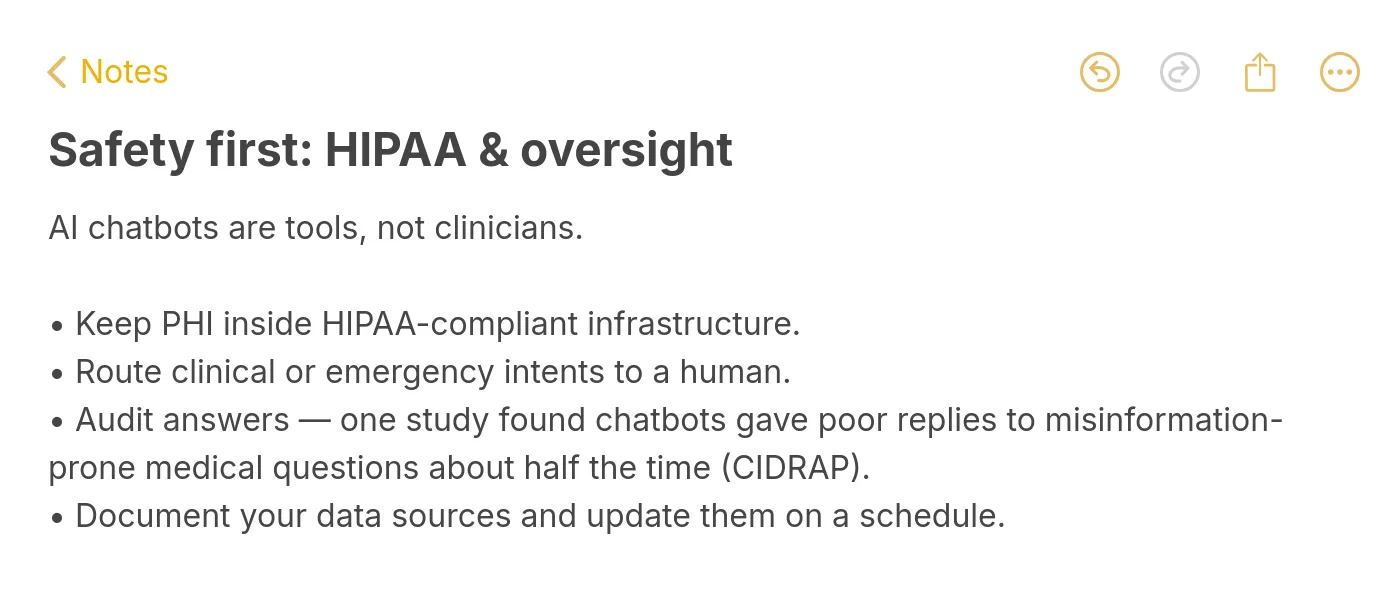
Challenge 1 — Patient trust gaps. Polling data shows 60% of Americans would feel uncomfortable with a provider relying on AI in their healthcare. That number doesn't go away because you wrote a nice disclosure. Solution: over-disclose, offer an easy opt-out, and let patient experience accrue over time. Trust is earned transaction by transaction, not campaign by campaign.
Challenge 2 — Hallucination and misinformation risk. General-purpose chatbots perform poorly on medical questions, and even specialized ones drift when source content isn't maintained. Solution: grounded answers only, confidence thresholds, weekly QA, quarterly clinical review. The 17 practices above are the defense.
Challenge 3 — HIPAA complexity. The rules are real, but they aren't mysterious. The hard part is coordinating legal, IT, and operations through the same decisions. Solution: appoint a single accountable owner, use a checklist approach (BAA, encryption, access controls, logging, retention, incident response), and document every decision. Our chatbot pros and cons guide walks through these tradeoffs in more depth.
Challenge 4 — Integration friction with legacy EHRs. Epic, Cerner, and Athenahealth each have different API models, and older on-prem deployments sometimes don't support modern FHIR endpoints at all. Solution: start read-only, expand scope only after stability, and budget more integration time than the vendor promises (double it, honestly).
Challenge 5 — Staff adoption. If your front-desk team feels threatened or unheard, they'll route patients around the bot on purpose. Solution: involve staff in scoping, show them the bot handles boring tasks (not their expertise), and share wins — "call volume down 30% this quarter" is a message they care about.
Challenge 6 — Health equity concerns. Chatbots that work well for English-speaking, tech-confident patients can widen gaps for everyone else. Solution: multilingual support, WCAG accessibility, reading level at 6th-8th grade, and real testing with patients across your demographic spread.
Future Trends in AI Chatbots for Healthcare
I try not to write too speculatively — the one-year forecasts in this space tend to be half right, half embarrassing. That said, a few directions feel concrete enough to plan around.
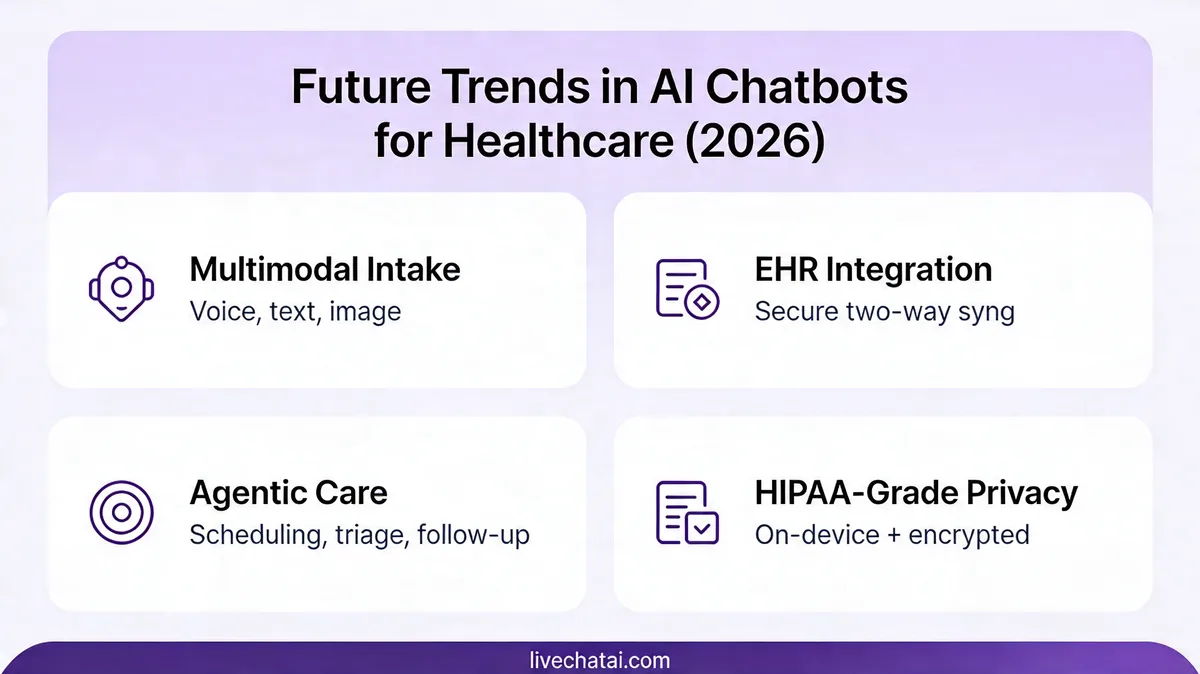
Multimodal input is becoming standard. Patients will photograph rashes, upload lab results, and dictate symptoms. The text-only chatbot era is ending. Plan for your training data to include images, documents, and voice transcripts — and plan for clinical review of anything the model "sees" that isn't text.
Deeper EHR and wearable integration. Chatbots connected to continuous glucose monitors, heart-rate watches, and sleep trackers can have conversations grounded in actual patient data, not self-reported symptoms. The privacy and data-governance work this requires is heavy — start it now even if your deployment is 18 months out.
Agentic workflows, carefully scoped. The next step beyond "chat" is "bot takes action" — rebooking appointments, requesting prescription refills, contacting the nurse line. Each new action is a new failure mode. Teams I trust are moving into agentic territory one action at a time, with human approval loops on anything that touches the EHR.
Clinician-facing tools, not just patient-facing. Some of the most useful near-term applications aren't patient chatbots at all — they're ambient documentation assistants, clinical decision support, and chart-summary bots running behind the scenes. A Stanford Medicine study found that chatbots alone outperformed doctors on complex clinical decisions, but when supported by artificial intelligence, doctors performed as well as the chatbots. The augmentation story, not the replacement story, is where the gains live.
Regulatory clarity catching up. 2026 is bringing clearer guidance on AI in clinical settings from the FDA and state medical boards. The rules of the road in 2027 will be tighter than they are today. Building on good practices now means fewer scramble-to-comply projects later.
For context on where chatbot business models are heading more broadly, our chatbot business ideas guide has useful framing on how this plays out across industries.
How to Choose the Right AI Chatbot for Healthcare
Once you've decided to deploy, the vendor-selection process is where most teams spin. The market has hundreds of options — agency-built custom bots, enterprise platforms, niche healthcare-specific tools, and general LLM platforms you can wrap yourself. I usually narrow it to three questions.
Question 1: Can they sign a BAA today? If the sales rep hedges, move on. You need a vendor whose compliance is a commodity, not a custom project.
Question 2: Can you ground the bot in your own content? Grounding (retrieval-augmented generation) is now table-stakes. Vendors that rely on general-purpose models without a grounding layer are selling hallucinations.
Question 3: What's the handoff experience like? Ask for a live demo of handoff from bot to human — context-preservation, UI, SLA. A bad handoff breaks every other thing the bot does well.
For broader benchmarking against general customer support AI, our analysis of the best AI virtual assistants covers non-healthcare vendors that healthcare teams sometimes evaluate as alternatives.
How to Create a Healthcare AI Chatbot with LiveChatAI
Since this is a LiveChatAI blog, I'll show what the setup looks like in our platform — not as a pitch, but because it's the configuration I know best. The same patterns apply whether you're using us, a competitor, or a custom build.
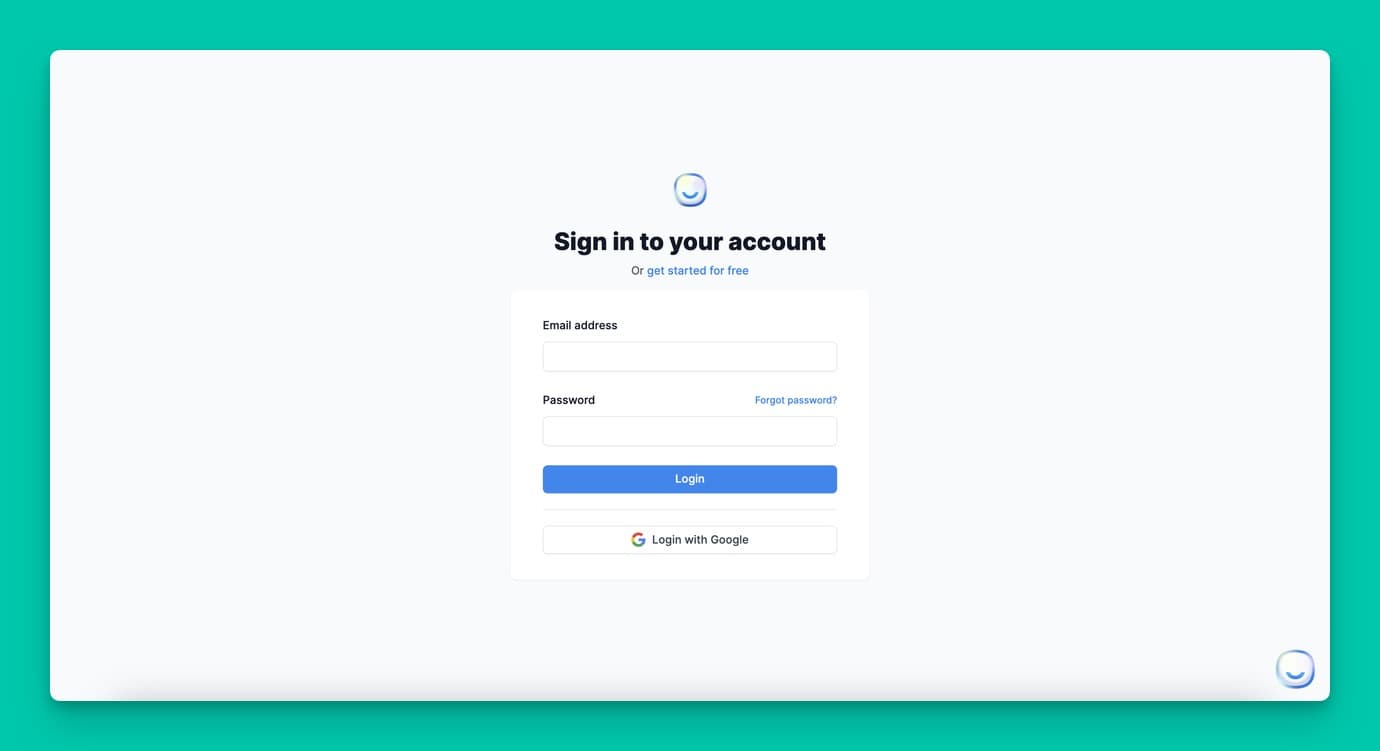
Step 1: Account setup and brand tone. Pick an empathetic, plain-language tone. Healthcare chat shouldn't sound like a call-center script. Set avatar, color, and initial greeting before you do anything else.
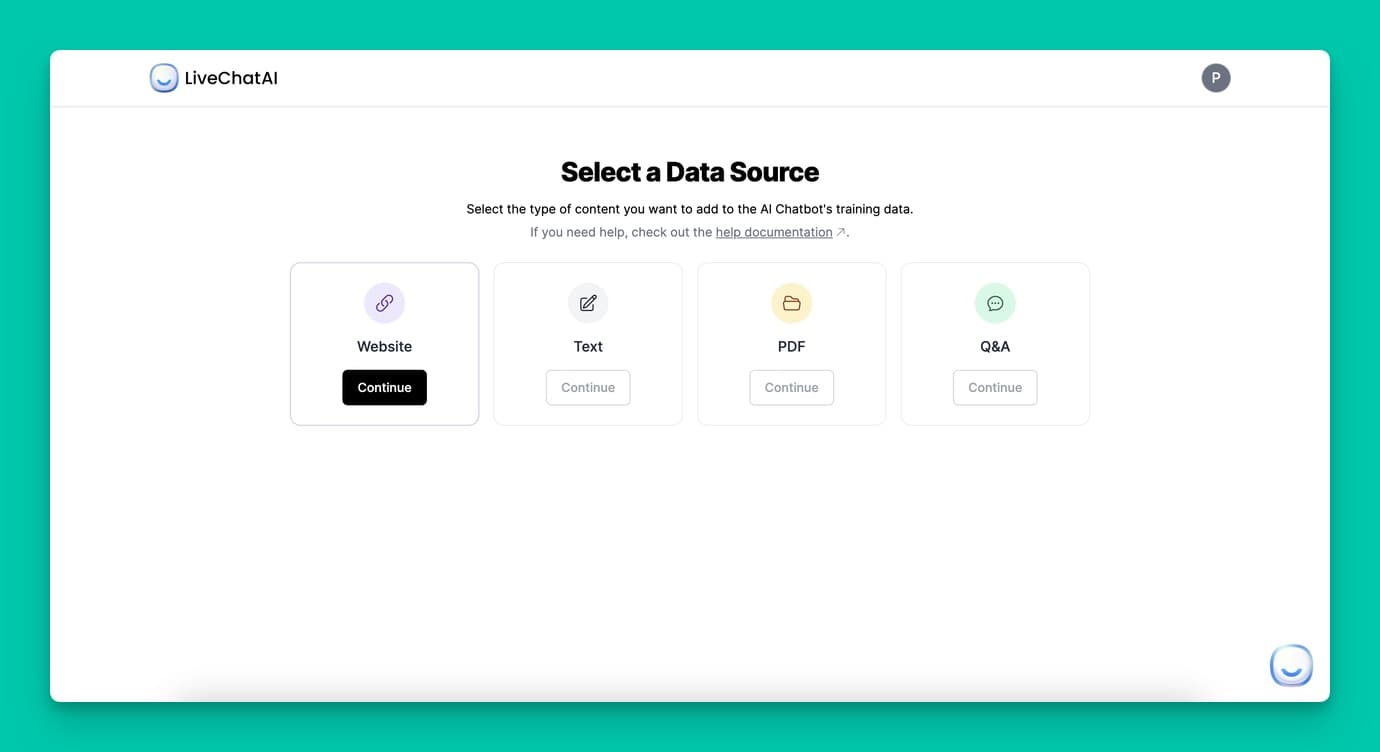
Step 2: Add your data sources. Feed the bot your website, patient-education PDFs, FAQ docs, and a Q&A spreadsheet of your top patient questions. Grounding quality is downstream of what you upload.
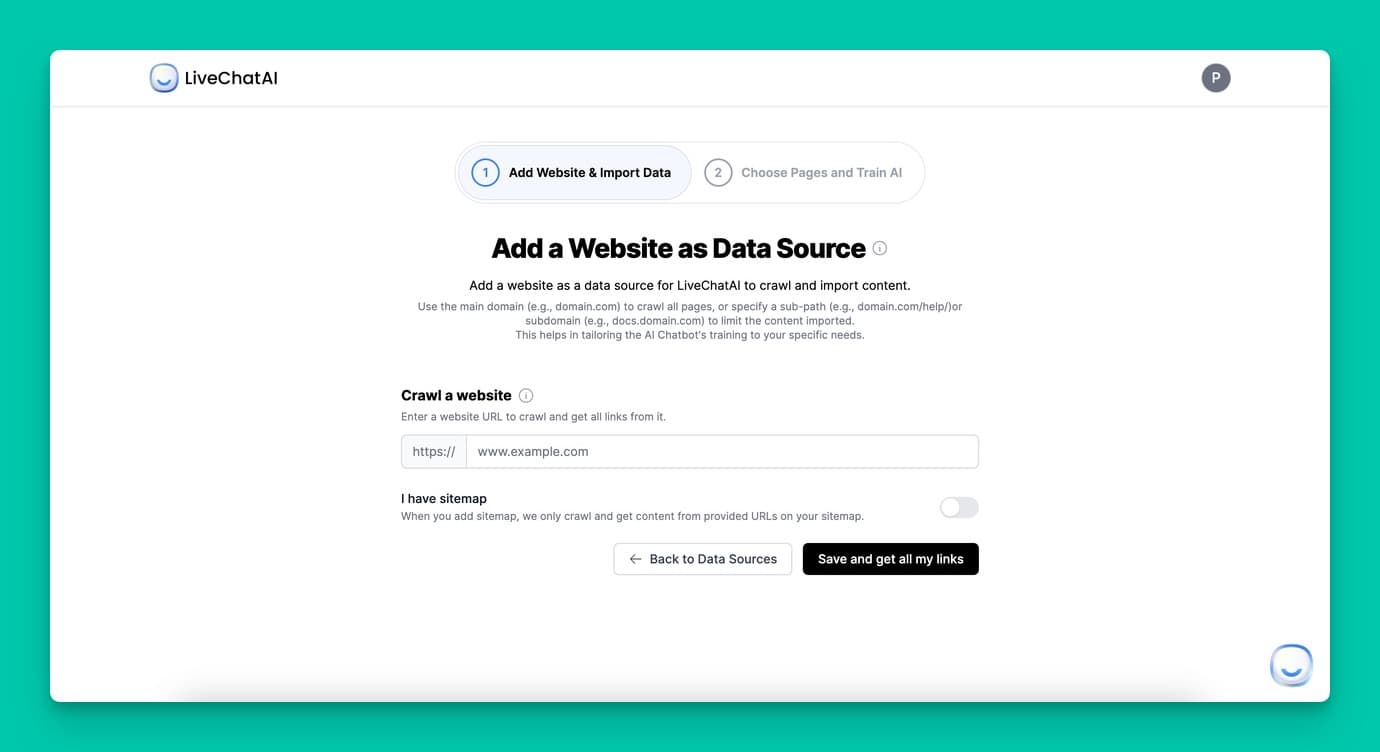
Step 3: Add your website and re-train. Website crawling keeps the bot current as your site changes. Schedule a weekly crawl so policy pages stay fresh.
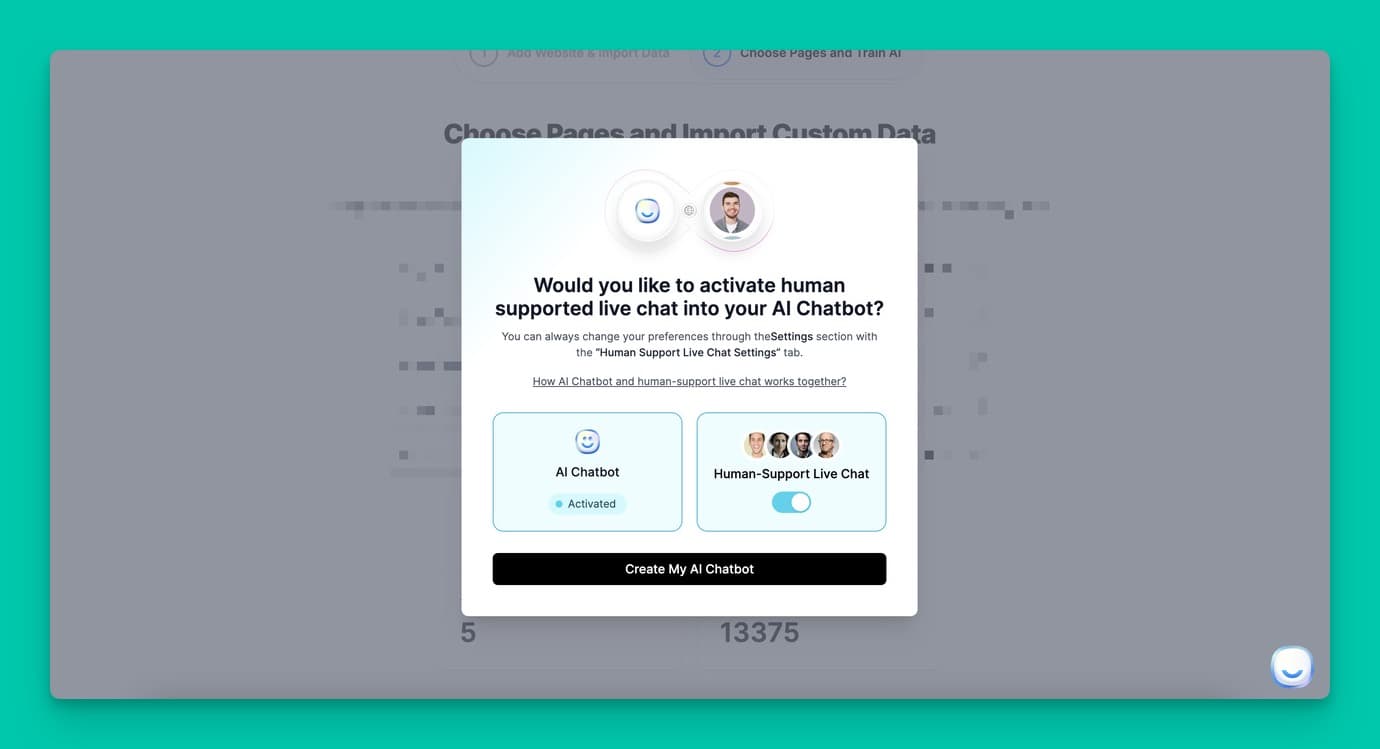
Step 4: Configure human handoff. Wire the handoff to your live agent team or your callback queue. Test it yourself before patients ever see it.
Step 5: Pilot with 100 patients. Run the 30-day closed pilot from practice 16, collect feedback, iterate. Only then open to the full patient base.
If you want to see how this maps to specific patient workflows, our guide on AI agents built for customer support teams walks through the setup in more detail. Whatever tool you pick, the framework stays the same — define the job, ground the answers, handle handoffs gracefully, measure, and improve.
Where to Go From Here
If you take three things from this article, let them be: scope the bot narrowly, ground it in your own content, and build the handoff before you build anything else. Those three decisions cover 80% of the difference between a chatbot that helps and one that embarrasses you.
The pilot matters too. I'd rather see a team run a 30-day closed beta with 100 patients than a big launch with 10,000 — the small version teaches you what you need to know before the big version can hurt you. Book that time on the calendar now.
And if you want to see what content-grounded chat actually looks like in practice, open a free LiveChatAI workspace, point it at your clinic's FAQ page, and watch it answer questions with your own words. The setup takes 15 minutes. What you learn in the first hour about how your content holds up under patient-style questioning is worth more than any whitepaper — including this one.
Frequently Asked Questions
Are AI chatbots used in healthcare?
Yes, increasingly. Pew Research reports 22% of U.S. adults now get health information from AI chatbots at least sometimes, and the provider-side market is growing fast. The uses that work best today are administrative (scheduling, reminders, FAQs) and educational (approved patient education content). Clinical uses are still largely limited to decision-support tools used by clinicians rather than patient-facing diagnosis.
What are the 3 best AI chatbots for general healthcare use?
The three names that come up most often in reference lists are Ada Health (symptom assessment), Florence (medication reminders), and OneRemission (cancer-survivor support). Each is narrowly scoped, which is why they work. For enterprise-grade patient communication, TeleVox and similar HIPAA-compliant platforms are the standard reference. The underlying pattern — narrow scope, clear disclosure, grounded content — matters more than the specific brand.
How do AI chatbots improve patient care in 2026?
Mostly by freeing up clinician time. Automating scheduling, FAQs, intake, and follow-up shifts work off staff and onto the bot, so the human hours get spent where they matter most. Patients benefit from 24/7 access to answers on routine questions and faster resolution on administrative tasks. Direct clinical improvements are narrower — ambient documentation, decision support, and structured triage are the near-term wins.
What are the challenges of implementing healthcare chatbots?
The four that break most projects: HIPAA compliance complexity (BAAs, data handling, audit trails); hallucination risk when source content isn't maintained; patient trust gaps (60% of Americans are uncomfortable with AI in healthcare); and EHR integration friction with legacy systems. Each is solvable, but you need to plan for all four before you start, not after the first patient complaint. The 17 practices in this article are the playbook I use to navigate them.
For further reading, you might be interested in the following:
• Chat Surveys: What Are They & How They Work
• How to Build a Smart Q&A Bot for FAQs - Support and More