







Balancing multiple customers at once requires a triage-first approach: rank each inquiry by urgency, automate repetitive answers with an AI chatbot, and time-block your calendar so every client gets focused attention. These 8 methods help customer success teams and support agents maintain service quality under heavy workloads without burning out.
If you've ever watched three chat windows blink at once while a fourth customer sits on hold, you already know the problem. Managing multiple clients isn't about working faster. It's about working with a system that prevents things from falling through the cracks.
Below are 8 methods that support teams, freelancers, and account managers use to handle multiple customers at once, each with concrete steps you can start using today.
Summary of all 8 methods:
1. Triage by urgency and impact: Sort every incoming request before you respond so high-stakes issues never wait behind simple questions
2. Time-block your calendar: Dedicate fixed slots to each client so context-switching drops and deep focus rises
3. Automate repetitive inquiries with AI: Let a chatbot resolve FAQs instantly while you handle the cases that need a human
4. Set communication expectations early: Define response windows and preferred channels before issues pile up
5. Centralize customer data in one workspace: Stop toggling between 6 tabs by keeping notes, tickets, and history in a single view
6. Engage proactively before problems escalate: Reach out to at-risk accounts before they reach out to you
7. Delegate and route work to the right person: Match tasks to team members based on skill, not just availability
8. Review and iterate on your process weekly: Use post-mortems and customer feedback to close gaps in your workflow
1. Triage by Urgency and Impact: Stop Treating Every Request as Equal
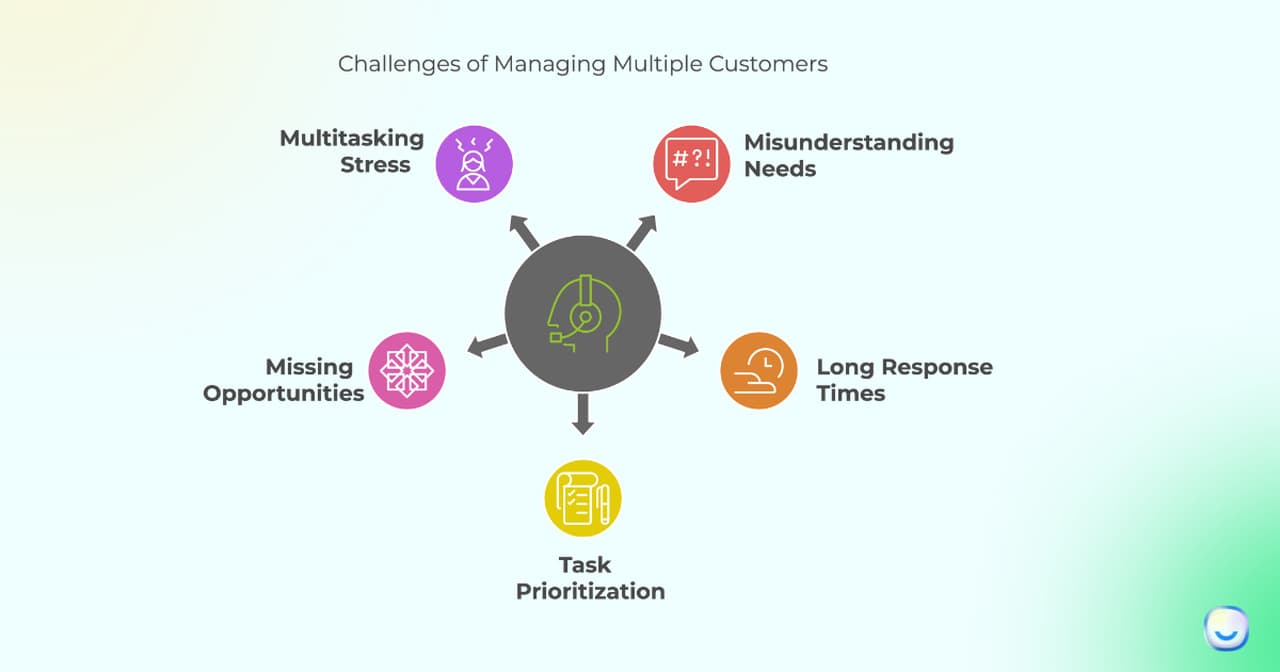
Triage means sorting incoming customer requests by how urgent they are and how much business impact they carry, then handling them in that order. Unlike a simple first-come-first-served queue, triage forces you to ask "what breaks if I don't answer this in the next 10 minutes?" before you respond to anything. Customer success teams handling 50+ accounts use this daily to keep churn-risk clients from slipping through.
How to implement:
1. Create three priority buckets: P1 (revenue at risk, system down, contract deadline today), P2 (functional question blocking the customer's workflow), P3 (general inquiry, feature request, how-to question)
2. When a new message arrives, spend 15 seconds tagging it before you reply. If you can't decide, default to P2
3. Set a rule: P1 gets a response within 5 minutes, P2 within 1 hour, P3 within 4 hours. Post these targets where your team can see them
4. If you're a solo agent juggling chat, email, and phone, handle the P1 item first even if a P3 arrived earlier. Apologize briefly to the P3 customer and set a realistic timeline
2. Time-Block Your Calendar: Give Every Client a Dedicated Slot
Time-blocking means assigning fixed calendar windows to specific clients or task categories instead of reacting to whoever messages first. It's the opposite of multitasking. Rather than bouncing between five conversations at once, you batch client work into focused intervals. Freelancers, agency account managers, and customer service teams facing heavy workloads all benefit from this approach.
How to implement:
1. Audit your last week. Count how many times you switched between clients in an hour. If it's more than 4, time-blocking will help
2. Assign each active client a 30-60 minute block on your calendar. Mark these as "busy" so no one books over them
3. Group similar tasks together. If three clients need status updates, batch those into a single 45-minute window instead of scattering them across the day
4. Keep a 30-minute buffer at 11 AM and 3 PM for urgent requests that can't wait for a scheduled block
5. Use a timer. When the block ends, move on. If you didn't finish, schedule a follow-up block rather than bleeding into the next client's time
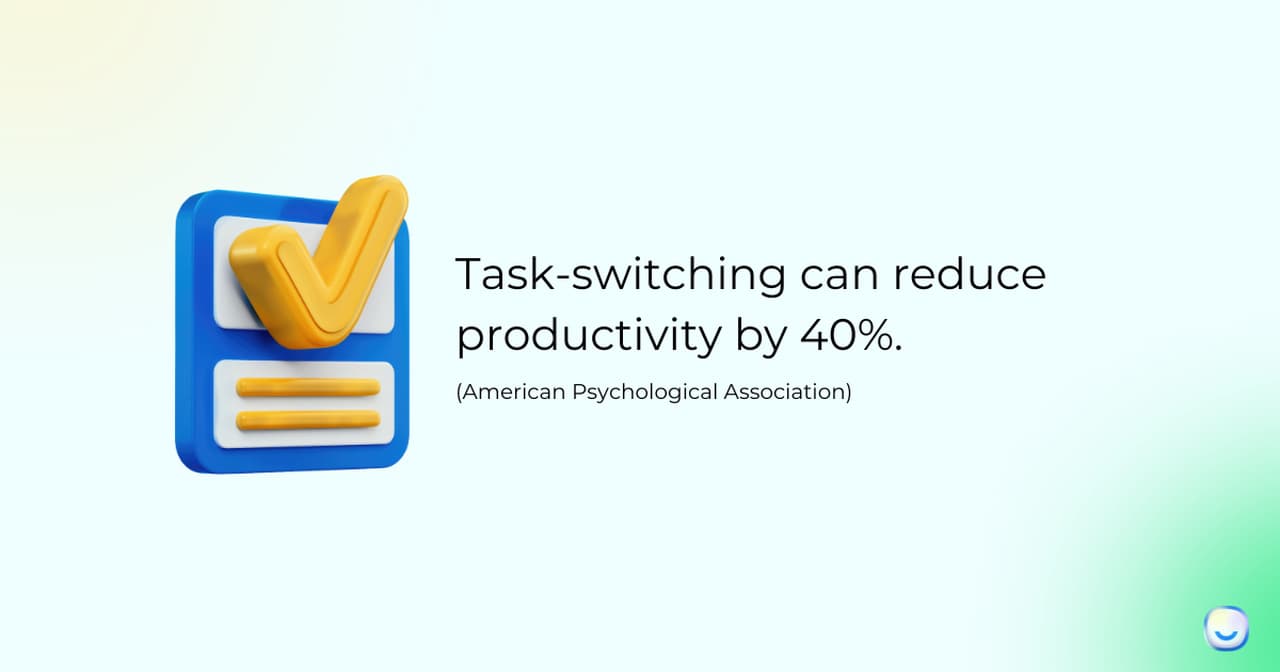
Research from the American Psychological Association shows that task-switching can cost up to 40% of productive time. Expect measurable improvement within 2-3 weeks of consistent use, though freelancers managing 5+ clients may need a full month to dial in the right block sizes.
3. Automate Repetitive Inquiries with AI: Free Your Team for Complex Cases
AI-powered chatbot can handle the questions your team answers 10 times a day (password resets, pricing details, shipping status) so agents can focus on the conversations that actually need a human. This isn't about replacing support staff. It's about stopping them from typing the same answer for the 47th time this week. Support teams dealing with volume spikes during product launches or seasonal peaks get the most immediate value here.
How to implement:
1. Export your last 500 support tickets. Tag the top 10 most repeated question types. These are your automation candidates
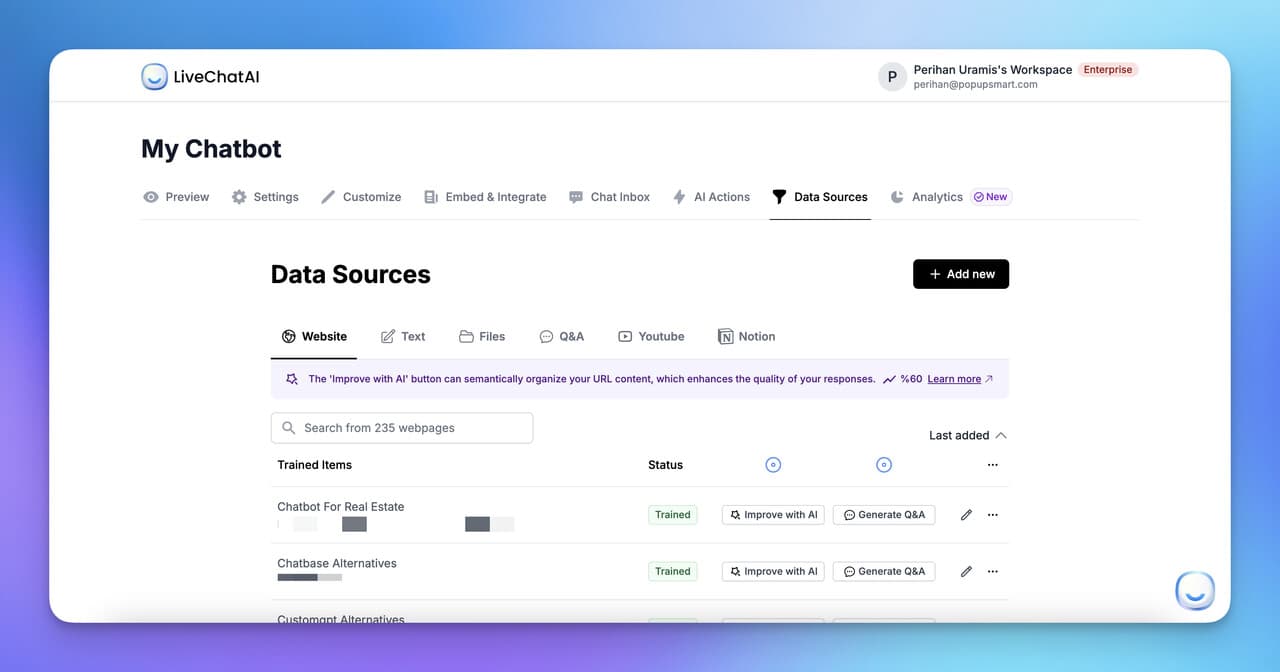
2. Feed your knowledge base, FAQ page, and product docs into an AI chatbot like LiveChatAI. The bot trains on your actual content, so answers stay accurate to your product
3. Set up escalation rules: if the bot's confidence score drops below 70%, or if the customer types "agent" or "human," route to a live agent with full conversation context attached
4. Start with one channel (website chat). Once accuracy is above 85% on resolved conversations, expand to WhatsApp, Slack, or email
5. Review the bot's unresolved conversations weekly. Each one is a gap in your knowledge base you can fix in 5 minutes
Internal data from LiveChatAI deployments shows that businesses using AI chatbots resolve up to 70% of incoming queries without human intervention.
4. Set Communication Expectations Early: Define the Rules Before the Rush
Setting expectations means telling each client, upfront, how fast you'll respond, which channels you monitor, and when you're offline. This prevents the scenario where Client A expects instant replies at 9 PM because you answered their Slack message once on a Saturday. It's especially useful for freelancers, agencies, and customer success managers who handle accounts across different time zones.
How to implement:
1. During onboarding, share a one-page "working together" doc that states: response time (e.g., "within 4 business hours"), preferred channel (e.g., "email for non-urgent, chat for urgent"), and meeting cadence (e.g., "bi-weekly 30-min sync")
2. Set auto-replies on email and chat outside business hours. Include your next available time and a link to your knowledge base for self-service
3. If a client's request will take more than 24 hours, send a quick acknowledgment: "Got it, I'll have an update by Thursday 2 PM." This alone reduces follow-up messages by roughly half
4. Revisit expectations quarterly. A client who needed weekly check-ins at launch may only need monthly ones now
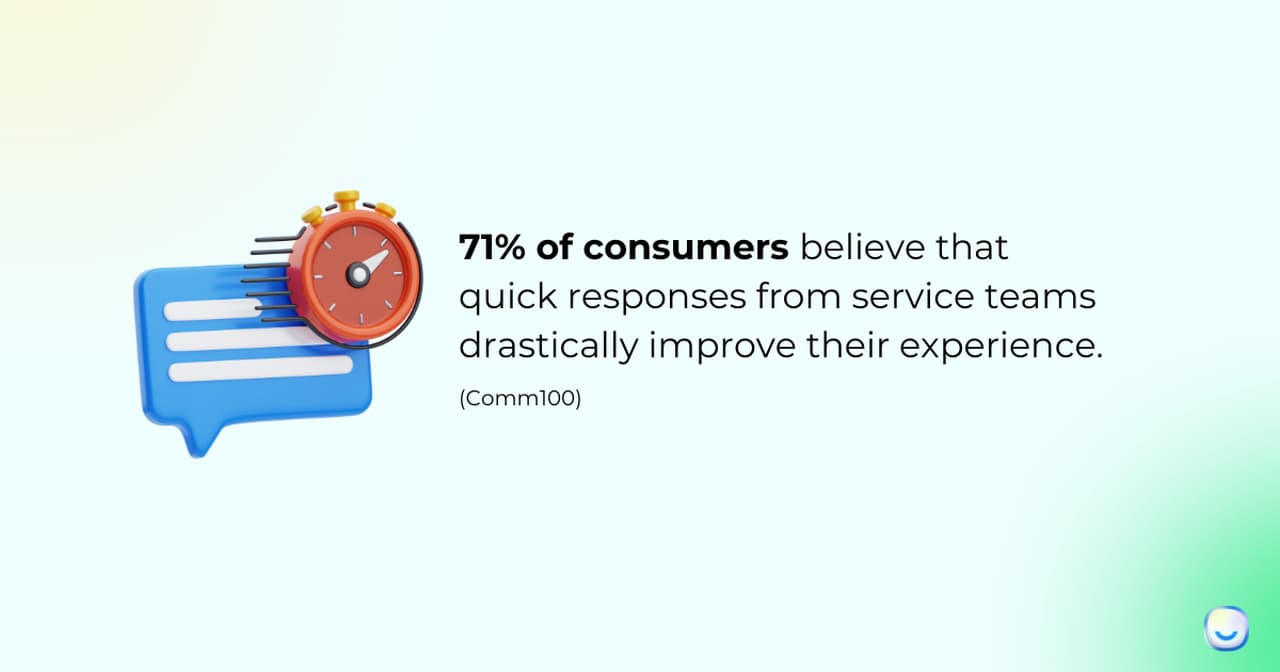
A SuperOffice benchmark study found that the average business takes 12 hours to respond to customer emails, while customers expect a reply within one hour. The gap creates frustration and repeat messages that clog your queue. Teams that publish response-time commitments and stick to them report fewer "just checking in" pings and lower perceived wait times. You won't eliminate all impatience, but you'll cut the noise that makes balancing multiple customers harder than it needs to be.
5. Centralize Customer Data in One Workspace: Stop Toggling Between Tools
Centralizing customer data means moving notes, tickets, conversation history, and account details into a single tool your whole team can access. When information lives in six different places (email threads, spreadsheets, Slack DMs, sticky notes, a CRM, and someone's memory), things get lost. This method matters most for teams where multiple agents touch the same account and need context instantly.
How to implement:
1. Pick one system of record. If you already use a CRM like HubSpot or Salesforce, make that the canonical source. If not, even a shared Notion database works for small teams
2. For every client, create a profile that includes: contract start date, key contacts, communication preferences, open issues, and last interaction date
3. Connect your chat tool to your CRM so conversation transcripts sync automatically. Chat support agents save 5-10 minutes per session when they don't have to ask customers to repeat themselves
4. Set a rule: if it's not in the system, it didn't happen. Train your team to log every meaningful interaction within 5 minutes of it ending
A Salesforce State of the Connected Customer report found that 66% of customers expect companies to understand their needs and expectations. Centralizing data is how you actually deliver on that.
6. Engage Proactively Before Problems Escalate: Reach Out First
Proactive engagement means contacting customers before they contact you, especially when you spot warning signs like dropped usage, missed onboarding steps, or upcoming renewal dates. It's the difference between firefighting and fire prevention. Customer success managers who handle 30+ accounts rely on this to prevent small issues from becoming cancellation requests.
How to implement:
1. Set up usage alerts in your product analytics tool. Flag any account where login frequency drops more than 30% week-over-week
2. Build a simple health-score model with 3-4 signals: login frequency, feature adoption rate, support ticket volume, and NPS score. Accounts below a threshold get a personal check-in within 48 hours
3. Send milestone emails at day 7, 30, and 90 post-signup. Each one should ask a specific question ("Have you set up your first workflow yet?") rather than a generic "How's it going?"
4. Before quarterly business reviews, pull customer support data for each account and bring it to the meeting. Clients notice when you've done your homework
A Bain & Company study showed that companies excelling at customer experience grow revenues 4-8% above their market. The proactive part is what separates reactive support from genuine customer orientation.
7. Delegate and Route Work to the Right Person: Match Skill to Task
Delegation isn't just handing off work you don't want to do. It's routing each task to the person with the right skill set, availability, and context to handle it well. A billing dispute goes to the account manager, a technical bug goes to the support engineer, and a feature request goes to the product team. This method matters most when your team handles more than 100 tickets per day and no single agent can be an expert on everything.
How to implement:
1. Map your team's strengths. Create a simple matrix: agent name, specialties (billing, technical, onboarding), current workload (low/medium/high). Update it weekly
2. Set up ticket management rules in your help desk. Tag incoming requests by category and auto-assign to the right queue
3. When delegating manually, include three things in the handoff: customer context, what you've already tried, and the expected outcome. Don't make your teammate start from scratch
4. For teams with AI chatbots, configure automatic escalation paths. A well-structured help desk routes bot-unresolved queries directly to a specialized agent instead of a general queue
According to a Gallup workplace study, managers who delegate effectively generate 33% higher revenue than those who try to do everything themselves. We saw a similar pattern in our support operations. After implementing skill-based routing, average resolution time for technical issues dropped from 6 hours to under 2, because the first agent to see the ticket was also the best equipped to solve it. Expect about 3-4 weeks to optimize routing rules as you learn which categories need the finest-grained splits.
8. Review and Iterate on Your Process Weekly: Turn Retrospectives into Results
This method treats your customer management workflow as a product that needs continuous improvement. Every week, you look at what went wrong, what took too long, and what customers complained about, then you fix the process before the same problem happens again. It's how high-performing support teams at SaaS companies avoid repeating mistakes and gradually reduce their workload per customer.
How to implement:
1. Schedule a 20-minute Friday retrospective (solo or with your team). Review three things: tickets that took longest to resolve, any customer complaints from the week, and conversations where the customer had to repeat themselves
2. For each issue, ask "what would have prevented this?" If the answer is a process change (like updating your FAQ, adding a routing rule, or creating a template), do it before Monday
3. Track one key metric per quarter. Start with first-response time, then move to resolution time, then CSAT. Improving all three at once is unrealistic
4. Collect customer feedback through AI chatbots after resolved conversations. A two-question survey (satisfaction rating + open comment) gives you weekly data without annoying your customers
Teams that run structured customer service models with built-in feedback loops catch process failures 3-4x faster than teams that only review metrics monthly.
Where to Start with Methods to Handle Multiple Customers
Not every method needs the same level of setup. Here's a quick breakdown so you can pick the right starting point for your team's situation.
| Priority | Method | Effort | Impact | Best For |
|---|---|---|---|---|
| 1 | Triage by urgency | Low | High | Any team overwhelmed by volume |
| 2 | Set communication expectations | Low | High | Freelancers and agencies with multiple clients |
| 3 | Automate with AI chatbot | Medium | High | Teams with 100+ tickets/day and repetitive questions |
| 4 | Time-block your calendar | Low | Medium | Solo agents or account managers |
| 5 | Centralize customer data | Medium | High | Teams where multiple agents share accounts |
| 6 | Delegate and route work | Medium | High | Support teams with 3+ agents and mixed skills |
| 7 | Engage proactively | Medium | Medium | Customer success managers with renewal targets |
| 8 | Weekly retrospectives | Low | Medium | Any team that wants compounding improvement |
If you're just getting started, combine methods 1 and 4 first. They take less than a day to implement and you'll feel the difference within a week. Once those are working, add method 3 (AI automation) for the biggest volume reduction.
Your Next Steps for Balancing Multiple Customers
The 8 methods above work best when you treat them as a system rather than isolated tactics. Start with triage and time-blocking to get immediate control over your day. Then layer in AI automation to shrink your repetitive workload. Finally, build the feedback loops (retrospectives + proactive engagement) that compound your results over months.
The pattern across all 8 methods is the same: handle multiple customers at once by reducing the decisions you make per interaction, not by trying to think faster. Triage gives you a decision framework. Time-blocking gives you focus. AI handles the volume. Expectations prevent surprises. Centralized data eliminates searching. Proactive outreach prevents fires. Delegation matches skills to problems. And retrospectives close the gaps you missed.
If your team fields high volumes of repetitive questions, an AI chatbot is the highest-impact change you can make. Reducing support costs while maintaining quality is possible when the bot handles the predictable 70% and your agents own the complex 30%.
Frequently Asked Questions
How do you handle balancing multiple customers at once in an interview?
Structure your answer around a specific example. Describe the situation (number of clients, what made it hard), the method you used (triage, time-blocking, or delegation), and the result (faster response time, no missed deadlines, positive feedback). Interviewers want to hear that you have a repeatable process rather than "I just work really hard." Mentioning a tool or system you used (CRM, task board, chatbot) adds credibility. Keep the answer under 90 seconds and offer to go deeper if they want details.
How do you handle multiple customer inquiries at the same time?
The practical answer is: you don't handle them all at the exact same time. You triage. Scan all open inquiries, tag each one by urgency (P1/P2/P3), and work through them in priority order. For low-urgency questions, use canned responses or an AI chatbot to buy yourself time. For high-urgency issues, give your full attention to one conversation at a time. Trying to type in three chat windows simultaneously leads to errors and slower resolution for everyone.
What tools help in balancing multiple customers effectively?
The core stack most teams use includes a help desk for ticket management (to route and track issues), a CRM for account data (so you don't lose context between interactions), and an AI chatbot like LiveChatAI for automating FAQ responses. Beyond that, a shared calendar tool for time-blocking and a project management board for task tracking fill the gaps. The specific tools matter less than having one system your whole team actually uses consistently.
How can time management improve handling multiple customers?
Time management reduces the hidden cost of context-switching. Every time you jump between clients without a system, you lose 10-15 minutes of mental "reload" time. Time-blocking, batching similar tasks, and scheduling buffer periods protect your focus. The improvement is measurable: track how many clients you serve per day before and after adopting time-blocks. Most agents see a 20-30% increase in throughput within three weeks, without working longer hours.
What are common mistakes when balancing multiple customers?
The biggest one is treating every request as equally urgent. When everything is P1, nothing gets the attention it deserves. Other common mistakes: not setting response-time expectations upfront (which leads to constant "just checking in" messages), failing to document client preferences (so you re-learn the same information every interaction), and refusing to delegate because "it's faster to do it myself." That last one might be true for one task, but it doesn't scale across 20 accounts.