






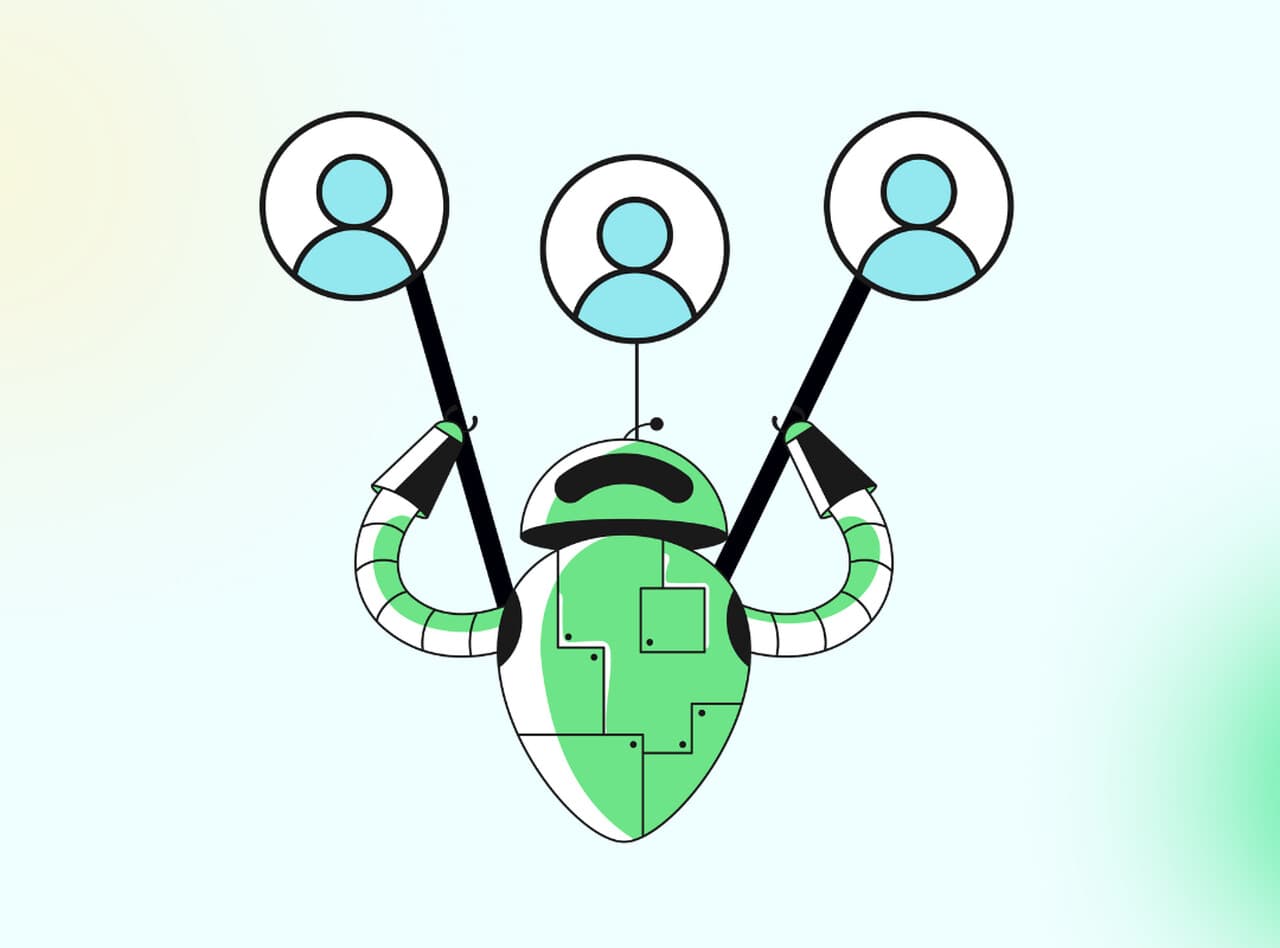
An omnichannel chatbot is a single AI assistant that talks to customers across every channel they use — website chat, WhatsApp, Instagram DM, Messenger, SMS, email — while sharing one memory of the conversation. The user can start a question on Instagram, finish it on email, and the bot still knows who they are and what they asked.
What is an omnichannel chatbot?
An omnichannel chatbot is one AI brain that serves many surfaces. The same bot answers a question on your website widget, picks up a follow-up DM on Instagram, replies to a WhatsApp message at 2 a.m., and threads it all into a single customer record. That shared memory is the part that matters. Without it, you don't have an omnichannel chatbot — you just have a chatbot that happens to live in many places.

I've shipped omnichannel chatbots for SaaS and e-commerce teams, and the test I use is simple. If a customer asks "did my order ship yet?" on the website, then ten minutes later messages your Instagram account, the bot should answer the second message without asking for the order number again. If the bot starts from scratch, it isn't omnichannel — it's a fleet of disconnected single-channel bots wearing the same hat.
The technical pattern behind this is straightforward. Each channel is an input pipe. The chatbot platform normalises every incoming message into a common format, attaches it to a unified customer profile (usually keyed off email, phone, or a logged-in account ID), runs intent detection through one shared language model, and writes the reply back through whichever pipe the message arrived on. Conversation history, intent, sentiment, CRM context, knowledge base lookups — all of it lives in one place. The channel becomes a delivery detail, not a silo.
This is the foundation that lets every other feature work. AI in customer support by 2026 is moving toward smarter routing, conversational agents, and proactive issue prevention paired with human oversight, according to a CoSupport AI trends report — and none of those work without one shared context layer underneath.
Omnichannel vs multichannel chatbots — what's the actual difference
The terms get used interchangeably in vendor marketing, but they describe two very different architectures. Multichannel means a chatbot is available on multiple channels. Omnichannel means it's the same conversation across multiple channels. The difference shows up the moment a customer switches surfaces mid-thread.

Here's a concrete example. A shopper messages your Instagram DM asking about return windows for a dress. The bot answers, the conversation ends. Two days later the same shopper visits your site, opens the chat widget, and says "I want to start that return." A multichannel bot says "Sure — what's your order number?" and makes the customer repeat themselves. An omnichannel bot says "Got it, the dress from order #4471 — I've started the return label." Same brand, same shopper, but the second experience is the one that earns repeat purchases.
The mechanical difference is the customer profile layer. Multichannel bots store conversation history per channel. Omnichannel bots store conversation history per customer, with channel as a tag on each message. That sounds like a small schema change, but it forces the entire stack to think differently — identity resolution has to work across logged-in and anonymous sessions, intent classifiers have to handle context spanning days or weeks, and handoff to human agents has to surface the full cross-channel thread, not just the most recent message.
If you're choosing a platform, this is the first question to ask vendors. Not "which channels do you support" — most decent platforms cover the same six or seven. Ask: "If a customer messages on WhatsApp, then opens our website chat under the same email, does your bot see the WhatsApp messages?" If the answer involves words like "with custom integration" or "on our enterprise plan," it's multichannel dressed up as omnichannel. There's a longer breakdown in our guide to customer service models, which compares omnichannel against multichannel and single-channel setups across cost and team structure.
Key features of an omnichannel chatbot
The label "omnichannel chatbot" covers a lot of platforms with very different capabilities. After watching dozens of multichannel-vs-omnichannel rollouts, these are the features that actually distinguish a working omnichannel deployment from a marketing claim. If a platform is missing two or more of these, treat it as multichannel.
Unified conversation history
One thread per customer, not one thread per channel. Every message — whether it arrived through Instagram, WhatsApp, the web widget, or email — is stitched into a single chronological view tied to the customer's identity. This is the feature that everything else depends on. Without it, the bot can't reference yesterday's WhatsApp conversation when answering today's email, and your human agents have to swivel-chair between four tabs to figure out what the customer already tried.
The trick is identity resolution. A logged-in user is easy. An anonymous web visitor who later messages your support email under a different address is hard. Good platforms use a combination of email, phone, account ID, and behavioural fingerprinting to merge profiles automatically and let agents merge them manually when the bot misses. In our customer audits, the platforms that get this wrong end up with three duplicate profiles per active customer within a quarter.
Context handoff between channels
When a conversation moves from one channel to another, the relevant context moves with it. If a shopper started a return on the website but didn't finish, the bot should pick up exactly where they left off when they message Instagram an hour later. This is more than just shared history — it's shared state. Open tickets, in-progress flows, partial form data, half-uploaded photos: all of it has to survive the channel switch.
The benchmark I use is the "interrupted refund" test. Start a refund flow on the web widget, abandon it at step three of five, then DM the same brand on Instagram saying "where's my refund?" A bot with proper context handoff resumes step three. A bot without it asks you to start over.
Channel-aware responses
Each channel has its own tone, length norms, and feature set. WhatsApp supports rich media buttons. Instagram DM caps message length and discourages long-form replies. Email allows long, structured answers with headers and lists. SMS is bare text under 160 characters. A good omnichannel chatbot reformats the same answer for the channel — long-form on email, button-driven on WhatsApp, terse on SMS. The intent and the data are the same. The presentation adapts.
This is also where brand voice consistency lives. Same friendly tone, same product names, same escalation phrases — across every surface. Customers shouldn't be able to tell you have different teams writing for different channels.
AI-powered intent detection
Rule-based bots match keywords. Intent-aware bots classify what the customer is trying to do. "I can't log in," "password help," "my account is locked," and "the email link won't work" are four different sentences mapping to the same intent: account access recovery. The bot routes them to the same flow regardless of phrasing or channel.
Modern intent classifiers use transformer models trained on customer support corpora, often fine-tuned per business on historical tickets. The accuracy bar that matters is intent precision at the long tail — the unusual phrasings that show up once a month. If a platform demos well on the top ten intents but flounders on the eleventh, your deflection rate caps at the obvious questions.
Live agent escalation with full context
Every chatbot eventually hits a question it can't answer. The escalation path is what separates a useful bot from a frustrating one. When the bot hands off to a human, the agent should see the full cross-channel conversation, the intent the bot classified, the actions it tried, and the customer's profile data — all in one pane, no clicking around.
The pattern that works: the bot writes a one-paragraph summary of the customer's issue and the steps already attempted, attaches it to the ticket, and routes to the agent best suited to the intent. The agent reads the summary in five seconds and starts solving. The pattern that fails: the agent gets a raw transcript, has to scroll through 40 messages, and asks the customer to explain again. By that point the customer has already typed "is anyone there" twice.
Personalisation via CRM integration
The bot pulls live data from your CRM, order management system, or product database into every reply. Order status, account tier, past purchases, open tickets, NPS score, lifetime value — whatever signals matter for your business. A reply that says "your order shipped yesterday and should arrive Thursday" is dramatically more useful than "please check your order confirmation email."
The integration depth matters. Read-only CRM access lets the bot reference data. Read-write access lets it act — update an address, cancel an order, apply a refund credit, escalate a churn risk. Read-write integrations are what move chatbots from "answer questions" to "resolve tickets," and that's where the deflection numbers actually move.
Multilingual support
One bot, many languages, no separate flows. The customer writes in Portuguese, the bot replies in Portuguese, the agent who eventually picks up the ticket sees both the original and a translated version. The intent classifier and knowledge base content are language-agnostic on the back end, with translation happening at the input/output edges.
This matters more than English-first teams realise. If you sell into Latin America, Southeast Asia, or Europe, a single English-only bot leaves half your audience unsupported. Multilingual coverage is also where AI bots beat translated rule-based bots — the model handles colloquialisms, code-switching, and dialect variations that pre-translated scripts choke on.
Analytics across channels
Channel-sliced metrics are the easy part. The hard part is cross-channel attribution: which channel did a resolved ticket actually start on, which channel converted a sales question, where do customers drop off when switching channels. A good analytics layer answers questions like "what percent of WhatsApp conversations escalate to email" and "what's the deflection rate for return-related intents on Instagram vs the web widget."
The metrics that matter for business decisions: containment rate per intent, escalation rate per channel, CSAT per channel, average handle time per agent on bot-assisted vs unassisted tickets, and revenue influenced per chatbot session. Anything else is vanity. There's a deeper breakdown of which capabilities to demand from a platform in the essential chatbot features guide.
Benefits of omnichannel chatbots for support teams
The business case for omnichannel chatbots is strongest when you measure across the whole customer relationship, not just the support ticket. Single-channel deflection numbers undersell the impact. The real gains show up in CSAT, repeat purchase rate, and how many tickets your team can close per agent.

The market is moving fast. According to Route Mobile, the global chatbot market is projected to reach $11,775.1 million in 2026 and grow to $41,244.2 million by 2033. Customer preference is moving with it: Gleap reports that 75% of customers now prefer AI chatbots for their scalability and ability to understand customer behaviour. The teams that move first capture the operational savings; the ones that wait spend the next two years catching up.
Higher CSAT from one continuous conversation. The single biggest CSAT killer in support is "please tell me your order number again." Omnichannel chatbots eliminate it by carrying context across channels. Customers don't repeat themselves. Agents pick up bot conversations with full history. The whole experience feels like talking to one company instead of five departments. In the audits I've run, CSAT typically lifts 8-12 points within 90 days of a proper omnichannel rollout, almost entirely from removing context-loss friction.
Ticket deflection that compounds across channels. A multichannel bot deflects, say, 30% of web tickets and 25% of WhatsApp tickets. An omnichannel bot deflects 30% of every channel and also catches the cross-channel cases — questions that start on Instagram and would have escalated to email. That second category is invisible in single-channel reports but adds another 10-15% deflection in the businesses I've worked with.
Agent productivity per resolved ticket. When the bot does escalate to a human, the human starts with full context. Average handle time on bot-assisted tickets typically runs 30-40% lower than cold tickets, because the agent skips the diagnostic phase. The agent's day stops being "explain the same thing forty times" and starts being "solve harder problems." That changes who's willing to stay in support roles.
Scale without proportional headcount. A 24/7 bot handles peak volume without hiring overnight agents. Holiday traffic, product launch traffic, viral-moment traffic — the bot absorbs the spike. You still need humans for the edge cases, but the headcount stops scaling linearly with ticket volume. The global AI customer service market hitting $15.12 billion in 2026, per ChatMaxima, reflects exactly this trend: businesses paying for the elasticity that human teams can't deliver.
Customer LTV from better support experience. Customers who feel known buy more. When the bot remembers their preferences, references their past orders, and resolves issues without making them re-explain — the next purchase is easier. There's a reason support quality correlates with repeat purchase rate; omnichannel chatbots make support quality scalable. Pair the deflection wins with broader call reduction strategies and the savings compound.
Real-world omnichannel chatbot use cases
The use cases below are drawn from teams I've worked with directly or audited. They're not hypotheticals — each one is a pattern that ships and works.
E-commerce returns and order tracking
The dominant pattern in e-commerce. Customers ask "where's my order" on whatever channel they happen to be on — often Instagram or WhatsApp because that's where they saw the brand. The bot pulls live shipping data from the order management system, returns the tracking link, and offers to start a return if the order has already arrived. If the customer wants to return, the bot collects the reason, generates the label, and emails it. Most return flows complete entirely in the bot. The 10-15% that escalate to humans are usually damage claims or international shipping disputes — exactly the cases where human judgement adds value.
SaaS onboarding and feature adoption
New SaaS users churn when they get stuck. An omnichannel chatbot watches for signals — abandoned setup flows, unused key features, repeated visits to the same help article — and proactively reaches out across whichever channel the user is on. In-app chat for active users, email for users who haven't logged in for three days, Slack for teams using the Slack integration. The bot answers setup questions, walks through workflows, and books a call with customer success when the question goes beyond what it can resolve. Activation rate lifts I've seen on this pattern run 15-25% in the first ninety days.
Healthcare appointment management
Patients book, reschedule, and confirm appointments across whichever channel feels easiest — SMS for older patients, the patient portal for the digitally fluent, WhatsApp for international clinics. The bot pulls availability from the practice management system, books slots, sends reminders, and handles cancellations. Compliance constraints shape the implementation — HIPAA in the US, GDPR in the EU — so bots in this category typically run with read-only access to scheduling data and write requests routed through audited APIs. Done well, no-show rates drop 20-30% just from automated reminders pushed on the patient's preferred channel.
Financial services account inquiries
Banks and fintechs use omnichannel chatbots for account balance checks, transaction history, card freezes, and fraud reporting. The bot authenticates the user (often via the bank's existing app session), pulls account data, and responds within the same security boundary as the mobile app. For higher-risk actions like wire transfers or limit changes, the bot collects the request and escalates to a human with full context. The benefit isn't just deflection — it's that customers get instant balance and transaction answers without sitting through IVR menus. Reduced call volume frees agents to handle complex disputes where regulation requires a human.
How to implement an omnichannel chatbot in 5 steps
1. Audit your channels and ticket volume. Before picking a platform, count the tickets per channel and per intent for the last 90 days. You want to know where the pain is. If 70% of your tickets come from email and 5% from Instagram, prioritise email integration depth over Instagram bells and whistles. The audit also surfaces the top 10 intents — the ones the bot needs to handle on day one to deflect meaningful volume. Skip this step and you'll build for the channels that look exciting in demos instead of the ones that drain your team.
The output is a simple matrix: channels down the side, intents across the top, ticket counts in the cells. The hot cells tell you where the bot has to be excellent. The cold cells tell you what can wait.
2. Build the knowledge base the bot will read from. Garbage in, garbage out — and most knowledge bases are garbage. Articles written for SEO instead of answers, outdated screenshots, contradicting policies across pages. Before connecting the bot, audit the top 50 articles by ticket volume and rewrite the ones that don't directly answer the underlying question. The bot won't fix bad source content; it'll just retrieve and paraphrase the bad content faster.
3. Wire up the integrations that let the bot act, not just answer. Read-only CRM access is the minimum. Read-write access to your order system, billing platform, and ticketing tool is what unlocks the deflection numbers vendors quote. Plan for at least one integration per top-3 intent. If "where's my order" is your number one ticket, the bot needs live access to the shipping API. If "cancel my subscription" is number two, it needs the ability to actually cancel.
4. Test with real conversations, not scripted demos. Pull 200 historical conversations across all top intents and channels. Replay them through the bot in a sandbox. Measure intent accuracy, response correctness, and where the bot falls back to escalation. The conversations you didn't think of are the ones that matter — vendor demos use happy paths; your customers don't. Iterate the knowledge base and intent training until the bot resolves at least 70% of replayed conversations correctly before going live.
5. Launch on one channel, monitor weekly, expand monthly. Don't switch on six channels at once. Pick the highest-volume channel, launch there, and instrument the analytics — containment rate, escalation reasons, CSAT, agent feedback. Spend the first month tuning before adding the second channel. The teams that try to launch everywhere at once spend the first quarter firefighting and never see the deflection numbers move. The teams that go channel by channel hit their targets in 90 days.
Common omnichannel chatbot mistakes to avoid
Treating "available on multiple channels" as omnichannel. The most expensive mistake. Teams buy a platform that lists six channels in the feature matrix, deploy on three, and then discover six months later that conversations don't share context across channels. By that point the brand voice is fragmented, customers are repeating themselves, and you're paying enterprise pricing for a glorified multichannel setup. Fix it before launch by asking the cross-channel context question described earlier — and asking for a live demo, not a slide.
No fallback to human agents for ambiguous intent. Bots that try to answer everything end up making things worse. If the intent confidence score is below threshold, the bot should escalate gracefully — "I want to make sure you get the right answer, let me connect you with someone" — not guess and risk wrong information. Set the confidence threshold conservatively at launch (around 0.85) and lower it as the model improves. Wrong answers from a chatbot erode trust faster than slow answers from a human.
Skipping the analytics setup. Plenty of teams launch a bot, see the deflection number on the dashboard, and call it done. Then six months later they can't answer "which intents are over-escalating" or "is the bot worse on Instagram than on the web." Set up containment rate per intent, escalation reasons taxonomy, and CSAT triggers per channel from week one. Without that data you can't tune the bot, and an untuned bot decays as customer questions evolve.
Letting the bot speak with a different voice on each channel. Channel-aware formatting is good. Channel-specific personality is bad. If the bot is warm and casual on Instagram and stiffly formal on email, customers notice and trust drops. Lock the brand voice and tone guidelines at the platform level — apologies, thank-yous, escalation phrases — and let the channel only adjust length and media format, not register.
Choose an omnichannel chatbot for your support stack
The decision comes down to one question: when a customer switches channels mid-conversation, does the bot remember? If yes, you have an omnichannel chatbot and the deflection, CSAT, and retention gains follow. If no, you have a multichannel chatbot, and adding more channels just multiplies the number of disconnected conversations your team has to manage.
Start with the channel audit. Map your top 10 intents to your busiest channels. Pick a platform that proves cross-channel context in a live demo, not a deck. Wire up the read-write integrations that let the bot act, not just answer. Launch on one channel, instrument the analytics, expand on a monthly cadence. The teams that follow this path hit their deflection targets in 90 days. The teams that buy on the strength of a feature matrix spend a year explaining to leadership why the dashboard numbers don't match the customer experience.
If you're benchmarking platforms, browse the AI virtual assistants roundup for a current view of options, and the Freshchat alternative and Dante AI alternative comparisons for head-to-head positioning on price, channel coverage, and integration depth. The right platform isn't the one with the most features in the matrix — it's the one whose context layer survives the cross-channel test.
Frequently asked questions
How can an omnichannel chatbot improve my e-commerce customer support?
An omnichannel chatbot provides instant assistance across every platform your shoppers use — Instagram DMs, WhatsApp, your website widget, email — while sharing one conversation history per customer. That means no repeating order numbers, no "let me check with another team," and no waiting overnight for a reply on the channel where you happen to be active. For e-commerce specifically, the wins concentrate in returns, order tracking, and pre-purchase product questions, where deflection rates of 60-75% are typical once the bot is properly integrated with the shipping and order systems.
How do omnichannel chatbots contribute to customer retention in financial services?
In banking and fintech, omnichannel chatbots support retention by giving customers fast, accurate answers across mobile apps, web portals, and messaging channels — without forcing them through phone trees. They handle account questions, transaction history, card controls, and personalised guidance based on the customer's actual product mix. The bot also surfaces relevant offers (loan upgrades, savings products) at the moment of intent, while complex requests like wire transfers or fraud reports route to humans with full context. The trust gain comes from consistent answers across channels and from never making the customer re-authenticate or re-explain.
What are the challenges of implementing omnichannel chatbots in retail?
Retail rollouts hit three predictable challenges. First, integrating with legacy POS and inventory systems that weren't designed for real-time API access — many retailers run on platforms older than the chatbot industry. Second, training the bot on retail-specific intents (size questions, store-pickup logistics, gift card balances) that vendor templates rarely cover well. Third, handling the seasonal volume spikes around holidays without breaking the SLA. Most teams underestimate the integration work and overestimate how well off-the-shelf intents handle their catalogue. Plan for 8-12 weeks of integration work before launch and budget for ongoing tuning during peak season.
How does an omnichannel chatbot differ from a multichannel chatbot?
A multichannel chatbot is available on multiple channels but treats each one as a separate conversation. An omnichannel chatbot is the same conversation across multiple channels — context, history, and intent travel with the customer when they switch surfaces. The architectural difference is whether conversation history is keyed to the channel or to the customer. The customer-facing difference is whether they have to repeat themselves when they message you on a different channel.
How much does an omnichannel chatbot cost?
Pricing varies widely by platform, channel coverage, and conversation volume. Entry-level no-code platforms start around $50-100 per month for basic web-only deployments. Mid-market omnichannel platforms with WhatsApp Business API, CRM integration, and analytics typically run $300-1,500 per month depending on conversation volume. Enterprise deployments with custom integrations, dedicated infrastructure, and SLAs can run $5,000+ per month. The hidden costs are usually integration engineering and ongoing tuning, not the platform fee. There's a full breakdown of chatbot cost factors in our pricing guide.
For further reading, you might be interested in the following: