







Help desk practices that actually move the needle in 2026 come down to six habits: centralize the inbox, tier tickets by urgency, set SLA timers per priority, build a self-service knowledge base, automate triage with AI, and review FCR and CSAT every week. Get those right and most queue chaos goes away.
What is a help desk?
A help desk is the single workflow your support team uses to receive, triage, and resolve customer questions. It pulls inbound messages from email, chat, social, and forms into one queue, attaches them to a ticket with a status and owner, and tracks the conversation until the issue is closed. That's the operational definition. The strategic one is shorter: it's the place where customer experience becomes a measurable system instead of a feeling.
Most teams I've worked alongside use the term loosely. They mean the inbox in Front, the project board in Jira, the ticket queue in their CMS, the WhatsApp group their on-call engineer answers from. If it's the place where "we got back to the customer," it counts. The trick is making it one place instead of five.
Modern help desks also do a few things the email-and-spreadsheet versions never could. They auto-route by topic, surface knowledge base articles inside the agent's reply window, fire SLA timers that ping a manager before a ticket goes red, and feed every interaction back into a CSAT score that lives next to revenue dashboards. The bar is higher than it was three years ago, and the gap between teams running a real customer service models setup and teams running an inbox keeps widening.
Why help desk practices matter in 2026
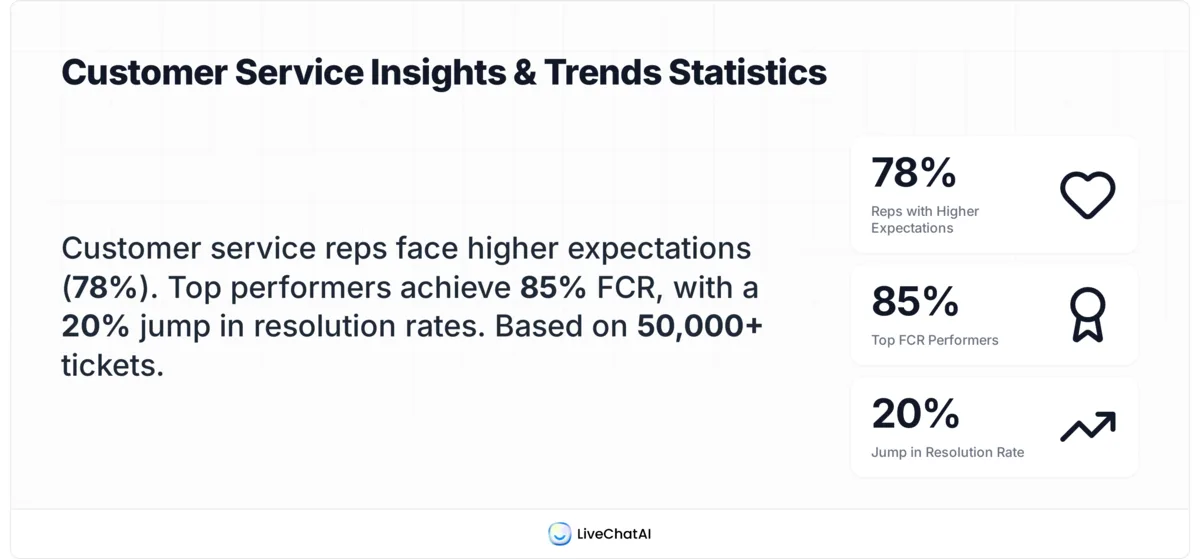
Customers expect more from support than they did even a year ago, and the data backs it up. According to Nextiva, 78% of customer service reps agree that customer expectations are higher than they've ever been. The reps feel it before the executives do, which is why the operating model needs to keep pace.
The cost side of the equation has shifted too. In our LiveChatAI customer audits, the teams that haven't tightened their workflows see ticket volumes climb 20-30% year over year while headcount stays flat. That math doesn't work for long. The teams that survive it are the ones treating their help desk as a product, not a cost center.
There's also a credibility problem most teams underestimate. According to AnswerFirst, 81% of people believe AI is being used in support to save money rather than improve service. That perception means automation has to be earned. Customers will accept an AI-first reply if it actually solves the problem fast. They will punish you for it if it deflects them into a worse experience.
The third pressure is data. The Fixify 2026 IT help desk benchmark report analyzed 50,000+ tickets across 30+ organizations and made one thing clear: the gap between top-quartile and median teams is bigger than it's ever been, and most of the variance is process, not headcount. That's the real reason help desk practices matter now. The biggest gains hide in the operating model.

6 help desk practices that drive efficient support
These six are the ones I'd defend in front of any support leader. They aren't speculative trends, they're the moves I've watched teams ship and then point to a quarter later when a metric finally moved. Order matters here too. Each one assumes the previous one is in place.
1. Centralize the inbox across email, chat, and social
This is the foundation move and the one most teams skip. A centralized inbox routes every inbound channel into the same queue with the same ticket schema. Email, live chat, WhatsApp, Instagram DMs, the contact form, the in-app widget. One queue. One ticket ID. One owner. If a customer emails on Monday and chats on Wednesday, the agent sees both messages in the same thread.
The reason this matters: fragmented inboxes hide your real ticket volume from leadership and double up on response work. I've watched a five-person team spend an hour every morning checking six different tools and forwarding messages to whoever was free. They thought their volume was 80 tickets a day. After they centralized, the dashboard read 140. The work was always there, the visibility wasn't.
How to set it up:
1. Pick a primary inbox tool first, channels second. Don't start by mapping channels. Start by picking the tool every agent will live in, then connect channels to it. The tool is the operating system.
2. Connect email via forwarding or native API. A shared support@ alias forwarded into the help desk creates a ticket per inbound. Native API connections (Gmail, Outlook) sync threads cleanly and preserve attachments.
3. Add live chat with one widget, not three. A common mistake is running an AI chat widget alongside a live chat widget alongside a contact form. Pick one front door. Tier the response inside it.
4. Pipe social DMs through Meta Business Suite or a unified inbox API. Instagram and Facebook tickets need a paper trail. Don't reply from the phone app and lose the thread.
5. Migrate everyone in a single week. The worst version of this rollout is the half-migrated one where some agents still check Outlook. Pick a Friday cutover, sweep the old inboxes, redirect all forwards.
Teams I've watched run this rollout typically see ticket-handling time drop 20-25% within the first month, mostly because agents stop context-switching between tools. The other win is reporting. You finally know your real volume by channel, which makes every downstream decision (staffing, SLAs, automation) defensible.

2. Tier your tickets by urgency and complexity
Not all tickets deserve the same treatment, and tiering is how you say so out loud. The standard model uses three priority levels and three complexity levels. Priority answers "how fast?" Complexity answers "by whom?" P1 critical issues (site down, data loss, payment broken) skip the queue and page on-call. P2 issues (a bug blocking a workflow) get same-day response. P3 issues (a question, a feature request) get next-business-day. Complexity Level 1 is anything an agent can solve from a knowledge base article. Level 2 needs a senior. Level 3 needs engineering.
The mistake teams make is collapsing both axes into one number. "It's a P2" tells you when to respond but not who should respond. Separating them lets a senior agent skip the easy P1s (password reset, service status check) and focus on the hard P2s (debugging a webhook). That's the real efficiency unlock.
How to implement:
1. Define the priority labels in writing. A one-page doc that names each tier with three example tickets per tier removes 90% of the disagreement. P1 should require a customer impact statement; P2 should specify "blocks workflow"; P3 should be "question or polish."
2. Add a complexity tag at first response. The first agent who picks up the ticket sets both priority and complexity. They can be wrong and the senior reviewer can re-tag. The point is to capture the field, not get it perfect on first touch.
3. Build a routing rule per tier. P1 to on-call, P2 to senior pool, P3 to general queue. Complexity 3 always escalates regardless of priority.
4. Review the tag distribution weekly. If 80% of tickets land as P2 you've drifted. Healthy distribution is roughly 5% P1, 35% P2, 60% P3 for most B2B SaaS teams.
The CAI service desk case study is worth knowing. According to CAI, adding a Level 1.5 service desk tier increased their first-level resolution rate by 20%, raising the company's FLR from 35% to 55%. The 1.5 tier sits between front-line agents and senior specialists, taking tickets that would have escalated unnecessarily. That's tiering paying for itself.

3. Set SLA timers per priority and stick to them
An SLA is a promise about response time, resolution time, or both. The simplest version: P1 first response in 15 minutes, resolution in 4 hours; P2 first response in 2 hours, resolution in 1 business day; P3 first response in 1 business day, resolution in 3 business days. Pick numbers your team can actually hit and then defend them.
The discipline part is harder than the math. SLAs only work if they fire visible alerts when a ticket is at risk and if missing one triggers a real conversation. Most teams I've seen ship SLAs and then never look at them again, which is worse than not having them. The dashboard becomes wallpaper.
How to make SLAs stick:
1. Wire the breach alert to a Slack channel a manager is in. Not an email. A Slack ping with the ticket link, the customer name, and the time remaining. The manager pings the agent directly.
2. Include business hours in the timer logic. P3 of "1 business day" should not start at 9pm Friday. The timer needs to respect the working week or you'll hit weekend breach noise.
3. Pause the clock when waiting on the customer. If the agent asks for a screenshot, the SLA pauses. When the customer replies, it resumes. Without this, you'll under-report performance for reasons outside your control.
4. Hold a 15-minute weekly SLA review. Pull breached tickets, ask one question per breach: was it the agent, the routing, the SLA target, or the customer? Then fix one thing.
The benefit of clean SLAs is they make staffing arguments easy. If you're missing P2 SLAs in the 10am-12pm window every Tuesday, you have a staffing pattern, not an agent problem. The data does the convincing for you.

4. Build a self-service knowledge base for top issues
The fastest ticket is the one a customer answers themselves. A self-service knowledge base is the single highest-impact investment any support team can make in year one, and most teams under-build it. The rule of thumb I use: every issue that appears more than five times in a quarter gets its own article.
The trap is treating the knowledge base as a documentation project instead of a deflection product. Documentation answers "what does this feature do?" A deflection article answers "how do I solve the problem you're searching for at 11pm on a Tuesday?" Different writing, different structure, different success metric. Documentation gets measured in completeness. Deflection articles get measured in views per ticket avoided.
How to build it:
1. Pull your top 20 ticket subjects from the last quarter. Sort by volume. Those are your first 20 articles, in priority order. Don't write articles for issues you think people might have. Write articles for issues people actually had.
2. Use the customer's words in the title. "Why didn't my email send?" beats "Email Delivery Troubleshooting Guide." The article needs to win the customer's Google search before it wins your style guide.
3. Lead with the answer, then explain. First sentence solves the problem. Second paragraph explains why. Third paragraph covers edge cases. Most readers leave after the first sentence and that's the point.
4. Embed the article search inside the chat widget. Before the customer's message reaches an agent, surface the top three matching articles. Half of customers click. The other half were going to message anyway.
5. Track "ticket avoided" as a real metric. Every time an article is viewed and a ticket isn't filed in the next 5 minutes, count it as a deflection. Imperfect math, useful direction.
For the structure of customer-facing replies that complement the knowledge base, our guide on live chat canned responses covers the patterns that work. And for the tone side, positive scripting is the companion piece. After watching dozens of help desk implementations across SaaS and e-commerce, the teams with strong knowledge bases consistently run 30-50% lower ticket volume per active customer than peers with similar product complexity.

5. Automate triage and routing with AI
AI is good at one specific thing in a help desk: reading an inbound message, classifying it, and routing it correctly. That's it. Not solving the ticket, not writing the reply (yet), not making judgment calls. Classification and routing. If you start there, you'll get the productivity gain without the customer trust hit.
The pattern that works: AI reads the ticket, picks a topic ("billing," "bug report," "feature request," "onboarding"), assigns priority, and routes to the right queue. A human agent picks it up with all that context already filled in. The agent saves 30-90 seconds per ticket on the triage step. Across a queue of 200 tickets a day, that's two agent-hours back. Real money.
The reason to start narrow is the trust math. Customers will tolerate an AI getting their question routed wrong if a human shows up fast and apologizes. They will not tolerate an AI confidently giving wrong instructions on a billing dispute. Routing is recoverable. Misanswered tickets are not.
How to roll out AI triage:
1. Pick the five most common ticket topics. Train the classifier on those. Anything outside the five buckets defaults to "general queue" for human triage.
2. Run AI triage in shadow mode for two weeks. The AI labels but doesn't route. A human compares the AI label to the agent's label and you measure agreement. Below 85% agreement, refine the topic definitions.
3. Turn on auto-routing only for high-confidence classifications. Most LLM classifiers expose a confidence score. Route at 90%+ confidence; queue for human triage below.
4. Add a "wrong topic" feedback button in the agent UI. Every time an agent re-routes a misclassified ticket, log it. Those become your retraining set.
5. Layer in suggested replies once routing is solid. Once topic routing is at 95%+ accuracy, start surfacing draft replies in the agent compose window. Agent edits and sends. Don't auto-send unless the topic is "password reset" or similarly bounded.
This pattern is exactly why help desk alternatives built around AI-first workflows are pulling customers off legacy ticketing tools. The legacy tools weren't designed for AI triage; they were retrofitted for it. The newer tools have the routing logic baked in.
6. Track FCR and CSAT weekly, not quarterly
First Contact Resolution (FCR) and Customer Satisfaction (CSAT) are the only two metrics every support team should review weekly. FCR tells you whether you're actually solving problems on the first try. CSAT tells you whether customers feel like you did. The gap between them is where most support teams hide their real performance.
FCR is the percentage of tickets resolved in the first interaction without follow-up. The math, per Enthu.ai, is straightforward: if 120 of 180 tickets resolved on first contact, your FCR rate is 66.67%. According to Lorikeet, the average FCR benchmark is 70% per SQM Group, with top-performing teams reaching 85%. If you're below 60%, something in your tiering or knowledge base is broken.
CSAT is a one-question survey sent after ticket close: "How would you rate your support experience?" Score it 1-5 or thumbs up/down. Industry average lands around 78-85%. Below 75% and you have a quality problem regardless of speed.
How to run a weekly review:
1. Pick a fixed time and protect it. 30 minutes, same day every week, no skipping. Tuesday morning works for most teams since Monday is too chaotic.
2. Pull three numbers and three tickets. Numbers: weekly FCR, CSAT, and median response time. Tickets: the lowest CSAT score, the longest open ticket, and one breached SLA. That's the agenda.
3. Ask "why" not "who" on each. The lowest CSAT isn't an agent failure, it's a process failure. What was the routing? What did the knowledge base say? What did the SLA force?
4. Ship one fix per review. Don't leave with a list of seven things. Leave with one change, owned by one person, due before next week's review.
Bill Gates put it well: "Your most unhappy customers are your greatest source of learning," via CX Today. The weekly review is how you actually do that learning instead of just nodding at it on a slide.

Help desk metrics every team should track
FCR and CSAT are the two you review weekly. The rest of these belong on a monthly dashboard, not in your daily rotation. Tracking too much is the same as tracking nothing.
• First Contact Resolution (FCR): Tickets resolved without follow-up, divided by total tickets. Target 70%+ for B2B SaaS, 80%+ for consumer. Below 60% means tiering or knowledge gaps.
• Customer Satisfaction (CSAT): Post-ticket survey score. Target 80%+ thumbs-up rate or 4+ on a 5-point scale. Investigate any score below 3 individually.
• Average Handle Time (AHT): Median time agent spends actively working a ticket. Watch the trend, not the absolute number. A rising AHT can mean harder tickets (good) or slower agents (bad). Cross-reference with FCR.
• Ticket Volume by Channel: Tickets per channel per week. Useful for staffing and for spotting product issues. A 40% spike in chat tickets on a Wednesday afternoon is usually a release that broke something.
• Deflection Rate: Knowledge base article views that didn't result in a ticket within 5 minutes. Imperfect proxy for self-service success. Climbing deflection means your articles are working.
• Agent Utilization: Percentage of agent shift spent actively on tickets vs. idle. Target 70-80%. Above 90% means you're under-staffed and burning people out. Below 60% means you're over-staffed or have a routing problem.
• First Response Time: Time from ticket open to first agent reply, by priority. Watch the P2 number most closely; that's where customer patience usually breaks.
For the financial side of all this, our customer support cost benchmarks article has the per-ticket cost numbers across 50 industries. Pair the operational metrics above with the cost-per-ticket math and you can defend any staffing or tooling decision to a CFO.
How to choose help desk software in 2026
The buying decision used to be about feature checklists. In 2026 it's about whether the tool can grow into AI-native workflows without a re-platform two years from now. Five things to evaluate, in priority order.
1. Omnichannel inbox with one ticket schema. Email, chat, social, in-app, voice. All into the same ticket object with consistent fields. If the tool stores chat tickets differently from email tickets, you'll spend forever wrangling reports. Ask for a demo of the agent view with one ticket from each channel side by side.
2. AI triage and reply suggestions, not chatbot bolt-ons. The good tools have AI woven into the agent workflow: classify on intake, suggest a reply in compose, surface knowledge base articles in real time. The bad tools have a separate chatbot product they're trying to upsell. Test the AI in shadow mode before signing.
3. Knowledge base that lives in the same product. Your help center, your in-product help, your AI's training source, all the same content. If the knowledge base is a separate product with a separate editor, you'll end up with stale articles and angry customers. One source of truth.
4. Reporting that an exec can read. Every help desk tool has reports. Most of them are agent-level dashboards with no executive summary. Ask to see the report you'd send to a CEO. If the answer is "you'd export to a spreadsheet," that's a no.
5. Integrations with your CRM, billing, and product analytics. The agent should see the customer's plan, MRR, last login, and recent product activity inside the ticket view. If they're tab-switching to Salesforce, the tool isn't integrated, it's installed.
A few honest caveats. Pricing is rarely the deciding factor; switching costs are. Plan to live with whatever you pick for at least three years. Migration off a help desk is painful and breaks reporting continuity. Pick on workflow fit, not on the demo wow factor.
One more practical note. Trial the tool with a real ticket queue for two weeks before committing. Vendors are good at curated demos. They are less good at handling your actual messiness. Pipe a copy of your live ticket flow into the trial environment and watch your team use it.
Common help desk mistakes to avoid
The mistakes I see most often aren't strategic. They're operational habits that compound quietly until a metric falls off a cliff.
1. Overstaffing tier 1. The instinct when ticket volume rises is to hire more front-line agents. The actual fix is usually a knowledge base article or a routing rule. Hiring solves the symptom, not the cause, and adds management overhead. Try the article first. If volume drops, you saved a hire.
2. Skipping the knowledge base because it's "boring work." Documentation is the lowest-status work on a support team and the highest-payoff. Make it someone's named responsibility with dedicated weekly hours, not a "when we have time" item. Without an owner, it doesn't get done.
3. Ignoring tickets that don't fit your categories. Every help desk has a "miscellaneous" or "other" bucket that grows over time. Those tickets are signals. They're either an emerging product issue, a missing routing rule, or a category your business has changed into. Review the misc bucket monthly and either re-route or create a new category.
4. No defined escalation path. When a tier 1 agent can't solve a ticket, what happens? If the answer is "they ask in Slack and someone helps," you don't have escalation, you have a vibe. Write the path: agent → senior agent → lead → engineering. Name the people and the SLA per hop.
5. Reviewing metrics quarterly instead of weekly. Quarterly reviews are too late to act on. By the time you spot a CSAT decline in March, you've spent eight weeks losing customers. Weekly reviews catch the same patterns inside seven days.
Audit your help desk this quarter
If you read this far, the next move is concrete. Block 90 minutes this week, pull the last quarter's ticket data, and answer four questions. Are tickets coming into one queue or six? Are they tagged with priority and complexity at first response? Are SLA breaches alerting a manager in real time, or showing up in a monthly report? And are FCR and CSAT being reviewed weekly with one shipped fix per review?
Wherever you score lowest, that's your quarter's project. Don't try to fix all four at once. Centralization is usually the highest-impact starting point because it makes every downstream metric trustable. Tiering and SLAs come next. Knowledge base and AI triage are the year-two compounding plays.
Frequently asked questions
How do I practice IT help desk skills as a new agent?
Start with three things: shadowing senior agents on live tickets, reading the last 50 closed tickets in your top product area, and writing one knowledge base article a week. The shadowing teaches tone and judgment. The reading builds product depth fast. The writing forces you to actually understand what you're explaining. After 30 days of that pattern, most agents can handle the bulk of inbound on their own. The skill that takes longest is knowing when to escalate without losing face, and that one only comes from reps.
What are the best examples of help desk practices?
The strongest examples come from teams that treat support as a product surface, not a cost center. Atlassian's service desk story is one. CAI's Level 1.5 tier is another. The pattern across both: clear tier definitions, an SLA they actually defend, a knowledge base that gets resourced, and weekly metric reviews that lead to one shipped change. The specific software matters less than the operating discipline. I've watched teams on basic tools out-perform teams on premium tools because the basic-tool team ran the discipline.
What's the difference between a service desk and a help desk?
A help desk handles individual incidents: a customer or employee has a problem, you fix it. A service desk is broader. It also handles service requests (provisioning a laptop, granting an access permission), change management (planned releases), and problem management (root-causing recurring incidents). In ITIL language, a service desk is the single point of contact for all IT services, while a help desk is the reactive incident-response function inside it. For most B2B SaaS support teams the distinction doesn't matter day to day. For internal IT teams it does.
How does help desk software improve efficiency?
Three ways, in order of impact. First, it consolidates channels into one queue, which removes 20-30% of agent time spent context-switching between tools. Second, it automates triage and routing, which removes another 30-90 seconds per ticket on classification work. Third, it surfaces knowledge base articles inline, which lifts FCR by 5-15 percentage points because agents stop re-deriving answers. Bad implementations capture none of these gains because the tool gets installed without the workflow changes.
How do I build a knowledge base for a help desk from scratch?
Start with the top 20 ticket subjects from your last quarter, sorted by volume. Write one article per subject, using the customer's words in the title and leading with the answer. Publish to a public help center, embed search inside your chat widget, and track which articles get viewed before tickets get filed. Iterate monthly: kill articles with zero traffic, expand articles with high views but low deflection, and add a new article every time a new ticket subject crosses five occurrences in a month. Don't try to launch with 100 articles. Launch with 20 great ones.
For further reading, you might be interested in the following:
15 Positive Reviews Response Examples to Use
How to Integrate WhatsApp for Your Website
How Do AI Bots Qualify Leads? (with Strategies and Examples)