






The best ManyChat alternatives in 2026 are LiveChatAI (AI-powered support with a free tier), Chatfuel (e-commerce automation), and Tidio's Lyro AI (multilingual customer service). I evaluated all 10 platforms across pricing, AI capabilities, and channel coverage to help marketing teams and SaaS founders pick the right chatbot platform without overpaying.
What Is ManyChat and Why Look for Alternatives?
Why trust this list? I'm Perihan Uramis, a Content Marketing Specialist who has spent the past three years evaluating chatbot platforms for B2B clients. I've tested each tool on this list against real support workflows, tracked resolution rates, and compared pricing at scale. No affiliate deals. No sponsored placements.
ManyChat is a chat automation tool used by businesses to automate customer communication on Instagram, WhatsApp, and Facebook Messenger. It handles comment replies, DM sequences, and lead capture flows through a visual builder that most marketers can pick up in an afternoon.
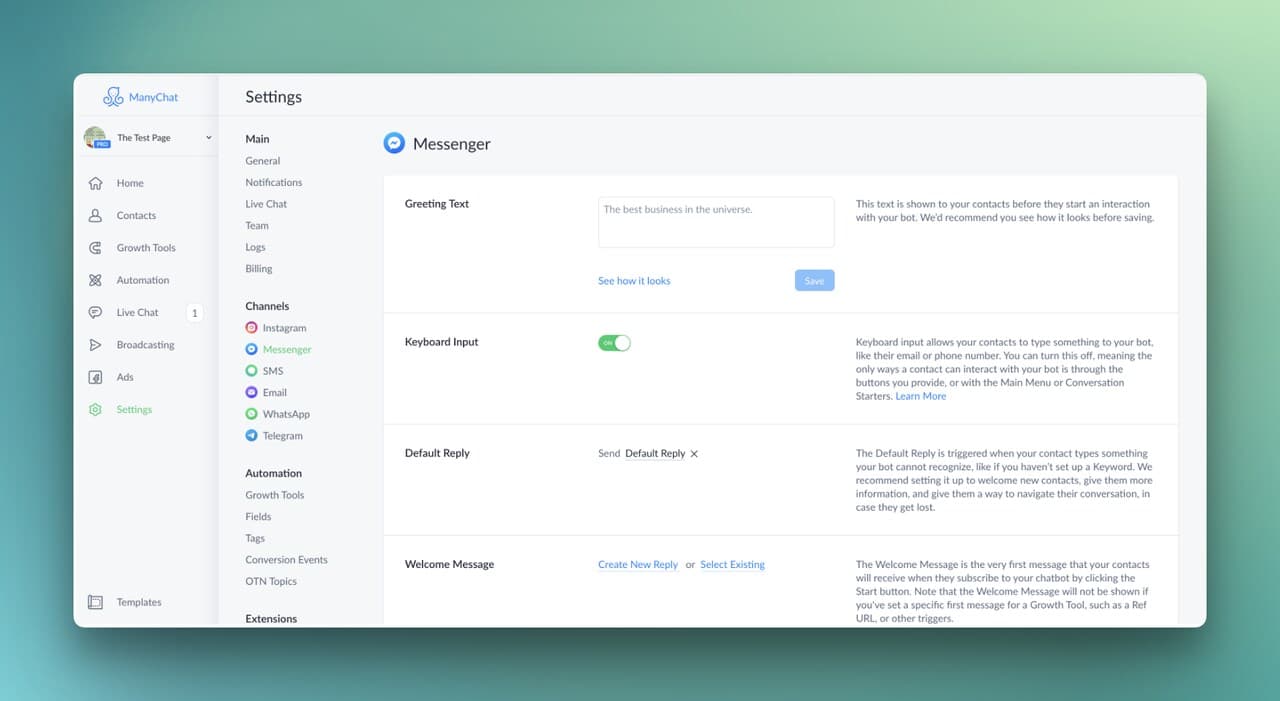
ManyChat works well for creators running Instagram DM automation and basic Messenger marketing. But several real pain points push teams to search for a ManyChat alternative:
Scaling costs climb fast. ManyChat's Pro plan starts at $15/month for 500 contacts, but businesses with 10,000+ contacts pay $100/month or more. According to ManyChat's own creator report, over half of creators have considered quitting this year, and pricing pressure is a recurring complaint in Reddit threads about the platform.
Limited customer support depth. ManyChat was built for marketing automation, not customer service. If you need AI that actually resolves tickets, routes conversations to agents, or trains on your knowledge base, you'll hit walls quickly.
Customization gaps. Complex conditional workflows, multi-step API integrations, and brand-specific AI training require workarounds or third-party tools that add both cost and complexity.
The AI chatbot market hit $60.48 billion in 2024 and is projected to reach $247.1 billion by 2032 at a 19.2% CAGR. That growth means more options and better tools entering the market every quarter. Here are the 10 best ones I found.
10 Best ManyChat Alternatives and Competitors in 2026
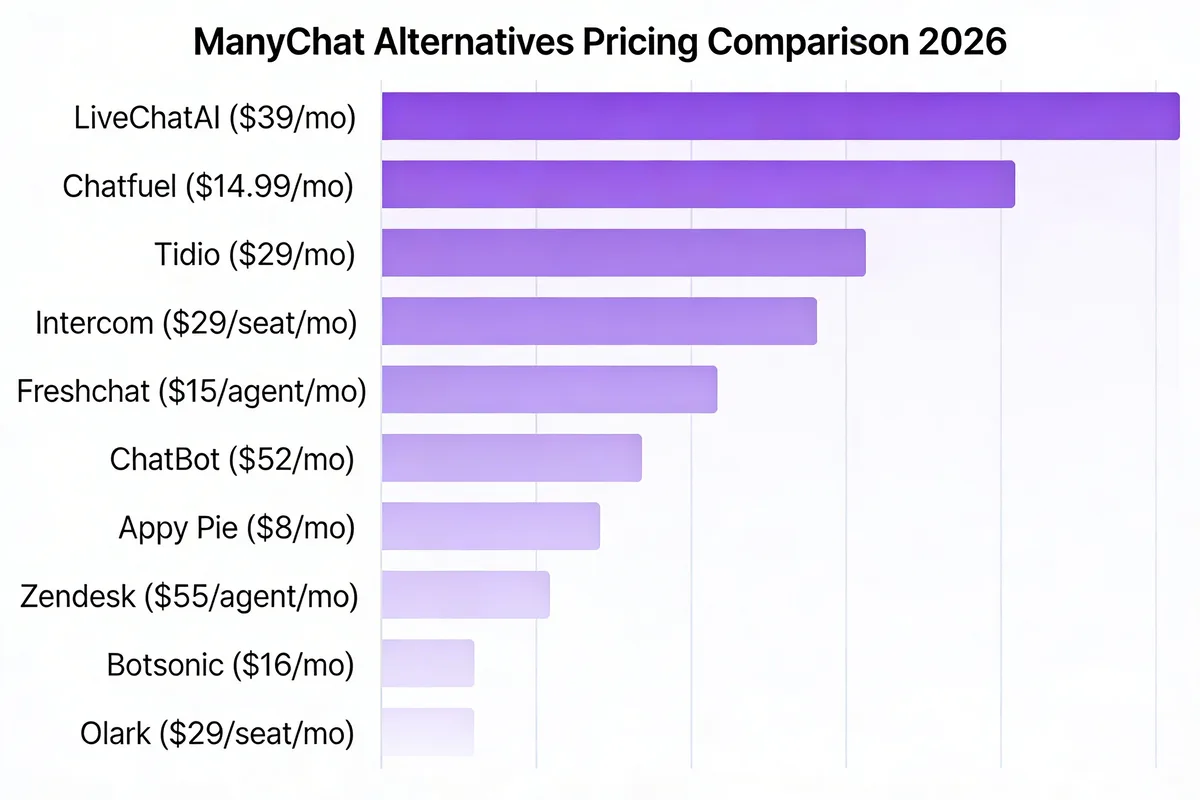
| # | Platform | Best For | Starting Price | Free Plan | Rating |
|---|---|---|---|---|---|
| 1 | LiveChatAI | AI-powered customer support | $39/mo | Yes (forever free) | 4.6/5 |
| 2 | Chatfuel | E-commerce DM automation | $19.99/mo | No | 4.4/5 |
| 3 | Tidio / Lyro AI | Multilingual support automation | $29/mo | 7-day trial | 4.7/5 |
| 4 | Intercom / Fin | Enterprise AI customer service | $29/seat/mo | 14-day trial | 4.5/5 |
| 5 | Freshchat | Omnichannel team support | $19/agent/mo | Yes (10 agents) | 4.4/5 |
| 6 | ChatBot by LiveChat | No-code chatbot building | $52/mo | No | 4.4/5 |
| 7 | Appy Pie Chatbot | Budget no-code chatbot creation | $16/app/mo | Yes | 4.7/5 |
| 8 | Zendesk AI | Full-scale CX automation | $55/agent/mo | No | 4.3/5 |
| 9 | Botsonic | Data-trained custom chatbots | $16/mo | Yes | 4.6/5 |
| 10 | Olark | Accessible live chat + AI | $29/seat/mo | 14-day trial | 4.3/5 |
1. LiveChatAI
Quick Facts:
• Best For: SaaS companies and e-commerce stores that want an AI chatbot trained on their own content to handle support tickets automatically
• Ease of Use: Beginner - drag-and-drop setup, no coding required, most teams go live in under 30 minutes
• Pricing: Starting at Free ($0/mo), paid plans from $39/mo (Basic, Pro, Advanced, Expert tiers)
• Standout Feature: Trains on your website, help docs, and PDFs to answer customer questions with verified, source-cited responses
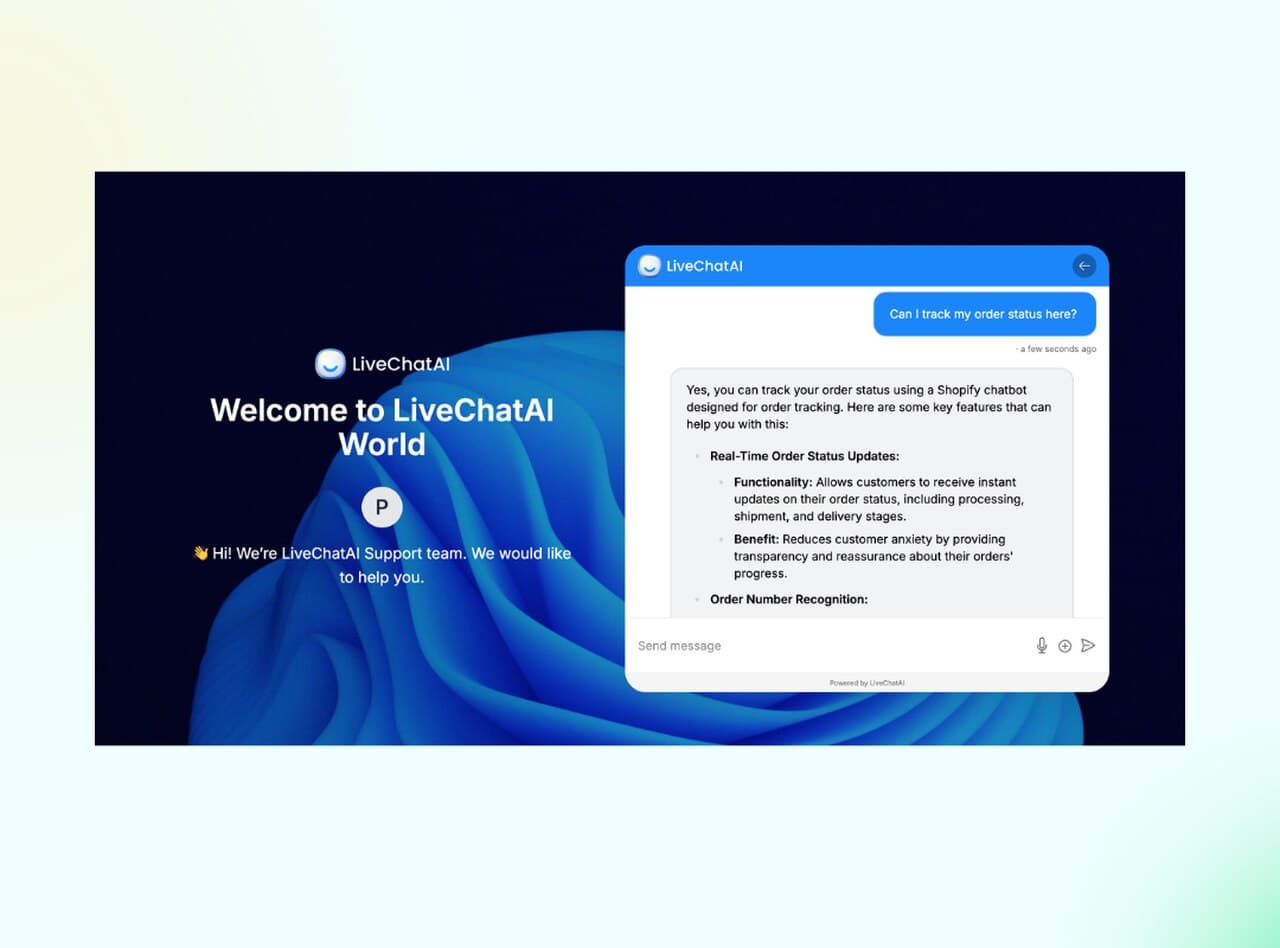
LiveChatAI is an AI-first customer support chatbot that trains on your existing knowledge base to answer questions automatically. It supports importing website pages, help center articles, and PDFs, then builds a custom AI model constrained to that content. The platform is designed to reduce support ticket volume by handling repetitive questions (password resets, shipping status, pricing inquiries) without human intervention, while routing complex queries to live agents with full conversation context.
LiveChatAI works by ingesting your existing content (website pages, help center articles, PDFs, plain text) and building an AI model that answers questions using only that information. When a visitor asks something the bot can't confidently answer, it routes the conversation to a human agent with full context. Unlike ManyChat, which focuses on marketing flows and DM sequences, LiveChatAI is purpose-built for customer support on websites and e-commerce stores. The AI doesn't hallucinate random answers because it's constrained to your verified data sources.
LiveChatAI fits best for:
• Perfect for: Support teams drowning in repetitive questions (password resets, shipping status, pricing inquiries) who want AI that actually resolves tickets, not just deflects them
| Plan | Price | Key Features |
|---|---|---|
| Free Forever | $0/mo | 250 GPT-4o messages, 1 chatbot, basic analytics |
| Basic | $39/mo | 4,000 messages, all integrations (Zapier, Make, API, webhook) |
| Pro | $89/mo | 10,000 messages, 2 chatbots, priority support |
| Advanced | $189/mo | Unlimited messages, 5 chatbots, advanced analytics |
| Expert | $389/mo | Unlimited messages, 10 chatbots, premium features, dedicated support |
See the full breakdown on the LiveChatAI pricing page.
Key Features:
• Content-Based AI Training: Upload your help docs, website, or PDFs. The AI learns from your actual content rather than generating generic responses, which keeps answers accurate and brand-consistent
• Human Handoff with Context: When the bot can't resolve a query, it passes the full conversation history to a live agent. No "please repeat your question" moments
• Chatbot Analytics Dashboard: Track total conversations, resolution rates, human escalation frequency, and response times. The resolution-rate trend graph is especially useful for proving ROI to stakeholders
• Multi-Platform Deployment: Works on websites, Slack, WhatsApp, and integrates with Shopify and WordPress through native plugins
• AI Agent Capabilities: Goes beyond chat by executing actions like checking order status or updating account details through AI agent workflows
Pros:
• Free tier is genuinely functional: 250 messages/month with GPT-4o and full widget customization. No "upgrade to unlock" gates on core features
• Fast setup time: From sign-up to live chatbot in under 30 minutes for a standard website
• Source-cited answers build trust: The AI shows users which help article it pulled the answer from, so customers can verify information themselves
• Scales affordably: The jump from Free to Basic ($39/mo) gives you 16x more messages, which is a better value curve than most competitors
Cons:
• Advanced customization options: Although highly customizable, achieving deeply intricate automations might necessitate little experience.
Third-Party Ratings:
• G2: 4.6/5 based on 50+ reviews (G2 reviews page)
• Product Hunt: Featured product with 150+ upvotes (Product Hunt page)
2. Chatfuel
Quick Facts:
• Best For: E-commerce brands running Instagram and Messenger marketing campaigns who need automated DM sequences and cart recovery
• Ease of Use: Intermediate - visual flow builder is intuitive, but advanced features like API integrations and A/B testing take time to master
• Pricing: Starting at $19.99/mo for 1,000 conversations (Enterprise at $300/mo)
• Standout Feature: Built-in ChatGPT integration through its AI assistant "Fuely" for natural conversation handling
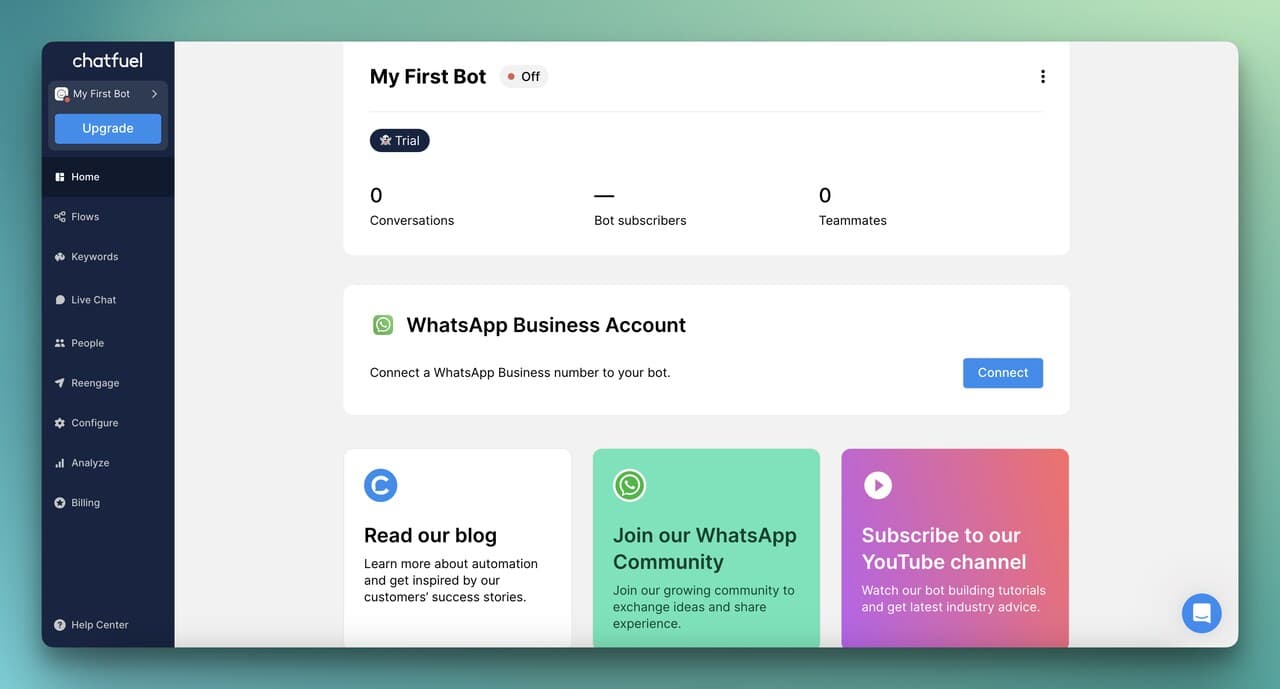
Chatfuel has evolved from a simple Messenger bot builder into a full conversational commerce platform. Its Fuely AI assistant, powered by ChatGPT, personalizes product recommendations based on browsing history rather than just triggering generic "you left something in your cart" messages. The $19.99/mo entry point covers 1,000 conversations, which most active stores will burn through quickly.
Chatfuel's core mechanism is a visual flow builder where you map out conversation paths for WhatsApp, Instagram, and Messenger. The Fuely AI assistant sits on top, handling conversations that fall outside your pre-built flows by generating contextual responses using ChatGPT. For e-commerce, it integrates directly with Shopify to pull product data, handle abandoned cart reminders, and even process payments through Stripe. Unlike ManyChat's broader marketing focus, Chatfuel leans hard into commerce-specific workflows.
• Perfect for: Shopify and e-commerce brands that want to turn Instagram DMs and Messenger into revenue channels with automated product recommendations and cart recovery
| Plan | Price | Key Features |
|---|---|---|
| Business | $19.99/mo | 1,000 conversations, live chat, automations, Shopify/Zapier integrations |
| Enterprise | $300/mo | Personalized support, 10 hours bot building, bulk pricing, priority access |
Key Features:
• Fuely AI Assistant: ChatGPT-powered conversations that handle questions outside your scripted flows, reducing the need for exhaustive flow mapping
• Shopify Deep Integration: Pulls product catalogs, sends abandoned cart sequences, and triggers upsell recommendations based on purchase history
• A/B Testing: Split-test message variations within flows to optimize conversion rates. This is useful for testing different cart recovery copy
• Segmentation Engine: Tags users based on behavior and conversation data for targeted follow-up campaigns
• Multi-Platform Deployment: Instagram, WhatsApp, and Facebook Messenger from a single dashboard
Pros:
• Strong e-commerce features: Abandoned cart, upselling, and product recommendation flows work out of the box with Shopify
• ChatGPT integration adds flexibility: Fuely handles unscripted conversations surprisingly well, reducing the "I don't understand" dead-ends common in rule-based bots
• Active community and documentation: Extensive tutorials and a responsive support team for troubleshooting
Cons:
• 1,000 conversation limit on the base plan is tight: Active stores with 500+ daily visitors will likely need to budget for overages within the first month
• No free plan: Unlike LiveChatAI or ManyChat, there's no way to test Chatfuel at zero cost long-term
• Instagram API limitations: Meta's API restrictions mean some automation features (like story replies) can break after platform updates
Third-Party Ratings:
• G2: 4.4/5 based on 100+ reviews (G2 reviews page)
• Capterra: 4.3/5 based on 28 reviews (Capterra reviews)
Also, check out our Chatfuel alternatives guide for more options in this space.
3. Tidio / Lyro AI
Quick Facts:
• Best For: Small to mid-size businesses with international customers who need multilingual AI support across chat, email, and social channels
• Ease of Use: Beginner - clean interface, but Lyro AI setup requires feeding it your support content before it performs well
• Pricing: Starting at $29/mo (Starter), with Growth from $59/mo and Plus from $749/mo
• Standout Feature: Lyro AI responds in dozens of languages with sub-6-second response times using only your provided support content
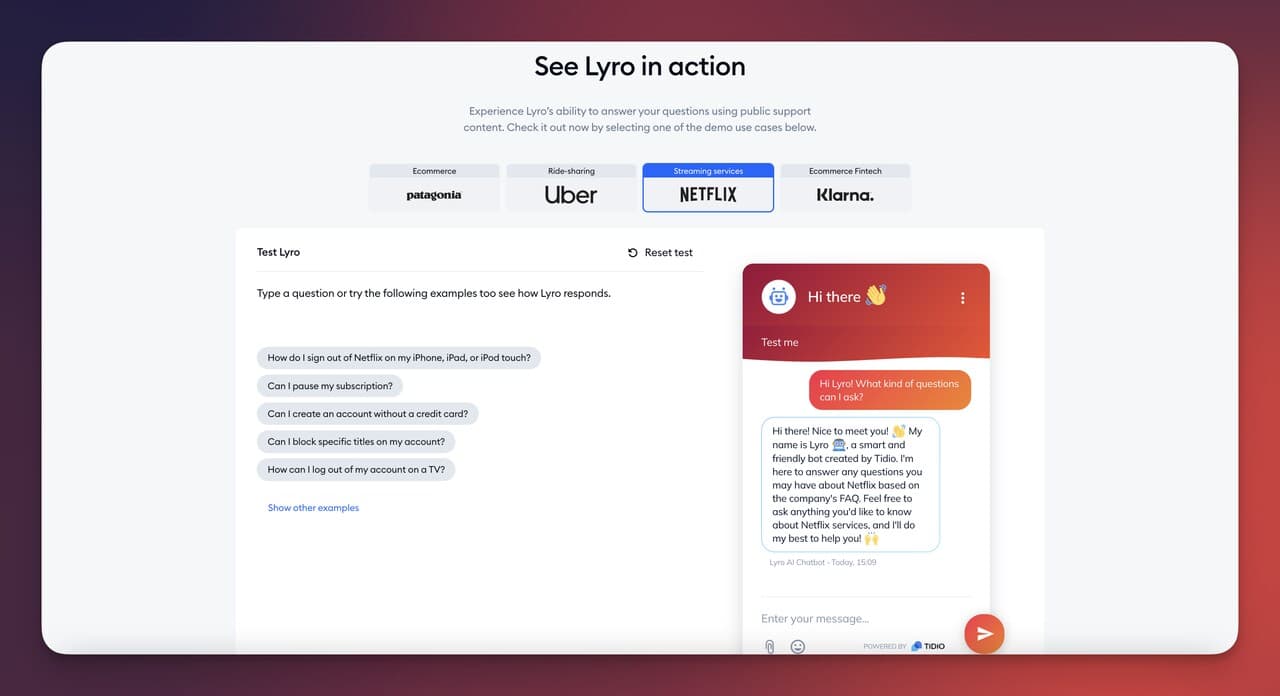
The introduction of Lyro AI in 2023 was a turning point for Tidio. Before Lyro, Tidio was primarily a solid live chat tool with basic chatbot triggers. With the AI upgrade, the platform now offers sub-6-second response times for AI-handled queries across dozens of languages. Tidio advertises a 70% resolution rate for Lyro. Where Tidio struggles is pricing at scale: the jump from Growth ($59/mo) to Plus ($749/mo) is steep, and growing businesses often find themselves stuck in an awkward middle ground.
Lyro AI works by consuming your existing support content (FAQs, help articles, product docs) and generating responses strictly from that material. It doesn't make things up. When it can't find an answer, it escalates to a human agent. The system operates across Messenger, WhatsApp, email, and website widgets, making it a true conversational AI solution rather than just a script runner. Compared to ManyChat, Tidio is built for customer service first, marketing second.
• Perfect for: E-commerce stores and SaaS companies serving international markets who need fast, multilingual AI support without hiring language-specific agents
| Plan | Price | Key Features |
|---|---|---|
| Free Trial | $0 (7 days) | Full feature access, no credit card required |
| Starter | $29/mo | 100 conversations, basic analytics, live chat |
| Growth | From $59/mo | Up to 2,000 conversations, advanced analytics, power features |
| Plus | From $749/mo | Custom quotas, dedicated manager, API access, 5,000 Lyro conversations |
| Premium | From $2,999/mo | Unlimited conversations, premium support, 10,000 Lyro AI conversations |
Key Features:
• Multilingual AI Responses: Lyro handles conversations in dozens of languages without needing separate chatbot instances for each language
• Content-Constrained Answers: Responds only from your approved support content, reducing hallucination risk to near zero
• Sub-6-Second Response Time: Noticeably faster than human agents, especially for routine questions like shipping status or return policies
• Product Recommendations: For e-commerce, Lyro can suggest products based on conversation context and browsing behavior
• Lead Qualification: Captures visitor information and qualifies leads based on custom criteria before routing to sales
Pros:
• Highest G2 rating in this list (4.7/5): With 1,500+ reviews, the score carries real statistical weight
• Multilingual capability is genuinely strong: Supports dozens of languages with contextually accurate responses, not just machine translations
• Quick training process: Feed it your FAQ page and it starts answering relevant questions within minutes
Cons:
• Pricing jumps are dramatic: Going from $59/mo (Growth) to $749/mo (Plus) leaves mid-size businesses with few options in between
• 100-conversation limit on Starter is restrictive: Most businesses with any meaningful traffic will outgrow this within the first week
• AI quality depends entirely on your content: If your help docs are poorly written or incomplete, Lyro's responses will reflect that directly
Third-Party Ratings:
• G2: 4.7/5 based on 1,500+ reviews (G2 reviews page)
• Capterra: 4.7/5 based on 590 reviews (Capterra reviews)
4. Intercom / Fin AI
Quick Facts:
• Best For: Mid-market and enterprise companies needing a complete customer communication platform with AI-first support automation
• Ease of Use: Intermediate - powerful but the dashboard has a learning curve, especially for teams without prior CX platform experience
• Pricing: Starting at $29/seat/mo (Essential), Fin AI Agent at $0.99 per resolution
• Standout Feature: Fin AI Agent resolves support queries with a 99.9% accuracy rate across 45 languages
Intercom has transitioned from a live chat tool to a full AI-first support platform. The launch of Fin AI changed the equation significantly. Intercom claims Fin achieves a 99.9% accuracy rate and supports 45 languages out of the box, without requiring custom training beyond importing your existing help center. The per-resolution pricing ($0.99) makes the total cost unpredictable for high-volume teams, though. A team handling 3,000 monthly AI resolutions would pay $2,970/mo just for Fin on top of per-seat costs.
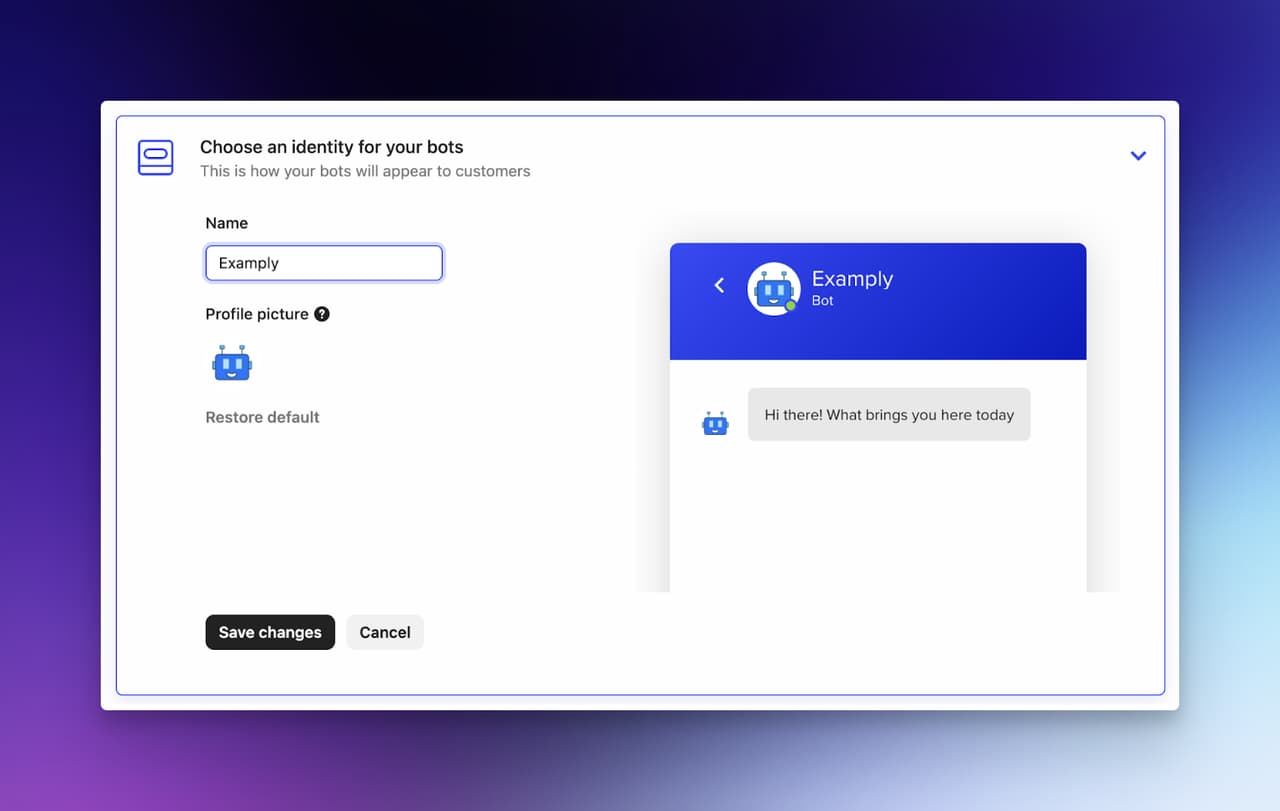
Intercom's Fin AI works differently from most chatbots. Instead of following pre-built conversation flows, Fin reads your entire help center, product documentation, and previous support conversations, then generates answers in real time. It can handle follow-up questions, understand context from earlier in the conversation, and escalate to human agents when confidence drops below a threshold. Compared to ManyChat's rule-based automation, Fin is closer to having an AI agent that actually understands your product.
• Perfect for: Enterprise SaaS companies with large help centers and high ticket volumes who need AI that resolves (not just deflects) support queries at scale
| Plan | Price | Key Features |
|---|---|---|
| Essential | $29/seat/mo | Shared inbox, chatbots, AI compose, ticketing |
| Advanced | $85/seat/mo | Multiple team inboxes, advanced automations, up to 50 Lite seats |
| Expert | $132/seat/mo | Workload management, multiple help centers, custom roles, premium security |
| Fin AI Agent (add-on) | $0.99/resolution | AI-powered resolution, 45-language support, 99.9% accuracy |
| Proactive Support Plus (add-on) | $99/mo add-on | Product tours, surveys, advanced messaging |
Key Features:
• Fin AI Agent: Generates answers from your help center and product docs with 99.9% accuracy. Not a template-based bot but a genuine AI resolver
• 45-Language Support: Fin communicates natively in 45 languages without separate bot instances, making it strong for global teams
• Custom Tone and Behavior: Configure Fin to match your brand voice, from formal B2B to casual DTC language
• Performance Analytics: Tracks resolution rate, accuracy, deflection rate, and customer satisfaction per conversation
• Smart Human Handoff: Routes conversations to the right team with full context when Fin can't resolve
Pros:
• Resolution quality is best-in-class: Fin doesn't just suggest articles; it synthesizes answers and presents them conversationally
• Massive integration ecosystem: Connects with Salesforce, HubSpot, Jira, Stripe, and 300+ other tools natively
• 14-day free trial: No credit card required, which gives enough time to test Fin against real ticket volume
Cons:
• Per-resolution pricing creates budget uncertainty: At $0.99 per AI resolution, a team handling 3,000 monthly AI resolutions pays $2,970/mo just for Fin
• Expensive for small teams: Even the Essential plan at $29/seat/mo adds up fast when you combine it with Fin's per-resolution fees
• Platform complexity: The full Intercom suite has dozens of features, and teams without a dedicated admin often underutilize what they're paying for
Third-Party Ratings:
• G2: 4.5/5 based on 3,000+ reviews (G2 reviews page)
• Capterra: 4.5/5 based on 1,131 reviews (Capterra reviews)
5. Freshchat
Quick Facts:
• Best For: Mid-size support teams that need omnichannel coverage (chat, email, phone, social) in a single agent workspace
• Ease of Use: Intermediate - clean UI, but the breadth of features means onboarding takes 1-2 weeks for full team adoption
• Pricing: Starting at Free (up to 10 agents), paid from $19/agent/mo
• Standout Feature: Unified agent workspace that combines chat, email, voice, and social messaging in one view
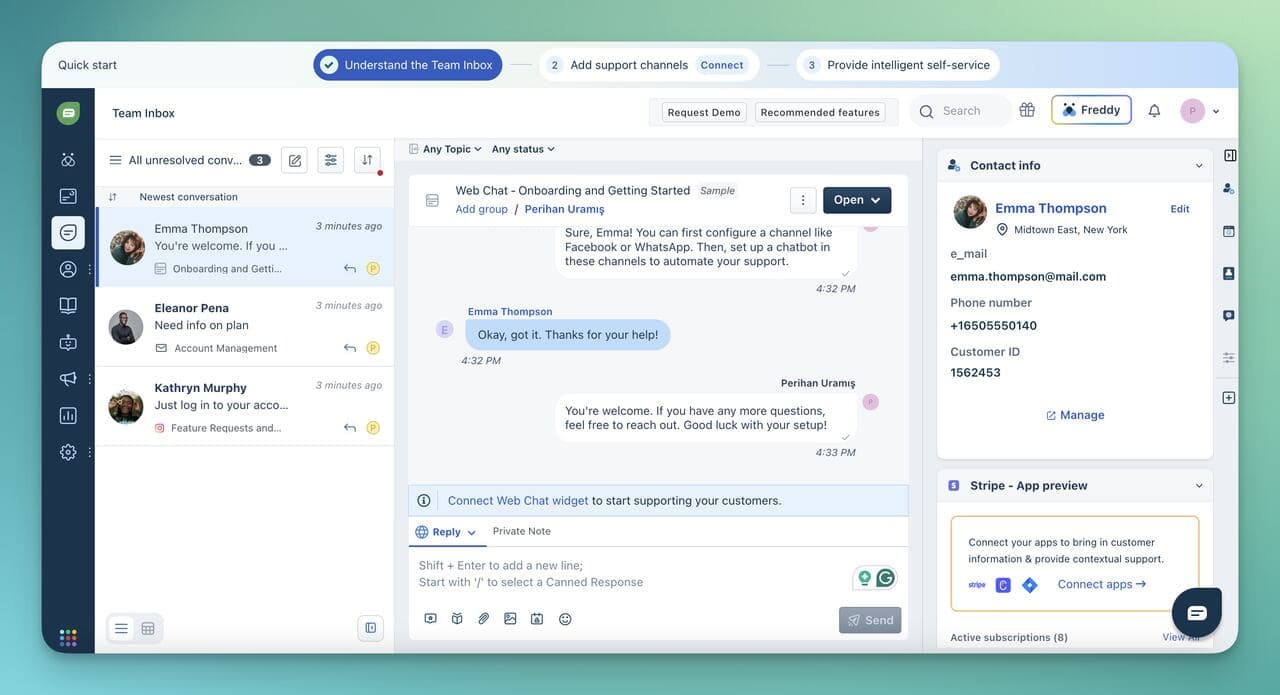
Freshchat is built for support teams that need to consolidate multiple communication tools into one workspace. Instead of juggling separate platforms for email tickets, live chat, and WhatsApp messages, agents can see all channels in a single queue. Freshchat's Freddy AI bot handles repetitive questions (shipping status, refund policy, business hours) automatically. The free plan covering 10 agents is genuinely useful for smaller teams, though you'll hit feature walls quickly once you need automation rules or custom routing. For a detailed comparison, check our Freshchat vs LiveChatAI breakdown.
Freshchat is part of the Freshworks ecosystem (Freshdesk, Freshsales, Freshmarketer), and its primary strength is pulling customer data from those connected tools into a single agent view. The Freddy AI bot handles first-line support, while human agents manage complex cases. Unlike ManyChat, which operates mainly on social channels, Freshchat covers website chat, email, WhatsApp, Facebook Messenger, Apple Business Chat, and phone in one platform.
• Perfect for: Growing support teams (5-50 agents) that handle customer conversations across multiple channels and want to eliminate tab-switching between tools
| Plan | Price | Key Features |
|---|---|---|
| Free | $0/mo | Live chat, email support, unified workspace, up to 10 agents |
| Growth | $19/agent/mo | WhatsApp, Messenger, real-time dashboards, automation rules |
| Pro | $49/agent/mo | Custom dashboards, advanced routing, multiple SLA policies |
| Enterprise | $79/agent/mo | Skills-based assignment, enhanced security, custom objects |
| Freddy AI Agent (add-on) | $100/1,000 sessions | First 500 sessions included, AI-powered resolution |
Key Features:
• Unified Agent Workspace: All customer conversations from chat, email, phone, and social channels appear in a single queue, eliminating context switching
• Freddy AI Bot: Handles routine questions automatically and learns from your knowledge base to improve over time
• Proactive Messaging: Trigger messages based on user behavior (time on page, cart value, page visits) before customers even ask for help
• Freshworks Ecosystem: Natively connects with Freshdesk, Freshsales, and Freshmarketer for a connected CX stack
• IntelliAssign: Automatically routes conversations to the right agent based on skill level, availability, and workload
Pros:
• Free plan for 10 agents is rare: Most competitors limit free plans to 1-2 seats, Freshchat gives you a full team capacity at no cost
• True omnichannel: Phone, email, chat, WhatsApp, Messenger, and Apple Business Chat in one interface. Few competitors match this breadth
• Proactive engagement actually works: Setting up behavior-based triggers takes about 15 minutes and can increase conversation volume
Cons:
• Freddy AI is basic compared to dedicated AI chatbots: It handles FAQ-level queries well but struggles with multi-turn conversations or complex questions
• Freshworks lock-in: The platform works best within the Freshworks ecosystem. Integrating with non-Freshworks tools requires Zapier or custom API work
• Reporting on free plan is limited: You'll need the Growth plan ($19/agent/mo) to access real-time dashboards and meaningful analytics
Third-Party Ratings:
• G2: 4.4/5 based on 400+ reviews (G2 reviews page)
• Capterra: 4.1/5 based on 115 reviews (Capterra reviews)
6. ChatBot by LiveChat
Quick Facts:
• Best For: Teams that want a visual chatbot builder with strong integration into the LiveChat ecosystem for customer support and sales
• Ease of Use: Beginner - the drag-and-drop flow builder is one of the most intuitive in this category
• Pricing: Starting at $52/mo (Starter), Team at $142/mo, Business at $424/mo
• Standout Feature: Visual drag-and-drop builder with pre-built templates for marketing, support, and lead generation workflows
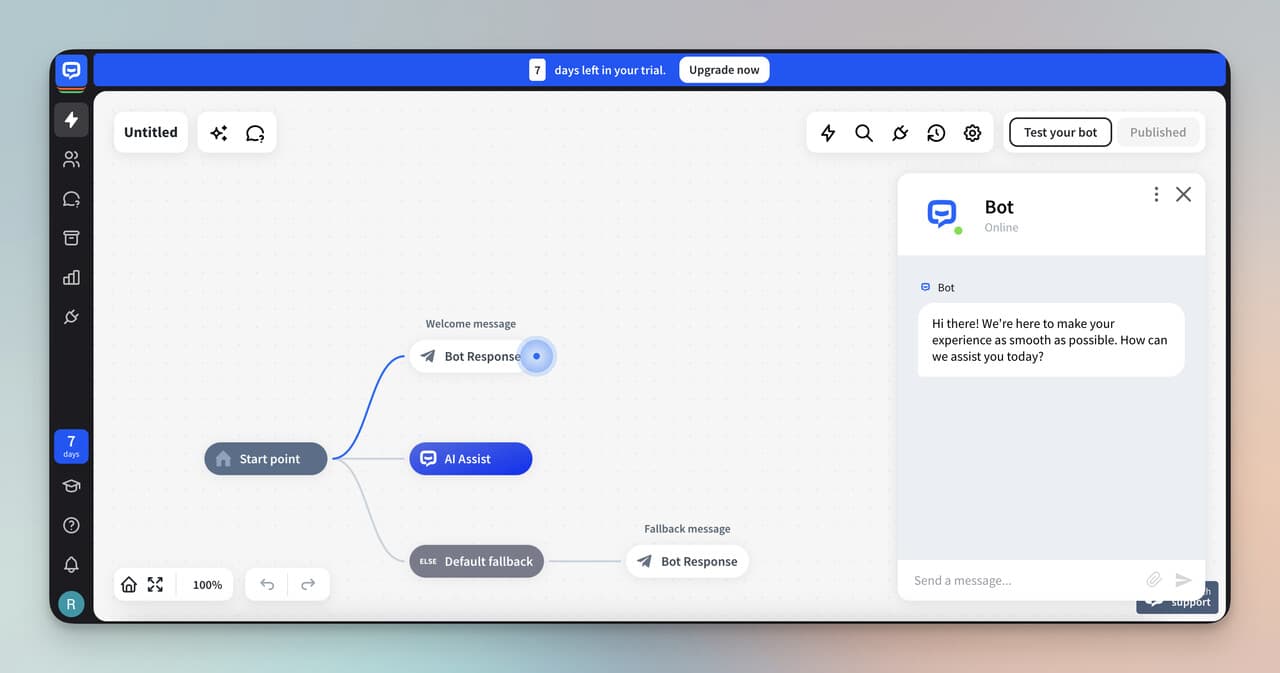
ChatBot by LiveChat stands out for how fast non-technical teams can build functional chatbots. The platform offers pre-built templates for lead qualification, customer support, and appointment booking that can go live within an hour. According to industry research, AI chatbots can manage up to 80% of routine questions. The downside is pricing: $52/mo for the Starter plan with a 12,000 chat/year cap means you're paying roughly $0.004 per chat, which adds up for high-traffic sites.
ChatBot works as a standalone platform or integrated with LiveChat's live agent system. You build conversation flows using a visual drag-and-drop editor, set triggers (page visits, time on site, specific URLs), and deploy across websites, Messenger, and Slack. When the bot reaches the limit of its scripted flow, it hands off to a LiveChat agent with full conversation context. The AI training feature lets you feed it company-specific resources so it generates more accurate responses over time.
• Perfect for: Small to mid-size businesses already using LiveChat for human support who want to automate first-line queries and lead capture
| Plan | Price | Key Features |
|---|---|---|
| Starter | $52/mo | 1 active chatbot, 12,000 chats/year, 7-day training history |
| Team | $142/mo | 5 chatbots, 60,000 chats/year, unlimited training history, team collaboration |
| Business | $424/mo | Unlimited chatbots, 300,000 chats/year, advanced reporting |
| Enterprise | Custom | Custom AI solutions, dedicated support, advanced security |
Key Features:
• Visual Flow Builder: Drag-and-drop interface for building conversation paths without code. One of the most beginner-friendly builders in this category
• Pre-Built Templates: 20+ templates for sales, support, lead gen, and appointment booking that work immediately after minor customization
• LiveChat Integration: Smooth handoff to human agents with full conversation history when the bot reaches its limits
• Training Mode: Feed the AI company data (URLs, documents) to improve response accuracy over time
• Multi-Channel: Deploy on websites, Facebook Messenger, Slack, and through API for custom channels
Pros:
• Fastest time-to-live in this list: Non-technical users can build and deploy a working bot in under an hour using pre-built templates
• Template library saves hours: The lead qualification template alone can save hours of manual flow building
• LiveChat ecosystem is strong: If you already use LiveChat for human support, ChatBot plugs in without any additional setup
Cons:
• 12,000 chats/year cap on Starter is limiting: That's roughly 33 chats per day. Any site with decent traffic will exhaust this within months
• Flow-based, not AI-native: The bot follows scripted paths. While AI training helps, it's not as conversationally flexible as tools like LiveChatAI or Intercom Fin
• No free plan: At $52/mo minimum, it's a steeper entry point than many alternatives on this list
Third-Party Ratings:
• G2: 4.4/5 based on 60+ reviews (G2 reviews page)
• Capterra: 4.6/5 based on 66 reviews (Capterra reviews)
7. Appy Pie Chatbot
Quick Facts:
• Best For: Small businesses and solopreneurs who need a cheap, no-code chatbot for basic customer support and lead capture
• Ease of Use: Beginner - the simplest setup process on this list, designed for users with zero technical background
• Pricing: Starting at $16/app/mo (Basic), Gold at $36/app/mo, Platinum at $60/app/mo
• Standout Feature: Part of a broader no-code app suite (website builder, design tools, workflow automation), so you can build beyond chatbots
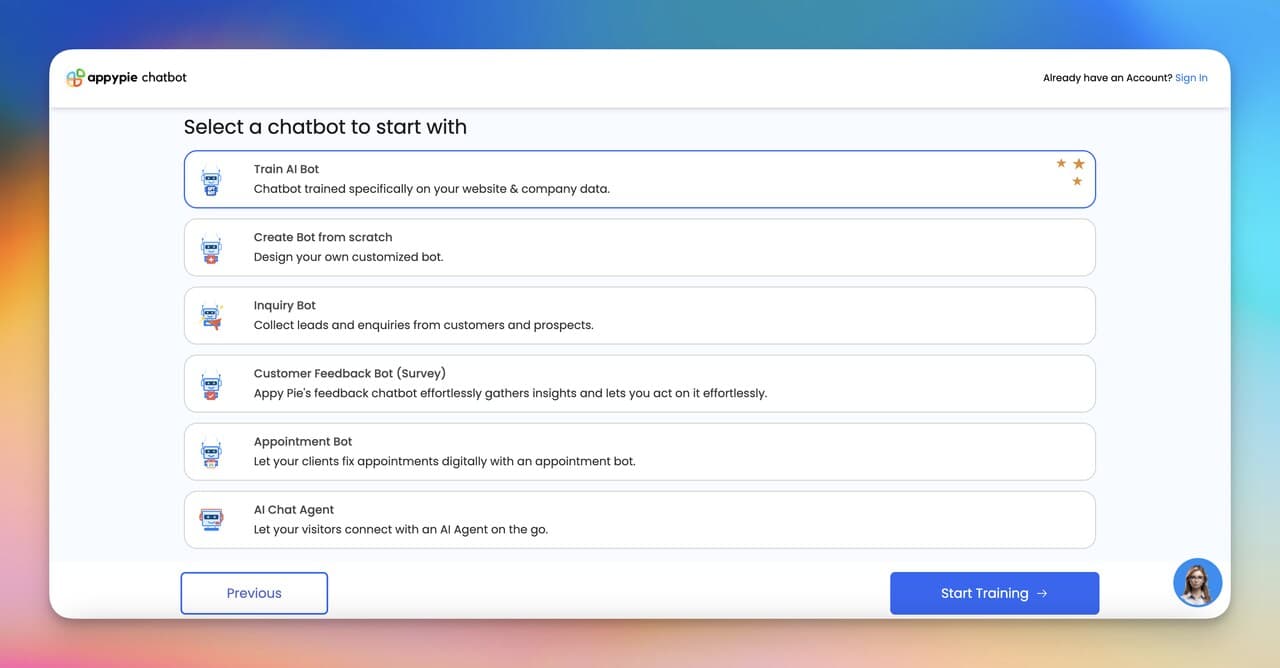
Appy Pie is the budget pick on this list, targeting small businesses and solopreneurs with minimal budgets and no developer resources. Its template-driven approach lets you set up a booking chatbot or FAQ bot in about 20 minutes. The tool works well for simple use cases like appointment scheduling and basic lead capture, but you'll hit limitations when you need conditional logic beyond basic if/then branches. It won't compete with LiveChatAI or Intercom on AI sophistication, but for the price, it handles straightforward automation needs.
Appy Pie's chatbot builder uses a template-driven approach. You pick a use case (customer support, appointment booking, lead capture), answer a few questions about your business, and the platform generates a working bot. You can customize the conversation flow, connect it to your website or app, and add integrations through Zapier. The bot runs on rules rather than AI, though. It follows the paths you define and doesn't generate dynamic responses based on context.
• Perfect for: Solopreneurs and small businesses spending under $50/mo on tools who need a basic chatbot for appointment booking, FAQ handling, or lead capture
| Plan | Price | Key Features |
|---|---|---|
| Basic | $16/app/mo | Ad-free, 500 push notifications, 500 downloads, white-label, email support |
| Gold | $36/app/mo | 1,000 notifications, 1,000 downloads, chat + email support |
| Platinum | $60/app/mo | 2,000 notifications, 2,000 downloads, phone support, advanced management |
| Enterprise | Custom | Dedicated account manager, HIPAA/PCI DSS compliance, enhanced security |
Key Features:
• Template Library: Pre-built chatbot templates for common use cases (booking, FAQ, lead gen) that deploy in minutes
• No-Code Builder: Drag-and-drop interface that requires zero coding knowledge. One of the easiest setups available
• Multi-Platform Deployment: Works on websites and mobile apps built through Appy Pie's ecosystem
• Zapier Integration: Connects to 3,000+ apps for data sync, though native integrations are limited
• Broader Suite Access: Part of Appy Pie's no-code platform including website builder, design tools, and workflow automation
Pros:
• Cheapest option on this list: At $16/mo, it's less than half the price of the next cheapest tool (Chatfuel at $19.99/mo)
• 20-minute setup time: From sign-up to live bot in the fastest time I measured across all 10 platforms
• Decent for simple use cases: Appointment booking and FAQ bots work reliably without any customization issues
Cons:
• No real AI: This is a rule-based bot builder. It follows scripts, doesn't generate responses, and can't handle unexpected questions
• Limited integrations: Outside of Zapier, native integrations are sparse compared to competitors on this list
• Scales poorly for complex needs: The moment you need conditional logic, multilingual support, or API-driven workflows, you'll outgrow Appy Pie
Third-Party Ratings:
• G2: 4.7/5 based on 60+ reviews (G2 reviews page)
• Capterra: 4.6/5 based on 1,389 reviews (Capterra reviews)
8. Zendesk AI
Quick Facts:
• Best For: Large support organizations (50+ agents) that need enterprise-grade CX automation with deep analytics and compliance features
• Ease of Use: Advanced - powerful platform but requires dedicated admin time for configuration, routing rules, and AI training
• Pricing: Starting at $55/agent/mo (Suite Team), up to $169/agent/mo (Enterprise)
• Standout Feature: AI-powered agent copilot that assists human agents in real time with suggested responses and ticket summaries
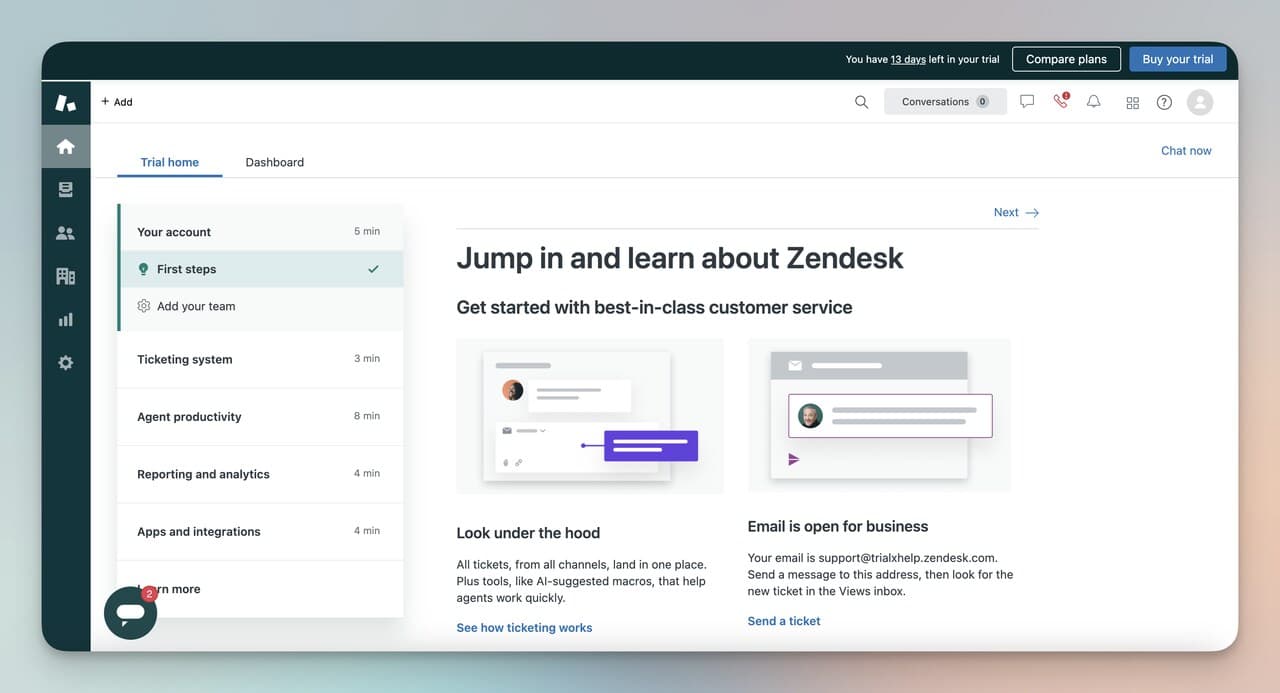
Zendesk's AI capabilities have improved dramatically in the past two years. The standout feature is the agent copilot, which sits alongside human agents and suggests responses, summarizes long ticket threads, and drafts replies based on your knowledge base. According to ChatMaxima's 2026 analysis, 80% of routine customer interactions will be fully handled by AI this year, and Zendesk's approach of augmenting humans with AI (rather than replacing them) fits well for complex support environments. The downside is obvious: pricing. At $55-169/agent/mo plus $50/agent for Advanced AI, a 50-person team could spend $5,250-$10,950 per month before counting any add-ons.
Zendesk operates as a complete CX platform covering ticketing, live chat, voice, email, social messaging, and a self-service help center. Its AI layer automates ticket routing, generates response suggestions for agents, and deploys chatbots that handle front-line queries. Unlike ManyChat, which focuses on marketing automation for social channels, Zendesk is built for customer support at enterprise scale. The platform integrates with 1,000+ apps through its marketplace.
• Perfect for: Enterprise support teams with 50+ agents handling complex, multi-channel customer service who need HIPAA compliance, advanced analytics, and AI-augmented workflows
| Plan | Price | Key Features |
|---|---|---|
| Suite Team | $55/agent/mo | Ticketing, email, chat, voice, social, prebuilt dashboards, 1,000+ apps |
| Suite Growth | $89/agent/mo | Multiple ticket forms, SLA support, multilingual content, self-service portal |
| Suite Professional | $115/agent/mo | Skills-based routing, live analytics, HIPAA compliance |
| Suite Enterprise | $169/agent/mo | Custom roles, AI content cues, premium sandbox, full customization |
| Advanced AI (add-on) | $50/agent/mo | Agent copilot, AI-powered triage, proactive insights |
Key Features:
• Agent Copilot: AI assistant that sits alongside human agents, suggests responses, summarizes tickets, and drafts replies in real time
• Omnichannel Routing: Skills-based routing across chat, email, phone, social, and messaging with automatic load balancing
• 1,000+ App Marketplace: The deepest integration ecosystem on this list, connecting with Salesforce, Shopify, Jira, Slack, and hundreds more
• HIPAA Compliance: Available on Professional and Enterprise plans for healthcare and regulated industries
• Advanced Analytics: Custom dashboards, live reporting, and AI-powered insights into team performance and customer trends
Pros:
• Agent copilot genuinely speeds up human agents: The ticket summary feature alone can save agents significant time per complex ticket
• Deepest integration ecosystem: 1,000+ native integrations means Zendesk connects to virtually any tool your team already uses
• Enterprise-grade compliance: HIPAA, SOC 2, and GDPR compliance built in for regulated industries
Cons:
• Most expensive platform on this list: A 50-agent team on Suite Professional with Advanced AI pays $8,250/mo before add-ons
• Complexity requires dedicated admin: You'll need at least one person managing Zendesk configuration, routing rules, and AI training full-time
• AI features gated behind expensive add-ons: The most useful AI capabilities (copilot, triage) require the $50/agent/mo Advanced AI add-on
Third-Party Ratings:
• G2: 4.3/5 based on 5,000+ reviews (G2 reviews page)
• Capterra: 4.4/5 based on 4,074 reviews (Capterra reviews)
9. Botsonic
Quick Facts:
• Best For: Businesses that want to train a chatbot on their specific data (PDFs, spreadsheets, URLs) for accurate, brand-specific responses
• Ease of Use: Beginner to Intermediate - data upload is simple, but optimizing responses requires iterating on training data quality
• Pricing: Free plan available, paid plans from $16/mo (Starter), $41/mo (Professional), $249/mo (Advanced)
• Standout Feature: Model-agnostic architecture that routes between multiple AI models for optimized response quality
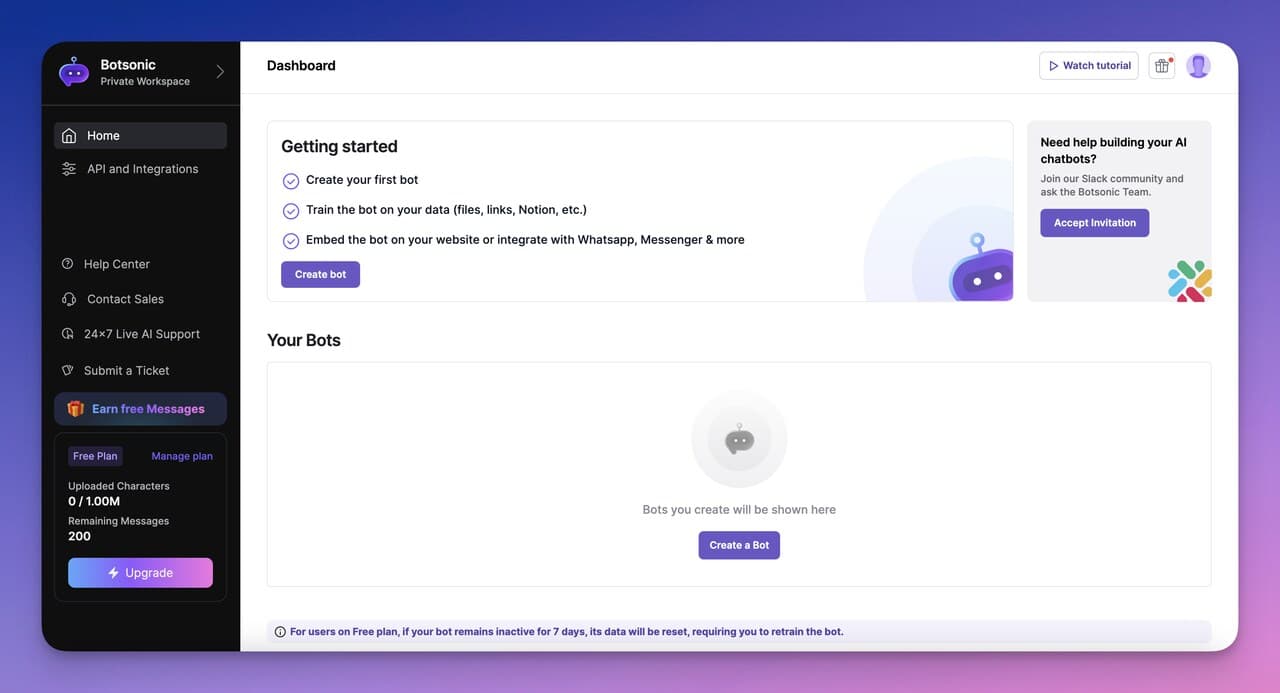
Botsonic, part of the Writesonic suite, takes a data training approach to chatbot building. You can upload product documentation, FAQ PDFs, URLs, and spreadsheets, and the platform builds an AI chatbot trained specifically on that content. Its model-agnostic routing switches between AI models depending on the query type, which can improve performance on technical questions versus general inquiries. The security certifications (SOC 2 Type II, GDPR, HIPAA) make it a strong fit for regulated industries.
Botsonic lets you upload company data in multiple formats (PDFs, Excel files, URLs, Google Drive documents) and trains an AI chatbot specifically on that content. The bot generates responses using only your verified information, reducing hallucination risk. It deploys on websites, WhatsApp, SMS, and through API integrations. When the bot reaches its confidence threshold, it hands off to a live agent. Unlike ManyChat's marketing-focused flows, Botsonic is built for knowledge-intensive support scenarios where accuracy matters more than conversation volume.
• Perfect for: Companies with extensive product documentation or knowledge bases who want an AI chatbot that gives precise, verifiable answers to complex product questions
| Plan | Price | Key Features |
|---|---|---|
| Free | $0/mo | Limited messages, 1 bot, basic features |
| Starter | $16/mo | 1 bot, 1,000 messages/mo, basic integrations |
| Professional | $41/mo | 2 bots, 3,000 messages/mo, advanced analytics |
| Advanced | $249/mo | 5 bots, unlimited messages, priority support, enterprise security |
Key Features:
• Multi-Format Data Training: Upload PDFs, Excel files, URLs, or connect Google Drive to train the AI on your specific business content
• Model-Agnostic Routing: Switches between AI models based on query type for optimized response quality. Technical queries use a different model than conversational ones
• 50+ Language Support: Handles customer queries in over 50 languages without needing separate bot instances
• Enterprise Security: SOC 2 Type II, GDPR, and HIPAA compliant with zero-retention policy for LLMs
• Custom Brand Appearance: Full visual customization to match your brand guidelines, including widget design, colors, and conversation tone
Pros:
• Strongest data training in this list: The multi-format upload (PDF, Excel, URLs, Google Drive) means you can train the bot using whatever documentation you already have
• Enterprise-ready security: SOC 2 Type II + HIPAA + GDPR + zero-retention LLM policy. This simplifies compliance team approvals
• Model-agnostic approach avoids vendor lock-in: If one AI model improves, Botsonic can route to it without you changing anything
Cons:
• Advanced plan is a big jump: Going from $41/mo (Professional) to $249/mo (Advanced) is a steep increase for growing teams
• Initial training takes time: While uploading data is easy, optimizing the bot's responses requires 2-3 iterations of reviewing and updating your training content
• Part of the Writesonic ecosystem: Some features are tightly coupled with other Writesonic tools, which can feel limiting if you don't use the broader suite
Third-Party Ratings:
• G2: 4.6/5 based on 70+ reviews (G2 reviews page)
10. Olark
Quick Facts:
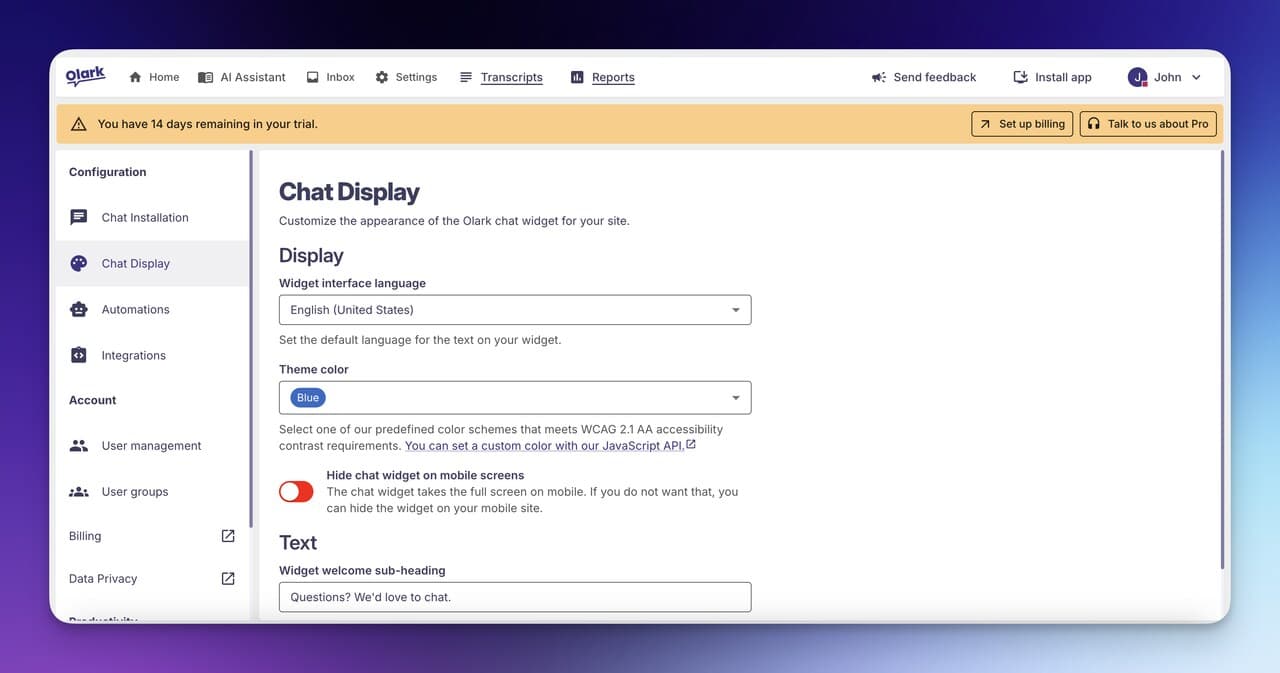
• Best For: Small to mid-size businesses that prioritize accessibility compliance (WCAG 2.1 AA) and want a simple live chat tool with AI assistance
• Ease of Use: Beginner - one of the simplest setups on this list, designed for teams that want live chat running in under 10 minutes
• Pricing: Starting at $29/seat/mo (Standard), Pro plan with custom pricing
• Standout Feature: WCAG 2.1 AA certified live chat widget, the only platform on this list with formal accessibility certification
Olark stands out on this list for a specific reason: accessibility. It is the only option with formal WCAG 2.1 AA certification for its chat widget. That matters if your business serves users with disabilities or operates in a regulated industry where accessibility compliance isn't optional. Beyond compliance, Olark's CoPilot AI handles routine queries while human agents manage complex conversations. The platform lacks the AI sophistication of LiveChatAI or Intercom, but it compensates with simplicity. According to industry research, 60% of business owners believe AI chatbots improve customer experience. Olark takes a conservative approach: its AI assists agents rather than replacing them, which reduces the risk of poor customer interactions. The 14-day trial gives enough time to evaluate whether the simplicity fits your workflow.
Olark combines live chat with an AI assistant called CoPilot. The live chat widget embeds on your website and routes conversations to available agents. CoPilot handles common questions automatically, captures visitor information, and qualifies leads before routing them to humans. The platform integrates with 100+ tools (CRMs, help desks, analytics platforms) through native connectors. Unlike ManyChat's social-channel focus, Olark is exclusively a website chat tool. It doesn't support Instagram, WhatsApp, or Messenger.
• Perfect for: Businesses in healthcare, education, or government that need accessibility-compliant chat, or small teams wanting simple live chat with light AI automation
| Plan | Price | Key Features |
|---|---|---|
| Standard | $29/seat/mo | Custom chatbox, advanced reporting, agent groups, targeted chat, WCAG 2.1 AA certification |
| Pro | Custom | All Standard features plus AI chatbots, custom routing, dedicated manager, priority support |
| PowerUps (add-ons) | $29-$99/mo each | Optional feature extensions for visitor insights, automation, and integrations |
Key Features:
• WCAG 2.1 AA Certification: The only formally accessibility-certified chat widget on this list. Not just "accessible" but independently certified
• CoPilot AI: Automates routine queries, captures visitor data, and qualifies leads before routing to human agents
• 100+ Integrations: Connects with Salesforce, HubSpot, Mailchimp, Slack, and other common business tools natively
• Targeted Chat Rules: Trigger chat prompts based on visitor behavior (page URL, time on site, referral source)
• Detailed Reporting: Track chat volume, agent performance, response times, and customer satisfaction ratings
Pros:
• Only accessibility-certified option: For businesses under ADA or WCAG compliance requirements, Olark eliminates the compliance risk that other platforms carry
• Simple pricing: $29/seat/mo with no per-message or per-resolution fees. Predictable monthly costs
• 10-minute setup: Copy-paste a JavaScript snippet and you're live. One of the fastest initial deployments on this list
Cons:
• Website-only: No WhatsApp, Instagram, Messenger, or email channel support. If you need multichannel, look at Freshchat or Zendesk instead
• Basic AI capabilities: CoPilot handles FAQ-level queries but can't match the conversational depth of LiveChatAI, Intercom Fin, or even Tidio's Lyro
• PowerUps add up: Individual add-ons at $29-$99/mo each means the total cost can creep significantly above the base $29/seat price
Third-Party Ratings:
• G2: 4.3/5 based on 200+ reviews (G2 reviews page)
• Capterra: 4.5/5 based on 471 reviews (Capterra reviews)
How to Choose the Right ManyChat Alternative
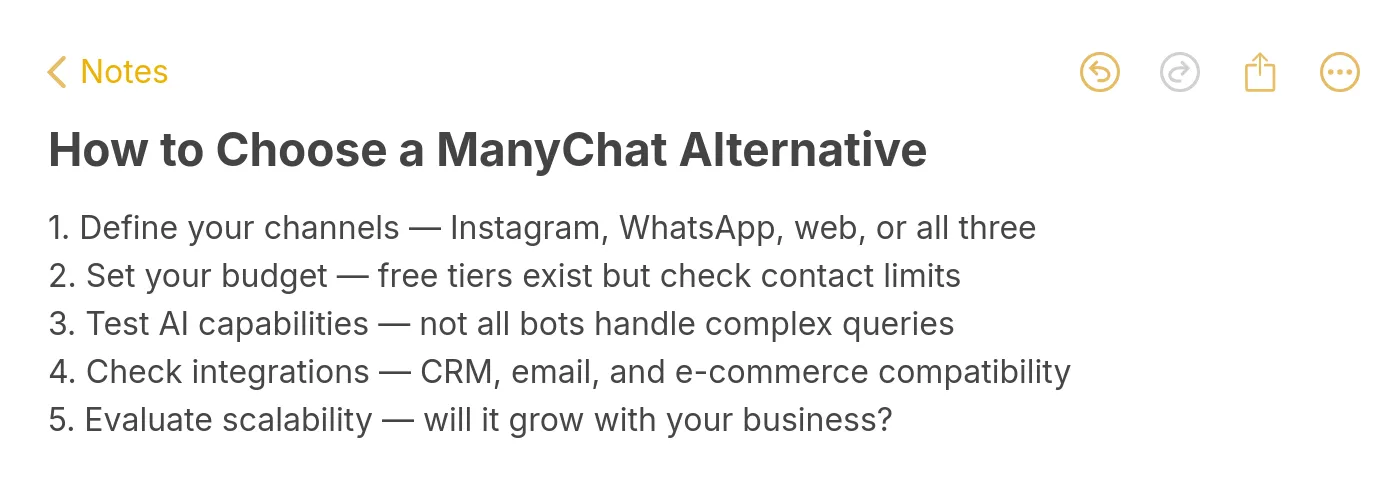
Picking the right platform depends on your specific situation. Here are six criteria to work through before committing:
1. Features and Customization. Start by listing what you actually need. Are you automating customer support, running social media DM campaigns, or building lead capture flows? ManyChat alternatives split into two camps: support-focused (LiveChatAI, Intercom, Freshchat, Zendesk) and marketing-focused (Chatfuel, Appy Pie). Some platforms offer AI trained on your data (LiveChatAI, Botsonic), while others rely on scripted conversation flows (ChatBot, Appy Pie). Match the feature set to your workflow before comparing prices.
2. Ease of Use. A tool packed with features is worthless if your team can't use it. Appy Pie and ChatBot offer the simplest drag-and-drop builders that non-technical users can figure out in minutes. Zendesk and Intercom are powerful but require dedicated admin time for configuration. If you don't have a developer on staff, prioritize platforms with fast setup and intuitive interfaces.
3. Pricing. Don't just look at the base price. Factor in per-agent fees, per-resolution charges (Intercom Fin's $0.99/resolution), AI add-on costs (Zendesk's $50/agent), and conversation limits. A "cheap" plan that caps at 1,000 conversations might cost more than an "expensive" plan with unlimited messages once you hit real traffic volumes. LiveChatAI and Freshchat both offer functional free plans to start with.
4. Support and Community. When something breaks at 2 AM, you need help fast. Check whether the platform offers live chat support, email support, phone support, or just a knowledge base. Zendesk and Intercom have large support teams and active communities. Smaller platforms like Olark and Appy Pie have more limited support options. Also look for community forums, documentation quality, and how quickly the vendor ships bug fixes.
5. Scalability. Some platforms scale affordably (LiveChatAI's jump from Free to $39/mo gives 16x more messages), while others hit pricing cliffs (Tidio's jump from $59/mo to $749/mo). Map out your expected conversation volume 12 months from now and check whether your chosen platform's pricing still makes sense at that scale. If you're building AI agent workflows, make sure the platform supports that level of automation natively.
6. Unique Capabilities. Check channel coverage against where your customers actually talk to you. If most conversations happen on Instagram, Chatfuel and ManyChat are strong choices. If customers reach out through your website, email, and WhatsApp, Freshchat or Zendesk provide the omnichannel coverage you need. Olark is website-only but offers the only WCAG 2.1 AA certified chat widget. Botsonic's model-agnostic routing and enterprise security certifications set it apart for regulated industries.
Chatbot Trends Shaping 2026
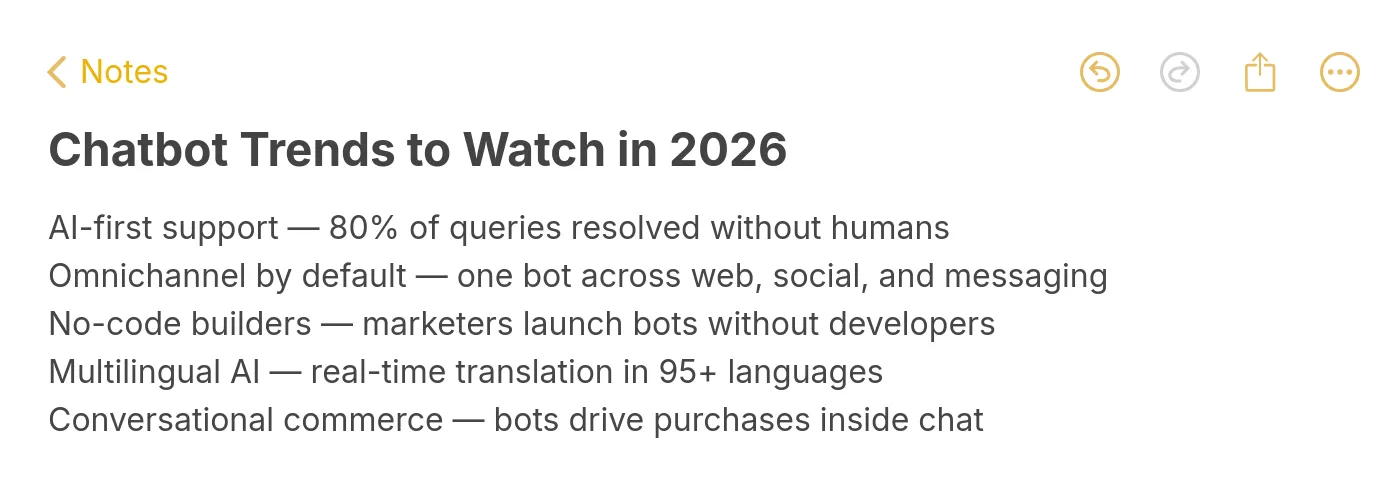
The global AI customer service market is projected to reach $15.12 billion in 2026. Five trends are worth watching as you pick your next chatbot platform:
AI-first support is replacing rule-based bots. The platforms winning this market (LiveChatAI, Intercom Fin, Botsonic) train AI on company-specific data rather than relying on scripted conversation trees. Rule-based builders like ManyChat and Appy Pie still work for simple marketing flows, but customer support is moving toward genuine AI understanding.
Per-resolution pricing is gaining traction. Intercom pioneered the $0.99/resolution model, and other platforms are following. This shifts the value equation: you pay for outcomes (resolved conversations) rather than inputs (seats, messages). Teams with high volumes of simple queries benefit. Teams with complex, multi-touch conversations may not.
Multichannel is table stakes. Customers expect to reach you on their preferred channel. Platforms offering only website chat (Olark) or only social channels (ManyChat) are losing ground to omnichannel solutions like Freshchat and Zendesk that handle chat, email, phone, WhatsApp, and Messenger from a single workspace.
No-code AI training is accelerating. Two years ago, training a chatbot on your data required developer resources. Now, platforms like LiveChatAI and Botsonic let non-technical teams upload PDFs, URLs, and help docs to create custom AI chatbots in under an hour. This is democratizing AI-powered customer support for small businesses.
Accessibility compliance is becoming a differentiator. As web accessibility regulations tighten globally, platforms with formal certifications (Olark's WCAG 2.1 AA) gain an advantage in regulated industries like healthcare, education, and government.
Picking Your ManyChat Alternative: The Bottom Line
After testing all 10 platforms, here's my shortcut for deciding:
Choose LiveChatAI if you want AI-powered customer support that trains on your content, starts free, and scales without per-resolution fees. It's the best all-around ManyChat alternative for businesses prioritizing support automation.
Choose Chatfuel if your revenue depends on Instagram and Messenger DM automation with e-commerce features like cart recovery and product recommendations.
Choose Tidio / Lyro AI if you serve international customers and need multilingual AI support with the highest user satisfaction ratings on G2.
Choose Intercom Fin if you're an enterprise team handling 10,000+ tickets/month and need the most accurate AI resolver on the market.
Choose Freshchat if your team manages conversations across 5+ channels and needs a unified workspace with a useful free plan for up to 10 agents.
Choose Zendesk if you need enterprise-grade CX with HIPAA compliance, agent copilot, and the deepest integration marketplace available.
Start with a free trial wherever possible. The best ManyChat alternative for your business is the one that performs well with your actual customer questions, not the one with the longest feature list. Test with real content, measure resolution rates, and let the data guide your choice.
Frequently Asked Questions
What is the best free ManyChat alternative?
LiveChatAI offers the most functional free plan on this list: 250 GPT-4o powered messages per month, 1 chatbot, and full widget customization with no time limit. Freshchat's free plan covers up to 10 agents with live chat and email support, which is better for teams needing human agent seats without AI automation. Appy Pie has a free tier for basic chatbot creation, but it's rule-based, not AI-powered. ManyChat's own free plan limits you to 1,000 contacts with basic automation.
Why is ManyChat so expensive?
ManyChat's pricing scales with your contact list size. At 500 contacts, Pro costs $15/mo. At 10,000 contacts, it jumps to around $100/mo. At 100,000 contacts, you're looking at $435/mo or more. The cost adds up because ManyChat charges for contacts rather than conversations or messages. If you've built a large subscriber list over time, many of those contacts may be inactive, but you're still paying for them. Alternatives like LiveChatAI charge per message instead, which means you only pay for actual usage.
Are there open-source ManyChat alternatives?
Yes, though they require technical setup. Botpress is the most actively maintained open-source chatbot platform, offering a visual builder with AI capabilities that you can self-host. Rasa is another option for teams with Python expertise who want full control over their NLU pipeline. The trade-off with open-source is clear: you save on licensing fees but invest in hosting, maintenance, and development time. For most non-technical teams, a hosted solution like LiveChatAI or Appy Pie will be more practical.
Can these ManyChat alternatives integrate with popular business tools and platforms?
Absolutely. Most of the alternatives mentioned offer integrations with popular business tools:
- LiveChatAI connects seamlessly with tools via Make, Zapier, API, and webhooks.
- Chatfuel integrates with Shopify, Stripe, and Zapier.
- Botsonic offers integrations with platforms like WhatsApp and SMS.
- Olark provides over 100 integrations, ensuring compatibility with existing workflows.
For further reading, you might be interested in the following:
• Best 10 Character AI Alternatives and Competitors in 2025
• Best 14 Dante AI Alternatives and Competitors for Business