






Chat etiquette is the set of communication standards that separate forgettable support interactions from ones that build lasting loyalty. These 15 rules cover response timing, tone matching, personalization, and follow-up practices that support teams can implement within a single shift. Each rule includes specific examples, common mistakes, and measurable outcomes for customer service managers.
What Is Chat Etiquette and Why Does It Matter?
Chat etiquette refers to the professional standards governing how support agents communicate through live chat, messaging apps, and AI chatbot interfaces. It goes beyond basic politeness. It's a system of practices that shape how customers perceive your brand in real time.
According to EZ Texting's 2026 consumer behavior report, 89% of consumers expect every message to earn its place, meaning filler responses and generic greetings actively hurt your credibility. Customers aren't just looking for answers. They're evaluating whether your team respects their time.
For B2B SaaS companies, the stakes are higher. A single bad chat interaction can influence a renewal decision worth thousands in annual recurring revenue. Good chat etiquette reduces misunderstandings, shortens resolution times, and turns routine support tickets into moments that strengthen the customer relationship.
How Does Chat Etiquette Affect Business Results?
The connection between chat etiquette and revenue isn't theoretical. According to SQ Magazine's live chat statistics, 79% of companies say live chat has positively impacted their sales and revenue. Businesses that invest in professional messaging guidelines see measurable returns across retention, ticket volume, and customer satisfaction scores.
Here's what proper chat etiquette delivers:
• Lower churn rates: Customers who feel heard during support interactions are far less likely to cancel. Poor communication is one of the top three reasons B2B customers switch providers.
• Faster resolution times: Agents who follow clear communication standards resolve tickets faster because they avoid the back-and-forth caused by vague or confusing messages.
• Reduced support costs: Clear first responses reduce follow-up messages. Fewer messages per ticket means your team handles more volume without additional headcount. An AI chatbot trained on your knowledge base can handle routine queries while your agents focus on complex issues requiring proper etiquette.
• Stronger brand perception: Every chat transcript is a micro-interaction with your brand. Professional, empathetic communication builds the kind of trust that drives word-of-mouth referrals.
Quick Overview of All 15 Chat Etiquette Rules
1. Respond Promptly — Set expectations within 15 seconds to prevent abandonment
2. Use Proper Grammar and Spelling — Protect credibility with every message
3. Be Polite and Professional — Match formality to context without sounding robotic
4. Personalize the Interaction — Use names and history to show you've done your homework
5. Maintain a Positive Tone — Reframe limitations as next steps
6. Be Clear and Concise — One idea per message, plain language only
7. Mirror the Customer's Style — Adapt tone and formality to match the person you're helping
8. Empathize with the Customer — Acknowledge frustration before jumping to solutions
9. Provide Accurate and Transparent Information — Never overpromise on timelines or capabilities
10. Avoid Overusing Canned Responses — Personalize templates to fit the specific situation
11. Stay Focused on the Query — Keep the conversation on track without unnecessary tangents
12. Handle Escalations Gracefully — Transfer with full context so the customer never repeats themselves
13. Check for Understanding — Confirm the resolution before closing
14. End the Chat Positively — Close with a specific takeaway, not a generic goodbye
15. Follow Up When Necessary — Circle back on unresolved issues to show commitment
1. Respond Promptly: Set Expectations Within Seconds
Speed is the first signal of professionalism in any chat interaction. When a customer opens a live chat window, they've already chosen the fastest support channel available. Making them wait defeats the purpose.
How to implement:
1. Set up auto-acknowledgment messages that fire within 5 seconds of a new chat. Something specific: "Hi Sarah, I'm pulling up your account now" works better than "Please wait while we connect you to an agent."
2. Display estimated wait times when all agents are busy. A customer who sees "3 minutes" will wait. A customer who sees nothing will leave after 30 seconds.
3. Configure live chat triggers to proactively engage visitors before they reach out, reducing perceived wait time entirely.
4. Use an AI chatbot as the first responder. It can answer common questions instantly while routing complex issues to human agents with full context attached.
According to YouGov's 2026 communication study, messaging now replaces many phone calls for 68% of Americans. That shift means customers bring phone-call expectations to chat: they want someone on the other end immediately. Teams that respond within 15 seconds see measurably higher satisfaction scores compared to those averaging 60 seconds or more.
2. Use Proper Grammar and Spelling: Protect Your Credibility
Every typo and grammatical error chips away at a customer's confidence in your competence. If your agent can't spell "unfortunately" correctly, the customer starts wondering whether the technical guidance is reliable either.
How to implement:
1. Enable browser-level spell checking in your chat platform. Most modern tools support this natively.
2. Create a team glossary for product-specific terms, industry jargon, and common abbreviations. Standardize whether your team writes "setup" or "set up," "login" or "log in."
3. Review chat transcripts weekly. Flag recurring grammar issues and address them in team standups rather than one-on-one corrections that feel punitive.
4. For non-native English speakers on your team, provide writing templates for the 20 most common scenarios. These aren't canned responses; they're structural guides that ensure grammatical accuracy while allowing personalization.
This doesn't mean every message needs to be perfectly formal. A well-placed "gotcha" or "no worries" can make a conversation feel human. The point is that errors should be intentional style choices, not accidents.
3. Be Polite and Professional: Find the Right Register
Politeness in chat isn't about cramming "please" and "thank you" into every sentence. It's about reading the situation and responding with the appropriate level of formality.
How to implement:
1. Open with a warm but efficient greeting. "Hi [Name], thanks for reaching out. Let me look into this for you" covers politeness without wasting time.
2. Avoid overly casual language in the first two messages. Let the customer set the tone. If they're using exclamation points and emojis, you can loosen up. If they're writing in full sentences with periods, match that energy.
3. Never use sarcasm, even when the answer seems obvious. Text strips away vocal tone, so what sounds playful in your head reads as condescending on screen.
4. When you need to say "no," frame it constructively. Instead of "We can't do that," try "What I can do is [alternative]. Would that work for you?"
A study published on ResearchGate on netiquette for online interactions found that recognizing the importance of privacy, respecting people's time, and keeping the tone civil are the three pillars of effective digital communication. These principles apply directly to customer support chat.
4. Personalize the Interaction: Show You've Done Your Homework
Generic responses tell the customer they're a ticket number. Personalized responses tell them they're a person your company cares about.
How to implement:
1. Use the customer's name naturally, not in every sentence (that feels scripted), but at the greeting and at key transition points in the conversation.
2. Reference their account history. "I see you reached out about this same integration issue last month — let me check whether the fix we applied is still holding" shows continuity of care.
3. Acknowledge their specific use case. A B2B customer running an e-commerce store has different needs than one managing a SaaS help desk. Tailor your language accordingly.
4. If your chat tool integrates with your CRM, pull in key data points: plan tier, account age, recent activity. This context lets agents personalize without asking the customer to repeat information they've already provided.
Personalization scales better than most teams realize. An agent with strong chat support skills can personalize even templated responses by inserting one specific detail about the customer's situation. That single detail transforms a generic reply into a conversation.
5. Maintain a Positive Tone: Reframe Limitations as Next Steps
Positive tone doesn't mean pretending everything is fine. It means choosing language that moves the conversation forward instead of hitting dead ends.
How to implement:
1. Replace negative framing with action-oriented alternatives:
• Instead of: "I can't access your account from here."
• Try: "Let me transfer you to our account specialist who can pull that up right away."
2. When delivering bad news, lead with what you CAN do. "That feature isn't available on your current plan, but here's how you can get similar results with [alternative]."
3. Avoid words that create anxiety: "unfortunately," "problem," "issue," "impossible." Swap them for neutral alternatives: "situation," "question," "here's what we can do."
4. When a customer is angry, don't match their energy. Stay steady. "I understand this is frustrating, and I want to get this sorted for you" acknowledges emotion without escalating it.
Positive tone works because it shifts the customer's mental state from problem-focused to solution-focused. That shift alone can cut average handle time because customers stop venting and start collaborating.
6. Be Clear and Concise: One Idea Per Message
Long, paragraph-style messages in live chat overwhelm customers. They have to scroll, re-read, and guess which part to respond to first. Breaking your response into focused chunks makes the conversation flow naturally.
How to implement:
1. Limit each message to one instruction or one piece of information. If you need to explain three steps, send three separate messages.
2. Use plain language. Replace "utilize" with "use," "facilitate" with "help," "regarding" with "about." Your customer isn't reading a contract. They want an answer.
3. Front-load the answer. Put the most important information in the first sentence, then add context if needed. Customers scanning quickly will catch the answer even if they don't read everything.
4. Avoid jargon unless the customer introduced it first. If they say "API webhook," you can use that term. If they say "the thing that sends data to our app," match their vocabulary.
Clarity is especially important in chatbot conversations where tone of voice must be carefully calibrated. AI-assisted responses need the same editing discipline: short sentences, active voice, direct answers.
7. Mirror the Customer's Style: Adapt Your Communication
Mirroring is a psychological principle that builds rapport. In chat, it means adjusting your formality, sentence length, and vocabulary to match the customer's natural communication style.
How to implement:
1. If the customer writes "Hey, quick question — can I change my billing date?" respond with similar casualness: "Hey! Yes, you can. Let me walk you through it."
2. If the customer writes "Dear Support Team, I am experiencing an issue with invoice generation for Q2 2026," respond with matching formality: "Thank you for reaching out. I'll investigate the invoice generation issue for Q2 and update you within the next 15 minutes."
3. Watch for emotional cues. A customer using all caps or multiple question marks is frustrated. Slow down, acknowledge the frustration, and be more thorough than usual.
4. Don't mirror negative language. If a customer says "your product is broken," don't repeat "broken." Instead, reframe: "Let's figure out what's happening and get this working for you."
Mirroring works because it reduces cognitive friction. The customer doesn't have to mentally translate your communication style. They can focus entirely on the content of your response.
8. Empathize with the Customer: Acknowledge Before You Solve
The biggest mistake support agents make is jumping straight to a solution without acknowledging the customer's frustration. Even when you have the answer ready, taking two sentences to validate their experience changes the entire dynamic.
How to implement:
1. Use specific acknowledgment, not generic phrases. "I can see this has been going on since Tuesday — that's a long time to deal with this" lands better than "I'm sorry for the inconvenience."
2. Reflect their stated impact. If a customer says "I can't send invoices to my clients," respond with "That's directly affecting your revenue, so let's prioritize this."
3. Separate empathy from apologizing. You don't always need to say sorry. Sometimes "That sounds frustrating" or "I'd feel the same way" is more authentic than a formulaic apology.
4. Don't invalidate their experience by explaining why the issue happened before confirming you understand the problem. Explanation comes after empathy, not before.
According to SurveyMonkey's customer service research, 79% of Americans strongly prefer interacting with a human over an AI agent. Empathy is the primary reason. Customers want to feel understood, and that's something only a well-trained agent (or a carefully designed support workflow) can deliver consistently.
9. Provide Accurate and Transparent Information: Never Overpromise
Accuracy builds trust. A single incorrect answer or missed deadline can undo weeks of good interactions. Customers remember the time you said "it'll be fixed by tomorrow" and it wasn't.
How to implement:
1. If you don't know the answer, say so. "I want to give you the right answer, so let me check with our engineering team and get back to you within 2 hours" is vastly better than guessing.
2. Use specific timelines, not vague ones. "I'll follow up by 3 PM EST today" instead of "soon" or "shortly." Vague promises create anxiety because the customer has no way to hold you accountable.
3. When quoting product capabilities, stick to what's documented. If a feature works 90% of the time, don't say "always." If there's a known limitation, mention it upfront.
4. If you need to correct earlier information, own it directly. "I checked again and my earlier response was incorrect — here's the accurate information" is more professional than quietly hoping they don't notice.
Transparency is especially important for B2B SaaS companies where decisions affect entire teams. A support agent who gives inaccurate migration timelines could cause a customer to miss their own internal deadline, eroding trust far beyond the original issue.
10. Avoid Overusing Canned Responses: Personalize Every Template
Canned responses save time. Overusing them makes customers feel like they're talking to a wall. The goal is using templates as starting points, not finished products.
How to implement:
1. Audit your canned response library quarterly. Delete responses that no longer match your product's current state. Update language that sounds stale or robotic.
2. Add a personalization rule: every canned response must be edited before sending. At minimum, insert the customer's name and reference their specific issue.
3. Break long canned responses into modular blocks. An agent handling a billing question should be able to pull the billing paragraph without sending the entire "account FAQ" template.
4. Track which canned responses get the lowest satisfaction ratings. If customers consistently rate a specific template poorly, rewrite it or replace it with a more conversational alternative.
The gap between a good canned response and a bad one is context. "Your subscription has been updated" tells the customer nothing. "Your plan has been upgraded to Business — you'll now have access to custom reporting and priority support starting today" tells them everything they need to know.
11. Stay Focused on the Query: Keep the Conversation on Track
Customers start a live chat for a specific reason. Drifting into small talk, upselling, or tangential topics delays resolution and signals that you value your agenda over theirs.
How to implement:
1. Identify the core question within the first exchange. If the customer's opening message is unclear, ask one clarifying question before proceeding. Not three. One.
2. Resist the urge to proactively mention unrelated features or promotions during a support conversation. There's a time for cross-selling. It's not when someone is trying to fix a broken integration.
3. If the conversation naturally branches into a second issue, handle the first one completely before addressing the second. "Let me make sure we've fully resolved the export issue first, and then I'm happy to look into the notification settings."
4. Use internal notes (not customer-facing messages) to document additional observations. If you notice the customer's account has a configuration issue they haven't asked about, flag it for follow-up after the current issue is closed.
Staying focused is a form of respect. It tells the customer you understand their time is valuable and you're not going to waste it on things they didn't ask about.
12. Handle Escalations Gracefully: Transfer with Full Context
Nothing frustrates a customer more than repeating their issue to three different agents. Graceful escalation means the next person picks up exactly where the last one left off.
How to implement:
1. Before transferring, summarize the issue to the customer: "I'm going to connect you with our billing specialist. I've shared the full conversation history so you won't need to repeat anything."
2. Include a private note to the receiving agent with: the customer's issue, what you've already tried, the customer's emotional state, and any relevant account details.
3. Stay in the chat during the transition if your platform allows it. A warm handoff ("Maria, this is Jake — he's been dealing with a double charge on his March invoice") feels dramatically different from a cold transfer.
4. Set expectations for the next step. "Our specialist usually responds within 5 minutes. If you don't hear back, reply here and I'll follow up directly."
Escalation handling separates average support teams from exceptional ones. When your team manages common customer service challenges with smooth handoffs, customers remember the experience as collaborative rather than bureaucratic.
13. Check for Understanding: Confirm Before You Close
Assuming the customer understood your solution is a fast path to reopened tickets. Checking for understanding adds 30 seconds to the conversation and saves 10 minutes of follow-up.
How to implement:
1. Summarize the resolution in plain language: "So to recap — I've updated your billing cycle to the 15th of each month, and your next invoice will reflect the prorated amount. Does that match what you expected?"
2. Ask a specific confirmation question, not a generic "Does that help?" Instead: "Can you try refreshing the dashboard now and let me know if the new data appears?"
3. For complex solutions, send a brief follow-up message listing the steps you took. This gives the customer a reference they can return to if the issue resurfaces.
4. Watch for non-committal responses like "ok" or "sure." These often mean the customer didn't fully understand but doesn't want to ask again. Probe gently: "Just want to make sure — would it help if I walked through that one more time?"
Confirmation prevents the most expensive kind of support ticket: the one where a customer comes back three days later, more frustrated, with the same unresolved issue. Catching misunderstandings in real time is always cheaper than re-engaging later.
14. End the Chat Positively: Close with a Specific Takeaway
The last message in a chat shapes the customer's overall memory of the interaction. A strong close reinforces the resolution and leaves the door open for future conversations.
How to implement:
1. Thank the customer for something specific. "Thanks for your patience while we sorted out the API configuration" feels more genuine than "Thanks for contacting us."
2. Restate the outcome. "Your custom domain is now live, and SSL should propagate within 2 hours. If it doesn't, reply here and I'll escalate."
3. Offer a relevant resource, not a generic one. If you just helped them set up an integration, link to the integration's documentation page rather than your general knowledge base.
4. Invite feedback in a way that doesn't feel transactional. "If anything comes up with this, don't hesitate to reach out" works better than "Please rate this interaction."
Ending well matters because of the peak-end rule in customer psychology. People judge experiences primarily by their most intense moment and by how they end. A rocky middle with a strong close is remembered more favorably than a smooth conversation with an abrupt goodbye.
15. Follow Up When Necessary: Circle Back to Show Commitment
Following up on unresolved issues is where most support teams drop the ball. The chat ended, the ticket closed, but the customer's problem persists. That gap is where churn lives.
How to implement:
1. Create a follow-up queue for any chat that ends without confirmed resolution. Assign ownership to the original agent whenever possible. Continuity matters.
2. Set specific follow-up timelines based on issue severity. Billing issues: 24 hours. Feature requests: 1 week. Bug reports: when the fix ships, not before.
3. When following up, reference the original conversation. "Hi Jake, following up on the export issue from Tuesday — our team deployed a fix yesterday and I wanted to confirm it's working on your end."
4. Close the loop even when the news isn't great. "We reviewed your feature request and it's on our roadmap for Q3, but not Q2 as I'd hoped. I'll update you when we have a firmer timeline."
According to SQ Magazine, businesses report a 48% increase in revenue per chat hour when they invest in quality interactions — and follow-up is one of the highest-impact quality investments a team can make. A single follow-up message signals that your company cares about outcomes, not just closing tickets.
Common Chat Etiquette Mistakes and How to Avoid Them
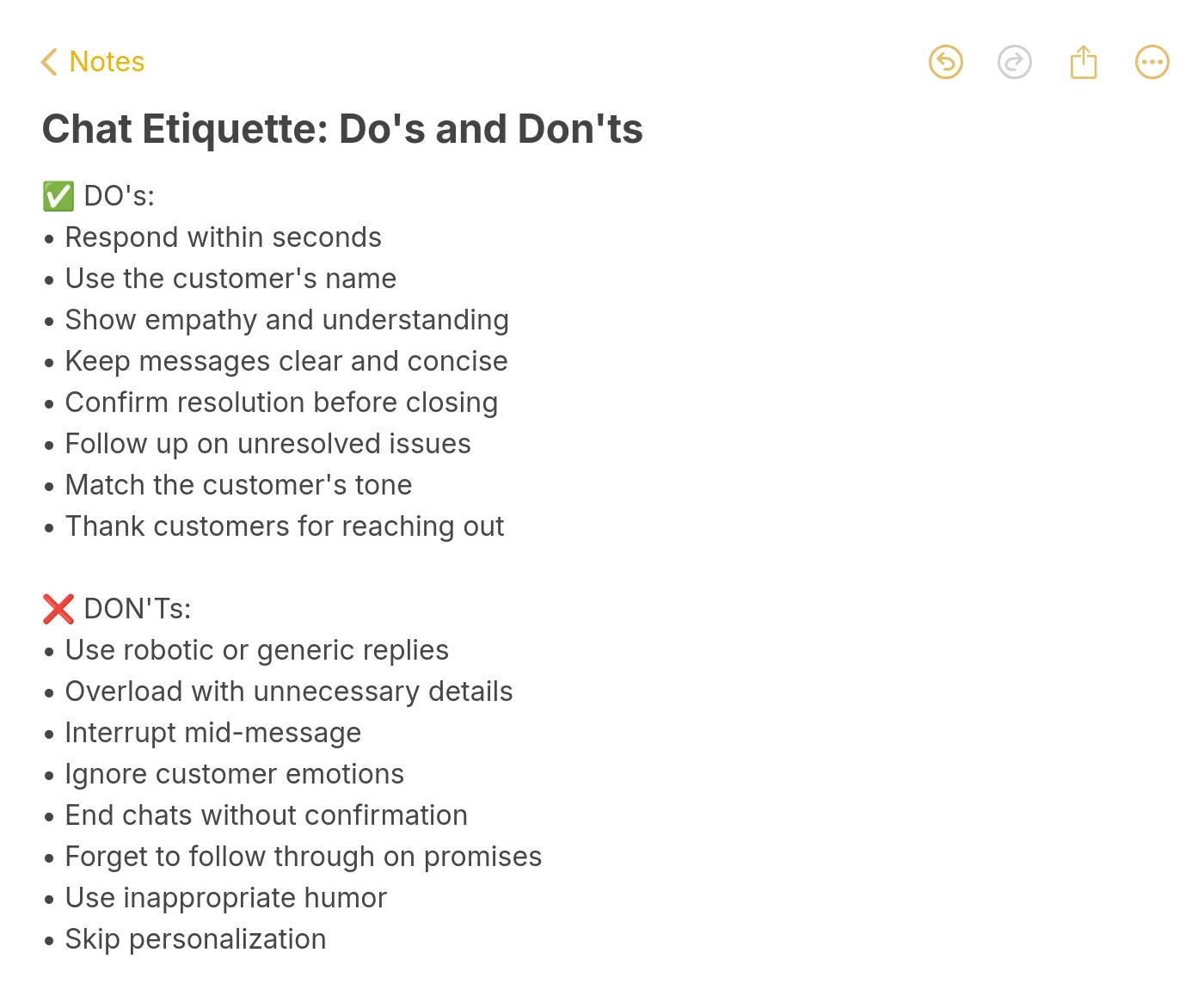
Knowing the rules isn't enough if your team keeps falling into the same traps. Here are the most damaging patterns and their fixes:
| Mistake | Why It Hurts | Fix |
|---|---|---|
| Generic greetings with no name | Signals the customer is just a ticket number | Pull the name from your CRM and use it in the first message |
| Sending walls of text | Overwhelms the reader, key info gets buried | One idea per message, max 2-3 sentences each |
| Responding before the customer finishes typing | Feels dismissive, you clearly didn't read their full message | Wait for the "typing" indicator to stop before replying |
| Ignoring emotional cues | Customer feels unheard, frustration escalates | Acknowledge the emotion before offering the solution |
| Copy-pasting canned responses without editing | Feels automated and impersonal | Edit every template with at least one specific detail |
| Ending abruptly without confirmation | Customer leaves unsure whether their issue is resolved | Summarize and ask for explicit confirmation before closing |
| Making promises you can't keep | Erodes trust when you miss the deadline | Commit to specific, realistic timelines and update proactively |
| Forgetting to follow up | Customer assumes you don't care about their outcome | Set a calendar reminder or use your ticketing system's follow-up feature |
How to Prioritize Chat Etiquette Rules
You don't need to implement all 15 rules at once. Start with the changes that take the least effort but deliver the most visible improvement:
| Priority | Rule | Effort | Impact | Best For |
|---|---|---|---|---|
| 1 | Respond Promptly | Low | High | Teams with slow first-response times |
| 2 | Personalize the Interaction | Low | High | Teams using CRM-integrated chat tools |
| 3 | Check for Understanding | Low | High | Teams with high ticket-reopen rates |
| 4 | Empathize with the Customer | Medium | High | Teams handling frustrated or churning customers |
| 5 | Handle Escalations Gracefully | Medium | High | Multi-tier support teams with warm transfer capability |
| 6 | Mirror the Customer's Style | Medium | Medium | Teams serving diverse customer segments |
| 7 | Follow Up When Necessary | Medium | High | Teams with unresolved ticket backlog |
| 8 | Maintain a Positive Tone | Medium | Medium | Teams with low CSAT on negative-outcome tickets |
The first three rules (prompt response, personalization, and understanding checks) can be implemented within a single team meeting. They require no new tools, no additional budget, and no workflow changes. Just awareness and practice.
How to Train Your Team on Chat Etiquette
Rules on paper don't change behavior. Here's how to make chat etiquette stick across your support team:
1. Run weekly transcript reviews. Pull 5-10 random transcripts and evaluate them against these 15 rules. Discuss what went well and what could improve. Make it collaborative, not punitive.
2. Create a "best of" channel. When an agent handles a difficult conversation exceptionally well, share the transcript (anonymized) with the team. Concrete examples teach faster than abstract guidelines.
3. Role-play difficult scenarios. Angry customers, confused customers, customers asking for features you don't have. Practice builds the muscle memory that prevents agents from freezing in real interactions.
4. Use your chat analytics to identify patterns. If your average handle time spikes on Mondays, look at the transcripts. Are agents sending longer messages? Are they struggling with a particular issue type? Data points you to the training gap.
5. Pair new agents with experienced ones for their first two weeks. Real-time coaching during live chats, where the senior agent watches and gives feedback after each conversation, accelerates learning far faster than classroom training.
For teams looking to scale their chat operations without proportionally scaling headcount, combining trained agents with an AI-powered live chat solution creates a system where the AI handles routine questions using the same etiquette standards while human agents focus on the interactions that require genuine empathy and judgment.
Building a Culture of Professional Chat Communication
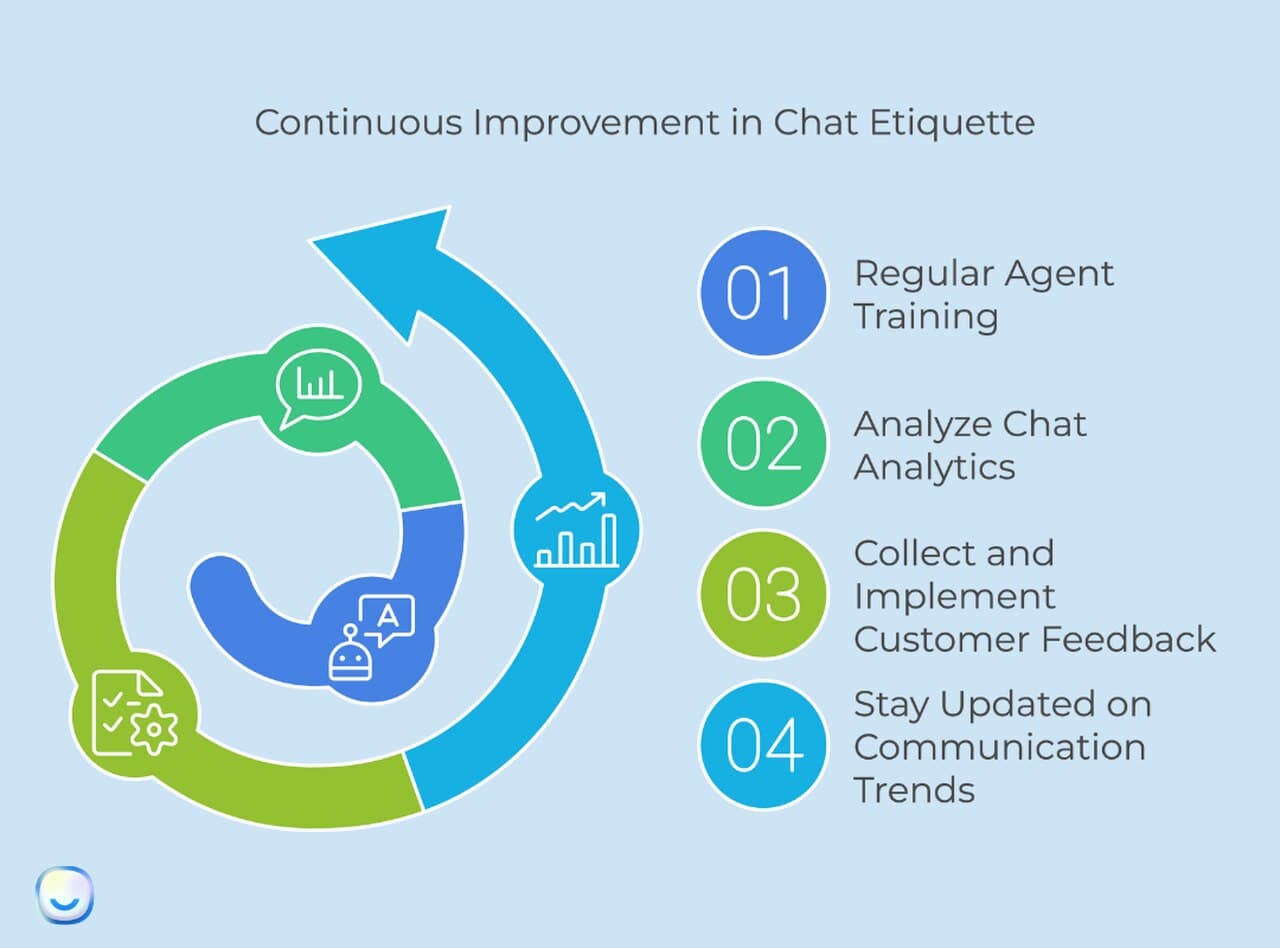
These 15 chat etiquette rules aren't a one-time training exercise. They're a framework that your team refines through daily practice, transcript reviews, and customer feedback. Start with the three highest-impact, lowest-effort rules: respond promptly, personalize every interaction, and confirm understanding before closing.
The teams that execute these consistently don't just resolve tickets faster. They build the kind of customer relationships that drive renewals, expansions, and referrals. In B2B SaaS, where the cost of acquiring a new customer is 5-7x higher than retaining an existing one, chat etiquette is one of the most undervalued retention investments available.
Frequently Asked Questions
What are the rules of chatting?
The core rules include responding promptly (within 15 seconds), using proper grammar, personalizing every interaction with the customer's name and context, maintaining a positive tone even when delivering bad news, and confirming understanding before closing the conversation. For customer service teams, combining these rules with self-service options creates a support system that handles volume without sacrificing quality.
What are some chat etiquette examples?
A good example: "Hi Mia, I can see the export failed on your March report. Let me re-run it now — should take about 2 minutes." A bad example: "Hello. What seems to be the problem?" The first shows personalization, specificity, and a clear next step. The second puts the burden on the customer and wastes time they've already spent describing the issue in their initial message.
How does chat etiquette improve customer service?
Chat etiquette improves customer service by reducing misunderstandings, shortening resolution times, and creating interactions that feel human rather than transactional. Teams that follow consistent etiquette standards see fewer reopened tickets, higher satisfaction scores, and lower churn. The compound effect is significant: customers who have positive support experiences spend more and stay longer.
What is chat etiquette at work?
Workplace chat etiquette covers internal team communication on platforms like Slack or Microsoft Teams. Key rules include using threads to keep channels organized, avoiding all-caps (which reads as shouting), respecting working hours for non-urgent messages, and providing enough context in your message so the recipient can respond without asking three clarifying questions. The principles overlap with choosing the right customer support channel for each type of communication.
Why is chat etiquette important for teams?
For support teams, chat etiquette creates consistency. When every agent follows the same communication standards, customers get the same quality of service regardless of who they're chatting with. This consistency is what builds brand-level trust over time. It also makes onboarding faster because new agents have clear guidelines instead of figuring out the team's communication norms through trial and error.
For further reading, you might be interested in the following: